





unsainted
Members
-
Joined
-
Last visited
Everything posted by unsainted
-
worked perfectly! Thank you!
-
I just installed this plugin and i am unable to make my settings changes stick. I hit save and screen refreshes after 15-20 seconds and nothing has changed from the default. For example i am changing to 4 columns, 4 rows, physical tray assignment direction -left to right and temp in Fahrenheit. When i hit save its still at the defaults. I am running Unraid 6.7.0-rc2 Any ideas what may be going on?
-
yes, i checked it, hit exclude selected, apply, then uncheck and exclude selected and apply. When i go to run the perms, its still listed as an exemption.
-
That does not work, it takes me to the FCP page where the box for media is already unchecked. I have checked again/unchecked etc all to no avail. I have even reinstalled FCP plugin.
-
I posted this in General support but then realized its part of this plugin.. Any ideas?
-
I am wanting to fix some permissions problems on my media share but somehow Docker New Safe Perms has it exempted from running it there. Where is this setting stored so I can remove the exemption?

-
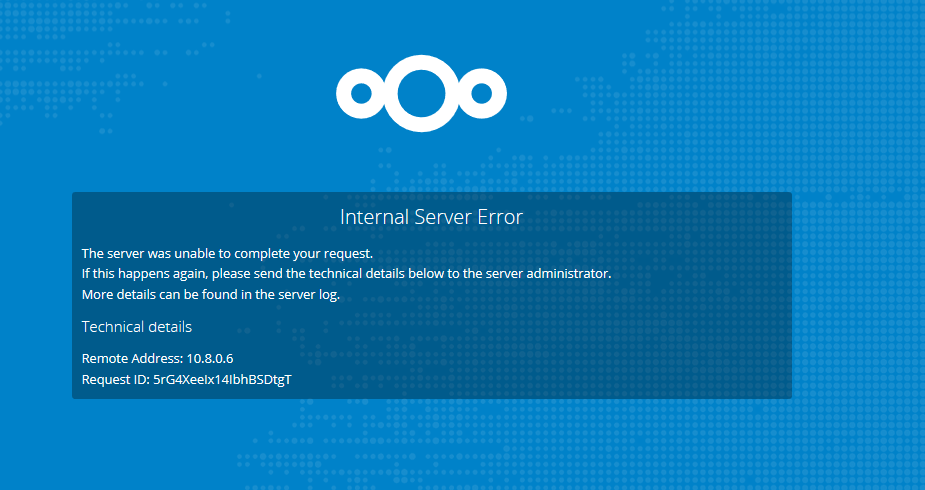
updated Docker and now I am getting this when attempting to log into the WebUI, I have already removed and reinstalled the Docker as 1st step. I am attempting to connect through a VPN currently so i am not sure if that has anything to do with it. It used to work previously but its been a while since i have needed to log in for anything. I am not sure which logs i should be looking for to troubleshoot this. edit: also logged into a machine on my local network (no vpn) and tried from there, same error.
-
Thanks, not sure why i was under the impression I needed them both.. stupid mistake. Seems to be working now. ugh, hate when I'm stupid lol
-
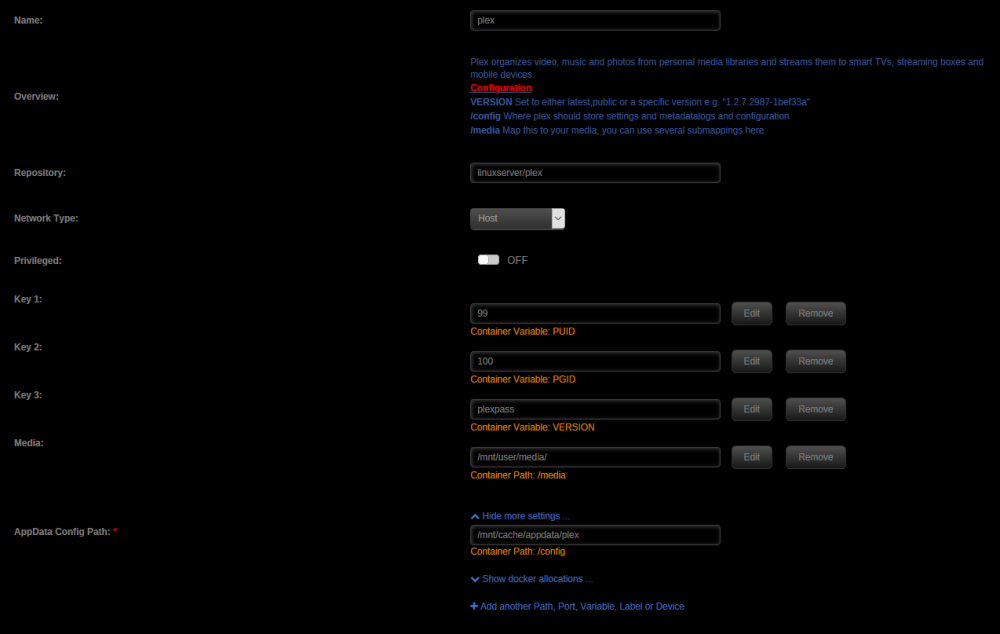
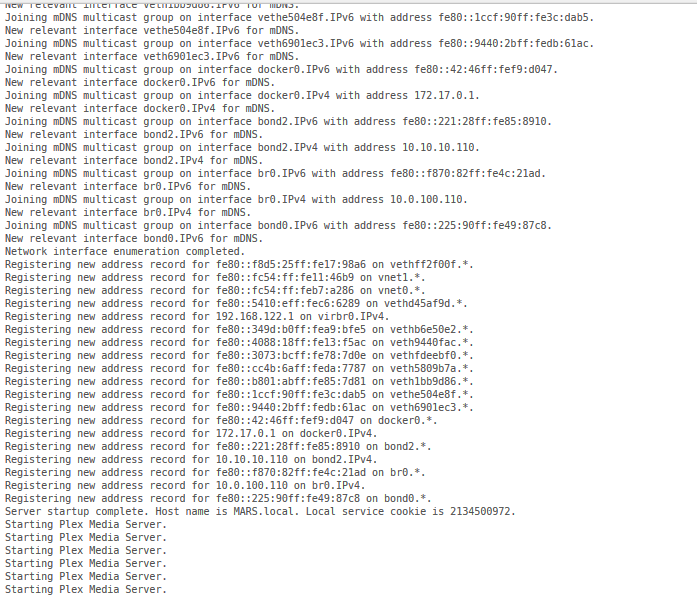
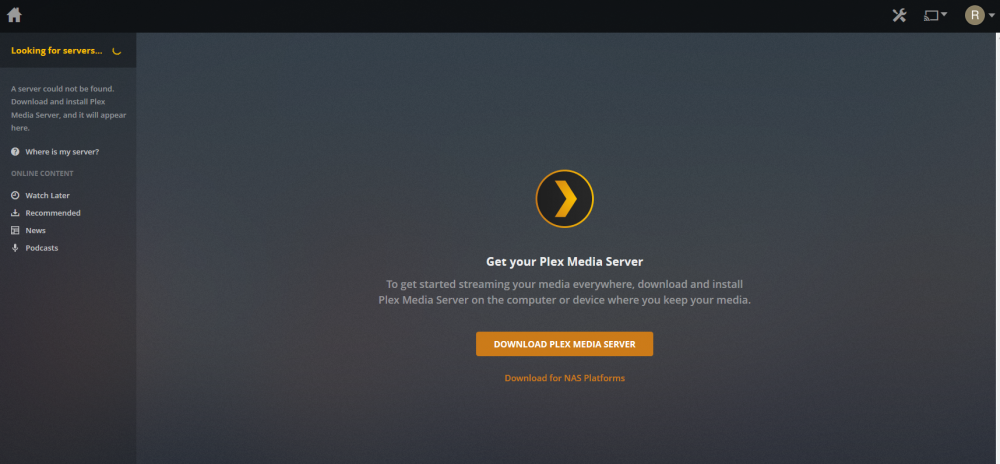
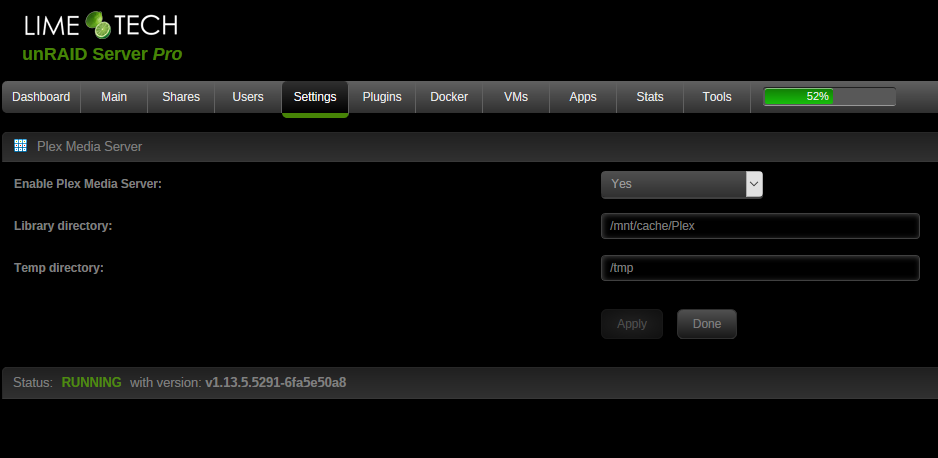
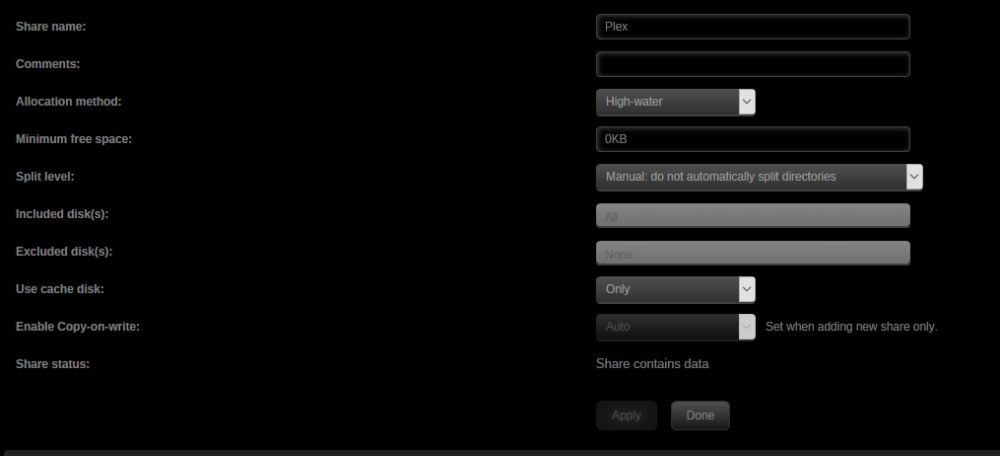
Been having an issue last few days. Plex WebUI wasnt working so I went to investigate. Couldn't ever find a solid problem, so I decided to start over from scratch. WebUI works now, but cannot find PLex Server. Logs show Starting Plex Server over and over. Screenshots of various things attached. Any suggestions on how to get this working would be helpful. thanks.
-
thanks!
-
Ah gotcha, thats probably my issue then, I thought this was all self-contained. is there a calibre docker you would recommend?
-
Just went back to the WebUI and refreshed it, now its presenting a login. is there default login?
-
Yes, I see the metadata.db file there. Its 0KB
-
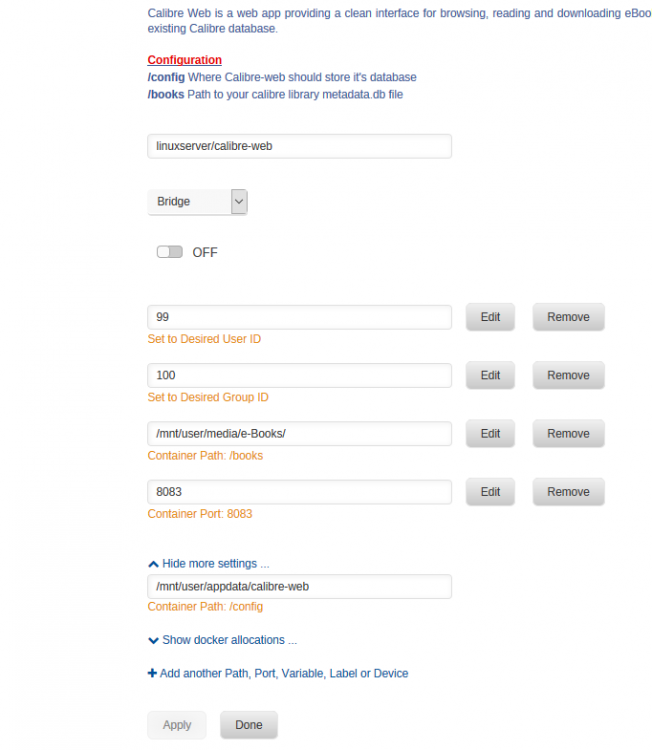
Thats what i had thought. I have /books mapped to my ebooks folder /mnt/user/media/e-books I entered /books into the config for the location and got the same error. I dont have a /books_library path in my setup?
-
I am installing this docker and when i launch the UI it goes to /config and asks for database location. Is this a pre-defined path, or do i just put in where i want. No matter what i try, i get a 403 forbidden error and this in the logs. [2018-06-11 11:09:39,117] ERROR in app: Exception on /config Traceback (most recent call last): File "/usr/lib/python2.7/site-packages/flask/app.py", line 2292, in wsgi_app response = self.full_dispatch_request() File "/usr/lib/python2.7/site-packages/flask/app.py", line 1815, in full_dispatch_request rv = self.handle_user_exception(e) File "/usr/lib/python2.7/site-packages/flask/app.py", line 1718, in handle_user_exception reraise(exc_type, exc_value, tb) File "/usr/lib/python2.7/site-packages/flask/app.py", line 1813, in full_dispatch_request rv = self.dispatch_request() File "/usr/lib/python2.7/site-packages/flask/app.py", line 1799, in dispatch_request return self.view_functions[rule.endpoint](**req.view_args) File "/app/calibre-web/cps/web.py", line 486, in inner return f(*args, **kwargs) File "/app/calibre-web/cps/web.py", line 2510, in basic_configuration return configuration_helper(1) File "/app/calibre-web/cps/web.py", line 2709, in configuration_helper if not db.setup_db(): File "/app/calibre-web/cps/db.py", line 338, in setup_db cc = conn.execute("SELECT id, datatype FROM custom_columns") File "/usr/lib/python2.7/site-packages/sqlalchemy/engine/base.py", line 942, in execute return self._execute_text(object, multiparams, params) File "/usr/lib/python2.7/site-packages/sqlalchemy/engine/base.py", line 1104, in _execute_text statement, parameters File "/usr/lib/python2.7/site-packages/sqlalchemy/engine/base.py", line 1200, in _execute_context context) File "/usr/lib/python2.7/site-packages/sqlalchemy/engine/base.py", line 1413, in _handle_dbapi_exception exc_info File "/usr/lib/python2.7/site-packages/sqlalchemy/util/compat.py", line 203, in raise_from_cause reraise(type(exception), exception, tb=exc_tb, cause=cause) File "/usr/lib/python2.7/site-packages/sqlalchemy/engine/base.py", line 1193, in _execute_context context) File "/usr/lib/python2.7/site-packages/sqlalchemy/engine/default.py", line 508, in do_execute cursor.execute(statement, parameters) OperationalError: (sqlite3.OperationalError) no such table: custom_columns [SQL: 'SELECT id, datatype FROM custom_columns'] (Background on this error at: http://sqlalche.me/e/e3q8)


