






DogeKitteh007
Members
-
Joined
-
Last visited
Everything posted by DogeKitteh007
-
You can add it in the GAME_PARAMS variable field. For example: -modifier combat hard -modifier resources more -setkey playerevents Just do a google search to find all the different modifiers and such. Correct me if I'm wrong though. Can't test it right now. 🥲
-
I'm also getting this: steamcmd.sh[17]: Starting /serverdata/steamcmd/linux32/steamcmd steamcmd.sh[45]: Starting /serverdata/steamcmd/linux32/steamcmd Stack overflow in unmanaged: IP: 0x(something), fault addr: 0x(something) [S_API] SteamAPI_Init(): Loaded local 'steamclient.so' OK. Setting breakpad minidump AppID = 892970 SteamInternal_SetMinidumpSteamID: Caching Steam ID: 76561197960265728 [API loaded no] [S_API FAIL] Tried to access Steam interface SteamNetworkingUtils004 before SteamAPI_Init succeeded. src/clientdll/cminterface.cpp (2253) : !BLoggedOn() The gameserver is running fine (unraid 7.3.2), but the stack overflow message always pops up when I start the container. 🤔
-
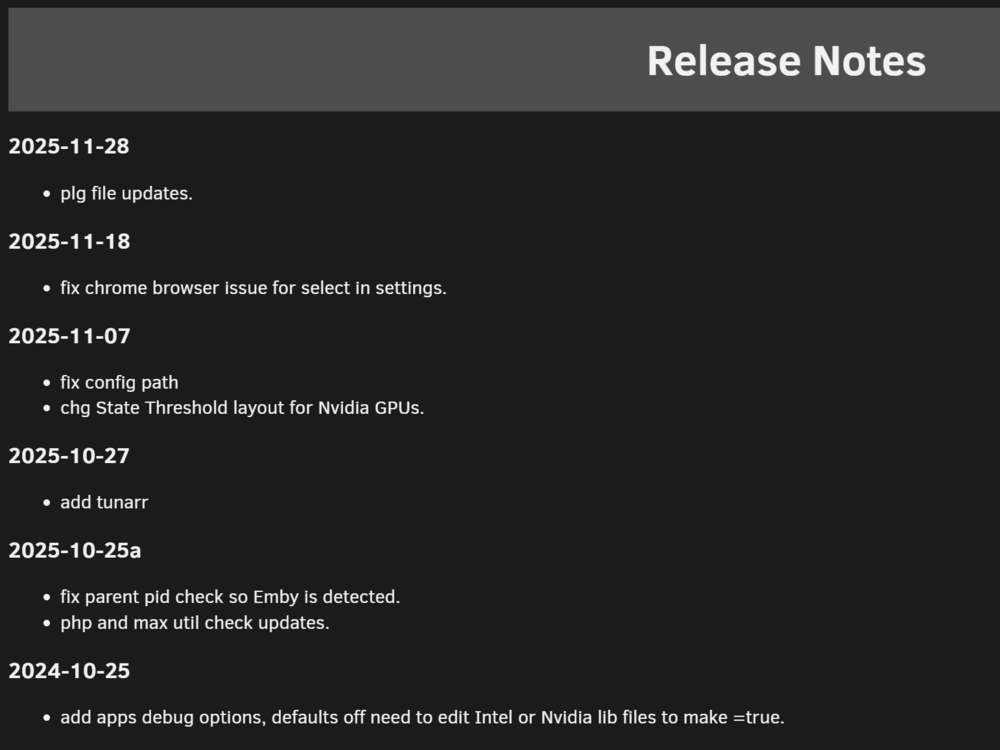
Why 2025 so soon?
-
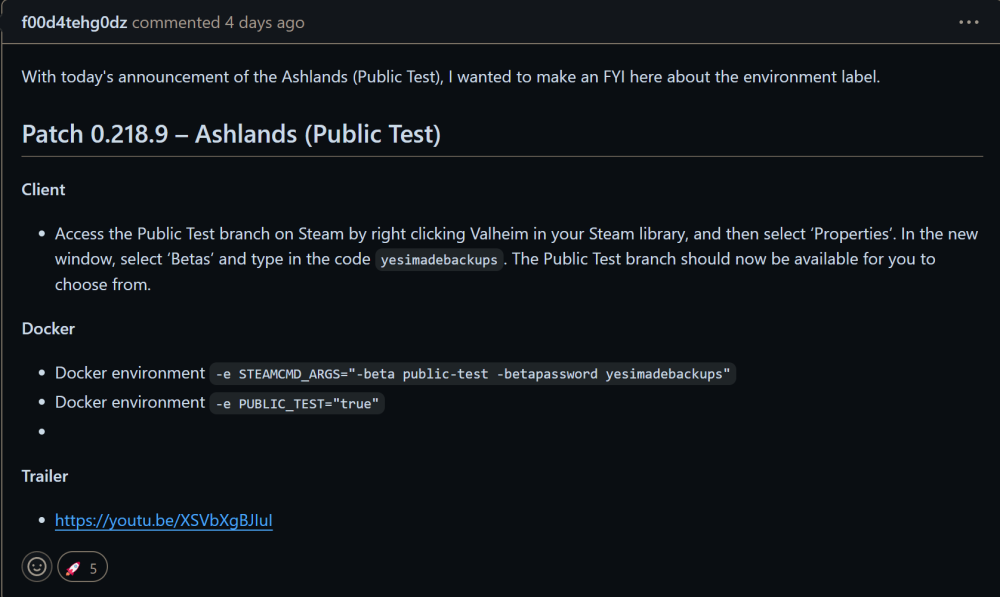
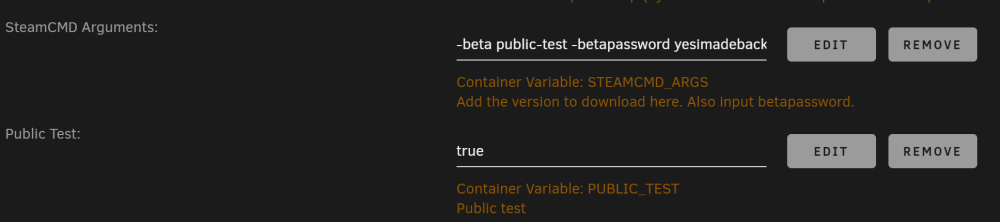
First of all, thank you for the awesome docker containers! How would I best add these variables, so that I can install the public test of Ashlands? I tried adding the variables like in the attached image, but no luck. Edit: Solution: put "-beta public-test -betapassword yesimadebackups" (without quotes) in the GAME_ID field after the numbers. Also added the environment variable PUBLIC_TEST=true, but don't know if that is necessary. @ich777
-
Well, you gave me the exact feedback that was needed, so why bother? j/k I'll remember that if there's a next time. Thanks a lot! Hero of the day!
-
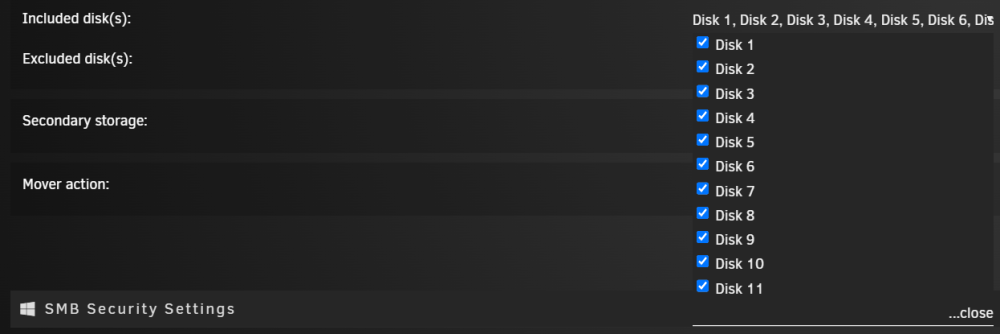
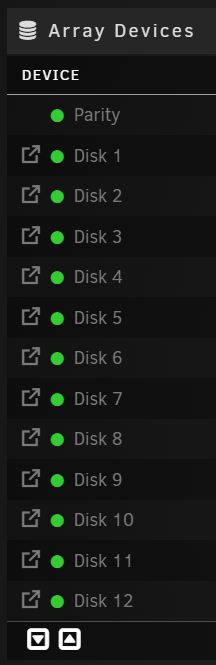
For some reason the newest disk I installed doesn't seem to have been included in the array (Disk 12). It shows up as a separate disk share, but it's not possible to include it in any of my other shares. Would I need to do a new config to get it fixed?
-
Shows what I know. Thanks for taking the time to reply. Some friends wanted a server they could play on asap because of the new update.
-
How can I set a password for the V Rising server? The file ServerHostSettings.json in save-data/Settings doesn't seem to be it, as the world name doesn't correspond to the one set in the docker. I've tried searching for it in this topic, as I guess the question must have been asked before, but didn't find it. Thanks again for making these fantastic templates!
-
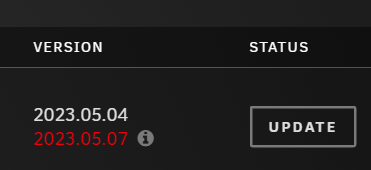
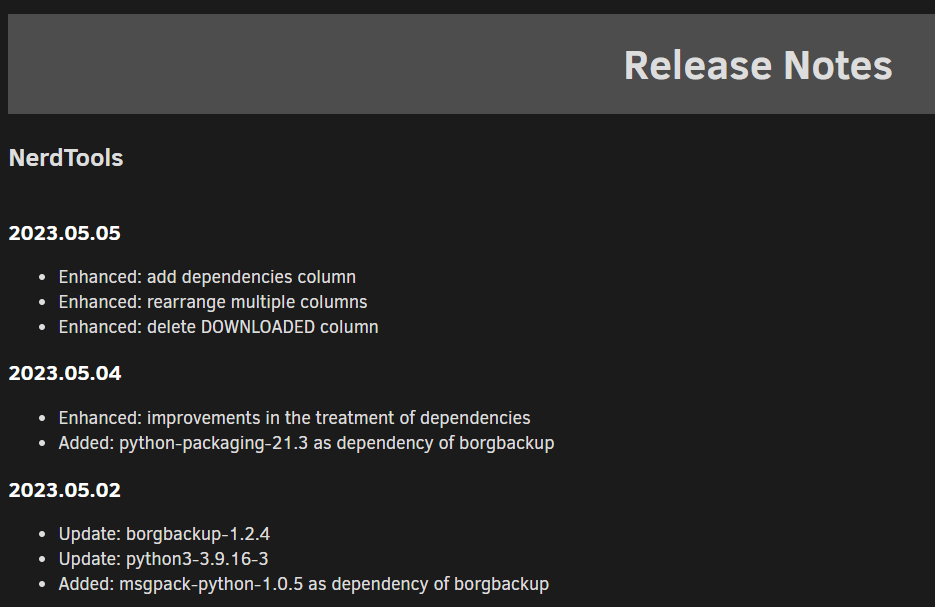
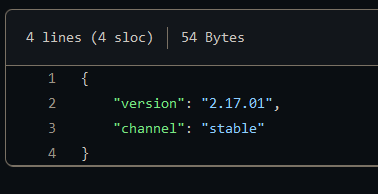
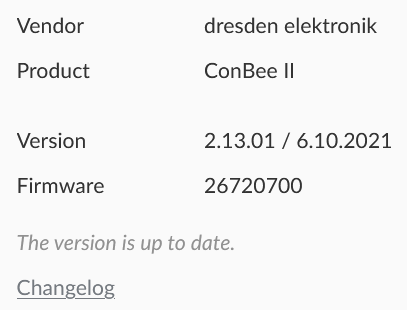
There seems to be a version mismatch between what it says in the changelog and version in the interface. See attached screenshots:
-
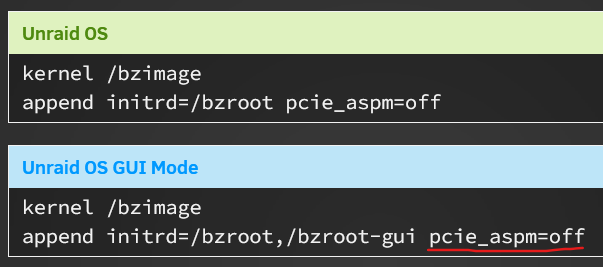
Thanks! It wasn't added to Unraid OS GUI Mode. Booted it in GUI mode last time, so there was the issue. Thanks again @JorgeB
-
Noticed I had errors on the server when /var/log turned out to be 100% full. Wonder if this could be the ol' Areca Raid controller that needs to be retired or something else. Disks connected to the card are configured as JBOD. Any advice on what I should do to avoid loss of data? Diagnostics attached. Thanks in advance. unraid-diagnostics-20230110-1704.zip
-
I ended up just deleting the docker.img and ran a scrub on the cache drive afterwards. It didn't find any errors. After that I let the CA Backup / Restore Appdata plugin do it's thing and restarted docker. Seems to be working fine again now.
-
Wonder what could be causing this. The RAM checked out fine and everything is running stock speeds. Cache disk also seemed to be ok. I like it better if a specific component just dies. At least then I know what the cause is! 😅 So, in conclusion: - Copy what I can from cache drive if it is accessible after startup (appdata is most important here) - Recreate docker.img on a separate ssd this time - Reformat cache drive(?) and try using the same drive since the hw-tests came out OK - Switch to ipvlan (thanks @JorgeB)
-
Update: I've done two full rounds of memtest. Result: PASS Run all basic tests on the nvme-drive in question with Seatools X. Result: PASS What could be the reason behind this corruption and do you have any advice on how to proceed from here?
-
Had to download the latest image from memtest86+ and make a USB. I'll leave it on and check on it later tonight. For some reason, every time I selected the MemTest option in the unRaid menu, it just rebooted and I was right back where I started. Thank you for taking the time, @trurl. 👍
-
No, I'm afraid not. I was just about to RMA the drive, but I'll see about forcing a reboot and doing that memtest instead. Don't have ECC-memory on the server unfortunately.
-
Some extra info: I noticed it because suddenly none of my dockers were responding, and in the logs it said there was corruption in the image. Sorry about not posting the complete diagnostics btw.
-
unraid-diagnostics-20220726-2216-anon.zip
-
Hello, I haven't rebooted the server yet, but it seems to be stuck on "Array Stopping•Retry unmounting disk share(s)..." when attempting to stop the array. Could be I have a dead nvme drive on my hands? Seems like unraid is having a hard time getting it to respond. Attached syslog and docker logfiles. syslog.txt docker.txt
-
Tried this solution?
-
No issues like that on my setup. Docker images: Homeassistant (linuxservers image) br0 with fixed IP deconz (SpaceInvaderOne image) br0 with fixed IP
-
Have you fixed the issue?
-
@SpaceInvaderOne As I'm posting this question I would like to take the opportunity to thank you for your excellent tutorials on Youtube! Learnt a lot about unraid, VM's and Docker from those. Also like your chill way of presenting stuff. I hope you keep making content for many many years to come. You rock, sir! Now, as for my question/request. 😄 Would it be possible to update this docker image? I believe the current version of deconz is 2.17.01, but this docker image is running 2.13.01? Thank you again. -J
-
Thank you for linking this!
-
I'm blind. "You can (optionally) re-order the data drives at this point but be aware this will always invalidate parity2" Thanks for your help. I'll probably mark this as solved soon. 👍




