





oOSGearOo
Members
-
Joined
-
Last visited
Everything posted by oOSGearOo
-
Hi I envoked the mover script now VNC wont connect to view output. EDIT VNC on the computer local works I have manually deleted the VDISC the VM refused to load so Deleted it and started again. created a new VDISC still the same tho. -- Data
-
Back to the prompt where I can fire again "BOOTX64.EFI" You maybe right the vdisk part! I have deleted the VM and maid a new one, one would think that it would wipe out the vdisk but I don't 100% know, when remade its the same as B 4. Thanks
-
Hi As mentioned Here I am having issues creating a new windows 10 VM in the latest 6.10.03 release of Unraid. Wondered if Anyone has successfully done this? Ive tried with the link in the guide iso, I have also tried a install ISO maid from an windows download media tool of off a windows machine I have. Many thanks -- Data
-
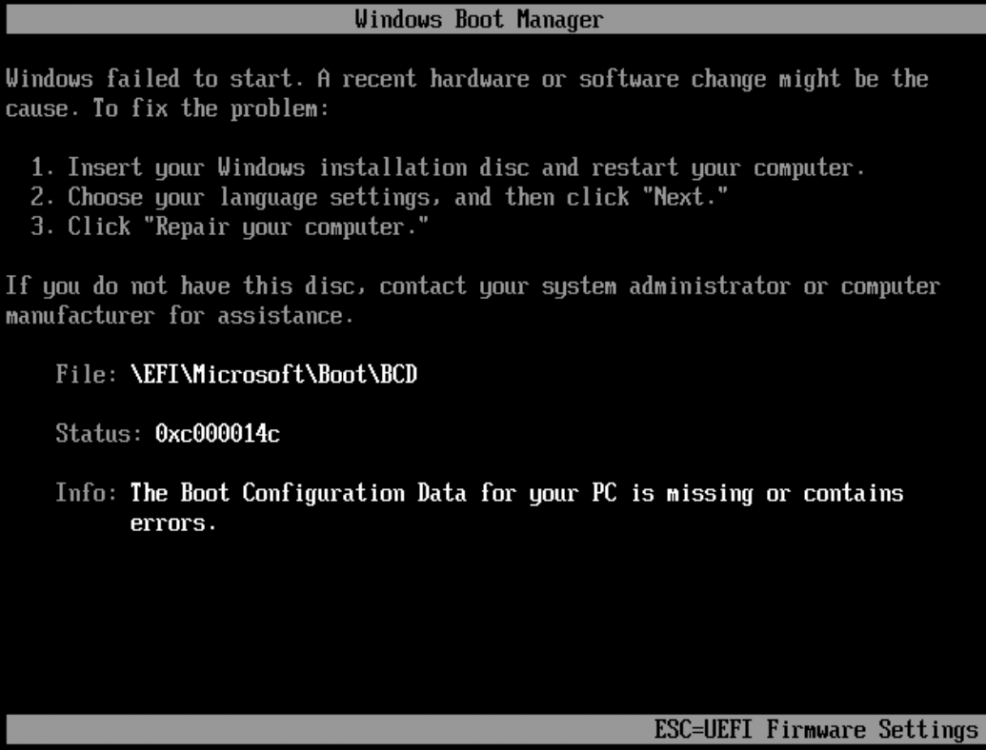
I have made two disc's I have windows machine I have maid install iso I have also gone to site in the unraid docs And Got an install iso from their. Internatiopnal one..... I have followed the instructions above to no end, I type BOOTX64.EFI and press enter this brings me to press any key to boot....... when I hit a key it returns me to the prompt The internation DVD brings up this.
-
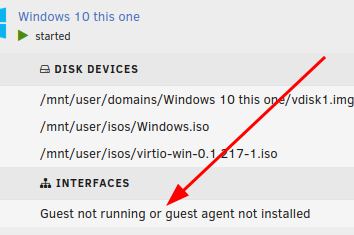
It says guest not running or started?
-
No going round in circles. 1 set the device 2 it offers press key boot 3 press key 4 type exit 5 back in the bios something Iam doing wrong!?
-
I have been struggling to do this I press the key but no boot, even when setting long delay.
-
Hi Many thanks for your hard work, a most excellent posting. I get as far as step 8 [/etc/rc.d/rc.pulseway start] This produces error for me something is missing, Error -:- /etc/pulseway# /etc/rc.d/rc.pulseway start Starting Pulseway Daemon ... /usr/sbin/pulsewayd: error while loading shared libraries: libssl.so.0.9.8: cannot open shared object file: No such file or directory Error! I guess that the libssl.so.0.9.8 is missing? Iam running Version: 6.7.0-rc3 of unraid. Any chance of upgrading your guide pls, as I would like to get pulseway working on Unraid 6.7.0-rc3 and future versions. Can pulseway be installed as a plugin/docker/app!? Many thanks -- oOSGearOo


