





krullos
Members
-
Joined
-
Last visited
Everything posted by krullos
-
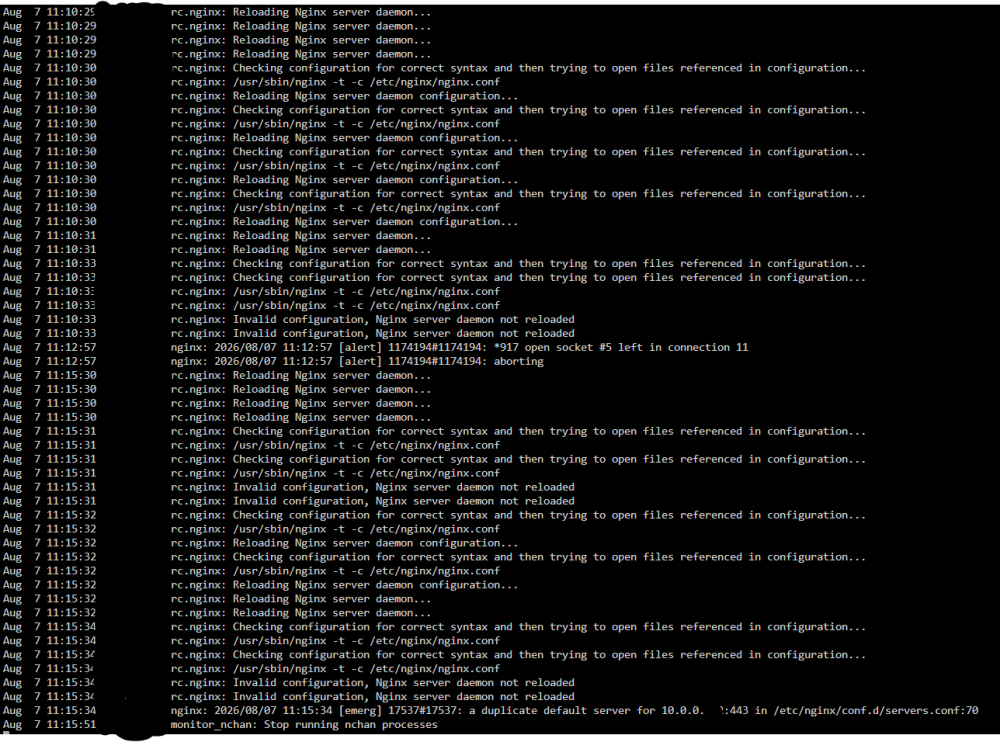
Strangely, even while reporting that the nginx server could no reload, I still have Unraid Connect access to the server and my Dockers (including Guacamole, Plex, etc) at the moment, but occasionally (recent example being the afternoon/evening of the 6th of August) I lose all but local access from the server - no Guacamole, no Plex, no Unraid Connect access. When that happens and I access the server locally via CLI I am able to ping local devices, but am unable to ping the Default Gateway or anything on the internet (8.8.8.8, etc). Rebooting the server often doesn't resolve the issue, so sometimes I just have to wait until Guacamole, Plex and Unraid Connect access is suddenly restored for reasons not yet know to me (like later in the evening of the 6th of August)
-
Diagnostics attached. Running 7.3.2, and a myriad of Docker containers - can list them if that's required. orkyunraid-diagnostics-20260807-1154.zip
-
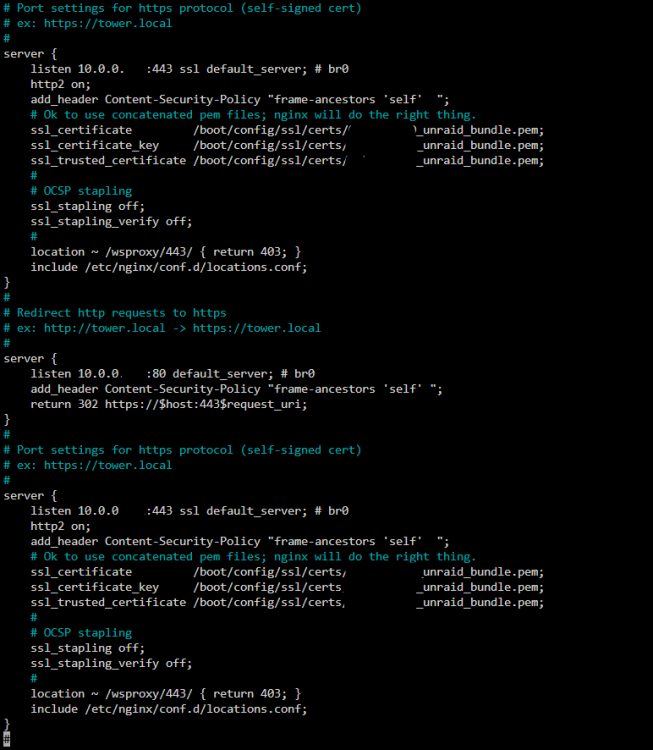
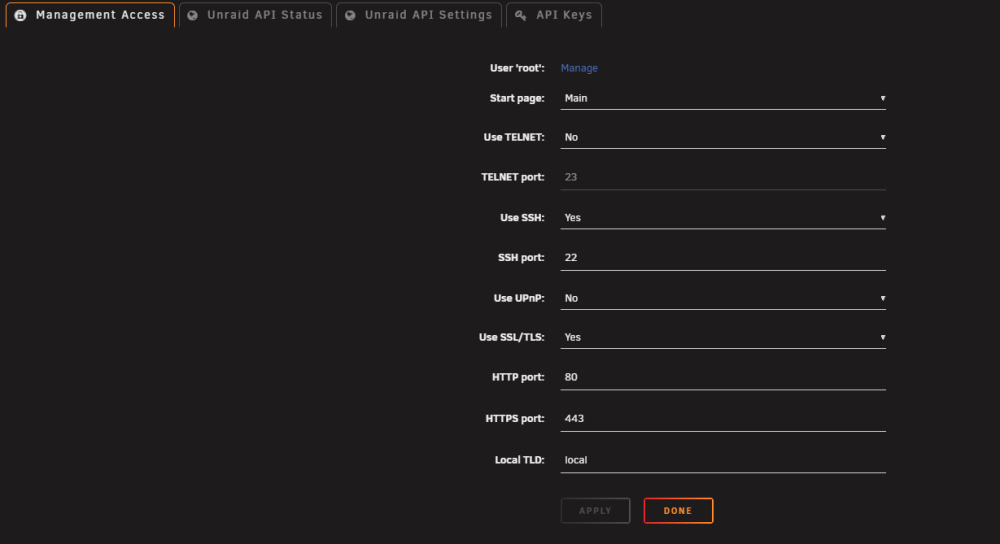
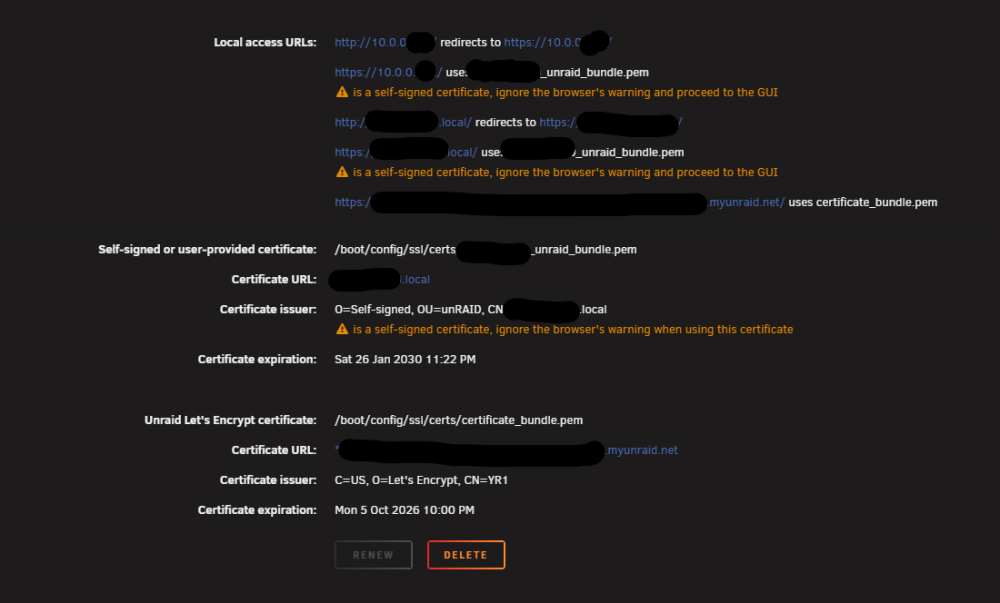
Hi All, I've been using and loving UNRAID for several years now with minimal issues, but this one has had me scratching my head for several months now! I keep getting this Nginx [emerg] warning that "a duplicate default server for x.x.x.x:443 in /etc/nginx/conf.d/servers.conf:70" and indeed if I check servers.conf there are two default server entries in there for the same address and same port. I've tried removing one manually, but some service keeps adding it again and I can't figure out what. If anyone can see a glaring config error I've made, please let me know.

-
I'm having the exact same error
-
That worked perfectly, thanks. For the benefit of anyone else with the same issue, changing version to "5" as demonstrated by @danktankk allowed mongoDB to run, and therefore get terminal access. from there, to access the database I ran: mongosh then, to verify the current featureCompatibilityVersion I ran: db.adminCommand( { getParameter: 1, featureCompatibilityVersion: 1 } ) then, to set the featureCompatibilityVersion to 5 I ran: db.adminCommand( { setFeatureCompatibilityVersion: "5.0" } ) Once that was completed, I was able to revert back to "latest" for the MongoDB repository and it's happily humming on 6.0.1 now
-
Anyone else suddenly having issues with MongoDB since the latest update(s)? I'm getting the following error: {"t":{"$date":"2022-08-27T10:57:28.631+12:00"},"s":"F", "c":"CONTROL", "id":20573, "ctx":"initandlisten","msg":"Wrong mongod version","attr":{"error":"UPGRADE PROBLEM: Found an invalid featureCompatibilityVersion document (ERROR: Location4926900: Invalid featureCompatibilityVersion document in admin.system.version: { _id: \"featureCompatibilityVersion\", version: \"4.4\" }. See https://docs.mongodb.com/master/release-notes/5.0-compatibility/#feature-compatibility. :: caused by :: Invalid feature compatibility version value, expected '5.0' or '5.3' or '6.0. See https://docs.mongodb.com/master/release-notes/5.0-compatibility/#feature-compatibility.). If the current featureCompatibilityVersion is below 5.0, see the documentation on upgrading at https://docs.mongodb.com/master/release-notes/5.0/#upgrade-procedures."}} I take it my featureCompatibilityVersion is set at 4.4, and the minimum it's wanting to accept is 5.0 now? My MongoDB is sitting on version 6.0.1 so I'm willing to change the featureCompatibilityVersion to 6.0, but it won't let me start the DB to make any changes because of the above error.
-
Has your fix (thanks, by the way) removed the ECO Management Window vnc option? (Note, I'm not too sure how to enable set 'Server Management' to 'true') It no longer adds port 8080 as a default



