





Everything posted by UnraidFlow
-
Pulling the template worked. I noticed I had to change the screen settings within the app to adjust the screen size. I didn't have to do this before. FYI for anyone else looking where the templates are saved, you can use kursader, and you will find them under: FLASH > config > plugins > dockerMan > templates-user
-
I'm unable to connect to the container. This is what I see on the logs
-
Yes. When I was looking for it on my end I couldn't find it, but somehow it worked now. Thank you.
-
I uninstalled the old version, but do I install this version?
-
Hi there. I'm having the same issue as you. Where did you added "nc -l localhost -p 80" ? Thanks
-
I saw a new update today and after applying that update my issue has been fix. Thank you.
-
I'm having the same issue
-
Has anyone been able to enable HEIC preview?
-
I didnt change anything. I rebooted the server and is now working.
-
I'm getting the following errors and im unable to mount the share Log attached log.txt
-
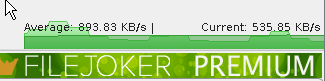
Any idea why the download speed is so slow? I see this with different hosts
-
Hey mate. No idea why you are using this way to route traffic via binhex-delugevpn. Just leave the defaults settings for Radarr, but within radarr > Settings > General > Proxy eEnable it and under hostname use binhex-delugevpn ip and the contairner port. I'm talking about this guide.
-
Hi @binhex. I'm trying to test the speed within the container, and I'm following @SpaceInvaderOne video here https://www.youtube.com/watch?v=m7Qly7a_-M0 When I try the command pacman -S speedtest-cli I get the following errors: Anything I should do, don't do? Google results are showing to update pacman with "pacman -Syyu"
-
The only solution is changing from a monthly account to a one time payment which is not bad.
-
If anyone here is using Mullvad, they made some changes in regard to port forwarding and an active subscription.
-
I'm receiving this message after the latest update. My external sonarr/radarr are now unable to connect. Where should I add those 2 lines?
-
Hello. So I installed this docket to give it a try and is running fine. I'm trying looking for a guide to use it once it is installed. Currently, I'm using swag to access some of my container (radarr/sonarr/etc) remotely. Do I need to do the same for Shadowsocks? Thanks
-
I just loaded Plex on a seedbox and is working fine. Doesn't seem to be an API ban
-
Anyone experiencing this issue with Rclone+Plex
-
Just got this same issue. Was working fine until today? Tried everything and no luck
-
Thank you.
-
Hi all. The mount script is not starting the dockers. I see this on the log But the dockers are not started,
-
Thanks that worked
-
So I'm running the script but I get this "No matching media share for disk" the path to TV shows is: /mnt/user/media what am I doing wrong?
-
Looks fine. I'm guessing the host path you have is to a download folder under /mnt/user? Within Deluge > Preferences > Downloads. What paths are you using?
