





TRusselo
Members
-
Joined
-
Last visited
-
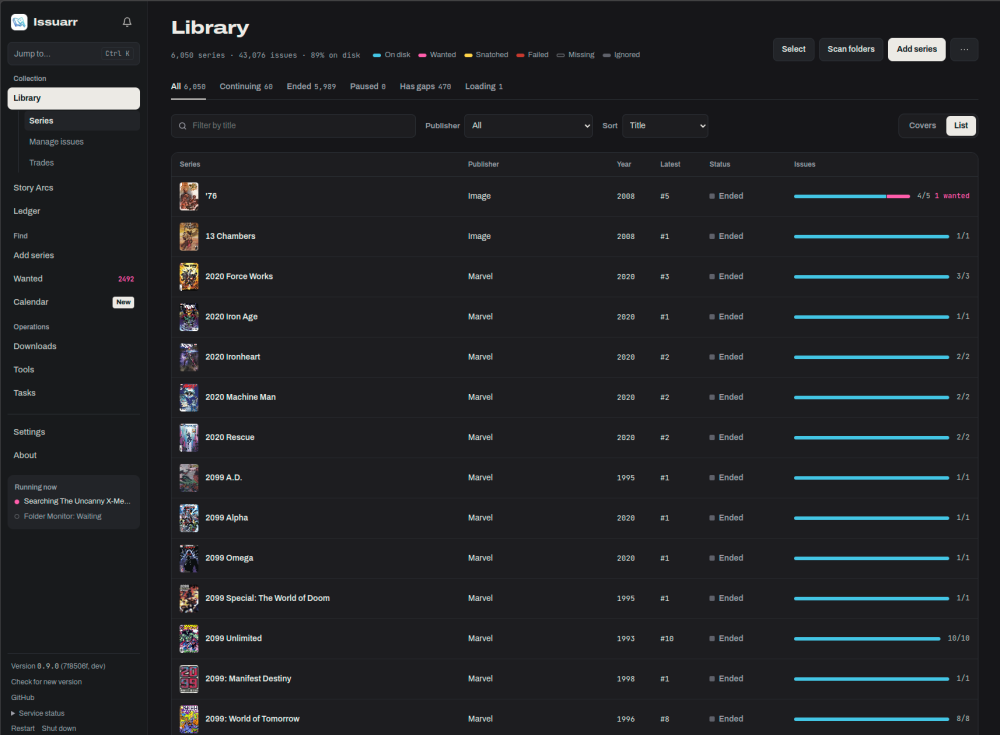
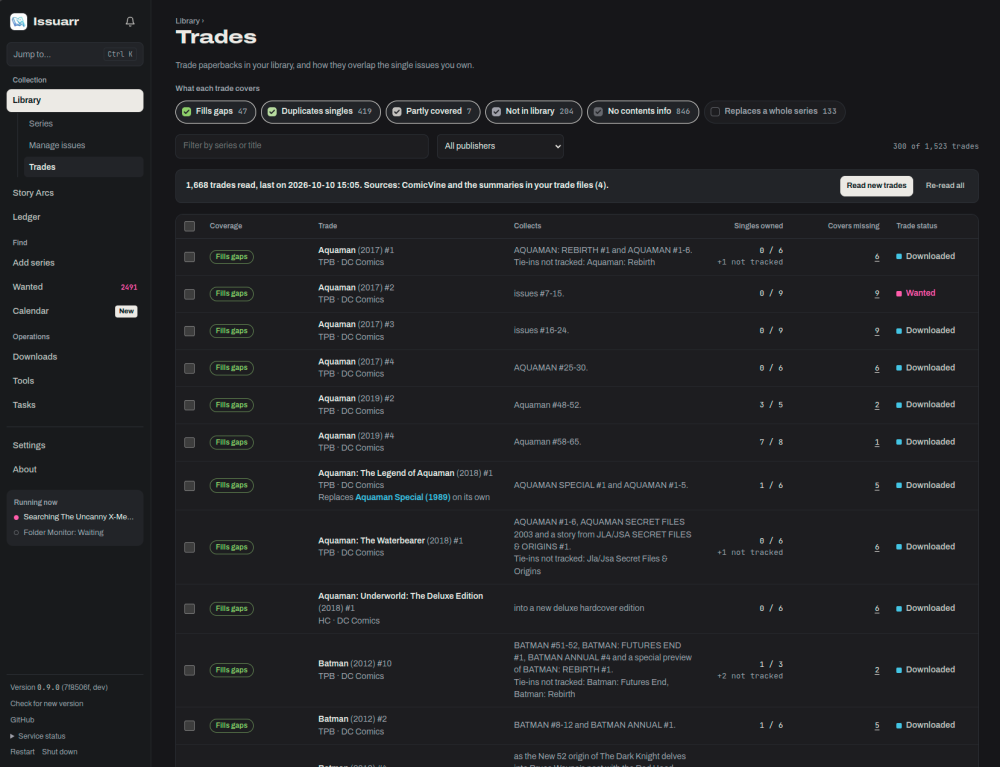
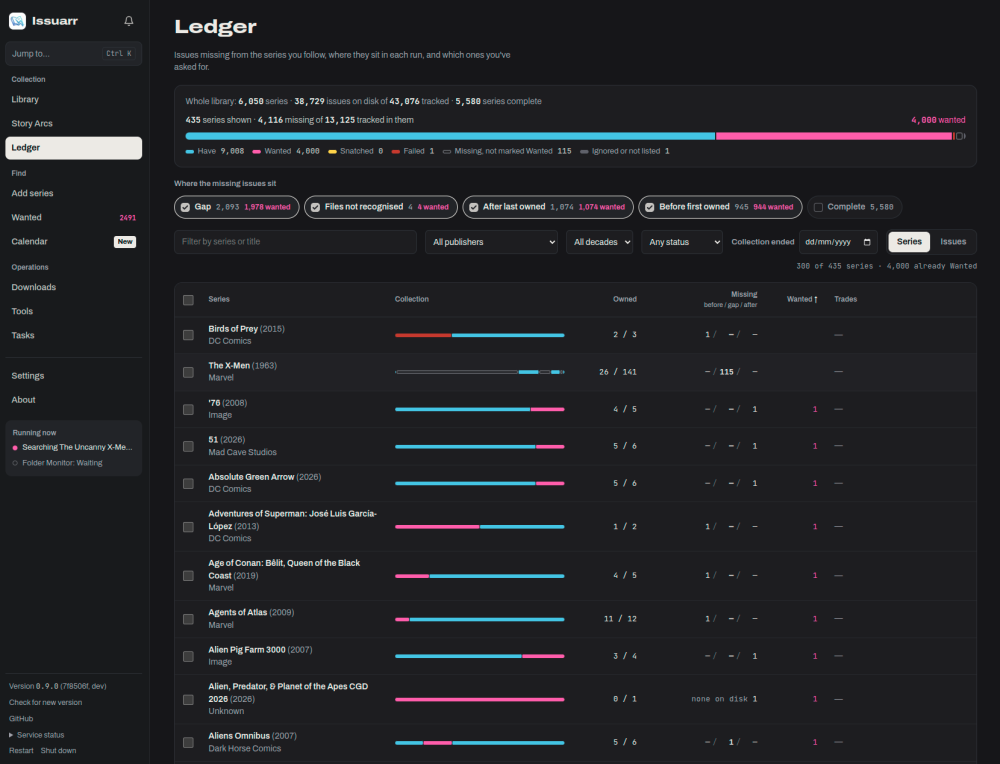
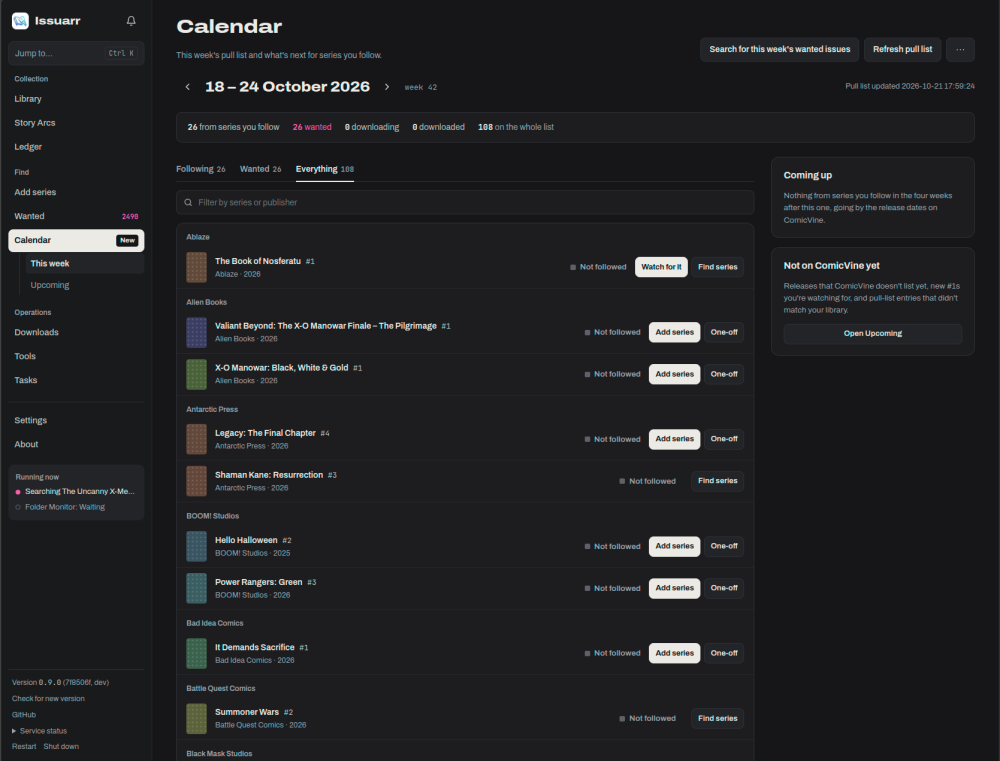
there is stable :latest and beta :dev builds available too Mylar never looked or worked so good in years!
-
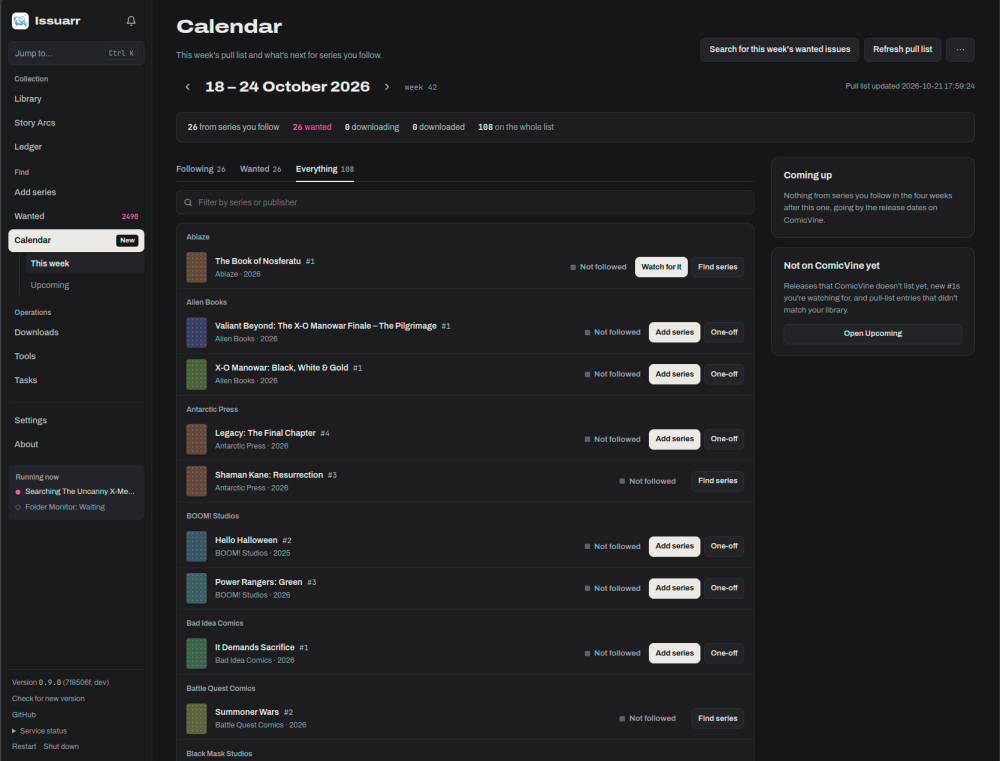
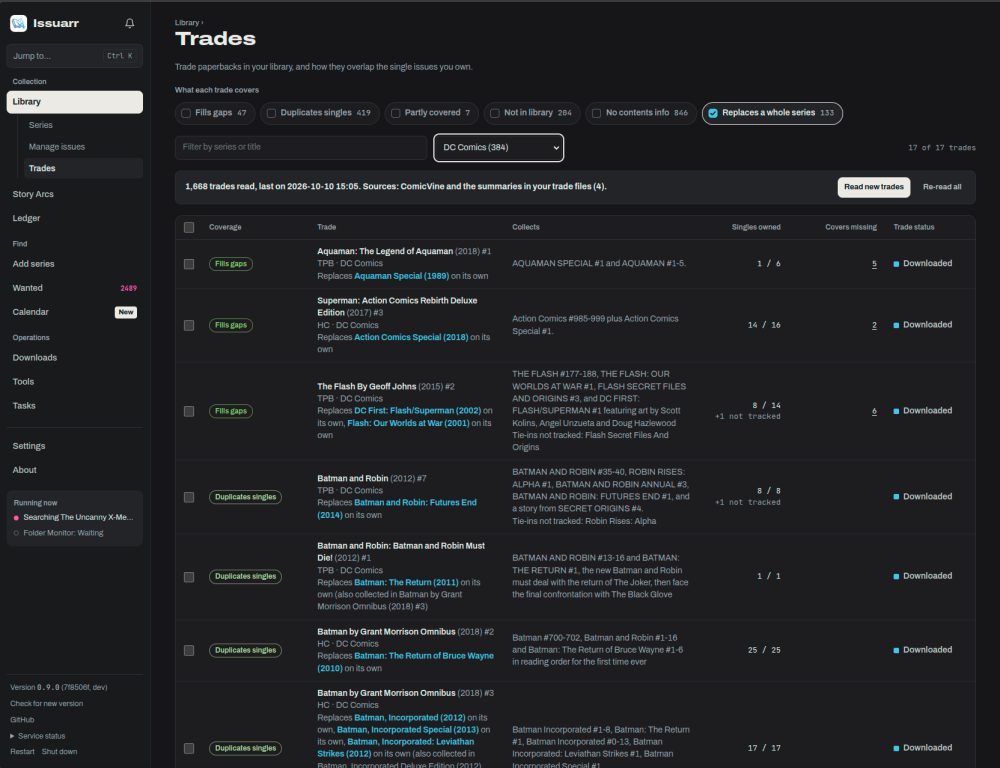
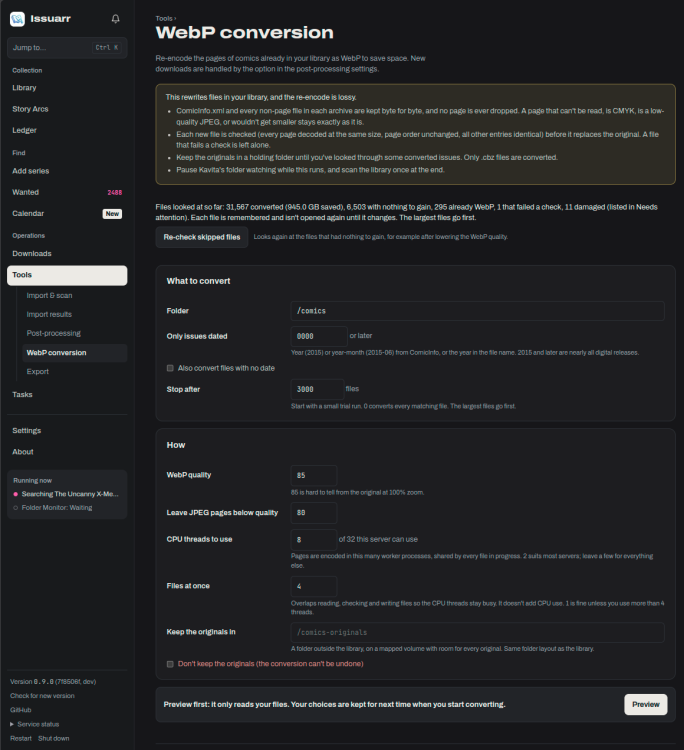
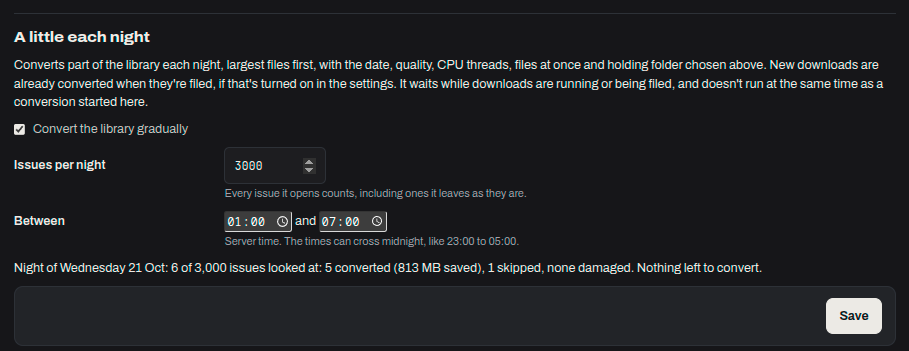
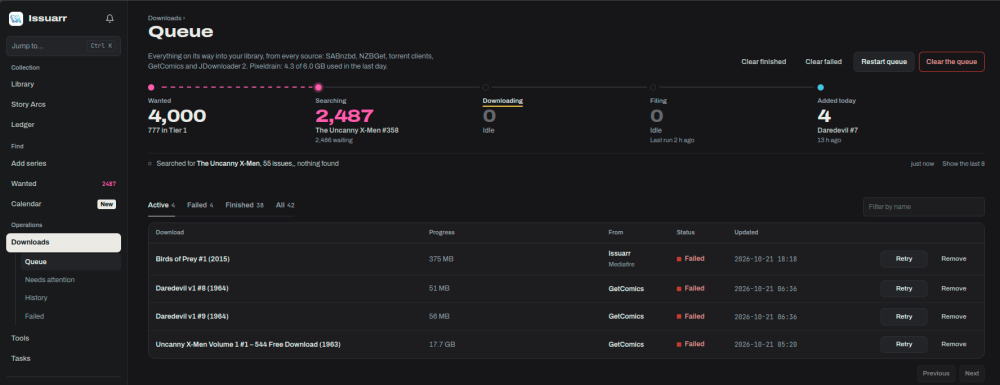
Issuarr is a free, open-source comic book manager and the successor to Mylar3. It finds, downloads, renames, tags and organizes your comics (cbz and cbr) from Usenet, torrents and GetComics, using ComicVine for metadata. The image is a drop-in replacement for linuxserver/mylar3: point Appdata at your old mylar3 folder and your settings and database carry over. Links Docs: https://issuarr.github.io/issuarr/ Unraid install guide: https://issuarr.github.io/issuarr/UNRAID/ Moving from Mylar3: https://issuarr.github.io/issuarr/MIGRATING/ Troubleshooting: https://issuarr.github.io/issuarr/TROUBLESHOOTING/ Bug reports and feature requests: https://github.com/issuarr/issuarr/issues Source: https://github.com/issuarr/issuarr Image ghcr.io/issuarr/issuarr:latest - releases (the template default) ghcr.io/issuarr/issuarr:dev - built from the dev branch, newer but less tested. Change Repository in the container settings to switch, and back to :latest to return. Your settings and library are kept either way. Install Search for Issuarr in the Apps tab (Community Applications), click Install, fill in the paths and click Apply. Then open the web UI and follow Getting started in the docs. You need a free ComicVine API key and at least one download source (a Usenet indexer and client, a torrent client, or GetComics). Paths and ports WebUI: port 8090 Appdata -> /config: settings, database and cover cache. Default /mnt/user/appdata/issuarr. A pool path such as /mnt/cache/appdata/issuarr is faster, because the database can use WAL mode there. Comics -> /comics: your comic library. Set Settings > General > Comic folder to /comics. Downloads -> /downloads: where your download clients put finished downloads. Use the same container path your download client uses. PUID / PGID / UMASK: 99 / 100 / 022 by default. Coming from Mylar3 Stop the Mylar3 container, then either change its Repository to ghcr.io/issuarr/issuarr:latest, or install Issuarr from Apps with Appdata pointed at your old mylar3 folder. Keep Comics and Downloads at the same container paths as before, because Mylar stored full paths in its database. The migration guide lists what to check afterwards. Asking for help Please include: The image tag you run (:latest or :dev) and the version from the About page. Your Unraid version. Your path mappings (a screenshot of the container settings is fine), and your download client if the problem is with downloads. What you did, what you expected, and what happened instead. The relevant lines from Tasks > Logs. For bugs, a Care package from the About page is best: it bundles logs and settings with passwords and API keys removed. Never post API keys, passwords or indexer URLs with keys in them. Confirmed bugs are best filed on GitHub issues so they don't get lost in the thread.

-
no screenshot? pictures are worth a 1000 downloads. add to your github too.
-
# Container won't start after reboot: "address already in use" — but the port IS free Applies to: Unraid 7.3.x, Docker 29.x. Hits containers that publish a fixed host port in the 32768–60999 range (e.g. Deluge 58846/58946, qBittorrent 6881). Intermittent — usually after a reboot. ## Symptom Container fails to start with: failed to bind host port 0.0.0.0:58846/tcp: address already in use …but netstatlsof shows nothing listening on that port. ## Why Another container's docker-proxy grabbed your container's port as a random outbound source port (it's a client connection, not a listener — that's why it looks free). Your container just started too late to claim its own port first. ## Confirm it (SSH, replace 58846 with your port) lsof -nP -i :58846If you see a docker-proxy line like 172.17.0.1:58846->172.17.0.x:<someport> (ESTABLISHED), that's it. ## Fix (SSH as root) Replace 58846,58946 with your container's affected port(s): # 1. Reserve the port(s) so the kernel stops handing them out as ephemeral source ports sysctl -w net.ipv4.ip_local_reserved_ports=58846,58946 # 2. Kick the connection squatting on them ss -K -t 'sport = 58846'; ss -K -t 'sport = 58946' # 3. Start the container (or recreate it from the Docker tab: Edit -> Apply) docker start <container-name> ## Make it survive reboots Add this line to /boot/config/go (runs before Docker starts): sysctl -w net.ipv4.ip_local_reserved_ports=58846,58946 Include every fixed published port you have that falls in 32768–60999, comma-separated. Done — the container will now win the race for its port on every boot.
-
/mnt/cache/ for /mnt/cache/appdata/netalertx and /mnt/cache/appdata/logs will have better performance than /mnt/user/ I learned this the hard way couple years ago. ESPhome would take 5 minutes to compile tiny sketches. changing to /mnt/cache, 20 seconds.
-
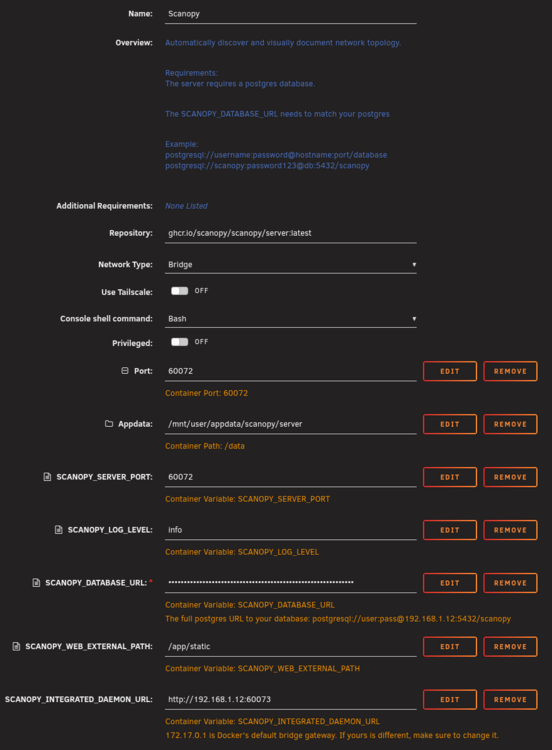
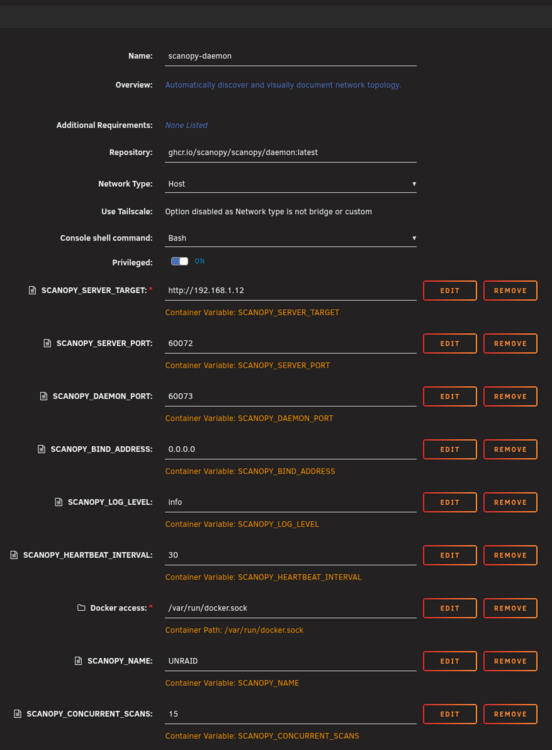
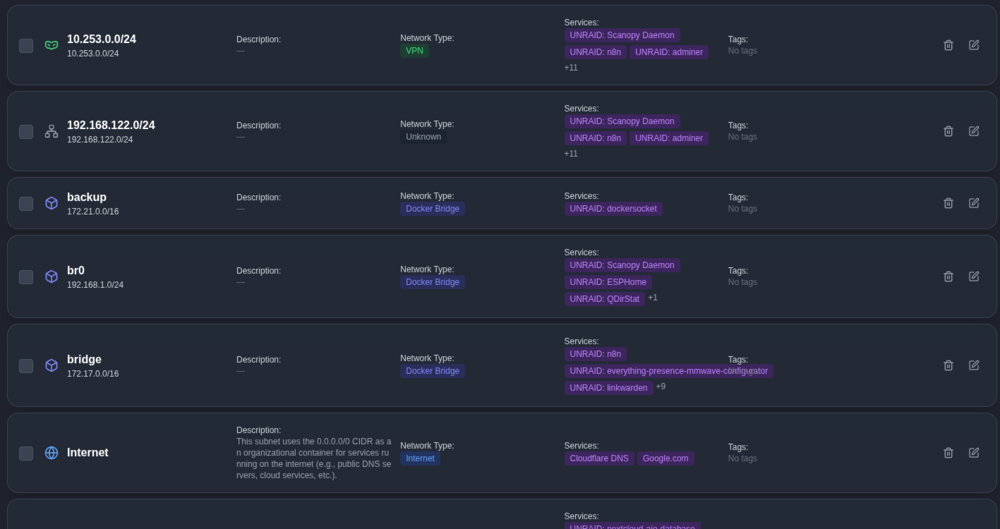
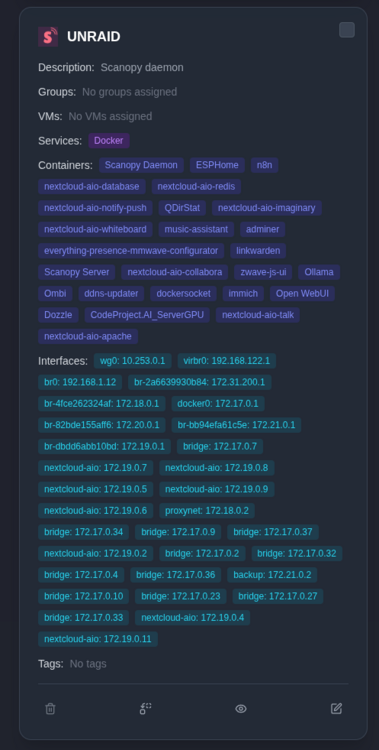
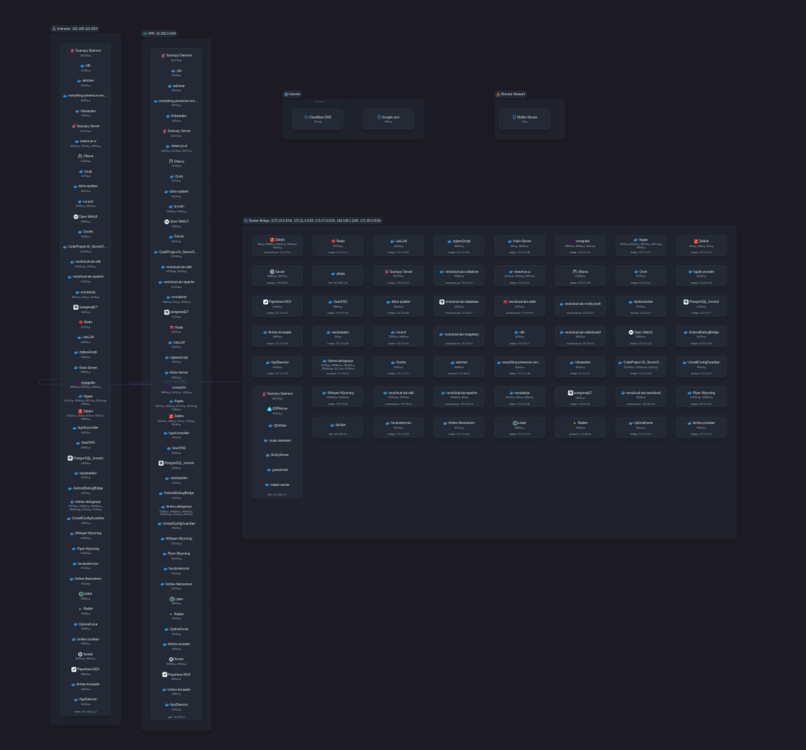
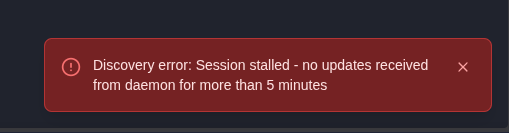
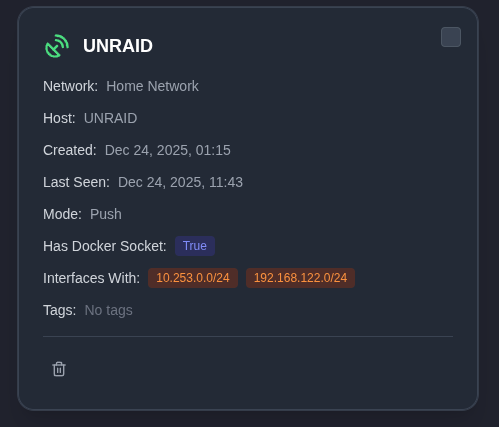
there was an update overnight. not much changed except my daemon now shows 2 interfaces, neither are the host network that the daemon exists on 192.168.1.0/24 .


-
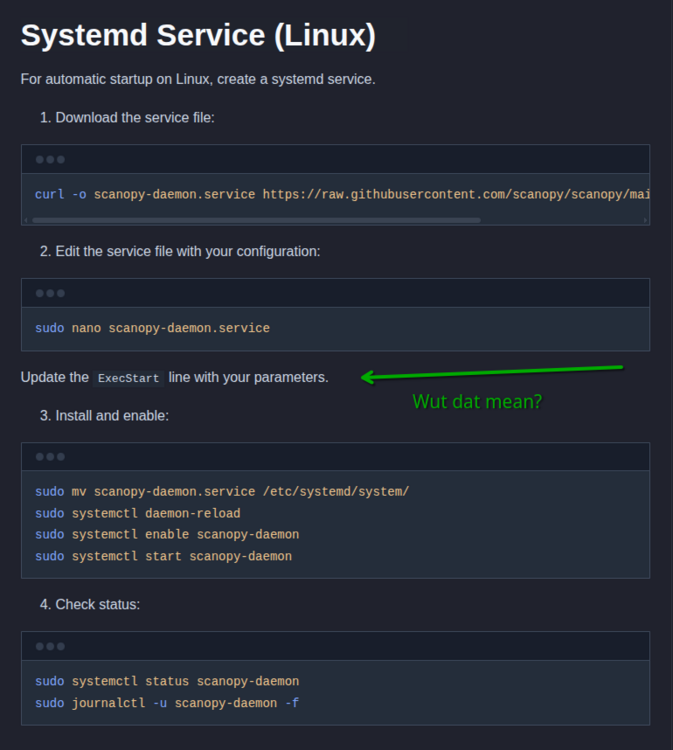
and... I tried to install daemon on my linux-PC (im new to linux as a daily driver) what does this mean "your parameters"
-
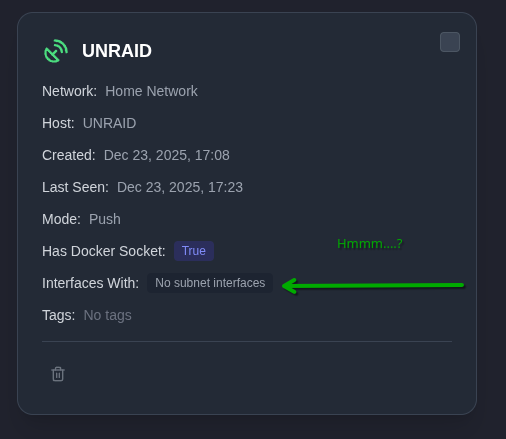
ok so I have server and daemon working. but... daemon cannot see normal host network... even though daemon is on HOST network. Unraid HOST is showing the 192.168.1.12 interface, the subnet br0 192.168.1.0/24 no errors in logs for server, nor daemon daemon in server shows "no" interfaces this time. previously with other settings had something here. but still no network devices discovered then either. just WARN (seems irrelevant) 2025-12-24T00:20:33.114083Z INFO scanopy::daemon::discovery::manager: Discovery completed successfully 2025-12-24T00:20:33.114462Z WARN scanopy::daemon::discovery::service::network: Skipping 172.31.200.0/24 with CIDR 172.31.200.0/24, docker bridge subnets are scanning in docker discovery 2025-12-24T00:20:33.114474Z WARN scanopy::daemon::discovery::service::network: Skipping 172.21.0.0/16 with CIDR 172.21.0.0/16, docker bridge subnets are scanning in docker discovery 2025-12-24T00:20:33.114480Z WARN scanopy::daemon::discovery::service::network: Skipping 172.17.0.0/16 with CIDR 172.17.0.0/16, docker bridge subnets are scanning in docker discovery 2025-12-24T00:20:33.114484Z WARN scanopy::daemon::discovery::service::network: Skipping 172.20.0.0/16 with CIDR 172.20.0.0/16, docker bridge subnets are scanning in docker discovery 2025-12-24T00:20:33.114489Z WARN scanopy::daemon::discovery::service::network: Skipping 172.19.0.0/16 with CIDR 172.19.0.0/16, docker bridge subnets are scanning in docker discovery 2025-12-24T00:20:33.114494Z WARN scanopy::daemon::discovery::service::network: Skipping 172.18.0.0/16 with CIDR 172.18.0.0/16, docker bridge subnets are scanning in docker discovery 2025-12-24T00:20:33.119982Z INFO scanopy::daemon::discovery::service::base: Starting Network Discovery discovery session aacb2573-22c0-42bf-b444-44086326803c Then when Netowork scan starts: bf-b444-44086326803c discovery_type=Network { subnet_ids: None, host_naming_fallback: BestService } 2025-12-24T00:20:33.160259Z INFO scanopy::daemon::discovery::service::network: Phase 1: Checking host responsiveness total_ips=768 interfaced_ips=512 non_interfaced_ips=256 2025-12-24T00:20:33.163347Z INFO scanopy::daemon::discovery::service::network: Phase 1a: ARP scanning interfaced subnets count=512 concurrency=50 2025-12-24T00:20:44.150887Z INFO scanopy::daemon::runtime::service: Heartbeat sent daemon_id=e4383ce9-08c5-46ab-8597-d4e3450644a3 2025-12-24T00:21:03.140851Z INFO scanopy::daemon::shared::handlers: Received healthcheck request 2025-12-24T00:21:14.146151Z INFO scanopy::daemon::runtime::service: Heartbeat sent daemon_id=e4383ce9-08c5-46ab-8597-d4e3450644a3 2025-12-24T00:21:33.206850Z INFO scanopy::daemon::shared::handlers: Received healthcheck request 2025-12-24T00:21:44.145211Z INFO scanopy::daemon::runtime::service: Heartbeat sent daemon_id=e4383ce9-08c5-46ab-8597-d4e3450644a3 2025-12-24T00:22:03.279161Z INFO scanopy::daemon::shared::handlers: Received healthcheck request 5 min later no error in log
-
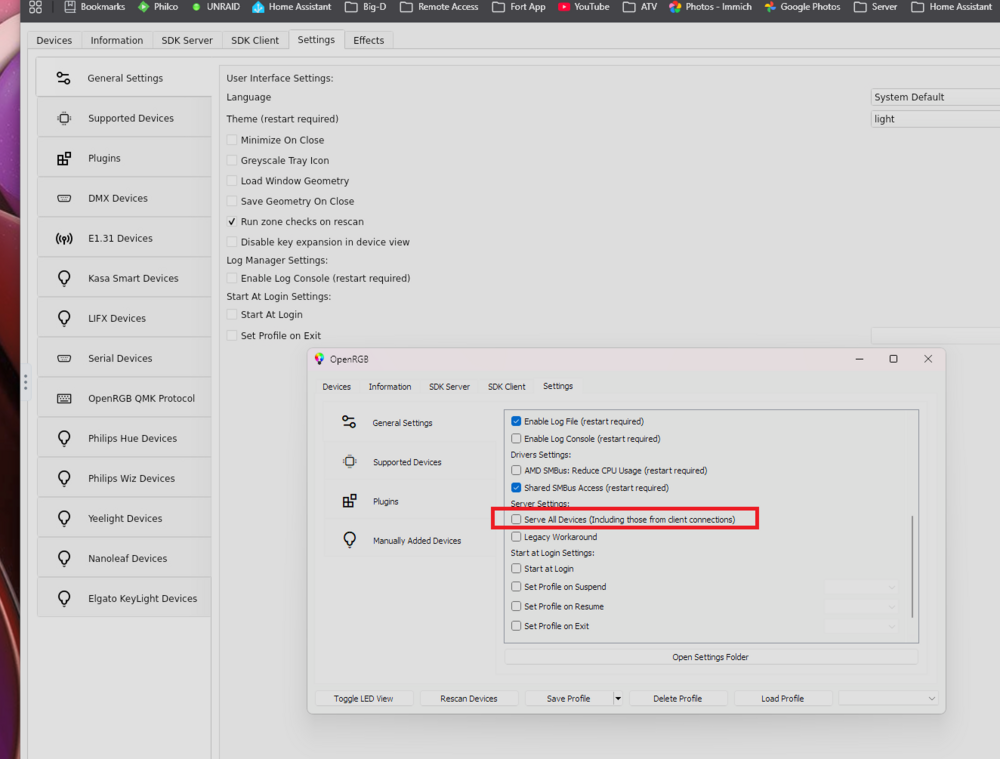
In the windows official app there is a setting to "serve all devices (including from clients)" This option is not available in the docker... Can this be added? It would be much easer to run a single OpenRGB server for all my PCs rather than run a server on each one, for connection to Home Assistant.
-
Today I noticed some of my shares were not set to "export" as NFS, and a few SMB were randomly secure/private. First tired updating NFS settings for all shares, "Write settings to" ALL > click WRITE button... nothing happened, but I didnt know. I tired the "Write Settings To" ALL for SMB first. But this time there was a "working" animation go about 30 times for my 30 shares. Opened a second window open to shares, and hitting refresh, i could see the share options change one by one. Cool. Every share has the same SMB options now. LOVE IT Realized my NFS shares never changed. Went back into a share settings page and tried again. It does not work. "Write settings to" ALL > click WRITE button... nothing happens. no working animation, no settings change. Tried "Write settings to" single share > click the WRITE button... NO CHANGE. I would be happy to provide logs, but I have a feeling it is not needed.
-
you can always re-open the logs after the container has shut down for the info you missed before the log window closed on you. But as previous user mentioned
-
the webhook variable in the template ended up making me bang my head against the desk for about 24 hours until I realized my production webhook url was not my server IP. I had set a base URL to expose the docker to receive google authentication, it changed my test URL to my domain name, but kept the production URL as an IP. but WRONG IP !!! I was trying to add other docker URL variables to fix the "issue" when I saw your existing variable set to 192.168.1.161 Im not sure if I overlooked this variable during setup, or if I assumed it was set to this IP for a reason... without remembering I have this IP reserved for something in my house. It is bad practice to hardcode IP addresses in the unraid docker templates. best practice is to leave blank for user to fill in, or use localhost, as it is usually the most likely choice. Thanks for setting up the template regardless!
-
I was just looking into this too
-
Did you get this figured out?
-
Reading through the forums over the past 7 years I know I'm not the only one that this happens to


