





Howboys
Members
-
Joined
-
Last visited
Everything posted by Howboys
-
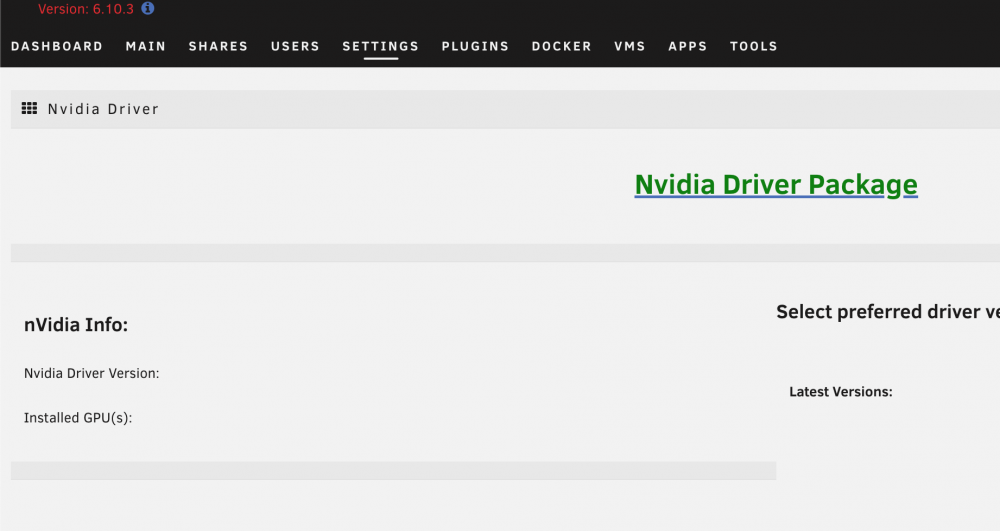
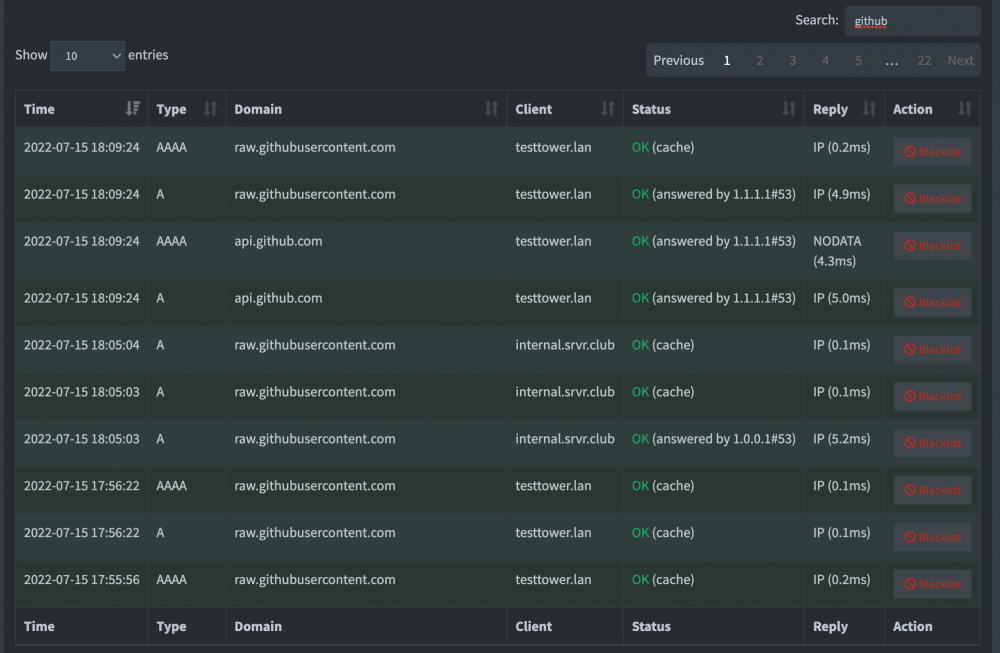
I'm setting up a new unraid instance with this plugin and can't seem to fix this issue: on server reboot, the GPU doesn't show up in the plugin (but it does show up in system devices). Attached diagnostics. On boot, I see the following in the logs on screen (but not in syslog -- so this may be a red-herring): ``` modprobe: FATAL: Module nvidia not found in directory /lib/modules/5.15.46-Unraid ``` I have uninstalled and re-installed the plugin three times now because it keeps breaking on reboot. While I do use pihole for DNS, it's not blocking github: In fact, no DNS queries from `testtower` are blocked. For my BIOS, I have CSM disabled, Secure Boot disabled, fTPM disabled, TPM 2.0 disabled. I've tried with all combinations of enabling these (except secure boot of course) with no luck. Any help would be appreciated. UPDATE: I tried once more after deleting the plugin, restarting and ensuring the following: CSM disabled, Secure Boot disabled, fTPM disabled, TPM 2.0 disabled. It seems to have worked now. Do I really need to keep TPM and fTPM disabled for this plugin? testtower-diagnostics-20220715-1756.zip

-
Turning off hard-links seems like a terrible idea for performance btw.
-
Here's the latest one that I've been unable to modify (this time due to shfs?): COMMAND PID USER FD TYPE DEVICE SIZE/OFF NODE NAME shfs 12255 root 188r REG 9,4 4069601929 6442498010 file.mkv
-
Anyone got ideas? Still running into it every once in a while.
-
No windows. My other system that copied the file to the share is Ubuntu. Basically, 1 outlet of 20 or so files copied to the share end up like this.
-
I've had this issue for a while now. Basically, I have a single share mounted on my server with smb. After a large enough copy (and sporadically, not always), if I try to mutate the file (move, delete etc), I get "Device or resource busy". Today, I was able to find out what on the unraid box is keeping the file busy: lsof $FILENAME COMMAND PID USER FD TYPE DEVICE SIZE/OFF NODE NAME smbd 25896 howbowz 443w REG 0,45 7039913529 648799827760513201 $FILENAME To be clear, I ran the above in unraid's terminal. So now my questions: What's going on here with smbd keeping the file open for a long, long time? How do I prevent it?
-
In that case, what's the ideal setup for me if I don't want to copy (use hard-links)? Even if I were to have qbit downloads in its own share, that wouldn't really solve my problem would it?
-
Would really like to understand how this works, and if I should re-do my shares.
-
This is my directory structure: * Movies: * `Media/Movies/Movie_Name/movie_file.mp4` * `Media/Movies/Movie_Name/movie_file.nfo` * `Media/Movies/Movie_Name/movie_file.srt` * `Media/Movies/Different_Movie_Name/movie_file.mp4` * `Media/Movies/Different_Movie_Name/movie_file.srt` * qbittorrent * `Media/qbittorrent/incomplete/Show0/Season X/episode1.mp4` * `Media/qbittorrent/incomplete/Movie2/movie_file.mp4` * `Media/qbittorrent/Show1/Season X/episode1.mp4` * `Media/qbittorrent/Movie3/movie_file.mp4` With a split level of 2, `Movie_Name` and `Different_Movie_Name` directories may be on different disks but each movies entire contents will be on the same disk. What happens is that Sonarr/Radarr send a torrent to qbit to download to `Media/qbittorrent`. Qbit downloads to `Media/qbittorrent/incomplete` and then moves the completed download to `Media/qbittorrent`. Now, with radarr and sonarr, they "copy" files from download client to my actual share using hard-links (not actual copy). How would that split work with this hard link? Will the split at the time of directory/file creation in qbittorrent be the permanent one? In other words, if the initial download happens in `Media/qbittorrent/incomplete`, does that means that the entire `Media/qbittorrent/incomplete` will be on the same disk, and any hardlinks created to that will not actually move the file to another (more appropriate disk)?
-
Oh man On Deck would be great. Thanks so much work making this script.
-
Yeah I got Catalina 10.15.4 and no luck with TM over SMB.
-
@SpencerJ
-
Same as that. I have followed the guide, and I can mount the smb share but TM doesn't see it as a drive. I'm on Catalina.


