





DanW
Members
-
Joined
-
Last visited
Everything posted by DanW
-
So ive been noticing this freeze issue since upgrading to 7.0.1, its happening a lot. The server goes completely unresponsive for a period of time, the server is pinging but its like the lights are on but no one is home. I started booting unraid in GUI mode after getting the issue but even the local GUI was unresponsive when the issue occurred. Suddenly like 10 minutes later everything is fine again like nothing has happened. Anyone have any ideas what could be causing this issue? Server was rock solid on 6.12.* dansunraidnas-diagnostics-20250330-2102.zip
-
Thank you for this, really helpful information.
-
So it turns out I duplicated a path and the setup failed. I didnt think it would just orphan the image immediately for such a silly mistake.
-
I added some paths to a tdarr docker in 7.0.1 and the docker has become an orphan image? The docker was setup in 6.12.* and I just wanted to make a quick path edit after upgrading to 7.0.1. Any ideas what happened and what I should do now? dansunraidnas-diagnostics-20250305-1407.zip

-
News to me, no mention in the docker config. Thank you.
-
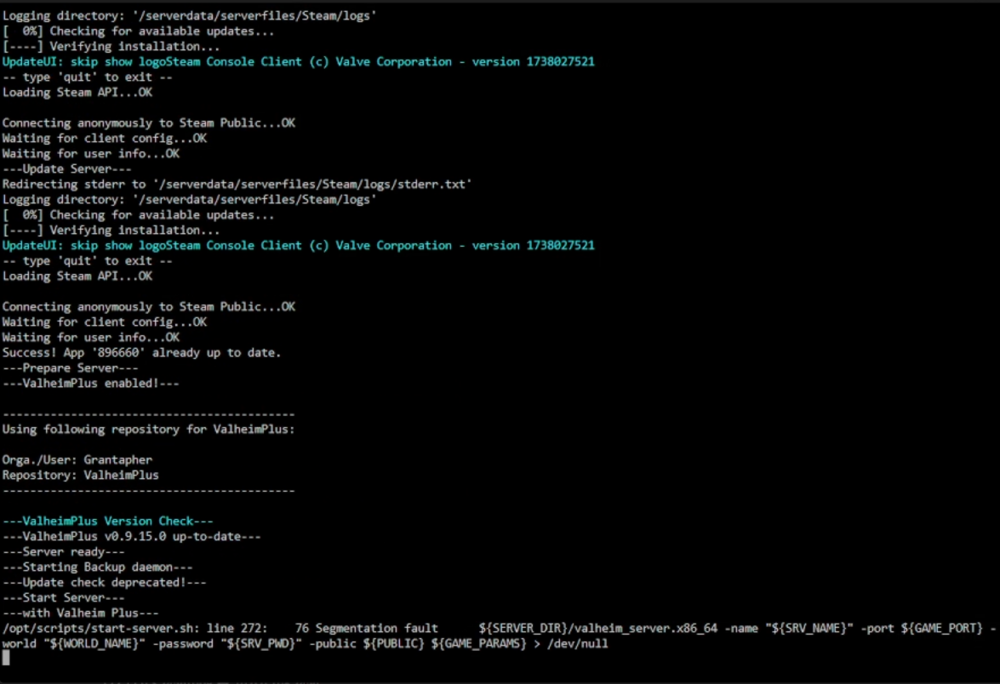
Any idea why my Valheim server reboot loops if I enable ValheimPlus? Runs fine without.
-
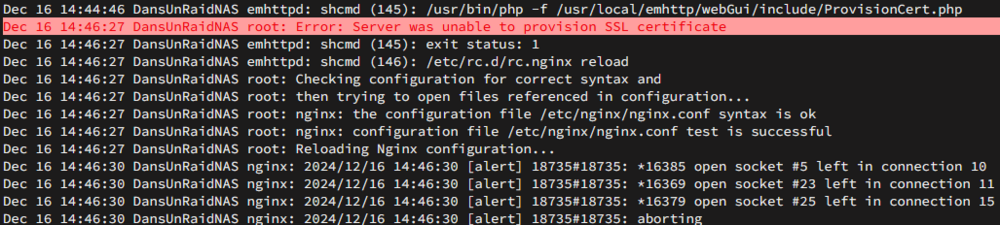
I have two boxes running unraid, one has provisioned no issues, the other seems to just timeout when the button is pressed. Any ideas? I think I attempted to provision a year ago without success on this machine and just left it. Decided to have another go after updating to 6.12.14. As mentioned, my other unraid box provisioned a cert without issues.
-
I have now replaced disk 3 and I have started another rebuild.
-
@JorgeB after the reboot, it's doing a parity check which I have interrupted.
-
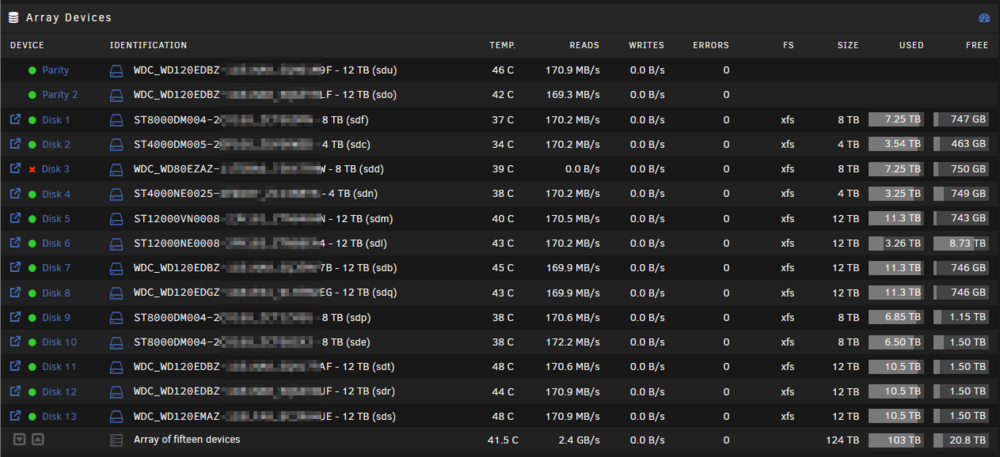
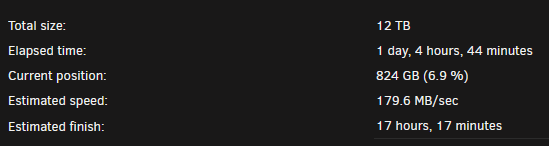
So the rebuild has finished (based on that there's no read / write activity on the disks anymore). The status of the disk hasn't changed but I can see that when I read files from the array that are on that disk, it does use the rebuilt disk (see below). I will reboot unraid and see what happens with the disk. The elapsed time is still progressing.
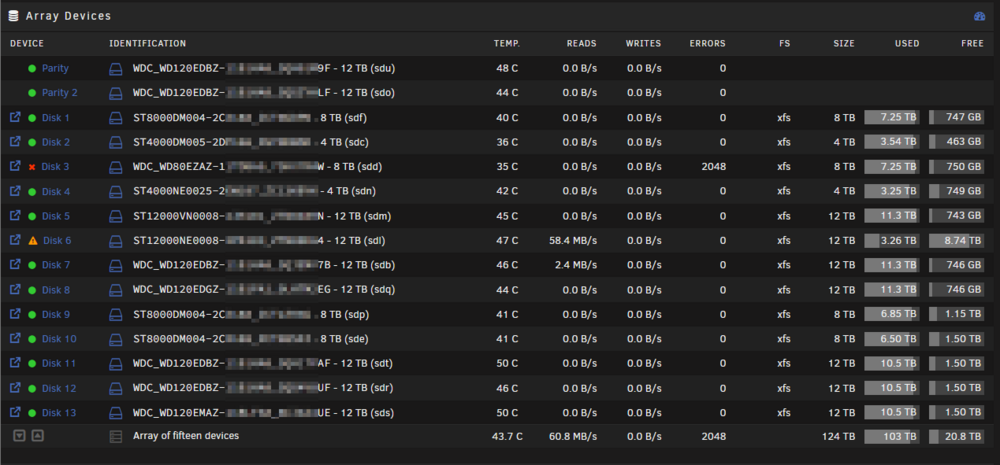
-
I'll leave it and we'll find out 🙂
-
Oh yeah, the read / write speeds are moving, I've been keeping an eye on it.
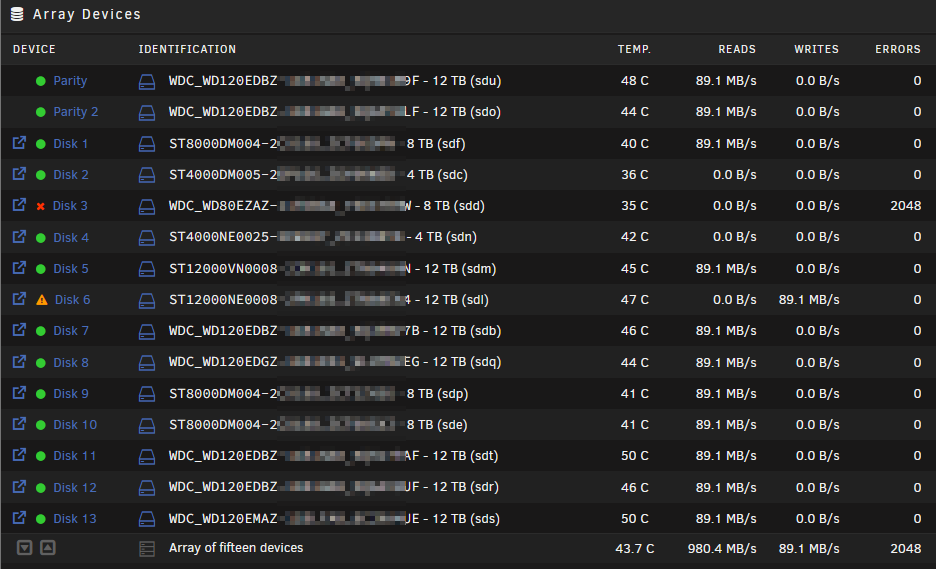
-
The values aren't changing but I can see it has stopped reading data from some of the HDDs just like during a normal rebuild which is why I think it is still doing the rebuild.
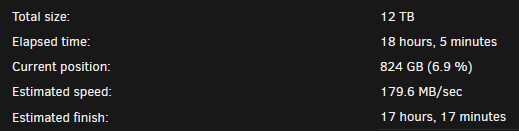
-
Ah ok, @JorgeB please see attached. Is there no way of restarting the emhttp service while the array is live? dansunraidnas-diagnostics-20240618-0929.zip
-
Thank you @JorgeB! I can see the array is busy with the rebuild based on disk activity. Would you recommend waiting for it to complete then give it a reboot?
-
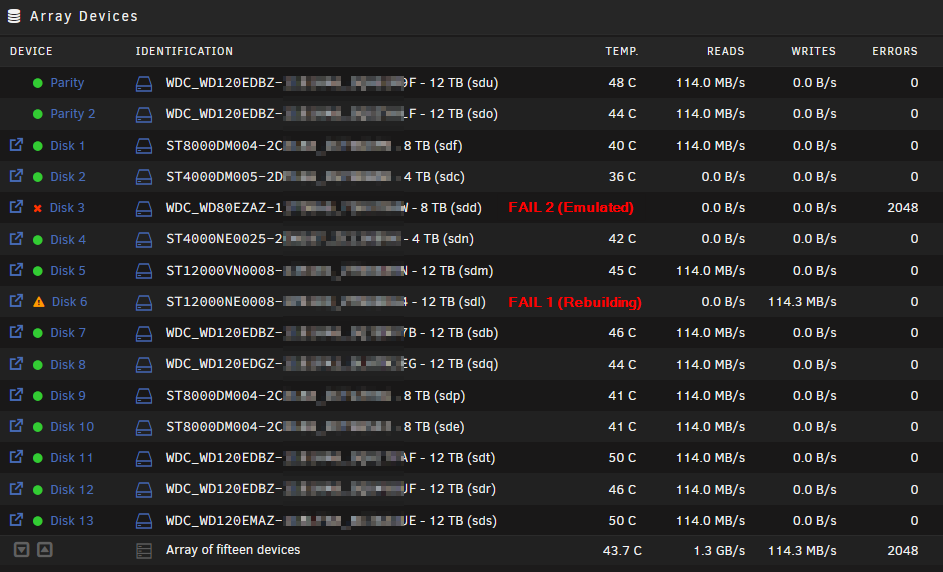
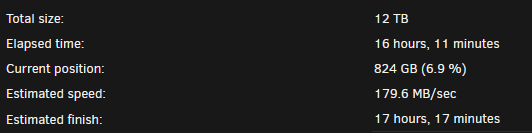
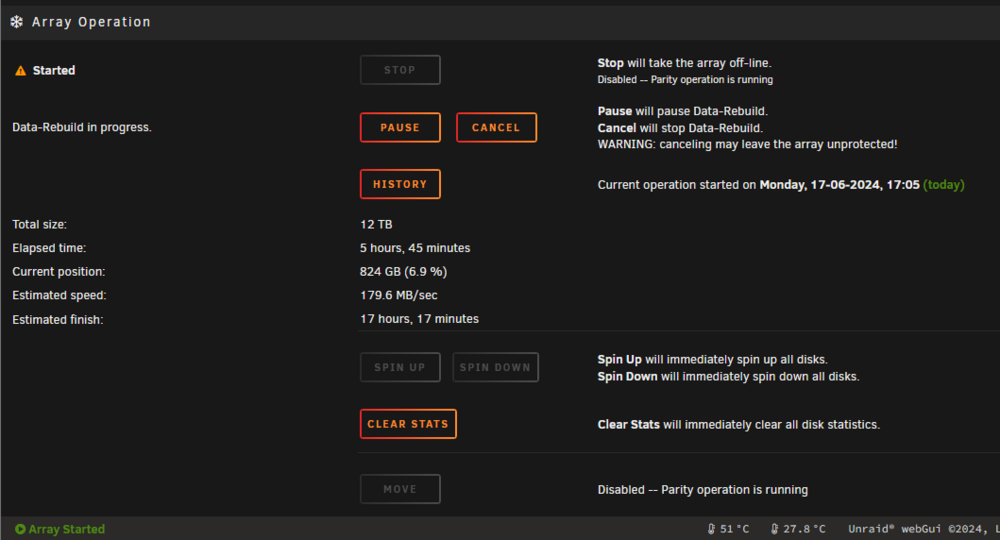
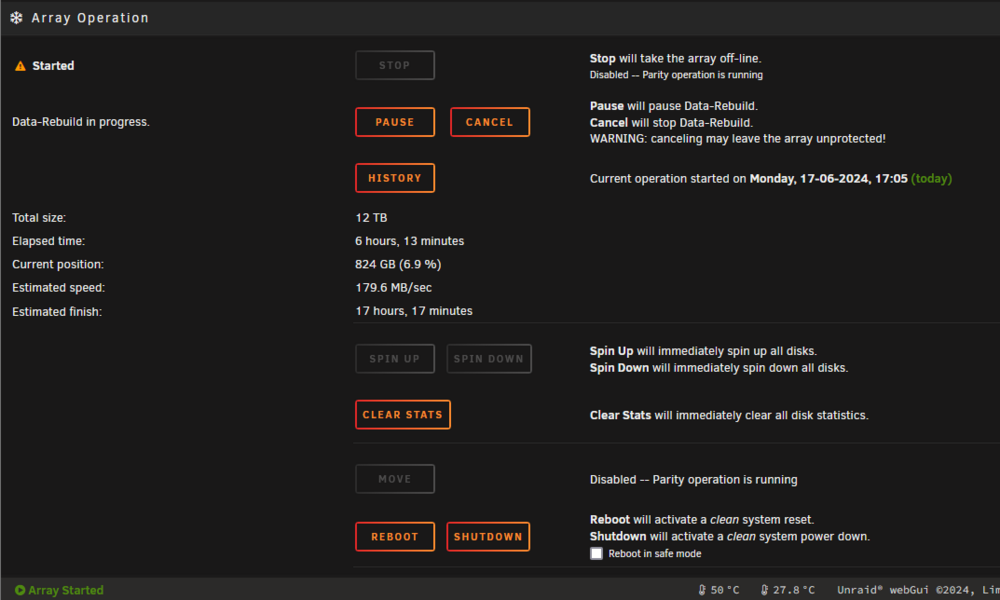
I had a failed disk today and I replaced it, during the rebuild another disk has failed 😭 but to be expected, I have some older drives in my array. I'm planning to replace the second failed disk once the rebuild completes but the rebuild appears to be stuck. The disks appear to be actively copying data to the new disk but I see no progress change (it's been on 6.9% for hours)? Could anyone spot any clues as to what's going on? Many thanks! dansunraidnas-diagnostics-20240617-2325.zip
-
I've checked all cables and they're connected firmly. Disk is rebuilding currently, I think I'm gonna replace the SAS controller as a precaution. Too many weird disk issues in the last few months.
-
Hey, thanks @JorgeB I was thinking this but I replaced all the SAS cables with higher quality lock in cables and double checked power connections a couple months ago, uptime is 1 month 15 days without issues. I'll give it a reboot and see what happens.
-
Seems I also cannot get my array to stop.
-
Hey all, Would someone be able to advise me please. Is this a sign of a failing disk or some weird SAS controller bug? I had two drives fail a couple of months ago and now i'm thinking either my SAS controller is the issue or i'm really unlucky 😂 Thank you for any help or suggestions. dansunraidnas-diagnostics-20230315-1817.zip

MozillaFirefox.thumb.png.afaccf0e14de9af206ed775b2329ab20.png)
-
Fixed 👍 thank you again
-
I've noticed something weird. Seems to be stuck like this.

-
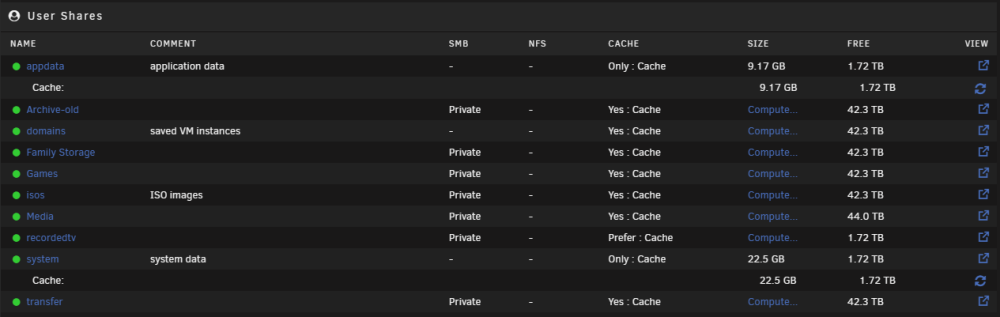
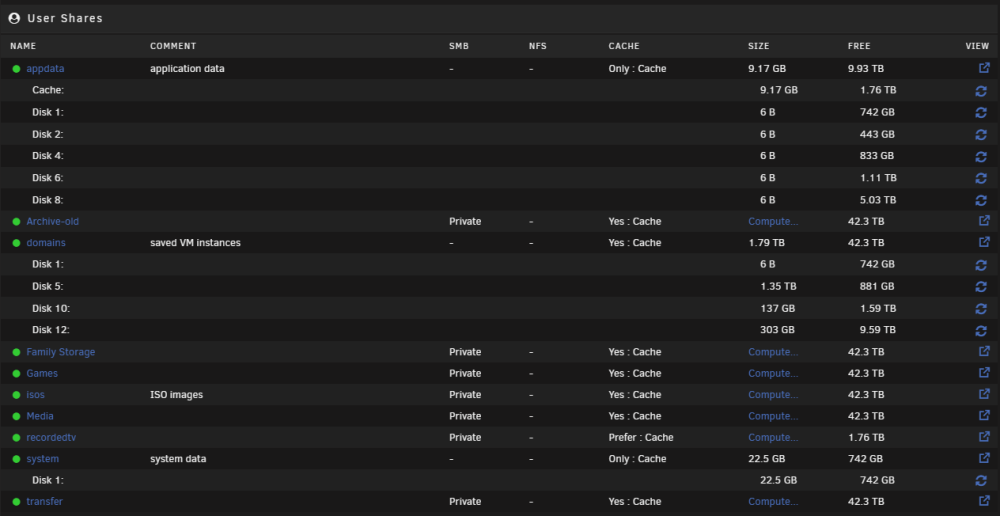
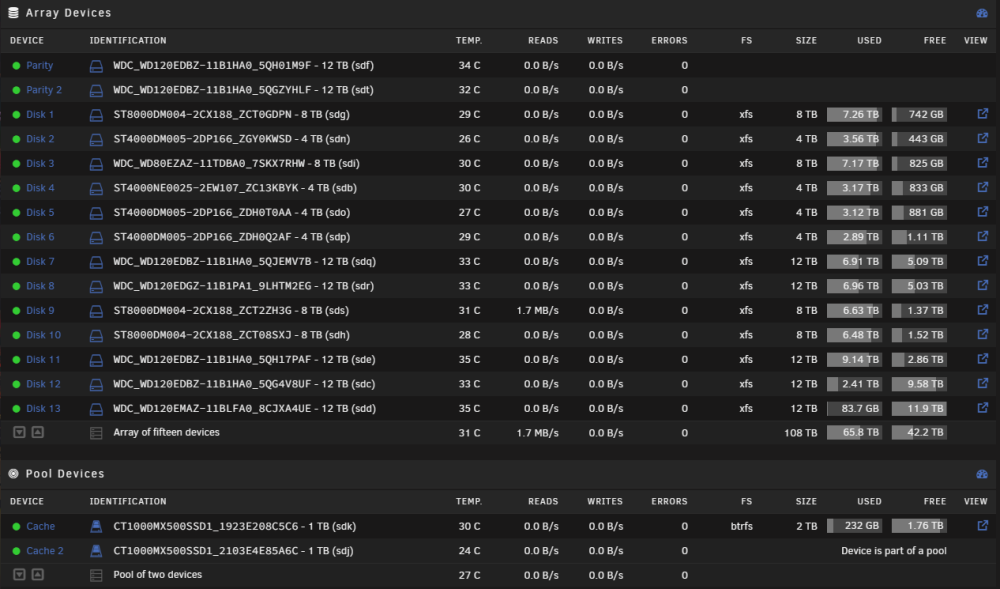
Really good suggestions, thank you! My appdata is set to use cache only, not sure why I have some "bytes" in the array? Domains is just a backup of the VM vdisks I have running on the unassigned NVME drives so I dont have it in cache "only". Unfortunately I am making use of one the unassigned SSDs right now and have plans for the other unassigned SSD. I don't know why I had not set system to cache only, I have done this now but probably need to move the files back to cache.
-
Oops, here's the correct diagnostics 🙂 dansunraidnas-diagnostics-20230127-2050.zip
-
So everything is back to normal 🎉 Thank you everyone for the help and support. dansunraidnas-diagnostics-20230127-1851.zip


MozillaFirefox.png.db6a4459989c50c252b52a78caf7fe9f.png)


