





dcuellar44
Members
-
Joined
-
Last visited
-
Can you elaborate on what the issue was. I'm not following. I don't think Mover is working for me either.
-
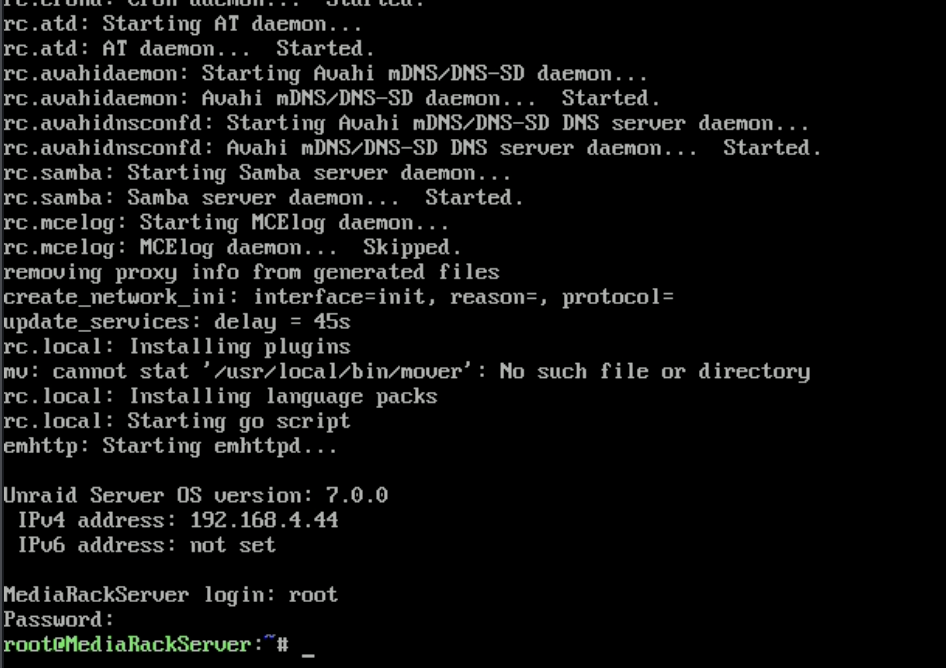
Ok. I figured it out. I missed the menu just before this that allowed you to select GUI. Thanks for the help. Rebooting was what started at least the command line to start appearing... although I did move the output from one DisplayPort to another and then rebooted before I started seeing the command line. Anyways. Glad to see the GUI finally. It's really just a Firefox browser.
-
I'm seeing the command line, I guess?
-
Yes. I rebooted several times. I can see the bios screen but past that it goes black.
-
I have been running Unraid headless for quite a few years now. I now would like to connect a monitor to the computer. I have a 5950x which doesn't have an iGPU, but I have a Quadro P2000 Card that was strictly used for transcoding before. When I connect a cable from it to the monitor I see a black screen. I can tell there is a signal because the screen is black, otherwise my PiKVM would say "No Signal". Why is it a black screen? What should I be seeing the Unraid Dashboard? Is there anything I need to be doing for this to work? I'd like to be able to access my dashboard as I would on the webUI.
-
Did you ever figure this out? I'm in the same boat now
-
So sorry for the delay folks. It's been a busy few weeks and I just didn't think to check back here. Here is the link to my thread where I resolved it on the plex forums. https://forums.plex.tv/t/help-with-editing-database/887211/8
-
I appreciate it the response. I got it working with help from the folks over at Plex forums. Thanks.
-
Thanks for the detailed write up. I was able to fix my issue with the last command you have listed here. Quick question. I wanted to know how to change the date. What format is it using? Is that YYYYMMDD?? What are the last two digits? Can you clarify this?
-
Did you figure this out? I'm in a similar boat. I need to change dates because they are currently set in the future and therefore stay in recently added. The date is sometime 2038 so I don't want to have to wait that long.
-
Thanks for your response. The only other thing I can think of is that I have one drive in my array that I had removed recently to get RMA’ed. My unraid server does not rely on the gaming PC. This all seems very weird.
-
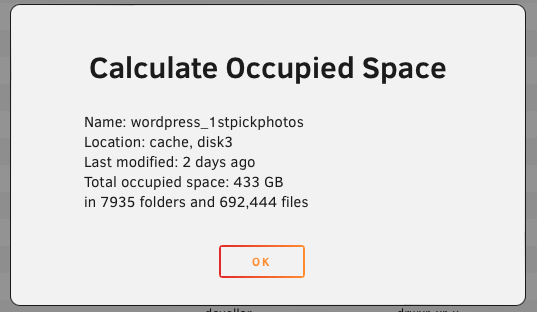
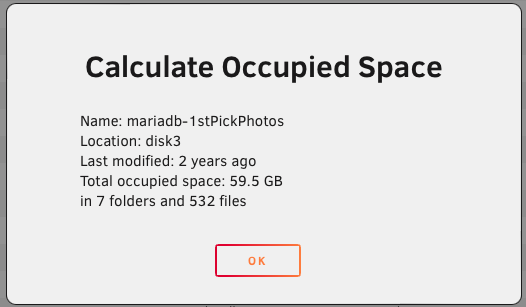
Ok. Since I have mover going I have docker disabled but I will install it after. I did however start looking at folders individually and it's actually the Wordpress docker, not the database docker that has an extreme amount of data. Here is an example of one of the sites. I'll head over to their support forum but since we were talking about it I thought I'd share in case you were curious. There is a specific folder within that folder that has the majority of the data. "Gallery"... go figure. I'm curious. Any way to choose a specific folder to go to the array and the rest to cache. My goal is to make the site as fast as possible and I would think I need to have the Wordpress container on cache to help with that effort.
-
Ok. Before I do that I want to make sure it is the mariaDBs with all the data. I'm trying to calculate the folder sizes in Shares but it is taking forever. Is there a better way to get the folder size that you know of? A console command or something?
-
I host a few websites for some photographers that sell their photos post events (sporting events). Think SmugMug. Which means there are tons of photos. All of this data I believe is in appdata for the mariaDB containers. I'd love to figure out how I can get this off of appdata and into the array rather than cache. Are you saying I can map the mariaDB containers to a different share and then have that share live on the array instead? I'm not opposed to that. Just never thought of it. This whole time the appdata has been living in the array. I am just not happy about the performance (time to load pages) that I've had so far so I thought of moving appdata to the cache drives to see how that impacts it. Everything I've read has said that appdata should be in cache anyways so I figured why not since I was in the market for some new nvme cache drives. It wasn't until recently that I saw that it's 805GB worth of data and when digging into it realized its the websites. Actually, is there a way to use the console to tell me the size of each of my folders in appdata? Going through shares and using calculate seems to take a very long time.
-
I get it. I plan to do the raid1 as well as a backup. My issue is that it's a lot of data to back up from scratch each time. I need to see if there is a sync that updates changes to the backup instead of doing a backup from scratch. luckyBackup may do what I'm looking for. If you know of any let me know. 800GB is just too much to expect a fresh backup each time.
