Jurak
Members
-
Joined
-
Last visited
Everything posted by Jurak
-
the templates folder is empty and there is a templates-user file
-
Well yes and no. I was able to get the old usb flash drive working again and took a back up of it, hadnt taken a back up of it since I just got the server up and running late last night. So I think there was something wrong with the back up copy. But now with the new flash drive server is running but dockers are gone and cant install new ones.
-
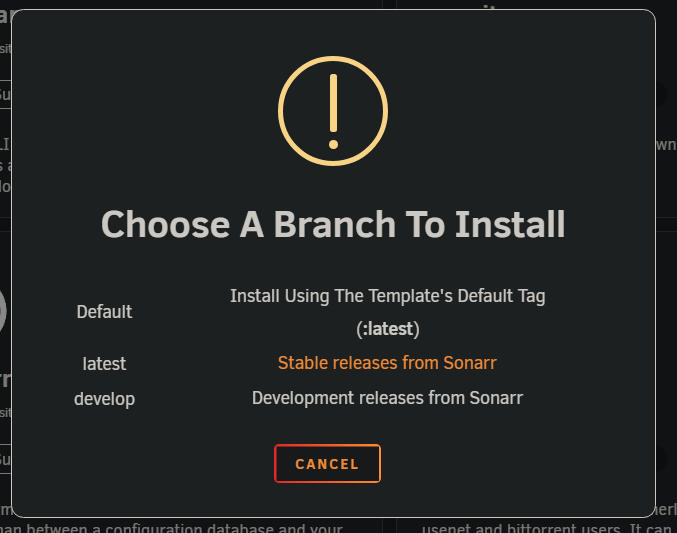
Yes was using folder before. When I go to install docker it says to choose branch. I select latest Then it starts thinking then takes me to this screen. cant install anything due to this. my appdata share is still there with the dockers I had installed last night. Docker share shows data in it. When I do click that drop down from the last screen shot there is nothing there.

-
Started a new unraid server last night. Got most of the dockers installed and everything up and running. This morning found that the USB flash drive went bad. I have replaced the USB flash drive but all of my dockers are now gone, and it wont let me install new dockers. I go to the app store find a docker to install choose the release I want then it takes me to select a template screen like i chose add add container from the docker screen. Need some help on what is going on. Diagnostics attached heimdall-diagnostics-20250618-0841.zip
-
Ok so its running much faster and the two dockers are running better. How do I remove all of the plugins so I can slowly start installing them one by one.
-
Ok I will try that once I get home from work this evening.
-
So redid all of my cache drives into ZFS. Was getting slow webgui loading times of up to a minute. Found that a docker container was constatnly restarting but I have since fixed that. Webgui starting loading fast again. Now today its back to loading slowly. From what I can tell all of my dockers are up and running. So dont know what to look for. Diags attached. Any help would be appriciated. Also some dockers are also very slow to load. If I need to create a new topic for the slow dockers I will just let me know. But I feel they are related. Slow dockers: binhex-krusader will freeze up for a little bit than work for a minute or so then freeze up again Sabnzbd keep getting lost connection to Sabnzbd heimdall-diagnostics-20250610-2233.zip
-
Yeah i figured that out late last night.
-
Im also getting when I start a docker container i get execution error bad parameter. But if I edit the config and apply it saves it and the docker will start up with no issues. new diagnostics are attached. I did remove the unraid connect to see if the webgui would run faster and it is but still taking a while to load.heimdall-diagnostics-20250607-1350.zip
-
I have changed my cache drives to ZFS and now my webgui is very slow to load anything.heimdall-diagnostics-20250607-0840.zip attached is my diagnostics for my server. Need some help as Im trying to get my dockers back up and running.
-
Oh do I need to uninstall the Nvidia drivers first or will that not cause any issues?
-
That is so much easier than most of the forum topics I have read so far. Thanks
-
So I have read many things in this forum for intel arc gpu's. All of them have different way to get it to work. Any one have anything official on how to get it to work. I have not installed my new card yet but would like some instructions on what I will need to do. I currently am on 7.0.0 rc2. I am currently running a Nvidia P2000 card. What will I need to do to get the intel card to work for transcoding for unmanic and Jellyfin. Any help would be appreciated. Or point me to an article or forum post that is the best way to get this to work.
-
Thanks I figured it would be disk 8 but since its labeled different I just wanted to make sure.
-
Attached is the diagnostics from my server. Please let me know what disk number this is? Also if you see any other issues please let me know. heimdall-diagnostics-20241125-2023.zip
-
Dont know what changed but its working correctly now and the gui is loading fast like it should.
-
So a few days ago I installed two new drives to the Array. One as second parity and one for data drive. I waited on rebooting till the parity sync was completed. But the gui is very slow and the mover is no longer doing anything, even after the parity sync has completed. I had to reboot due to the gui being unresponsive. Attached is the diags right after the reboot and also another diag after I started the array. The reboot took over 10 minutes to do before the gui was available for me to do anything. After starting the array I click on the move button and the page refreshes and mover is not running. I have tried mover start in the command line and nothing happens. Ok uninstalled ca mover tuner and the mover is now running. But clicking it on the main tab still didnt work but clicking it in the scheduler it started working there. But the gui takes almost a minute to load each page. heimdall-diagnostics-20241020-0932before array start.zip heimdall-diagnostics-20241020-0934after array start.zip
-
I would love the same thing. My tv shows folder has many empty folders under each tv show.
-
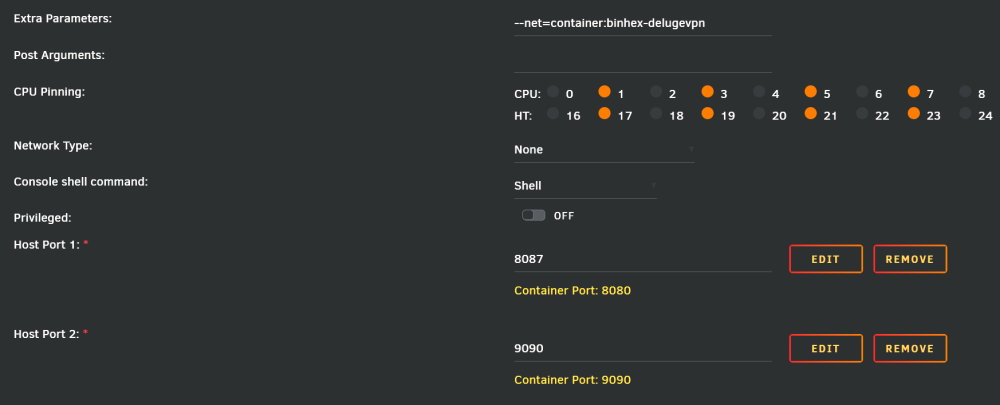
Im at a loss on getting webgui access to a docker that is pointed to Delugevpn. Im new to setting this up, let me know what info you need from me. I have followed spaceinvaders video (didnt work) I have read many faq's and other sites on this and still not working. I am trying to get sabnzbd to run through the vpn as well as my arr's the pic is of the set up I have on Sabnzbd, I also have Sonarr set up the same way and its also not working. I have done command "curl ipconfig.io" and it is showing the VPN IP address so I know that part is working. Just need access to the webgui. What am I missing?? *edit miss spelled words
-
I have been using readarr for audiobooks and ebooks. (yes i know the metadata is having issues right now) I am now using auto4mb to convert the audiobooks to single file m4b. Currently I have Sabnzbd putting the downloaded files in the recentlyadded folder for autom4b to see and start processing. But how do I get readarr to wait till completed file from autom4b is created. If this can be done any help toward this goal would be appriciated.
-
The only change I made was putting the modem into bridged mode and everything for wordpress started working correctly. I do have ports forwarded for plex and my game servers, so needed to fix that anyway.
-
Ok figured out my issue. I have been on a business trip the past few weeks and got home and decided to work on this. Well internet had gone down while I was gone and my wife delt with the ISP to get it fixed. I just found out that they had replaced the modem/gateway with a new one. The new one was set up as a gateway and not in bridged mode. Once I set the modem to bridged mode everything started working correctly.
-
The current set up I have was working till my cache drive failed and found out my backups were corrupted so was not able to restore everything I already had set up. Resetting up everything and getting the issue I have now. This issue of the URL changing to my internal IP for the docker is happening on all browsers incognito or not. Also for the Proxy Cloudflare is handling all of that. https://developers.cloudflare.com/cloudflare-one/connections/connect-networks/get-started/ The above URL goes over Cloudflare tunnels. Once set up it will give you a secure connection from Cloudflare to your server. Through the tunnel and the docker container you install on your server, you can set up public host names with the domain I own and it will direct traffic to the program/docker i have set up for each sub.domain.com/ domain.com. I have used this set up before but don't know what is wrong this time to give me the issues I'm getting now.
-
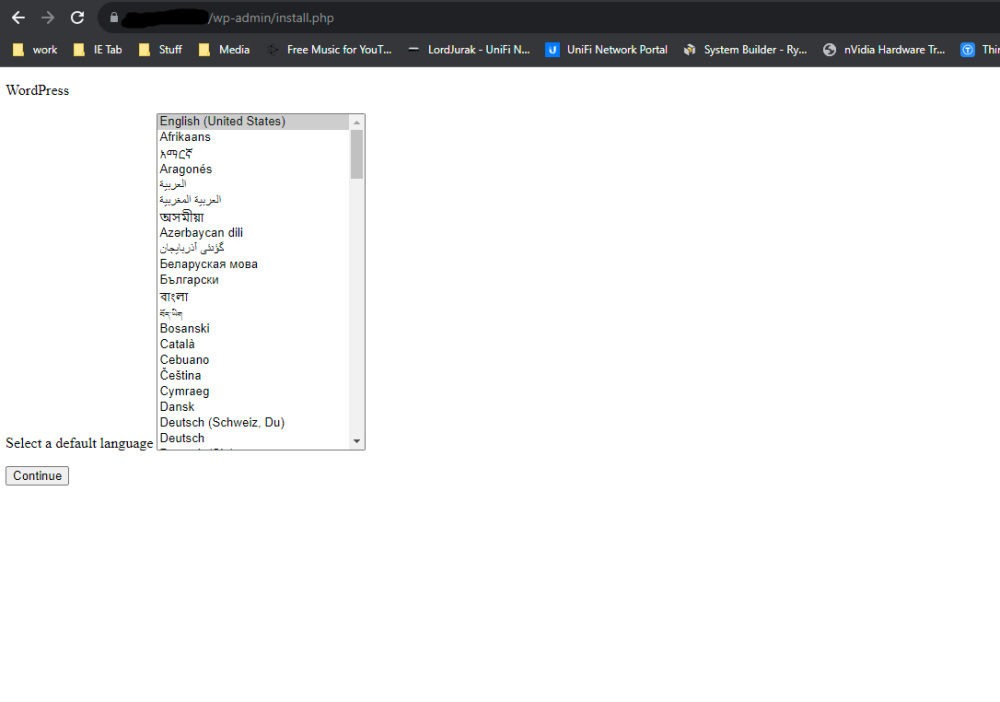
Need some help. Setting up wordpress. I have cloudflare tunnel set up and have set up my public hostname and have it pointed to the IP:port of wordpress. Install Wordpress then go to my domain.com and get this below. The page is not loading correctly. The next page is also not loading correctly. I does let me continue but once im done and click install it shows the same incorrectly loaded page but says success! Then I click login the url in the browser changes to my internal IP address and then says this site cant provide a secure connection. When I go to my URL it does show the initial hello world welcome to wordpress page. But am unable to access the dashboard.
-
Due to this plug in stuck in pending I cant install anything new from the apps tab. heimdall-diagnostics-20231008-1118.zip