





Alexandro
Members
-
Joined
-
Last visited
Everything posted by Alexandro
-
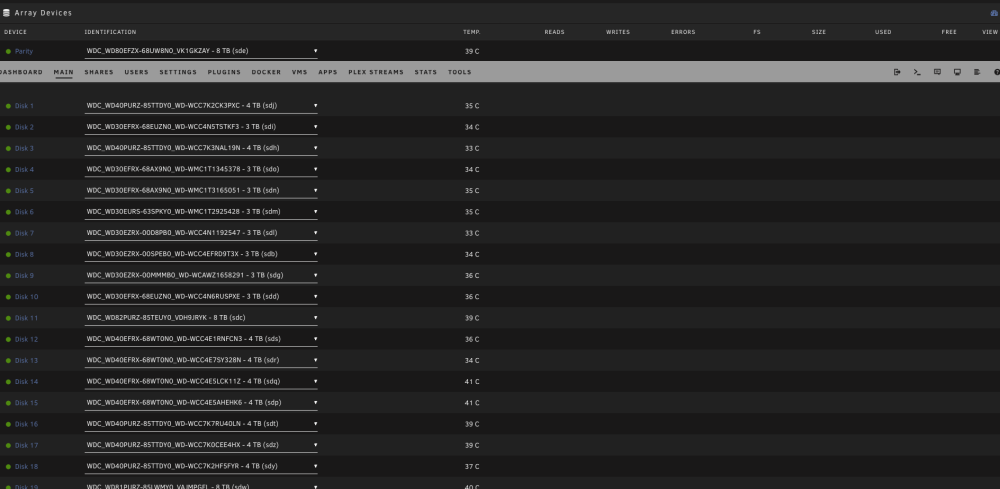
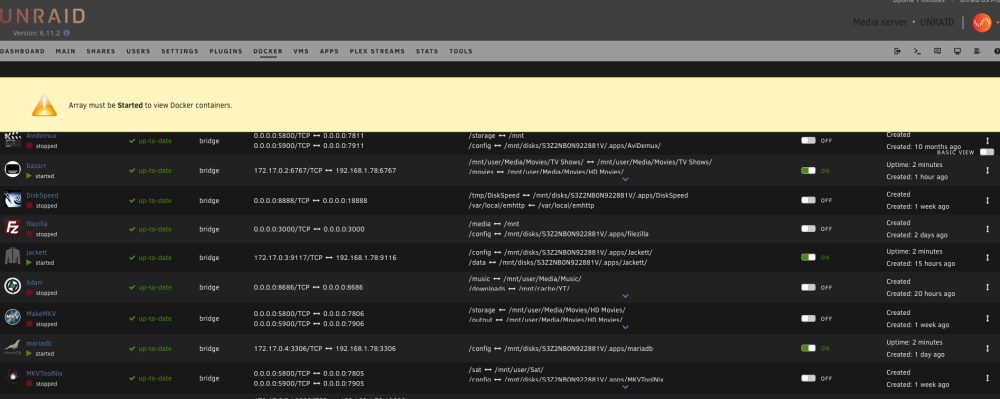
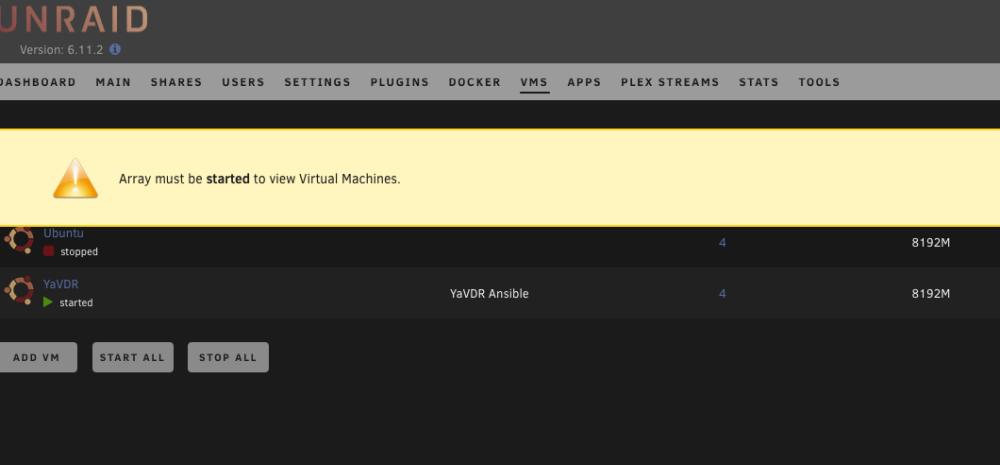
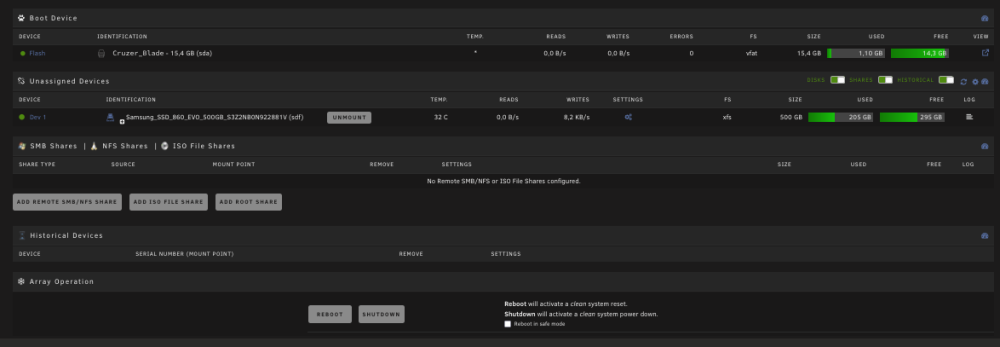
In my case webUI download is not working. I am loading the links to the left window but once I hit submit button, nothing happens. Download via console command "tidal-dl -l https://listen.tidal.com/album/some_album" works as expected. What I have also found is the container is not saving the settings upon restart so everytime I restart I need to go through all the settings again, Api keys, quality, etc. There is nothing in config folder in my apps data. All container settings are as per the instructions.Thank you very much. Great work. It would be perfect if it can be uploaded to the CA.I would advise you to go to Linuxserver.io Discord channel and to describe the issue. The support team are not active here at all.Hello, After an update performed today the Bazarr docker is not starting. Everything was working just perfectly before the update. The log shows: What can I do to make my Bazarr working again? Thanks in advanceSadly, no interest by the developers so far and I don't even know if this is the right place to contact them.Hi guys. Do you think someone can help to add a container for Tidal Media Downloader PRO. https://github.com/yaronzz/Tidal-Media-Downloader-PRO It is a great tool for offline listening to music and download (subscribers only) [ Although a docker exist I haven't managed to install it. https://hub.docker.com/r/rgnet1/tidal-dl/ Thank you in advance for your help.Is there any way to prevent this behavior in future using Firefox? Yesterday I rebooted the server using Firefox and while starting again array with Firefox experienced the same. Restarted and started the array using Safari and problem solved again. Is there anything I can do in Firefox? Thanks in advance.This was the issue. Stale configuration. What I needed to do was to reboot the server and quit firefox. Once the unraid booted I logged in with Safari. Problem solved. Thank you.Thank you. Tried from different computer with different browser and also via Ipad to same result.Upgrade from 6.9 to 6.11.2. The flash drive has been replaced with brand new to make sure it is not flash related. Once the array is started, all my plugins, dockers and VMs are started normally and also working as expected. UNRAID reporting the array as STOPPED which is not the case. The array is started and working. The same behavior with previous upgrades which I thought were flash drive related. Obviously it is not the case. The buttons for start/stop array and all the others are not visible as Unraid is started in maintenance mode. Please find some screenshots and kindly advise how to proceed further. Diagnostics file attached. Thanks in advance. unraid-diagnostics-20221106-1523.zip
 Hi Guys. Here I sell Micron 16gb ECC DDR3 server memory RAM modules. More than 100 available. Will ship worldwide. Asking price: 27 euro (USD equivalent) per module shipping included. I can offer 15% discount for 4 or more than 4 modules purchased. PayPal friends and family option please. Thanks for looking.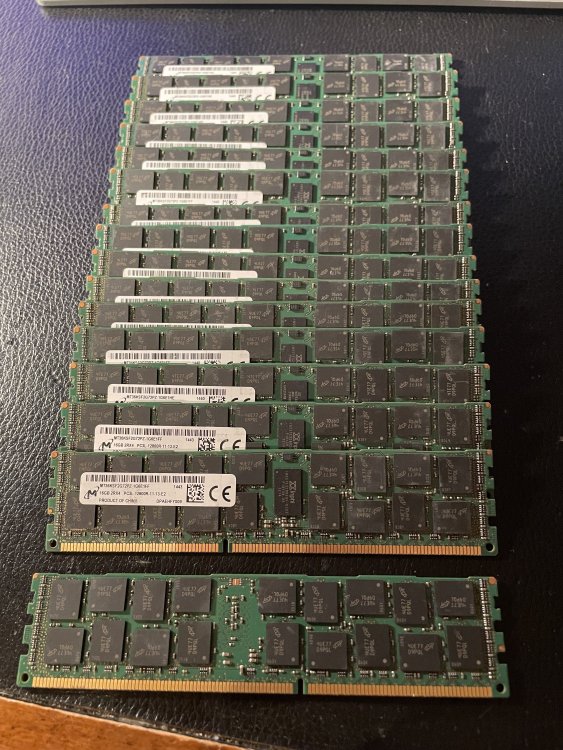
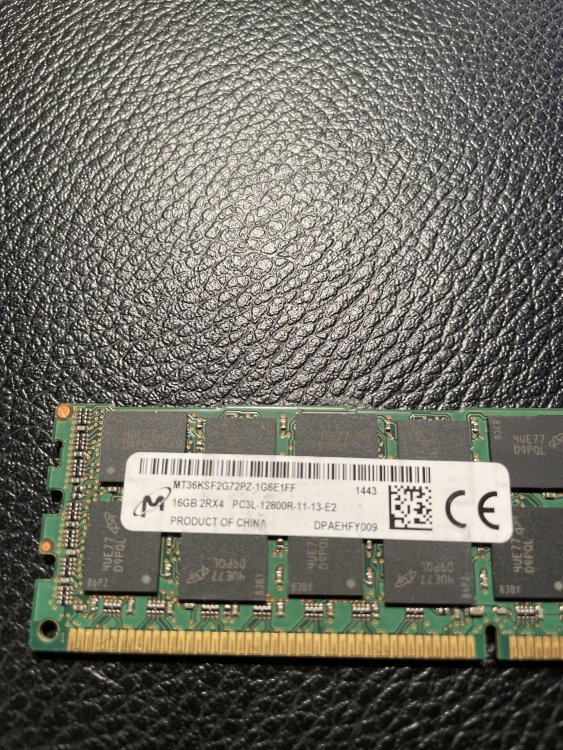 Just saw now 6.10.2 available and decided to try to upgrade from 6.9 to not much different result. The bad flash drive banner appeared again (brand new flash drive). The VMs and Dockers started and working although unraid itself tells me that to access the docker/VM page the array must be started first. The drives are reported by unraid that are offline, which is false (the drive appeared to be online and user shares presente). I do not know what exactly has been changed but obviously problems are still there. Take a look on some screenshots and also the diagnostics log attached. Back to 6.9.2 again. unraid-diagnostics-20220528-1423.zip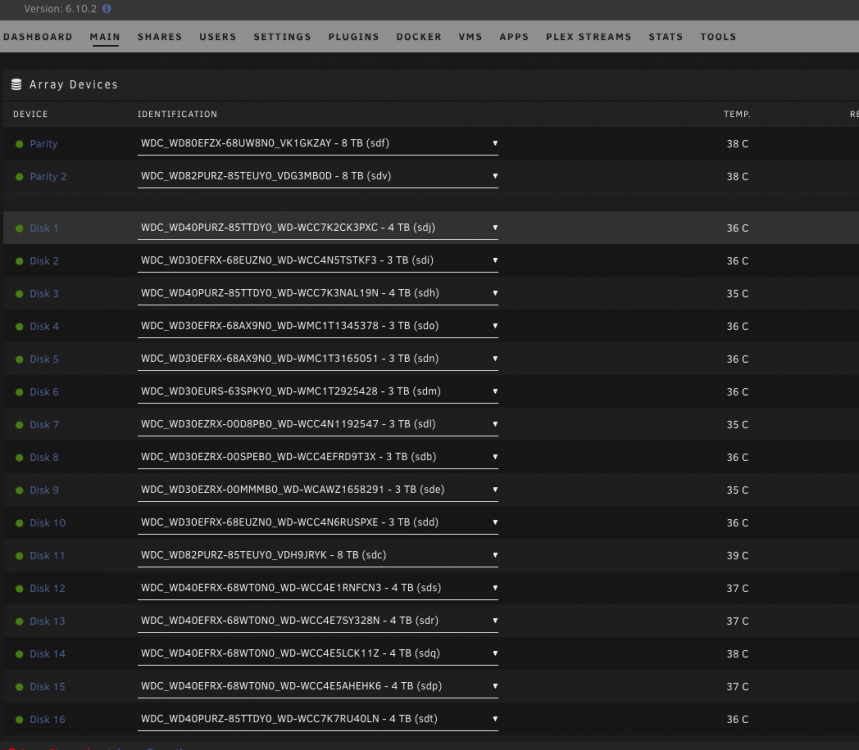
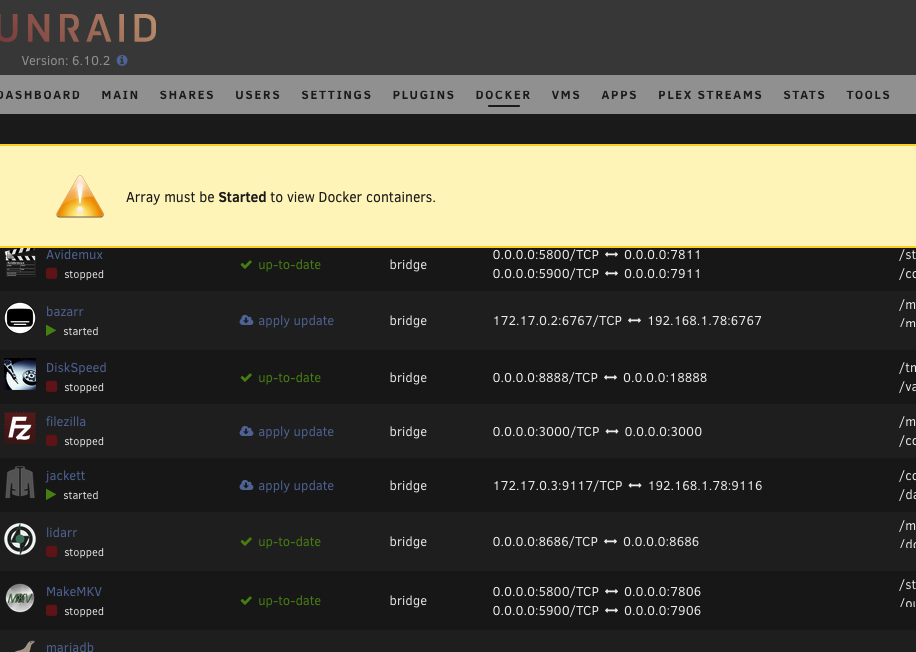
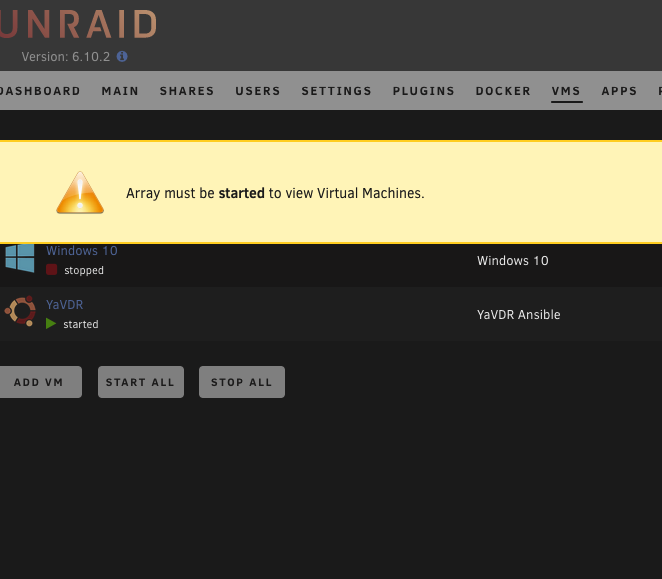
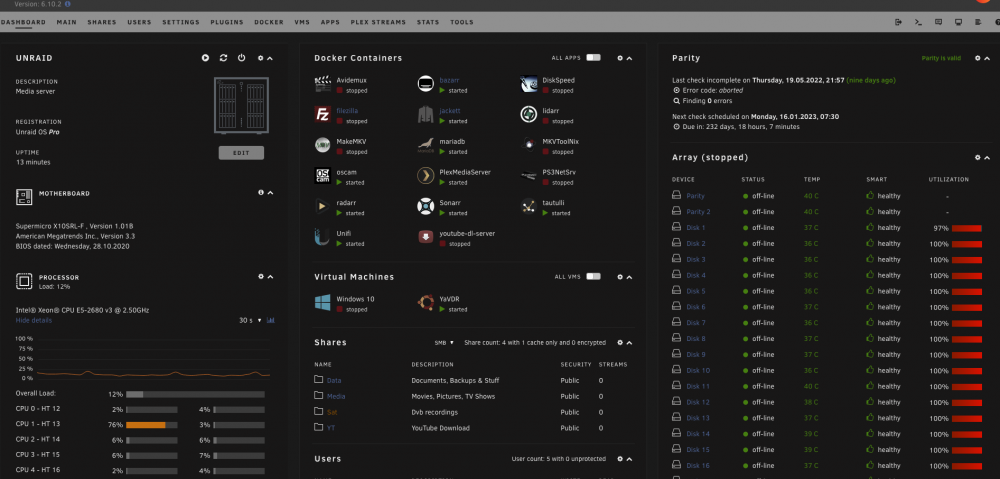
 Although I was very much confident it is not a flash drive related decided to follow your advise. New flash drive prepared. Booted to the same behavior. Once again went back to 6.9.2. No more experiments with the production server for me.Downgraded back to 6.9.2 and issues solved. Reading other users issues we might conclude that 6.10 is buggy enough not to be considered as stable.What I've noticed is that the server initiated parity check, because (after the restart following the update) an unclean shutdown has been detected. As a result according to my observations the parity check is blocking the normal view of the web interface. Once I press on "restart", a moment before a restart is completed the normal web interface page view is showing up. In this moment the parity check is stopped. As no buttons for "stop parity check" are available at the moment (but the check is in progress) How could I stop parity check via command line? Haven't found any command for this. All disk although mounted, are reported by unraid as "off-line" 10 years unraid user here and never had any problem with update so far.
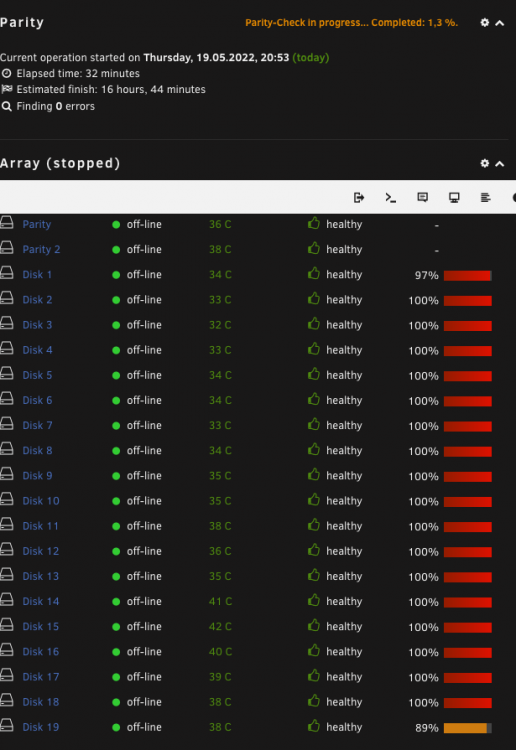 Unfortunately this is not the problem. Cleared browser cashe with no result. Sent from my iPhone using TapatalkThe screenshots uploaded wrongly. Please find them uploaded again.Hello, Just upgraded from stable to 6.10.0. Many problems after the upgrade. I was able to login but on the array screen got "Flash drive offline or corrupted" message. The array has started, dockers and VM too, but no usual information for the disks in the array are visible anymore. No control over the array. Buttons for start/stop array disappeared. Please kindly see my diagnostics and some screenshots. unraid-diagnostics-20220519-0914.zip BB267506-C135-4A75-9ABC-F569362B6780.heic 28CC8DE8-57EA-4DB7-ABEB-9EE50F436B43.heicView -> Fit to windowSame here.Hi all, I have exchanged my trusty old APC unit to a newer version. https://www.apc.com/shop/pk/en/products/APC-Smart-UPS-C-1000VA-LCD-RM-2U-230V/P-SMC1000I-2U The new unit is serving my needs and power requirements well, although i noticed important statistics are not visualized by the APC daemon. Nominal Power, UPS Load and UPS Load % are missing. I have researched the forum but couldn't find an answer. The APC daemon is obviously not getting any updates anymore. NUT is behaving the same way. Is there any way to tweak something in APC Daemon? My UPS is not supporting firmware updates so it cannot be solved this way from the UPS side. Will appreciate any tips. Unraid Pro 6.8.3 version.
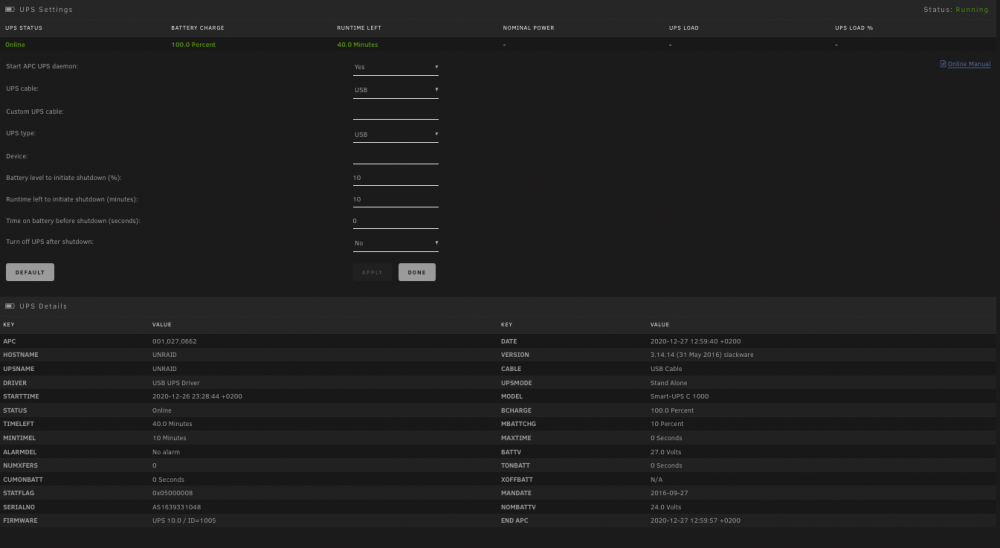 Balena Etcher (or similar application) would be very useful for people who have card-readers installed in their rigs. https://www.balena.io/etcher/Wow...Just wow. Thank you very much for your efforts. It looks lovely.





