





SohailS
Members
-
Joined
-
Last visited
Everything posted by SohailS
-
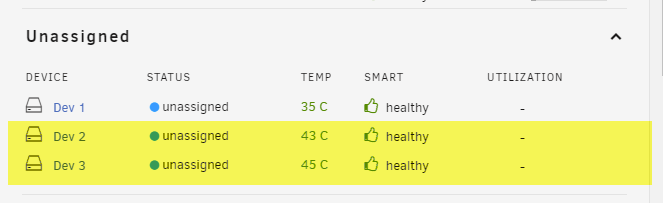
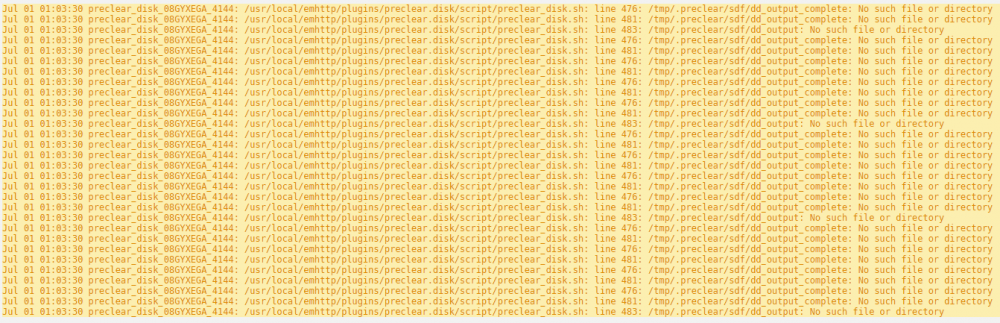
I am hoping i can get some help. i have purchased 2 SAS drives to put into my unraid server. they are : HGST 1.8TB 2.5" SAS drive, 10K RPM 12Gb/s HDD , HUC101818CS420 in order to get them to connect i used some adapters: SAS 22 Pin to SATA 22Pin 7+15 Hard Disk Drive Raid Adapter with 15Pin Power Port the SAS Card i am using is as below and flashed to IT mode : LSI SAS2308-8i(9217-8i) 6Gbps 8Ports HBA I think i have a compatibility issue somewhere maybe?? but that's where i need help. my symptoms are. The drives are seen by the HBA Card. and on the main page in the Unraid dashboard the preclear plugin even sees them : here was my first issue, preclear cant read them. if i go to the main screen on the unraid dashboard they are not visible : however when i go to tools and system devices i can see them where am i going wrong i think maybe im using the wrong adapter? some guidance would be great jarvis-diagnostics-20210701-1020.zip



-
Is this guide still the best way to install Jitsi? or is there now a better way?
-
Wow thanks that was super fast i will give it a go now And it worked a treat thanks again
-
Thanks Sycotix Really appreciate it. Linuxserver used to do one but it's now a really old version and it's deprecated, really appreciate your time
-
I have just recently stumbled across your Channel on YouTube and want to tell you that you are on to a winner here you have some great content already and look forward to upcoming videos. a question is do you do requests? i would love a upto date and supported container for Serviio if that is possible
-
Hi All i know it may have been mentioned in here but to save me reading 192 pages. is anyone able to confirm if there is a fix for the cache write issue? is it as simple as changing from BTRFS to XFS? Thanks
-
This container stops my drives going to sleep is there anyway to stop this?
-
what if i was to install the linuxserver one? can i manually update the instance of serviio in that container?
-
i am hoping someone can help me i am really struggling to get riftbit/serviio working the service wont start i have tried the above and to use CA but it just wont work. i installed the linuxserver.io version its perfect just not the latest version i would like the latest version please help


