





burgess22
Members
-
Joined
-
Last visited
Everything posted by burgess22
-
will node.js persist through updates if it was installed after homebrew was installed?
-
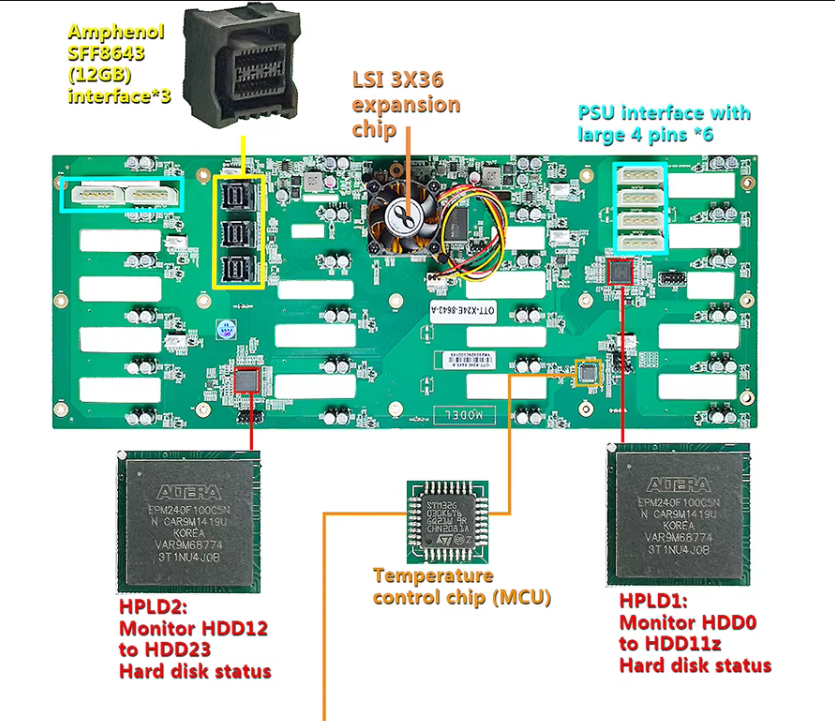
Has any one come across the LSI 3x36 expanders yet? just need a 2 port 12Gbps HBA with 8643 i assume they will work being LSI just saw this in a server case and has me interested as it has room for expansion further down the track https://www.alibaba.com/product-detail/ZhenLoong-X424-4U-24-bay-rackmount_1601279674265.html?spm=a2700.shop_index.84.20.41f458d145Goud
-
Thanks Chief ur the boss, look after your health
-
ooft yeah NYX would be nice trying to set up a relay to work with https://ator.io/ and a little command-line monitor would be nice
-
space invader one has answered your prayers https://github.com/SpaceinvaderOne/RetroNASinabox on Ca as RetroNAS_inabox
-
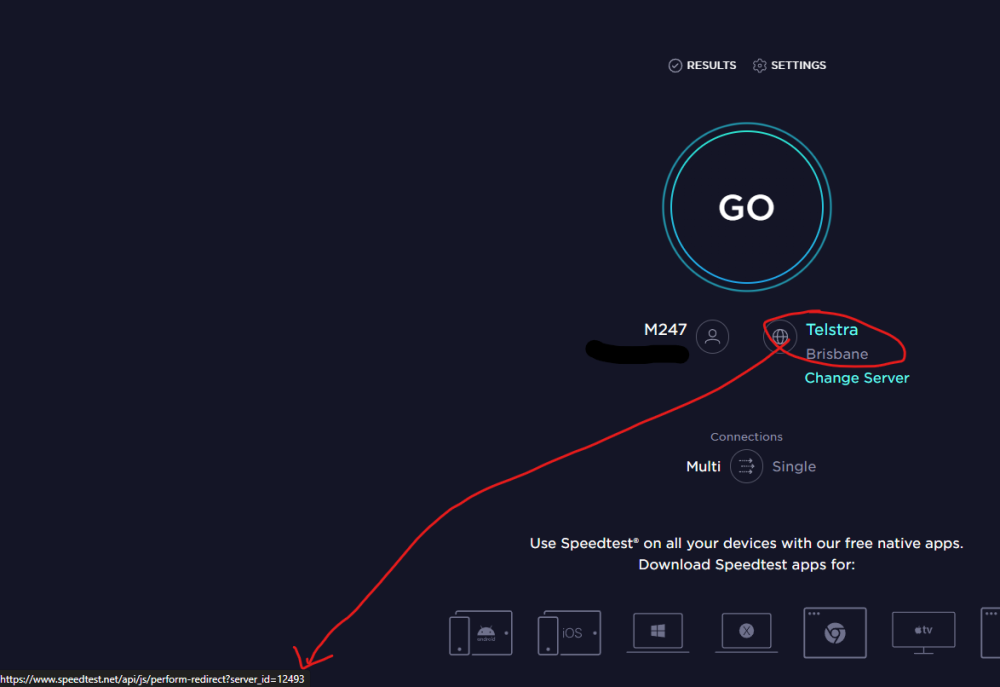
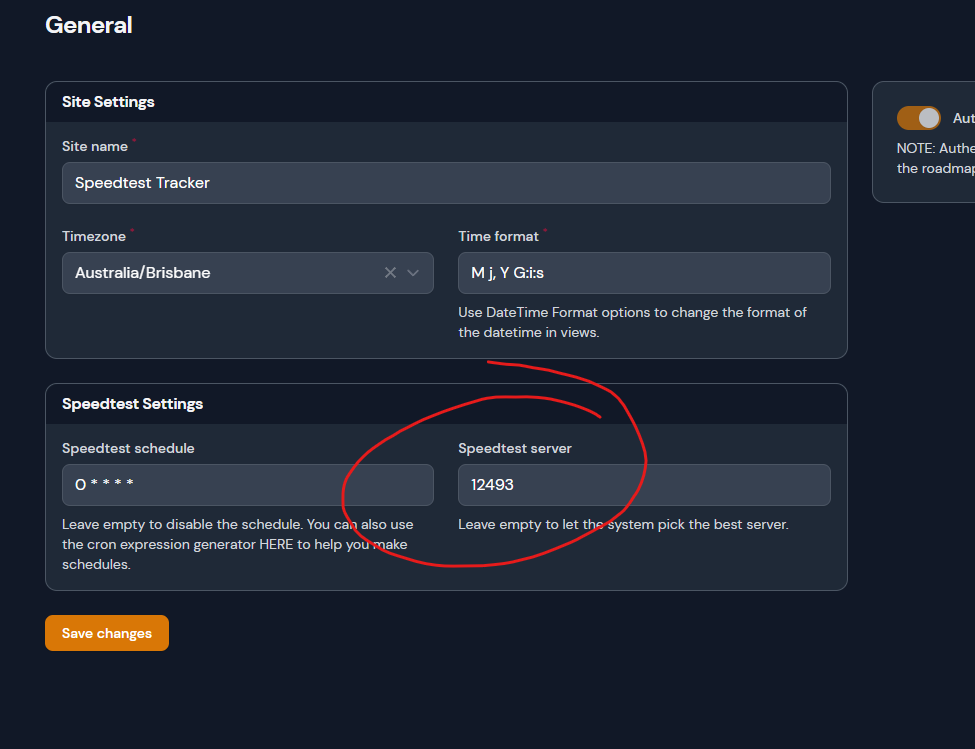
if you want consistency for you tests make sure to set the server you want to test from every time...you just need to set server ID in the settings
-
HI, I'm assuming I know the answer but just wanted to check with the boss man of the container of Mycrypto you would have to be physically connected to the server with your hardware device to enable it as plugging into the remote PC and unlocking wont work?
-
do you think this would have any issues if you pointed the storage to an unassigned device? just wondering if it would be beneficial that way, so its not writing to the parity all the time?
-
what is the default password for the noVNC?
-
for those playing at home i found out you can use apk add curl
-
how can you install curl into a docker I don't mind if it doesn't stay on a restart.
-
It seems to use the docker as a tmp directory when processing jobs...i have the upload section set to a share outside of the docker container but still filling docker and one fix this issue?
-
bingo bango found it...for those playing at home you can edit the .php file 'maximal_upload_size' =>
-
can you increase the file size above 10mb?
-
hopefully we get to see a T-Rex 0.24.0 version soon for the LHR workaround would be very good :)
-
hey @Partition Pixel did you end up getting you hash rate any better? I've the same processor and getting around 7 mh/s as well
-
I am farming on HPool I figure I have to re plot anyway so once official Farming pools come out I will start plotting from a new wallet address and discard the others which are compromised from giving the seed phrase out.
-
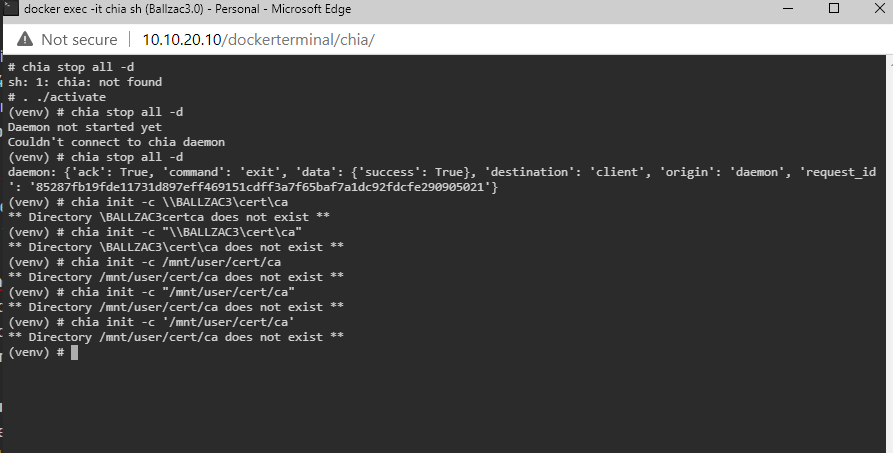
how did you get the cert into the harvester im trying to follow Farming on many machines · Chia-Network/chia-blockchain Wiki (github.com) and i cant work out Run chia init -c [directory] on your harvester, where [directory] is the copy of your main machine /ca directory that you put in a temp folder. This command creates a new certificate signed by your main machine's CA. all i get is
-
So ..you run a VM will a full install of chia client and point you PF to that IP then turn your docker into a harvester? And point that at your VM to sync?
-
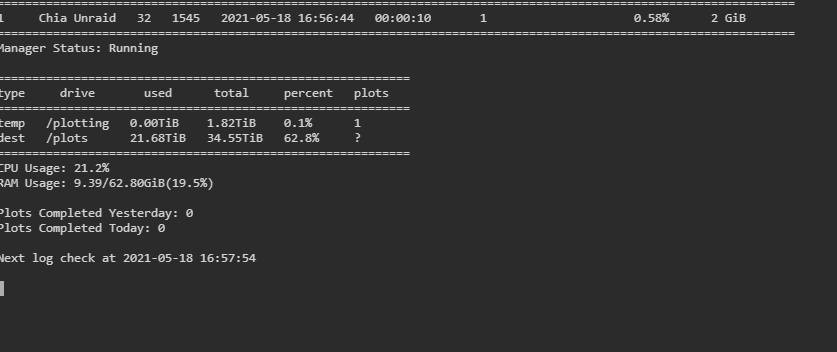
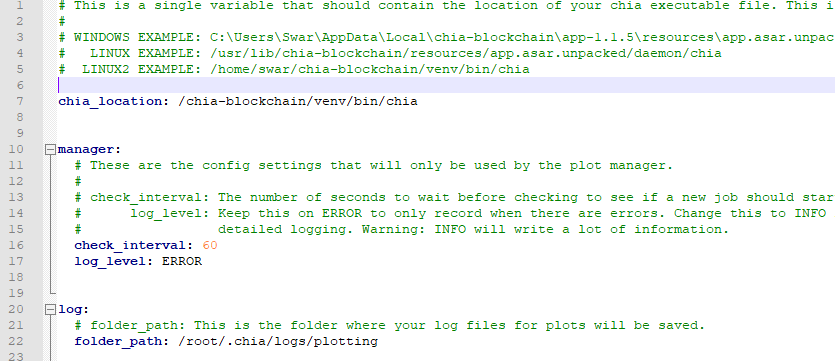
crisis averted =D I didn't have that space in line 6
-
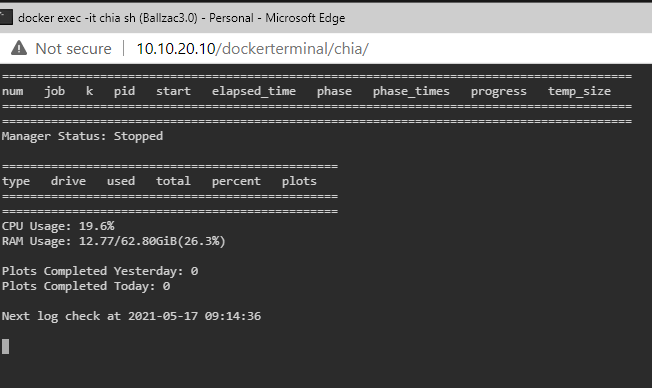
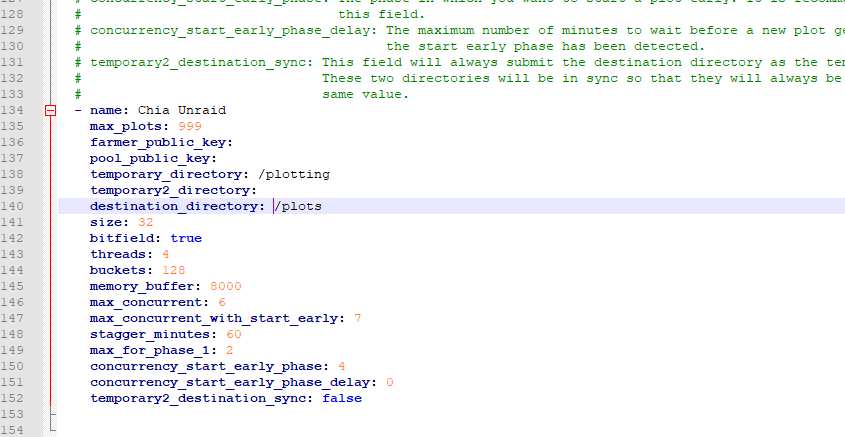
when trying to set this up it doesnt show me any drives im pretty sure its right in the .yaml
-
I found out today if I am plotting I don't sync...then when i stop plotting it's syncs and when you plot again it stops again...so...seems chia can only do one thing at a time
-
it will default to the 32k one or what ever it is using about 300ish GB for a plot with final size being about 106GB
-
if you just wanted to run a container through a VPN and you have a docker with a VPN already running its quite easy to route the traffic through that dockers VPN the master him self space invader one shows how to do it...ill find the clip. save you having to run the VM just for that
-
If you guys want to try this champions @guy.davis docker with plotman inside jump on his discord channel he has a walk through for template setup and it works well so far...or actually i just saw he has added it to get approved by CA so u can wait a little bit if you want and do it from there



