





KJThaDon
Members
-
Joined
-
Last visited
-
Same issue with 7D2D. You can change a value in the docker container when editing and save it and it will work again, but this is quite a pain to have to do every time. Maybe adding a field to the container and using that to do it until it's fixed is the only option?
-
Did you ever figure this out? Trying to boot GUI to my second gpu (the GT 710 x1), but have also got the blinking cursor..
-
I was actually just searching on a way to do this also. Can you give some of use more beginner docker users some clarification on how to do this? I created the folders and script files in appdata I created the docker run script in my user scripts but don't know how to install and where to go and configure for node and the sabnzbd node module. Any help is appreciated!
-
Just wanted to say it's all good now after the file edit. Still not sure what happened exactly, but I was able to update to v525.78.01 today. Thank you!
-
I have never touched that file. Maybe it was just a failed/interrupted update in the past? I have edited it with those 4 lines and it seems to have updated now! Rebooting server and will report back if all is well. Thank you!
-
update_check=false
-
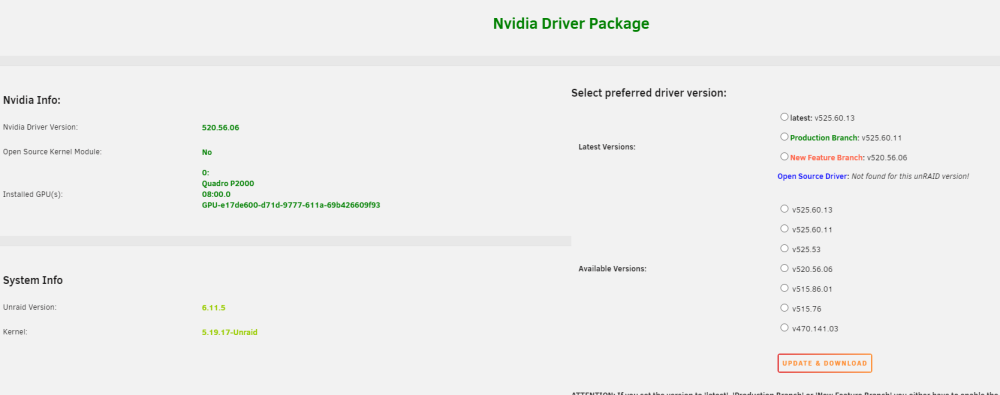
I did try that a few times also. No difference. Odd that it's showing I have the latest installed, but not on the UI. CUR_PRB=525.60.11 LAST_PRB=515.86.01 CUR_NFB=520.56.06 LAST_NFB=495.46 UPDATED=2023-01-05T07:05Z 470.141.03 515.76 515.86.01 520.56.06 525.53 525.60.11 525.60.13 I will try rebooting again and see what it's showing. Thank you
-
I do not nas-diagnostics-20230105-0219.zip
-
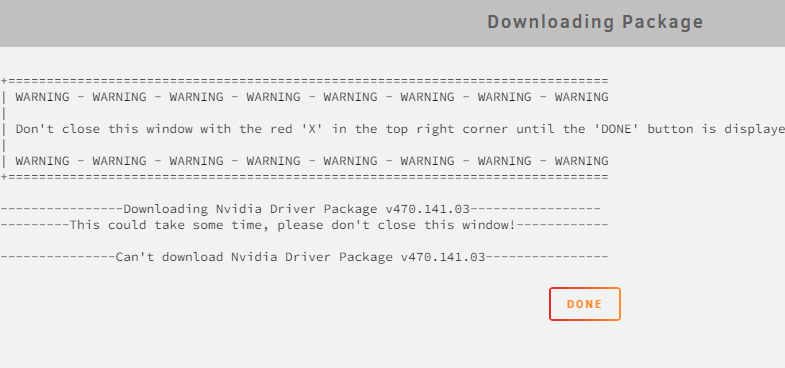
Getting this when trying to update by selecting latest radio button +============================================================================== | WARNING - WARNING - WARNING - WARNING - WARNING - WARNING - WARNING - WARNING | | Don't close this window with the red 'X' in the top right corner until the 'DONE' button is displayed! | | WARNING - WARNING - WARNING - WARNING - WARNING - WARNING - WARNING - WARNING +============================================================================== ----------------Downloading Nvidia Driver Package v470.141.03----------------- ---------This could take some time, please don't close this window!------------ ---------------Can't download Nvidia Driver Package v470.141.03---------------- Any ideas?
-
I've just had this issue today after a server reboot also. Running the latest stable. Not noticing anything else out of order, so idk...
-
I actually just requested this from @ich777 and he had it done the same day. Amazing. it's on CA now! Donating to him now if anyone else is interested too. https://unraid.net/blog/want-an-unraid-case-badge
-
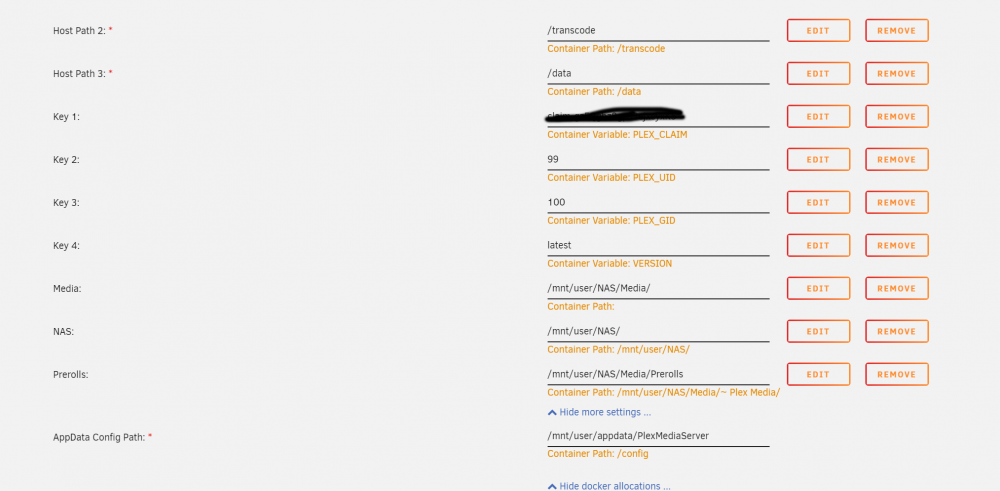
Started getting some notices today when I had a few people streaming that my docker utilization was high (75%). Checked with docker system df -v what was high in usage and noticed Plex was around 10gb. Thinking of either moving it to RAM or an unassigned SSD, but wanted to see if my config looked right first. Plex settings is /transcode Docker below
-
Looking to migrate my current letsencrypt/nginx docker to this. Will this detect my setup and import the configurations I already have set? Thanks
-
Anyone know where I can change the default error file locations? I've tried adding something like this to one of my .conf Nevermind. I fixed it below. Didn't have correct volume mapping path. error_page 400 401 402 403 404 405 406 407 408 409 410 411 412 413 414 415 416 417 418 421 422 423 424 425 426 428 429 431 451 500 501 502 503 504 505 506 507 508 510 511 /error.html; location = /error.html { ssi on; internal; auth_basic off; root /config/www; }


