





Masterwishx
Members
-
Joined
-
Last visited
Everything posted by Masterwishx
-
Please check it https://github.com/hernandito/unRAID-Docker-Folder-Animated-Icons---Alternate-Colors/issues/11 will be cool if can be fixed
-
What version? Check posts above...
-
Thanks for Grey + dark Grey Flat collection, looks amazing...
-
I'm using Grey collection.
-
Thanks a lot for this. Using it for Folders icons from back then (some years) also I saw new ones it very cool additions. Using black theme with @Mattaton CSS + some my changes/fixes for my need. Unfortunately folderview2 is broken a little for today, you can see posts above. So hopping/waiting @VladoPortos will have time to fix and release it :( Just save/backup your Style folder or better flash backup. You can make also backup from folder view and then import (not sure if style folder saved here)
-
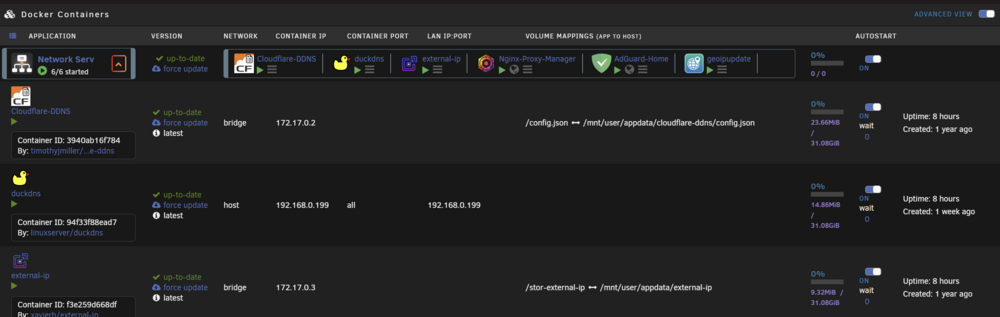
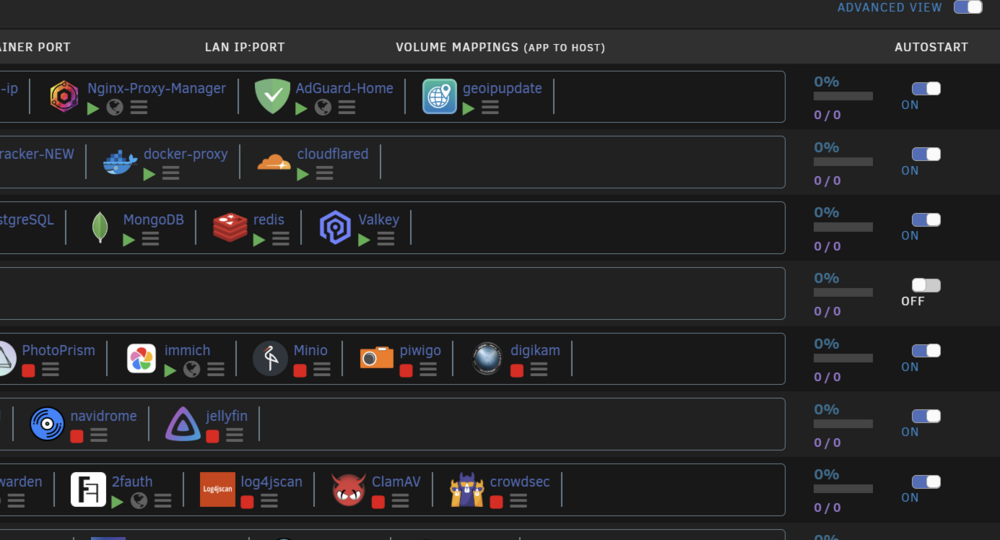
@VladoPortos Also found: No CPU/Ram Total info in Advanced view , also checked without CSS : No CPU info when opened folder in Advanced view, also checked without CSS:
-
I meaned that plugin working with local shares that use cache (/mnt/cache) and disks (/mnt/user0) , but remote shares use (/mnt/remotes) and can't be used in shares as I know... That's why I asked if you adopted remote share to local somehow? But now checked your sys logs, it seems was some network interrupts becose not connected your remote not related to plugin...
-
Hmm interesting, basically the plugin is by design to work with local shares, remote shares IIRC is by unnasigned devices. So somehow you adopted remote share to local share?
-
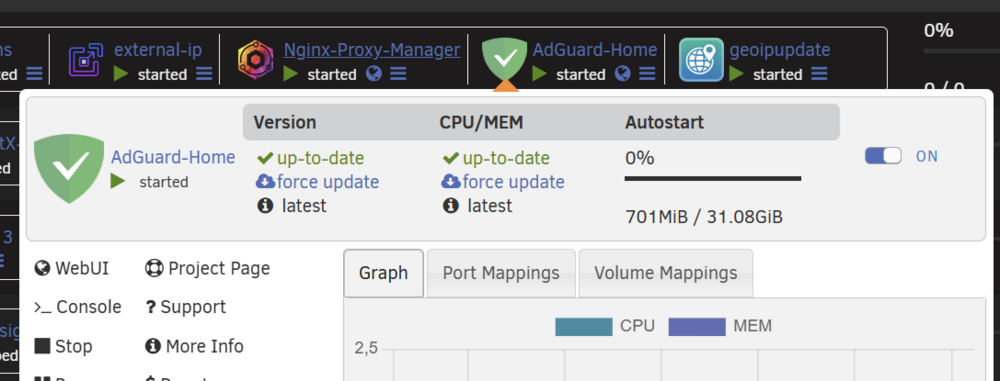
@VladoPortos also found in folder.view2-2025.08.07.4 - CPU/MeM Autostart moved right and double Version (checked with CSS disabled):
-
is someone moved from redis and added some values from redis to valkey?
-
It's unraid part not mover tuning plugin. The plugin only move from cache to user0 or chache2 what is selected in Share setting.
-
No, this option just not using filters for find command befor moving (also wrote in help description). If you need to move like unraid does you need to use force move all files
-
Also in mover turning there is option not to run when parity check, so if you had parity check...
-
Yep it should, but not sure what in the code about need to check it
-
Not sure, you have script befor maybe related to it? Try without it?
-
From your log : ```09:12:39.285 Action started at: 09:12:39 09:12:39.288 Launching after script: /mnt/user/appdata/dockeron.sh 09:12:49.227 After script finished with result: OK 09:12:49.230 Cleaning lock and stop files 09:12:49.238 Action ended at: 09:12:49 09:12:49.243 Elapsed time: 10 sec 09:12:49.254 ****************************************************************** WE ARE DONE ! ****************************************************************``` So mover was runned 10sec Also notifications you have not from plugin, only one is when finished with 10sec
-
OK I checked in my phone, it seems you have all files (keep on primary) try to increase gap between thresholds more than 15%(like set Freeing to 50% less) , (Becouse of many big files)...
-
-
I will check all posted when will be back at home today later..
-
You can run : mover debug in cli. Parity tuning plugin can stop/pause mover for example...
-
Post debug.zip
-
Post debug.zip
-
Cool you back, Yep 7.2 using response ui, so needs to use <span> and etc...
-
@CkChong is anyway we can use temperature from file in future maybe? I mean I got working method to get 9207-8i temperature that can be posted to file, but can't use storcli tool or sensors for it.
-
You have wrong thresholds, moving should be bigger than freeing threshold. Like: Moving threshold : 50% Freeing threshold : 20%




