





Masterwishx
Members
-
Joined
-
Last visited
Everything posted by Masterwishx
-
Please check help description of options by click on it or F1. To see how thresholds works
-
It should move everything by find function + plugin setting, you can enable debug and check this find function in debug log (should move also empty folders) But when clean it clean folders of moved files.
-
Yep this is how plugin work if you read help description of the option.
-
Have no info for docker container after long time loading : no data available Maybe related to many containers about 64 running from 100.
-
Please check new version, should be fine now, sorry for it.
-
I will check if I can add it, but you can still run in cli, or make force mover schedule that will run unraid mover
-
Oh you mean to add like in Unraid mover when run to empty disk if was set in option. I saw they added code for it, now I got it.
-
if you mean in Global Share Settings then you need to stop array ?!
-
you can run : mover start -e diskX or to run unraid mover : mover.old start -e diskX
-
Sorry for this, it was bug when cache:prefer has no secondary storage created yet, so find run without the path and get current location that is somehow (.plugins/.....). New version fixed on the way...
-
you can run it from cli
-
Also I added sync for shares override
-
You need more gap between for move files, also read help options for sync files, it sync only when cache below thouse thresholds iirc
-
Found the bug, will be fixed in next version.
-
I was rewrited code for shares with cache prefer in last version for this will never happen, but from debug I see for share (plex4k) : find -type f -not -name '.placeholder' -..... So it not include the share path here, and seems take current path. Will try to fix it today if will have time
-
Please enable debug and logging and post debug.zip by "mover debug" in cli that will include those files moves.
-
Should we use api key with admin role (all/full permissions) for app?
-
Basically it shold check for not break hard links, you can check with TEST mode maybe or on small amount of files. But you say without plugin it move them?
-
Related to hard linked files? Read posts above, you can post debug.zip
-
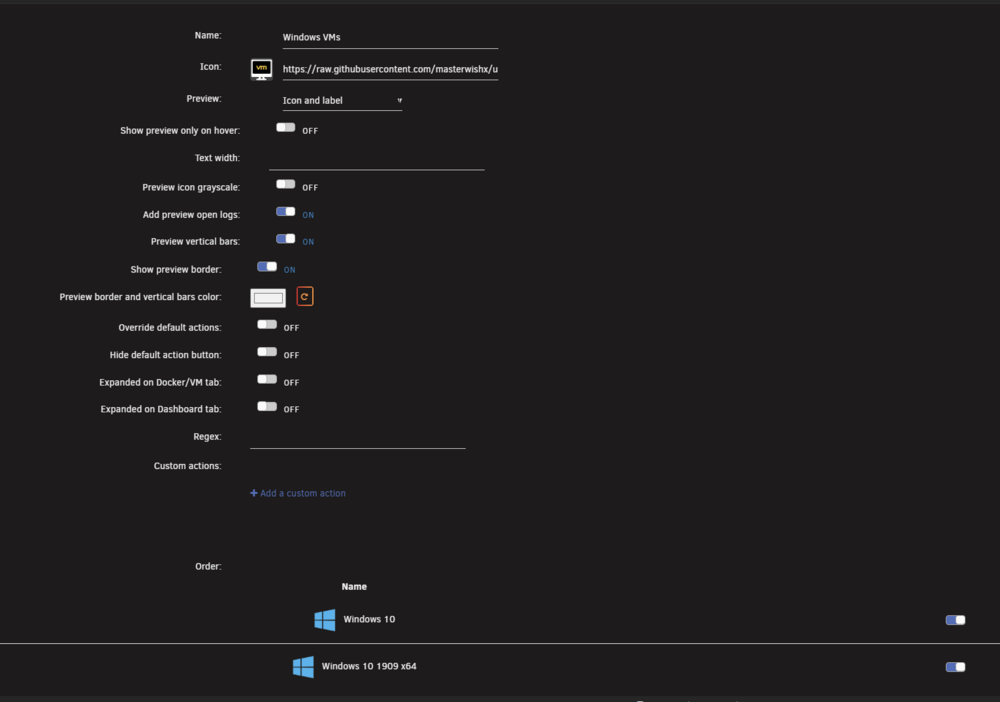
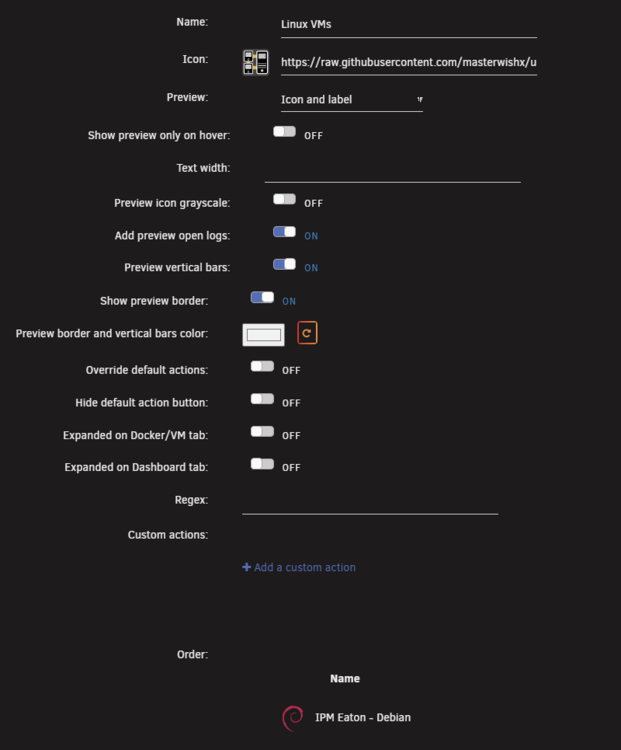
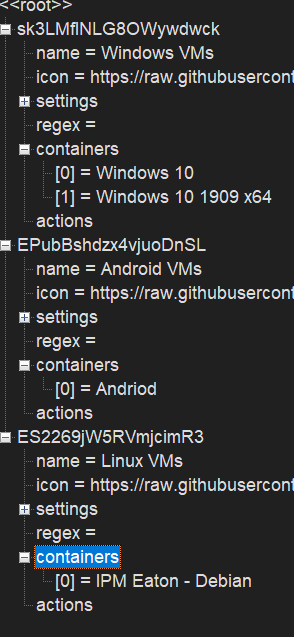
in VM after added new VM to folder it shows as in another folder vm page ,but if enter to vm Folder it shown right:

-
It should be depricated in future I believe :) Still available in 7.2
-
Just check plugin options and help description by pressing on option or F1
-
You can enable debug and post debug after all moving. In case you don't have dangling links when filters off, then it can be becouse unraid mover move entire share but plugin move file by file by move command , I have no clue what code inside unraid move (closed source), so just use rsync if it work fine or (move all after threshold or force mover) for unraid move entire share by unraid mover.
-
Are you saying that you don't have dangling link, when filters off?
-
By the post it seems LT changed how unraid move work for hard links (unraid move is closed source) But you can use rsync tool in plugin if it work, I added unraid move for plugin to be more choices to move files for users but rsync was only tool to move files befor for plugin.





