





TexasUnraid
Members
-
Joined
-
Last visited
Everything posted by TexasUnraid
-
Trying to figure out why after changing the SAS card and backplane (from LSI / 846 expander backplane to an adaptec direct attach since I was bandwidth limited) my array drives keep spinning up. I tried enabling this plugin but I have 2 drives with several million files and it takes FOREVER to start the process and wants to crash even if it does complete. How can I exclude a drive from the activity monitoring? These drives are set to not spin down anyways so I am not worried about them. Thanks
-
I don't remember what all I have installed, I just know that back when I was setting everything up it was quite the hassle. Think they all are in nerdpack though and/or I made the nerdpack options work.
-
Ok, that is WAY easier then the last time I tried it then. Course there is still the issue of finding compatible packages, finding them for slackware is darn near impossible last I tried.
-
I will be honest, I don't care if they are updated, I just want to be able to use/install what is already there, they work as is. Last time I tried installing a package myself I screwed the entire unraid install and had to wipe it. Maybe something has changed but it was NOT simple when I last tried it and needed scripts and all sorts of hoops jumped through in addition to finding a compatible version of the program you wanted to install.
-
Sure glad I decided to read this thread before upgrading, Nearpack being removed = Me not upgrading until a replacement is found. I need several of the tools in it and the last time I tried to manually install something I had to wipe everything and start over. Any idea when a replacement would be found or is 6.10 the end of the road for me?
-
lol, every time I do this I think I will do better and update again in a few months, has not really worked out that way yet.
-
Thanks for the info. Any idea how close they are until 6.11 goes stable? Worried I will put it off then the holidays will hit and next thing I know, it is next summer lol.
-
So I am doing my annual server maintenance (don't you judge me, we all know that once they are running stable we are lucky to even think about it unless something goes wrong). I am trying to decide if I should update to the 6.10 stable or 6.11 beta? Any issues with the beta? Or any features in it that I might want? Also, anything I should know about updating from 6.9.2 to 6.10?
-
lol, yeah here AC is FAR more important then heat. It was between 104-115 for a few weeks last month.
-
lol, true although in Texas the amount of time we need heat is short to say the least, generally if we need more then 2-3 months tops of running the heater something strange is going on.
-
lol, it works and upgrading would cost many thousands to get anything significantly better that would also use significantly less power. I would rather pay ~$4/month in power for awhile longer.
-
It is an old supermicro server with dual CPU's and 256gb of ram and 22 hard drives, It likes to drink that power lol. That said I saw similar results percentage wise when I had a 2500k in a consumer board.
-
A suggestion would be to add the ability to limit the max / min speed of the CPU. I currently have a script setup to do this. If left on any mode but power saving, the server will pull over 500w. In power saving mode it drops to ~275w but runs slow obviously. I found that by manually setting the min speed to 2ghz it only used around 325w (1.8ghz was closer to 310w) but had enough performance that I rarely missed full speed.
-
Sort of, By toggling the resize options and just waiting a bit I finally got it to go back to normal. I am now not touching it and hope that it never crashes again lol. Thanks for the help!
-
I am so confused lol, I left it open awhile and it randomly just maximized firefox when I was not even on the active window. I then restarted the docker and it was back to broken. Then left it for a few mins and it resized. I guess it maximizes the window on a timer?
-
Just cleared the appdata and cookies again and reinstalled again, and still broken. No idea what is going on.
-
I cleared the cookies and reinstalled again and at first it worked! then I made the mistake of clicking the "restore session" on the firefox options and it suddenly went back to not being full screen. My issue with 11 is privacy related, I used the LTSC version of windows 10 that is about the same as windows 7 when it comes to privacy. Thus far there is no similar option for windows 11, it just sends everything you do back to microsoft, updates whenever it wants etc. LTSC I tell it when to update and virtually nothing gets sent back.
-
Scaling = none didn't change anything. Yes, I do have a custom resolution set, I will try clearing that. I am also using the latest firefox, although on windows 10. Screw 11.
-
Yes, I deleted the entire appdata folder (well technically renamed) and then reinstalled.
-
Yep, I tried that but nothing changes regardless of the scaling setting. The black part seems to be part of the active "desktop" but firefox is simply not maximized to fill it for some reason. Yes, restarted and reinstalled it a few times now. The mouse turns to an X anytime I try to adjust any settings that might allow me to maximize it.
-
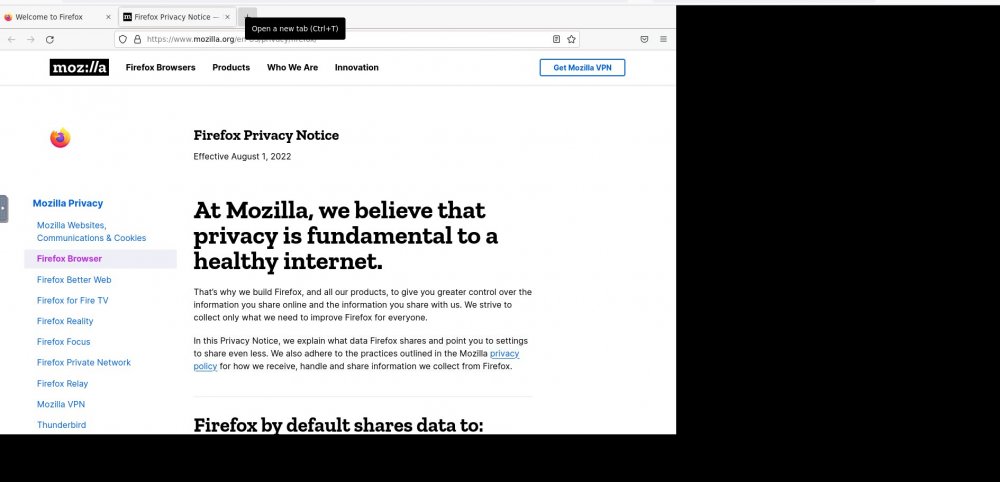
I have been using the firefox container for some time and it has worked great. Today firefox crashed so I restarted the container and now firefox will not maximize for some reason and I can't figure out why. I even resorted to completely wiping the whole container and reinstalling it (including appdata) yet the same issue persists. Nothing has changed on the server or my PC in this time.
-
yeah that^. Most people either do not use dockers or if they do do not keep track of the writes to the SSD's until they have an issue.
-
Still wish this could be turned into a plugin, would make things so much simpler and is a prime candidate IMHO.
-
What bug is this? I just had to rebuild all my dockers and my qbittorrent lost all of it's settings, it is like it is not even reading the conf file since all the settings are correct in it. Also if I update the settings, the .conf file is not updated yet the settings seem to stick? Is it using a new conf file that is not mapped to appdata now? Edit: Can confirm that the .conf seems to be the issue, reverted to that version and all my settings showed back up and it is using the correct conf again. Seems the new version is using a differnt conf location or something.
-
I would also like to see this option added. Been trying to figure out how to do it manually but have yet to find any good writeups. Can't tell if I manually mount a drive with compression if it will "stick" after a reboot, doesn't seem like it.



