





koaly
Members
-
Joined
-
I have only BTRFS Scrubber plugin, which I think has nothing to do with ZFS Scrub. ZFS Master plugin does not have UI at least I do not see it as I have no ZFS pools.
-
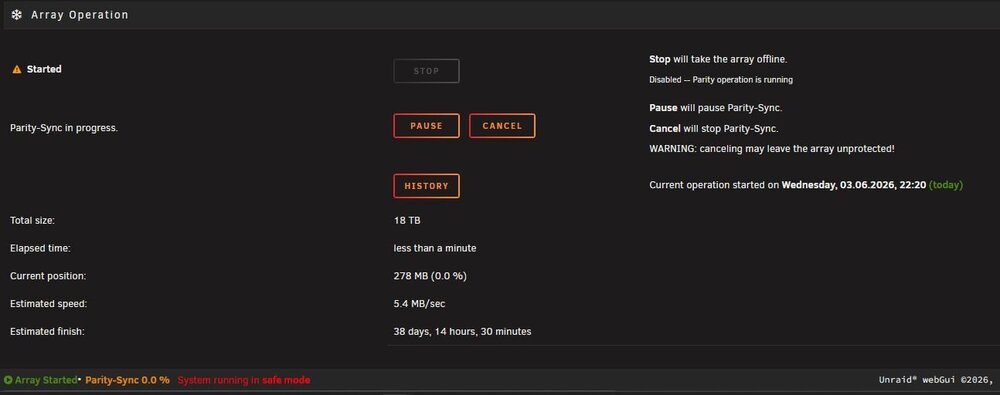
Worked! many thanks. How much time this scrub action may run? I did not start it actually and do not have any schedule for it. How it could start by itself?
-
Yes, safe mode and docker disabled led to the same issue. How can I stop this zfs scrub?
-
Here it is. Thank you in advance! koaly-tower-diagnostics-20260605-1435.zip
-
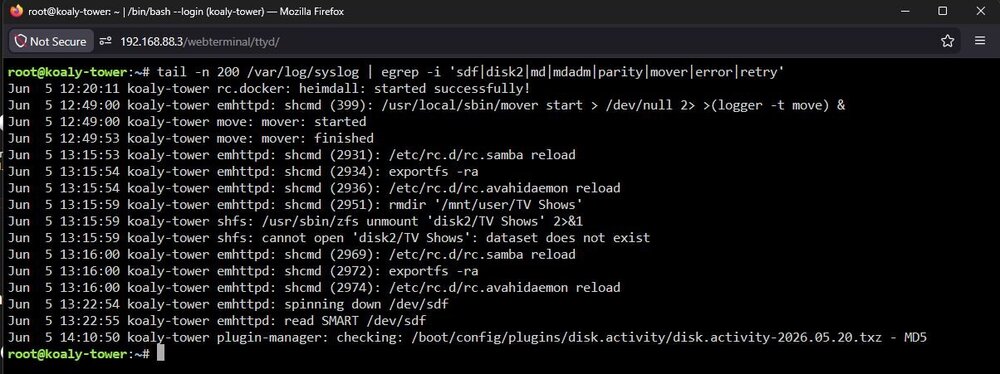
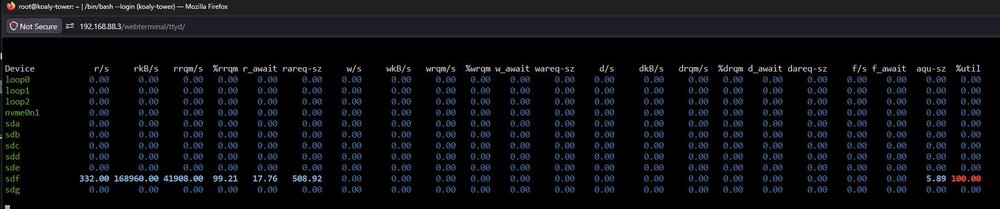
Hello all, please advise on the following issue. I renamed the share from 'TV Shows' to 'TV_Shows', as Unraid did not accept the space as a character in the name. I created it years ago and it was accepted. The share is located in the disk2 (sdf), formatted as zfs in the classical array. Now the disk get 100% load from reading and I could finish the parity check only after switching to 'Maintenance mode', otherwise it would last months. I tried to localize the problem with chatGPT and ran in the terminal I am new to ZFS and formatted the replaced disks in the array recently. PLease advise how can I repair / correct the dataset tail -n 200 /var/log/syslog | egrep -i 'sdf|disk2|md|mdadm|parity|mover|error|retry'
-
Thank you for your reply. There was no problem caused by an external factor. I did not detach or replace any cables, and the power supply continued to work well. The server ran for more than a day before the read/write problem occurred. Unraid did not recognise the drive, even after I stopped the array. Therefore, an extended SMART test was not possible within UnRAID. As I understood your explanation, it is not possible to find out why UnRAID could not read from or write to the parity drive. It should be considered an unknown and non-repeatable bug. Since I have no issues with the drive on other systems, I will put it back as the parity drive.
-
Here it is, but at the time of saving it I already removed the failed drive from the server koaly-tower-diagnostics-20260528-0915.zip
-
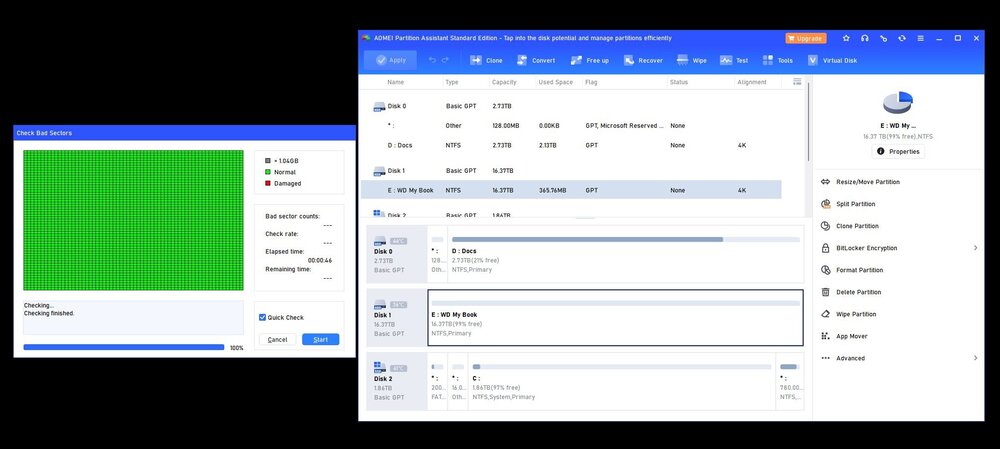
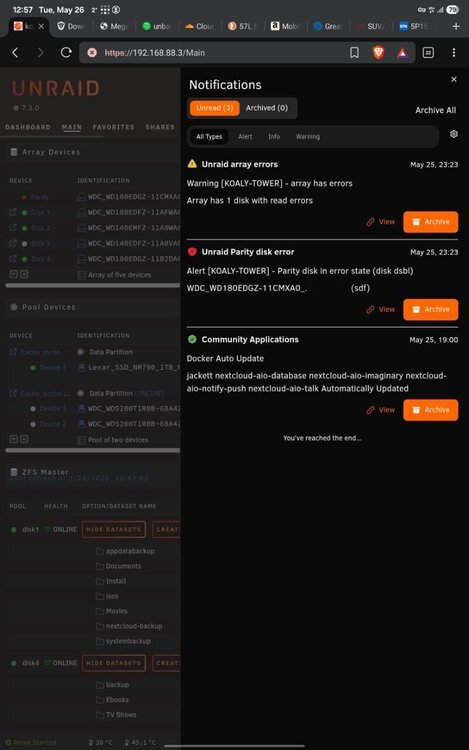
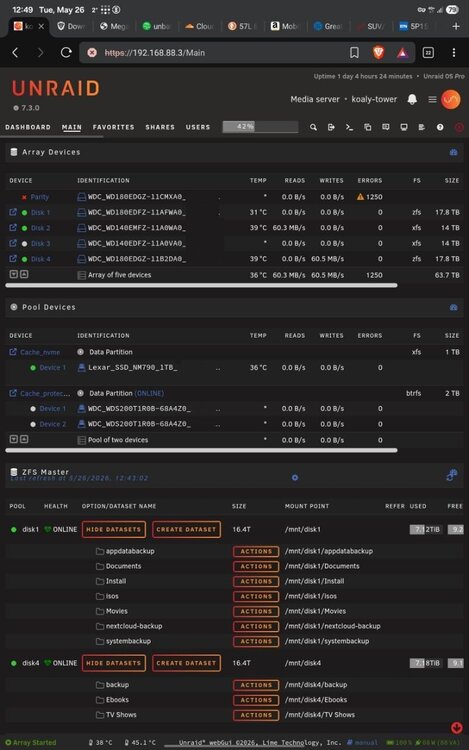
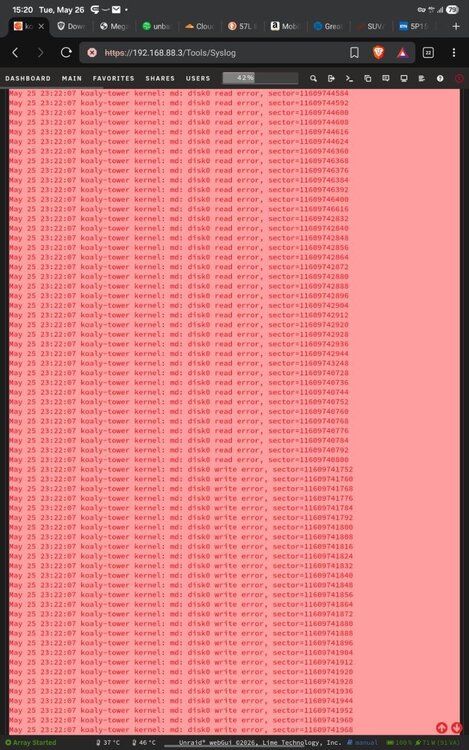
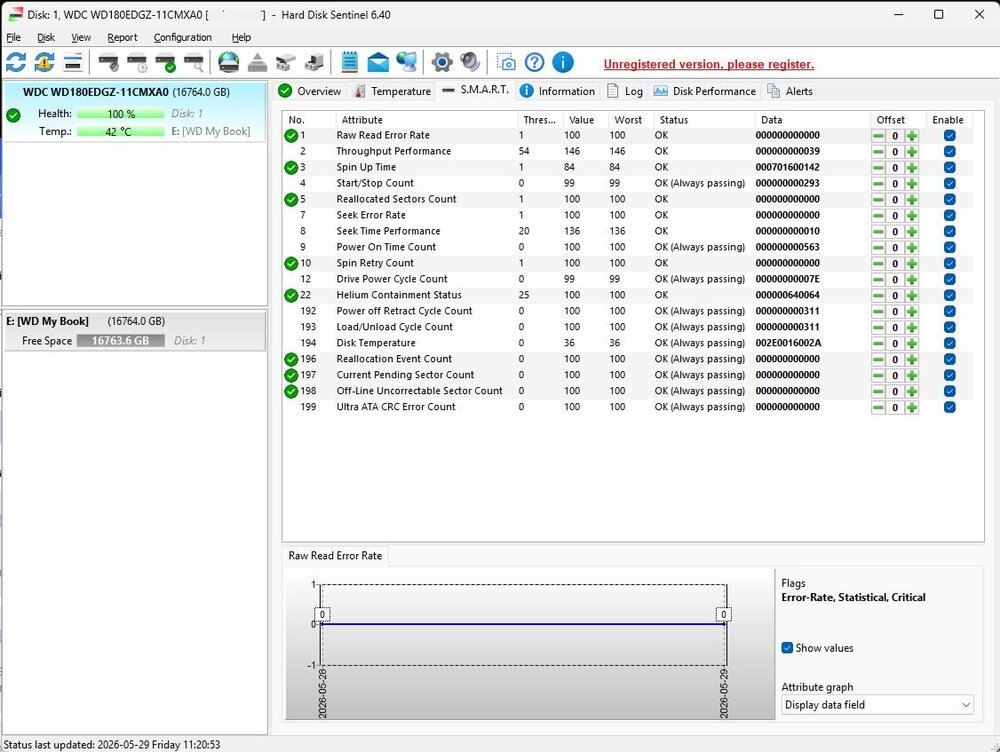
Hello everyone, I have an issue with my parity drive. UnRAID disabled the drive after it registered 1,250 errors. Screenshots I did not manage to download the diagnostics as I thought the drive was dead and needed replacing. Syslog showed read-write errors. Syslog I tried to retrieve SMART data from UnRAID, but the file contained hardly any information. SMART from Unraid However, after connecting the drive to a PC, formatting it to NTFS, and running chkdsk and checking for bad sectors in AOMEI Partition Assistant, I found no errors. The SMART data received from HDD Sentinel also shows that the drive is in perfect condition. SMART and Chkdsk The drive has been working as a parity drive for about two months since it was new, and it has a four-year warranty. I have a label to send it for repair, but now I am concerned because it appears to be working fine outside of Unraid. The question is whether the drive is defective or whether this is a Unraid bug? Please advise
-
Hi guys, I don't know if you've solved the problem yet. In my case, it was Immich that prevented the drives from spinning down.
-
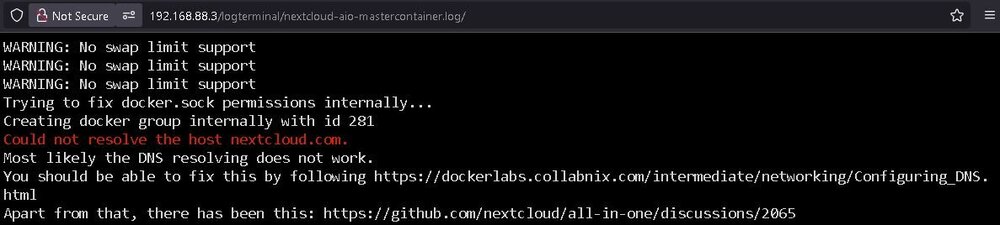
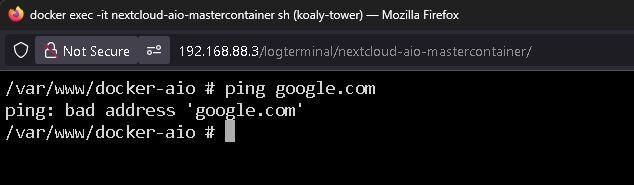
Hello guys, I used standard Nextcloud with a Swag combination for years and after the last issue with it I decided to switsch to AIO using Spaceinvaderone's tutorial. Installation with default settings went smoothly, but I cannot start initial setup right after the installation. The docker stops itself after a couple of minutes and the log shows that the DNS resolving does not work. I checked other containers, they all can resolve DNS. AIO does not. I tried to find any hint in forums, also by links in the log, but no luck. Reinstalled with no change in behaviour. The resolution was to delete Extra parameters. May be it would help anybody, because I was completely stack. Note: I have a pfsense router.
-
After the upgrade to 6.12.11 I faced a problem that Unraid reboots by itself multiple times after about an hour period. No system errors or whatever shown. I faced it either when it's idle, running parity check, or by e.g. whatching a movie over smb. I will roll back to previous version 6.12.10 for now. koaly-tower-diagnostics-20240728_1600.zip
-
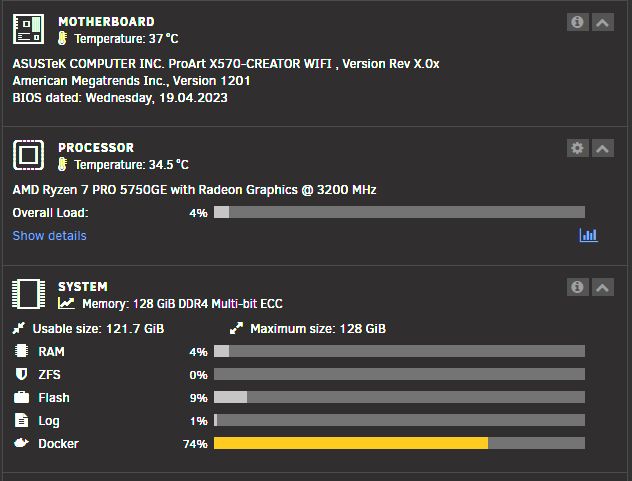
I would share my experience. I also have 5000 series APU, but I went to a PRO 5750GE version (35W TDP), wich supports ECC RAM and runs with 128Gb (4x64Gb) very well. I also had ASUS TUF GAMING X570-PLUS, but recently upgraded it to ASUS proart x570 for its integrated 10Gbe and 3x PCIe x16, sacrifycing 2 SATA ports for it. PCIe4 works only the 3Rd PCIe x16, while the first two x16 are gen 3. This is an APU limitaition. I will also put Hyper card there and will look how it works. Nevertheless, this MB is also overfilled as the 3Rd M.2 slot deactivates a couple of SATA ports. I saw that Asrock now released it's RACK version for AM5 (ASRock Rack B650D4U-2L2T/BCM), but it is limited with everything: only 4 SATA6, 1x PCIe 16x, 1x PCIe 4x and 1x PCIe 1x. So, I'd rather keep my x570 setup for now and when Unraid fully supports AM5 lineup, I would also go for a ASUS proart x670e. Additional drives can be attached to LSI 9308-8i card if needed in the future. NVMe drives will remain with Asus Hyper card. I am not sure whether PCIe lanes will be enough for everything, but so far it is not a bottleneck. Ryzen 5700 or 5900 (only 65W TDP) with a cheap discrete GPU might be also an option.
-
Hello everyone, I need to extend my array and decided to upgrade HDD size to 20 Tb. I will start with replacing a parity drive and plan a budget around 300 Euro per drive. With this budget there are actually only two options. First is WD Elements with 2 years warranty from WD, which after shucking appeared to be a re-labeled and re-flashed Ultrastar HC570 with 7200RPM. Second option is Toshiba MG10ACA20TE with 5 years warranty, but only over re- or e-tailer. Direct warranty claims from consumer side are impossible. I have many shucked WD drives and they work fine, but only with 2 years warranty vs 5 years with potential RMA difficulties from Toshiba. What would be your arguments which variant shall I go? Thanks in advance
-
Many thanks for explanations. Makes sense.
-
Hi everyone, I have 4x 14Tb xfs HDDs in the array, unprotected btrfs NVME drive for system and appdata, and also btrfs SATA SSD 480Gb single cache drive. I watched the Ed's videos and converted my cache SSD into ZFS. So far no problem. I am thinking about converting the drives in the array as single ZFS with an understanding that it may improve data compression. I am not concerned about additional workload for Ryzen pro 5750GE CPU. The process is well described in the videos. The question is whether I should also convert the parity drive into ZFS or it does not make any sense? Thanks in advance for explanations.


