






animeking
Members
-
Joined
-
Last visited
-
Question when I run this app it eats up my ram and it becomes 100% when running so I can never use it. Is there a reason it is eating my ram to a 100% use?
-
I have mounted a share drive for ubuntu and unraid to see on both sides. i can create a new folder and add any text in the share and it shows up. But the rclone mount won't show on unraid side?
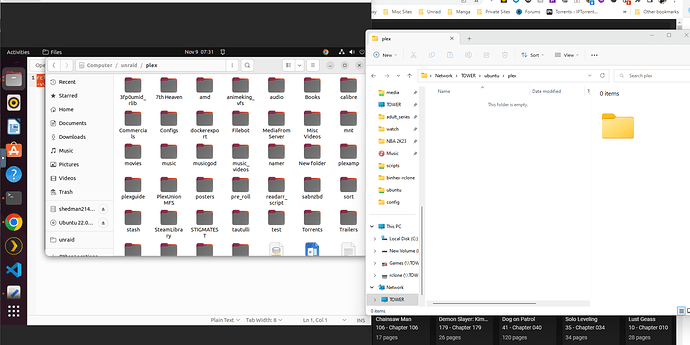
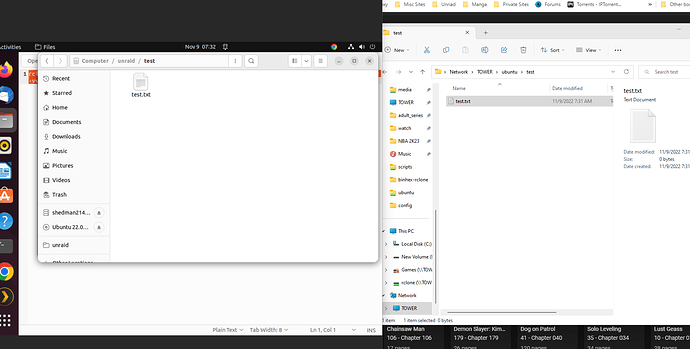
-
I don't know what i'm doing wrong as it cannot find my config path. I have read all the issues and tried them all but none work for me:

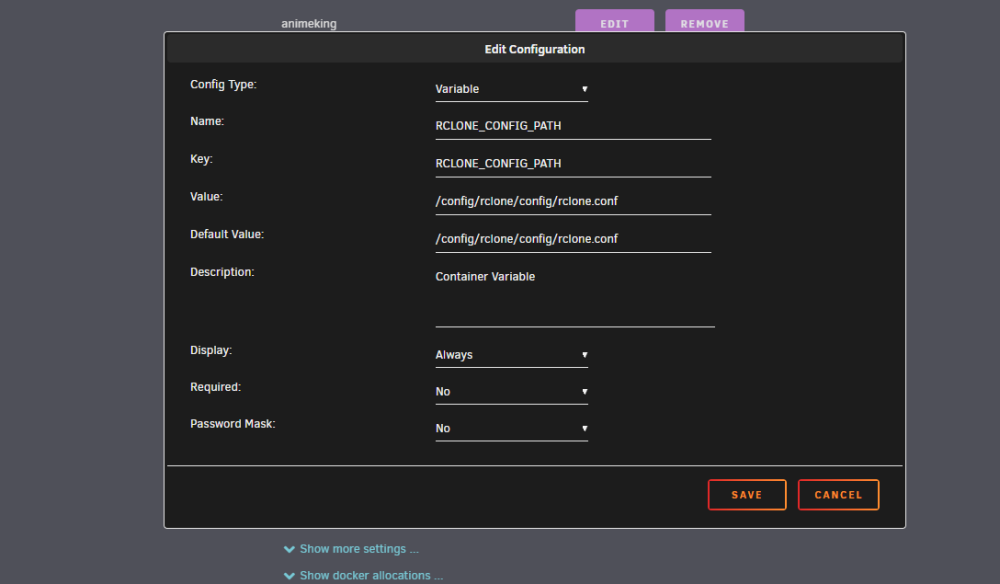
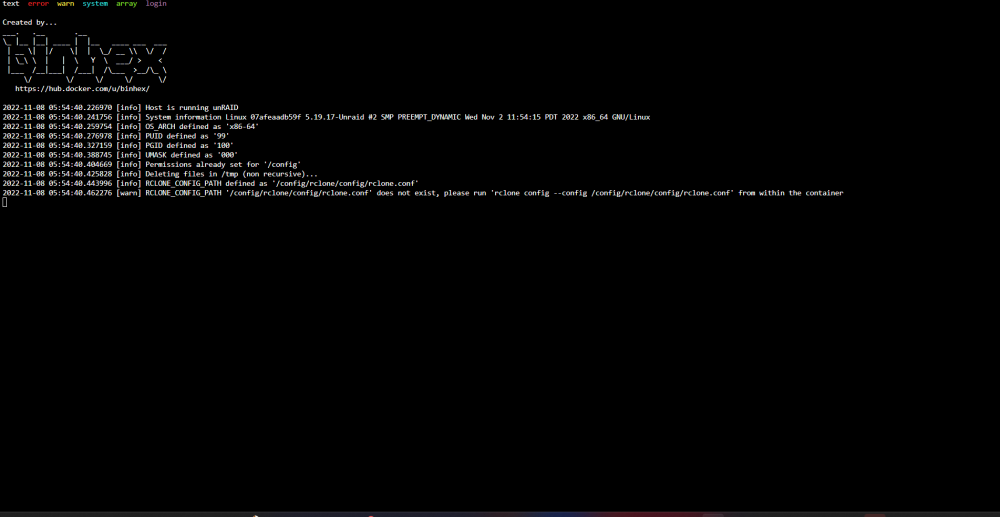
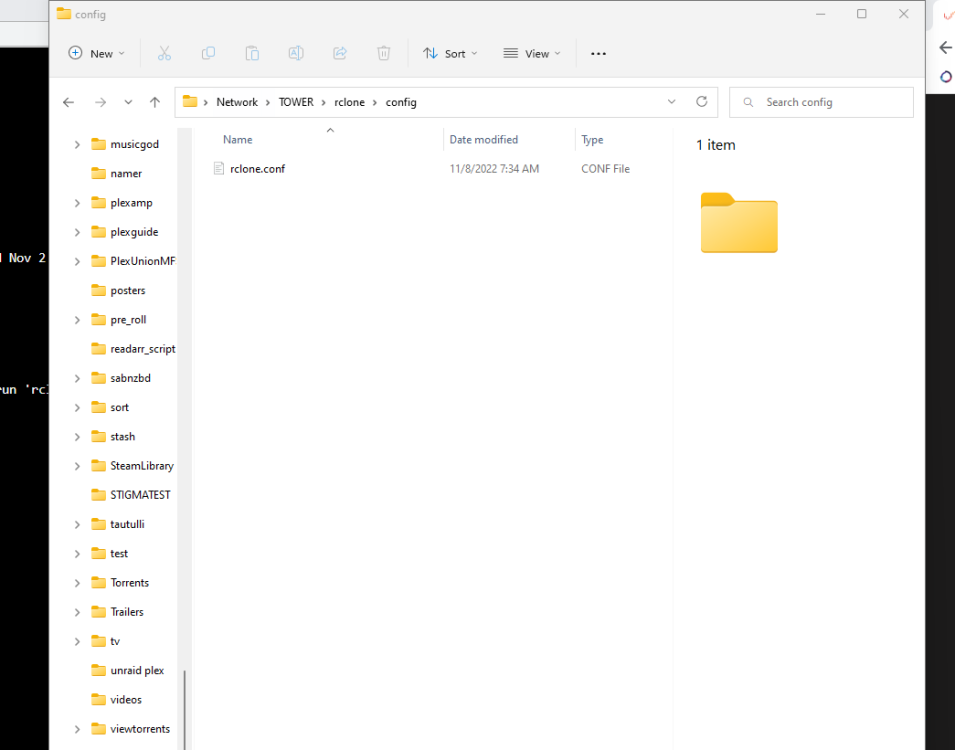
-
Why is mount-mergefs changing my permissions and locking everything. I cant write to anything. When i change it it automatically changes it back to read only?
-
Is there a script for picking times to run and stop the upload script. I want to run the script from 2am -7am. Is there a script to do that?
-
hello when i followed the guide i got everything working except mount_unionfs folder. there is nothing in the folder. is there a step im missing for mount_unionfs to work????
-
@DZMM im trying to get the upload to work but i get a error. i am trying to get my team drive to upload. i have my gdrive (plex_vfs) as the main mergefs and my team drive (shedbox_vfs) set to "ignore" on mergefs. so my upload set up is as follows: the error i get is:
-
i would like to try your setup please
-
im trying this method but im not understanding changing 2 way to 3way
-
ok i keep getting this error when my rclone is mounted and working
-
Will this work with Dropbox as well??? I'm thinking about moving my storage to Dropbox Sent from my SM-N986U using Tapatalk
-
@DZMM on one of your previous posted this setup, is that encrypted folder name is the remote drive we are sending the media/files too or it needs to stay encrypted folder name?
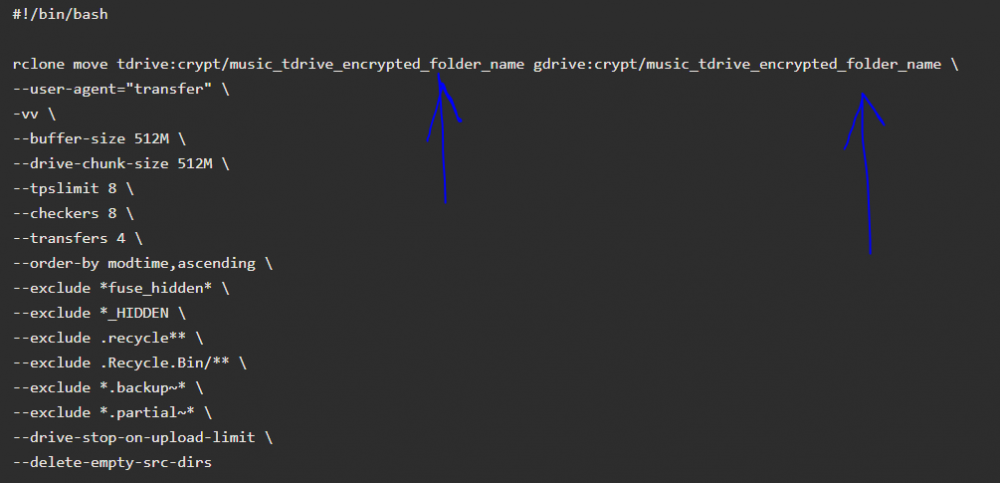
-
I have changed my path and it still got same error. So since I can't get the service accounts working. Could I just use multiple team drives to accomplish the same goal Sent from my SM-N986U using Tapatalk
-
trying to install service accounts running the install command i get a error. i have installed the nerdpack and all of python and pip 2/3 version. Asking is there a way to just create multiple team drives and just have them each upload one by one to on main drive for plex. so basically one tdrive for each: movies, tv and music and they upload separately????
-
still cant get service accounts to work. i have followed and read the github but no luck here is my logs:


