





Nanuk_
Members
-
Joined
-
Last visited
Everything posted by Nanuk_
-
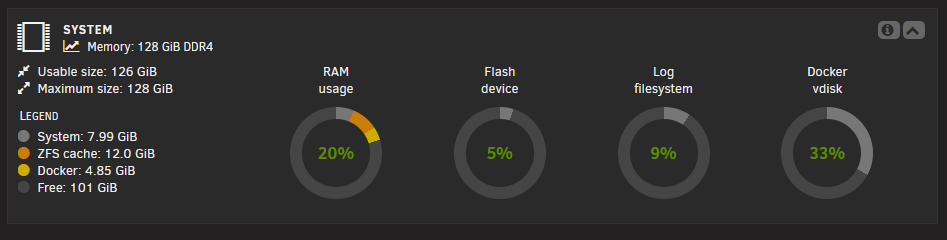
Though I find it weird to be getting an "Out of Memory" error when based off the dashboard I'm only using 20% of the physical memory. Can this be triggered by a cache error being thrown by one of the CPU cores?
-
tower-diagnostics-20251021-1953.zip So I've allocated more memory for the containers. It was running fine for the most part. But last night I started using tails scale and this afternoon I got the out of memory error again. Should I be trying to allocate more memory specifically for tail scale?


-
Never mind, looks like it'll restart the rebuild now.

-
Thanks @JorgeB , Just ran the check and it found some "Metadata CRC error detected" after hitting Fix it says the corruption was fixed. Is it safe to exit maintenance mode and add the drive back to Drive 9? and restart the array in normal mode?

-
That would explain why the rebuild happened so quickly. Darn I should have waited for the parity to finish before adding it. Can I force a rebuild from CLI?
-
tower-diagnostics-20250930-2214.zipTOWER-unassigned.devices.preclear-20250929-0208.zip Ah sorry, forgot to add it. Here it is with the pre-clear log.
-
I've finished a pre-clear on a new disk to replace a failed disk and I noticed when I added to drive 9 after the pre-clear it did not ask to be formatted. The rebuild also finished pretty quick, but now I'm getting this error from "fix problems" and tdarr is reporting an I/o error witting to the drive.


-
Noted, gonna bump it to 16gb and see how that goes! Thanks for the advice!

-
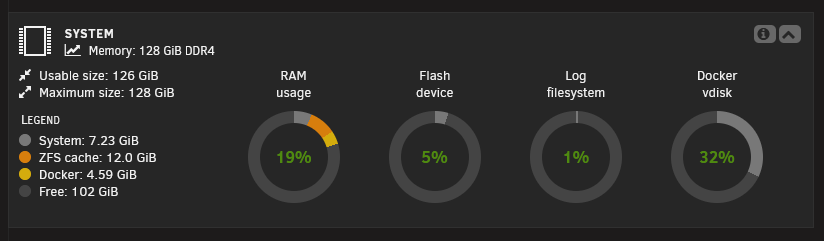
tower-diagnostics-20250921-1912.zipd So Just to update you guys, I've upgraded my NAS's RAM from 16GB to 128GB and added a second nvme to the cache pool. I've also decreased the local tdarr node concurrent GPU transcodes from 3 down to 2. But I've kept the tdarr node on my desktop at 3. with this current config I'm still getting out of memory errors. Which I don't get since at 128GB of RAM I never ever hit 30% used. Is it the ZFS cache pool that's is getting used up? Maybe it's some other "memory" I should be tracking.
-
With 64GB of RAM, what is the suggested concurrent transcodes? I have it set to 3 at the moment? I've changed it to 2 concurrent for now. I plan to upgrade to 128GB. what is the suggested concurrent transcodes for that?
-
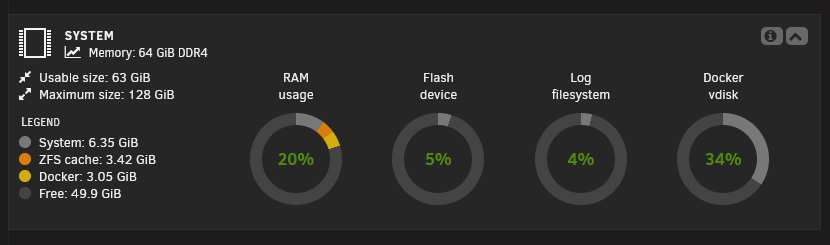
Submitting my diagnostics as suggested by the forum post regarding "Out of memory errors detected on your server". Took note that only 20% of the RAM is being used. https://forums.unraid.net/topic/120220-fix-common-problems-more-information/#findComment-1098721 tower-diagnostics-20250909-1749.zip
-
Thanks again @Frank1940 ! I tried it. Looks like Glance is wrong. I'll just have to get another drive and transfer the files to it before reformatting it.
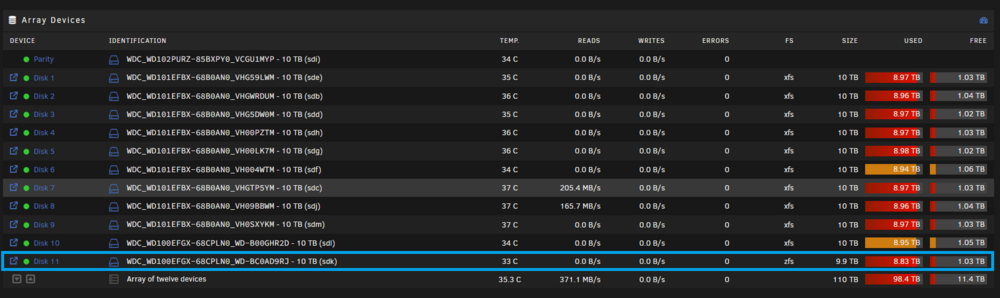
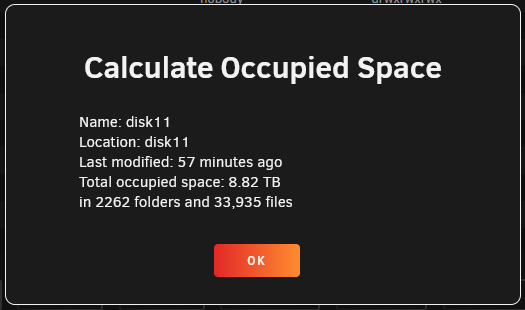 Thanks @Frank1940 I appreciate it! I'll read the link. I'll see if I can get a spare HDD and transfer the files. It's weird though according to Glance the disk is barely used. (First number is used and second number is the total) Might be because I'm not familiar with zfs at this point I just use xfs for the flexibility. Does anyone know why in the Main unraid dashboard it says 8.83TB used but on Glance it's only 256K used?
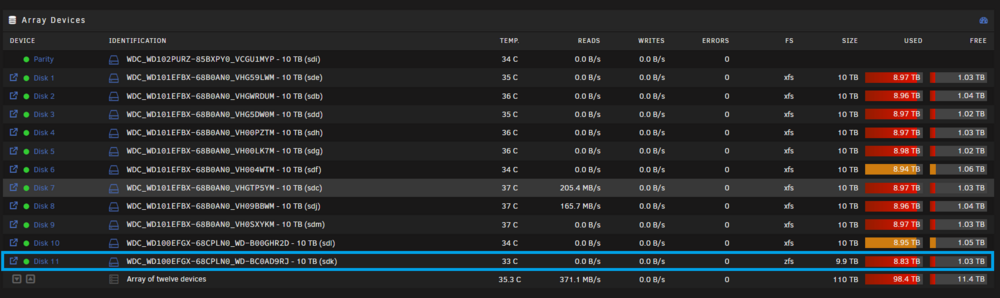 Hi, I accidentally formatted a new disk to zfs in my xfs array a few weeks ago and just noticed it today. Is it possible to: stop the array unmount the zfs drive start the array format the zfs drive as xfs stop the array remount the zfs (now xfs) and do a rebuild from parity?
 Thanks for answering. I'll do the update and do a reboot.I'm getting a similar error at bootup in the monitor attached to the NAS. Here is the error . error at bootup Failed to add plugin: ApolloError: fetch failed .... unraid networkError: TypeError: fetch failed at node: internal/deps/undici/undici: 13510:13 at process.processTicksAndRejections (node:internal/process/task_queues:105:5){ [cause]: Error connect ECONNREFUSED 127.0.0.1:80 at TCPConnectWrap.aftyerConnect [as oncomplete] (node:net:1637:16){ errno: -111, code: 'ECONNREFUSED', syscall: '127.0.0.1', port: 80 } }, extraInfo:undefined, cause: TypeError: fetch failed at node: internal/deps/undici/undici: 13510:13 at process.processTicksAndRejections (node:internal/process/task_queues:105:5){ [cause]: Error connect ECONNREFUSED 127.0.0.1:80 at TCPConnectWrap.aftyerConnect [as oncomplete] (node:net:1637:16){ errno: -111, code: 'ECONNREFUSED', syscall: '127.0.0.1', port: 80 } } }Looks like Bfor200(https://www.reddit.com/user/Bfor200) on the Tdarr Reddit answered first. Doing a restore from backup worked. Here was his instructions. It looks like the SQLite database got corrupted somehow, is there enough empty disk space available for Tdarr? If not it can cause this. But yes, you can restore a backup, I did this just a while ago due to migration from an older Truenas install to a newer one. I can't find an external guide for restoring the backup, but it gives these instructions inside Tdarr (which you can't access now ofc), copied it for you: Keep in mind I do not know if the unraid folders for tdarr are similar to the truenas tdarr app, so be sure to double check this.Can I fix this with a restore off of one of the Tdarr backups?Hello I'm not sure where to post this. I recently installed Tdarr and it was working fine after I got the media library and transcode cache settings sorted on the NAS and the node. But today it suddenly stopped working and I get this error from the logs (see below). I've tried restarting Unraid and the docker, but the error continues to persist. Can anyone help? or at least point me in the right direction?Noted, hmmm guess I need to decide if I want to switch or not.Ah! Thanks for clearing that up! That really helps! Thanks chief!I was referring to the I believe was a promo that I missed out on.
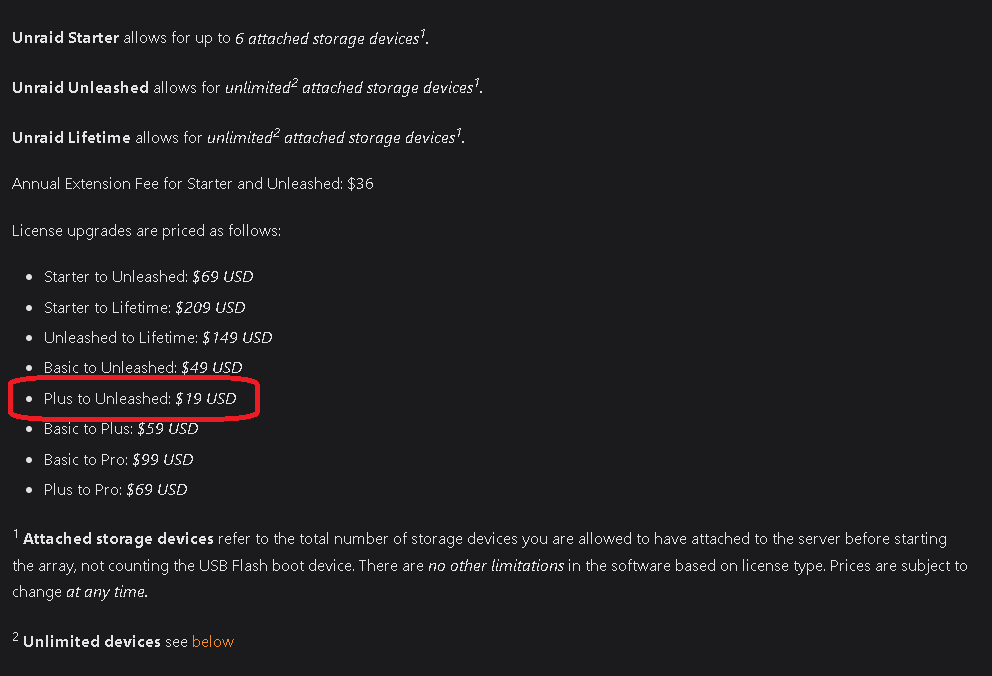 Sadly not for $19 anymore. It's now at $69. Which may no be that cost efficient for me as I can only fit 3 more drives in my NAS.Oh man, I just saw this. Is there going to be an extension? I want to upgrade my plus license.


