





xLorak
Members
-
Joined
-
Last visited
-
In close view i have this situation like on pictures. Partitions are unmontable for Unraid, and it points to format them, but after zpool import they shows up on shares tab and in plugin but not all datasheets are visible. Is there any solution? They are Raided 0, and i fave in Array 1 disk for backup.
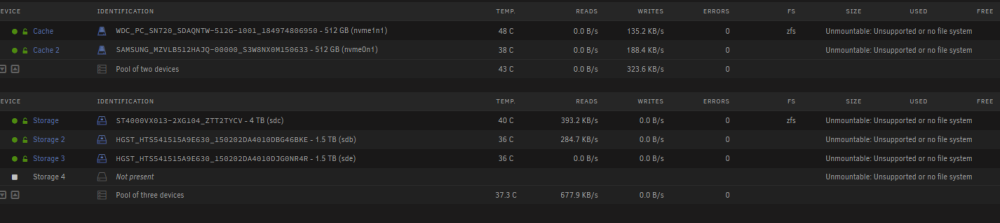
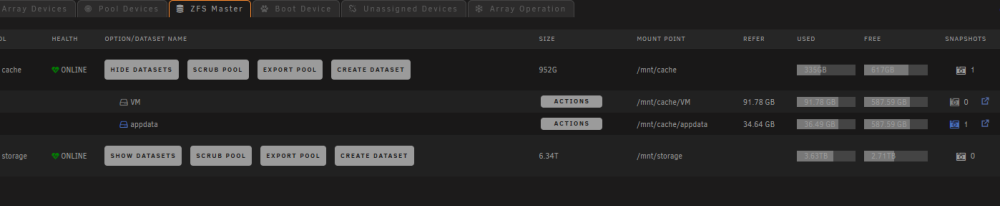

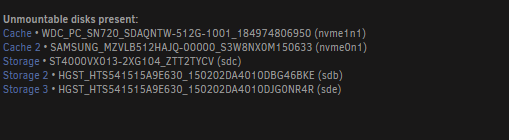
-
It's again when im fighting with update few hours, because of no more options... I'm glad about 2 backups - auto backup plugin + full spare cache disk removed 2 days ago, because of changing whole setup.
-
Try to mount to temporary mountpoint. Anyway disk is garbage, eventually you need double check cables/powers.
-
I had this on half full disk, this one was last without hardware raid Had unmontable btrfs encrypted, was fighting with that whole month, UNRAID errors like - no valid btrfs file system, no file system etc + similiar to this: parent transid verify failed on 31302336512 wanted 62455 found 62456 I was mounting in read only, maintenance modes, rescue, recovery... solution was simplest ever: sudo mkdir -p /mnt/diskX # X corespond to +1 higher number already taken mount -t btrfs -o recovery,nospace_cache,nospace_cache /dev/sde1 /mnt/diskX when it mounted, and data was visible in SMB and in terminal, just copied it to other disk, it still remains as unmountable I'm running UNRAID 1,5y, and still dont have parrity drives here left 150GB to copy:

-
Is there any way to get older version? In my case theme engine is broken now.
-
Dzięki! Akurat bawię się tym tworzem ;) Manual odnośnik do wiki w prawym dolnym rogu jest opisany jako "ręcznie" taki mały babol na dzień dobry :) Mega robota!


