





shortnproud
Members
-
Joined
-
Last visited
Everything posted by shortnproud
-
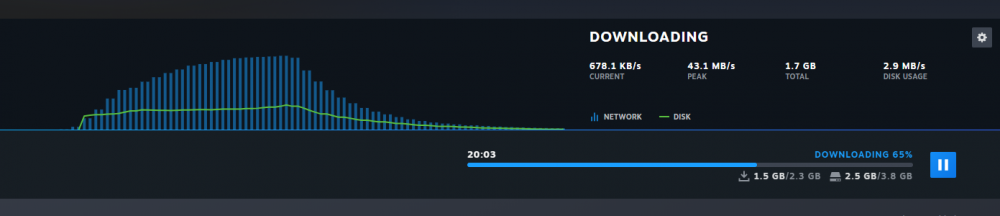
So after learning about lancache i decided to install it. I got it installed and working but it only partially works. I installed Portal as a test but after uninstalling it and then redownloading i get excellent speeds until i have about 1.5gb downloaded then it seems like it switched to downloading from steam as the speed drops to wan speeds. I have it on its own separate ip address to avoid port conflicts.
-
I ended up getting it working. It was oversight on my part. I didnt realize it installed to /mnt/cache/appdata/7dtd. Whenever i would edit the file it was putting it in /mnt/dockers/appdata/7dtd. All is well. Thanks for all your work on the gaming containers.
-
I installed the 7 days to die container. For some reason it is not recognizing that i have edited the serverconfig.xml. I made some changes and restarted the container but they wont take effect. from within console i do a more on the file and it does not show the changes. I edited the file to change control panel to true and set a password. Below is what i see when i do a more on it in console. <!-- Admin interfaces --> <property name="ControlPanelEnabled" value="false"/> <!-- Enable/Disable the web control panel --> <property name="ControlPanelPort" value="8080"/> <!-- Port of the control panel webpage --> <property name="ControlPanelPassword" value="CHANGEME"/> <!-- Password to gain entry to the control panel -->
-
I was able to get mine working again. After i updated my nord files i did a full power cycle on my whole unraid server and i can get to it from the lan again. Just a thought.
-
Having issues getting to my webui with the local ip lately, It was working before. Through testing i have found i can get into it if i setup port forwarding to 8112 and use my public ip. I can get to it through the local ip if i disable vpn. I was reading some other posts mentioning updating nordvpn files so i downloaded a new one but it still wont work. Any assistance appreciated.
-
It was to my media share. At the time I had no cache drive. Since then I have switched to ripping with my laptop instead of the server so I can reencode as well as it really taxes my server.
-
I am new to unraid and docker so i been searching trying to figure this out. When trying to rip dvds i get very poor speeds. I did some searching and found a post mentioning increasing the read buffer. I did that but the max i can increase it to is 1024. After increasing it to that i get pretty good read speeds until i get close to the 1000mb file size then it slows right back down. Is there something to change to allow me to go higher than 1024? Thanks

