





samsausages
Members
-
Joined
-
Last visited
Everything posted by samsausages
-
I was sweating the update because of the warning message as well. I just made sure that I"m using the correct version and updated it using the BMC interface. (IPMI) But I'm on an H12 and the IPMI is a bit different. M.2 is fast, but really depends on what you do if you will notice a difference vs using SATA ssd's. Especially if on a 1g network, just copying files. Maybe if you do a lot of read/write intensive on the server itself. I was running a number of SATA SSD's and changed to U.2 and M.2, with many times the throughput. But I don't notice much difference day to day, unless I'm extracting huge files locally and really hitting the I/O. Or copying files from one SSD pool to another SSD pool. You won't notice much difference over ethernet. If you have 10g, your writes may be 500mb and reads saturate the 10g. And that's with 2 SATA SSD's that can saturate SATA at about 550MB. ha If your budget allows it, look at U.2 enterprise drives like the Intel DC P4510. U.2 drives will vastly outperform the m.2 long term and they are pretty much bulletproof drives. I'd rather run used DC P4510's in U.2 than an equivalent PCIe 3.0 M.2 drive.
-
Process "lsof" is pegging out the CPU at 100% on the server. When viewing Tower/Main page the CPU on the host is seeing high utilization as well. I do have log spammed with this about an hour ago, but not spamming right now.
-
Finally got her put back together and doing some testing. Still have some more NVMe on the way. Will have a full write up on my build soon. Here is a little tease:
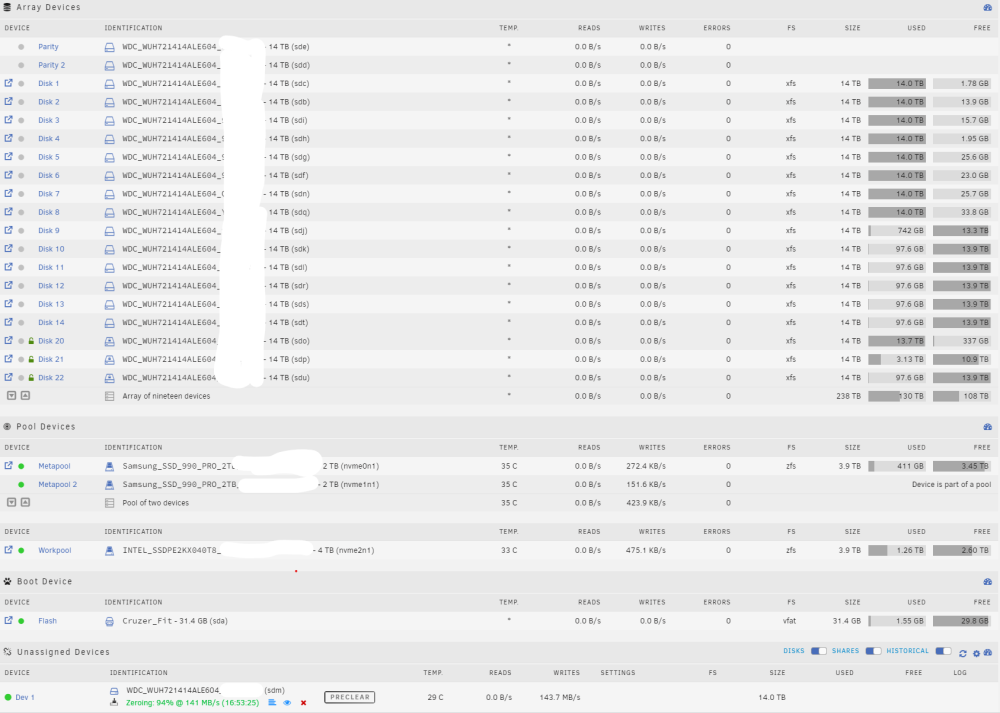
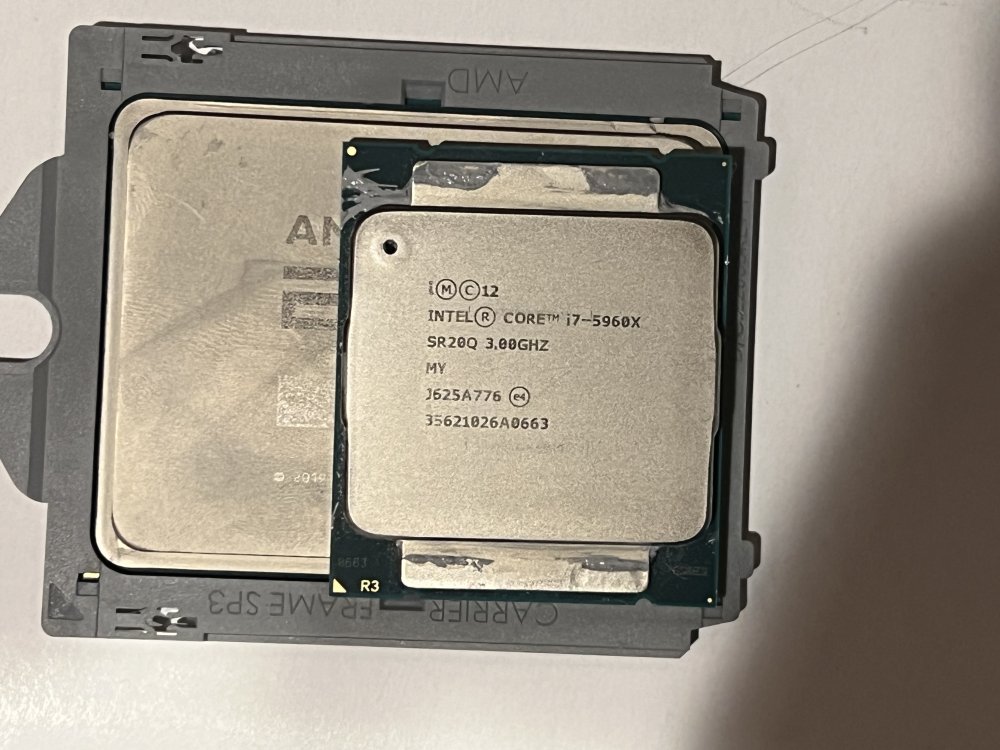
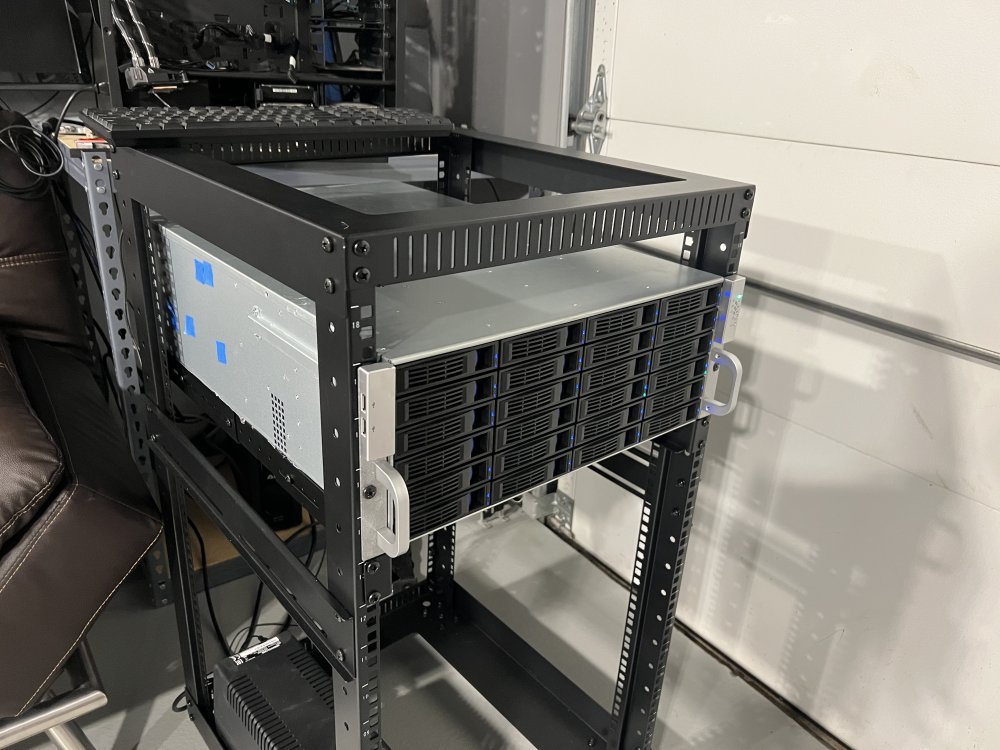
-
I got my new build done, still having the same issue. So now I'm wondering if it's related to my HBA card, an LSI 9300-i16. As that and the HDD's are the only thing I carried forward from my old build. (New CPU, Motherboard, Memory etc.) I have more testing that I'm going to do, I'm going to try another clean USB without the HBA card and some clean dummy HDD's. But I'm leaving town and won't have time to do the testing until 2 weeks from now. Just wanted to give a heads up!
-
@ljm42 gave some good pointers on how to improve this script. Expect an updated version when I get back in town, about 2 weeks!
-
Doesn't make sense to me either, but that's what's happening on my hardware, on a clean USB install, with no other plugins, docker & VM's disabled, only happens to the ZFS formatted disks and behavior stops as soon as I uninstall ZFS Master. (Existing Pool and freshly formatted and empty disks/pools as well) Tested on 6.11 with OpenZFS Plugin, and on 6.12 RC3. Literally the only thing I installed was ZFS Master, just to test and try to figure out what was causing them to stay spun up. I also thought it might be related to the Query interval and I tried changing the Query time in ZFS Master to 300 seconds. I don't think it's related to that query, because even set to 300, the disks spin back up within about 30-60 seconds. FYI, I did this testing on x99, but I'm moving over to EPYC. If the rest of my parts come in, I should be able to test it this weekend with new hardware and see if that changes anything. (will still use the same HBA Cards)
-
I made two scripts that handle installing custom SSL certificates for Unraid. It is setup to work with pfsense and ACME certificates One script retrieves the certs to your local server from pfsense, using the ACME plugin. The other script copies them over and restarts the webserver. Install using User-Scripts and set a cron schedule, ideally for 60 days. The two scripts could be combined, but I separated them so people who don't use pfsense can use just the one script. https://github.com/samssausages/unraid-install-sslcert/tree/main
-
I don't think the plugin is actually performing the SMART function, I think the plugin is spinning up the disks, when the disks spin up it results in a SMART read. So yes, the plug in is not calling reading SMART, but the plugin is spinning up the disks.
-
Like I was saying, this is a clean install. Only the ZFS Master plugin installed, purely for testing. I have also confirmed this behavior with the 6.11 version of Unraid, utilizing OpenZFS. (Sounds like 6.12 is based on similar ZFS implementation) When using ZFS Master it keeps spinning up the disks.
-
That makes sense. As far as what is querying the disks, it's for sure the ZFS Master plugin. Clean install, no data on the pool, no apps, no dockers. Only ZFS formatted disks affected and only when ZFS Master is installed.
-
When creating a ZFS pool, is Unraid using the ashift=auto flag? Or is it using ashift=12? Because all my pools are being created with ashift=12, even if they have 512 sectors. I have Samsung 860 Pro SSD's, they are 512 and require ashift=9. But when I check using "zdb -C metapool | grep ashift' it returns a value of 12 fdisk -l /dev/sdw confirms my sector size is 512 Best practice to manually deal with this? Because it would require deleting and re-creating the pool. I'm guessing delete unraid cache pool, create pool manually using CLI, then re-create Unraid Cache Pool
-
Thank you for the plugin! It has been really useful! But I'm having a problem, none of my ZFS disks stay spun down. I traced it down to this plugin. In my log I see this message: Apr 22 21:35:21 bertha emhttpd: spinning down /dev/sdab Apr 22 21:35:33 bertha emhttpd: read SMART /dev/sdab Is there a setting I'm overlooking? Or is this expected behavior. Thanks! Sam
-
I formatted 2 disks in my Array to ZFS & those two disks will not stay spun down. (Also spins up the parity disks) These disks are completely empty. Docker & VM disabled There is disk activity about once a minute. See Screenshot, only the 2 ZFS formatted disks stay spun up. I also have a ZFS Pool that won't stay spun down, A single disk ZFS Pool that is empty and will not spin down And to make it weird, an empty 6 Disk ZFS pool that does spin down.
-
EDIT: I think I found a common denominator on when this happens. Datasets nestled withing a dataset are what doesn't show up. Files nestled in the main dataset /pool/documents will show up. But if you have a dataset /pool/documents/admin then files in /pool/documents/admin won't show up. I have an existing ZFS pool using the ZFS Plugin. At first it looked like it imported fine, but many of the directories are empty and the files & some folders are missing. I'm assuming the files are still there. I cloned a snapshot and can see the files, but haven't tried to copy them back over yet. But I don't have snapshots for all my datasets, so some I can't see the files for at all the datasets. As a test, I created a snapshot on a dataset where I had no snapshot, and couldn't see the files, then cloned it. Doing this I was able to see the files. So again, I'm sure the files are still there, but I can't browse them. There is one odd thing I did, my old zfs pool was mounted at /mnt/pool, the new pool is also at /mnt/pool and I named it "pool". So not sure if that is what is throwing it off, but the only thing I did that was wonky. EDIT: Stopping the array and restarting the array results in the same problem, even after restoring from a snapshot. I thought I fixed it with the steps below, but it comes back after I start/stop the array. Create ZFS Snapshot Clone ZFS Snapshot to dataset Promote Cloned dataset Confirm Files can be browsed Delete Old Dataset Rename Cloned Dataset to match the old name
-
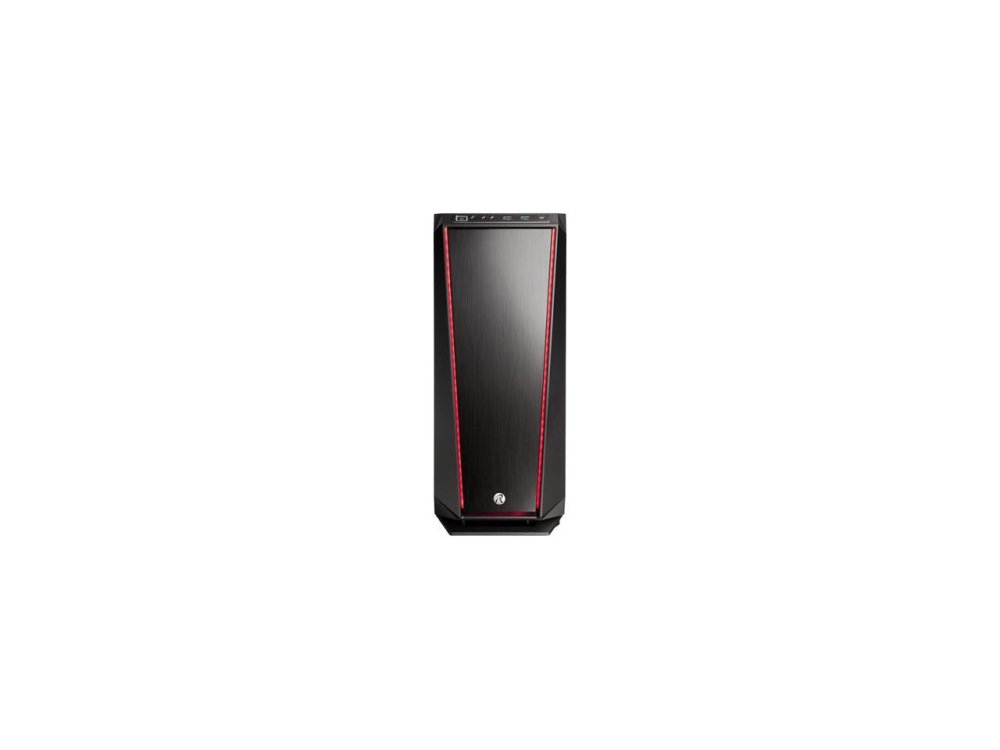
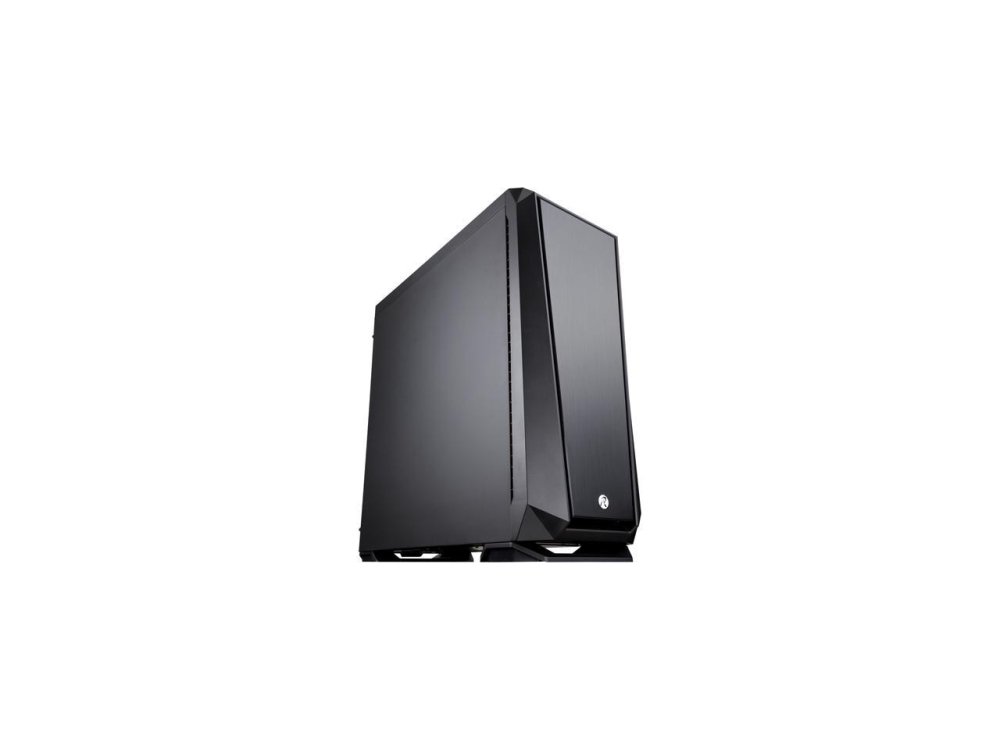
Thanks for pointing that out, I uploaded some stock images of what the case looks like. The case is a ZOFOS EVO SILENT Been really happy with it, solid & has sound dampening installed as well, giving it a nice heavy/sturdy feel.
-
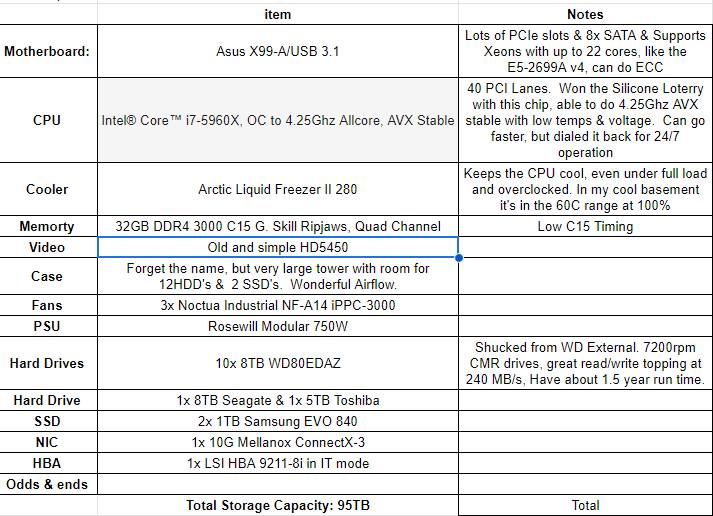
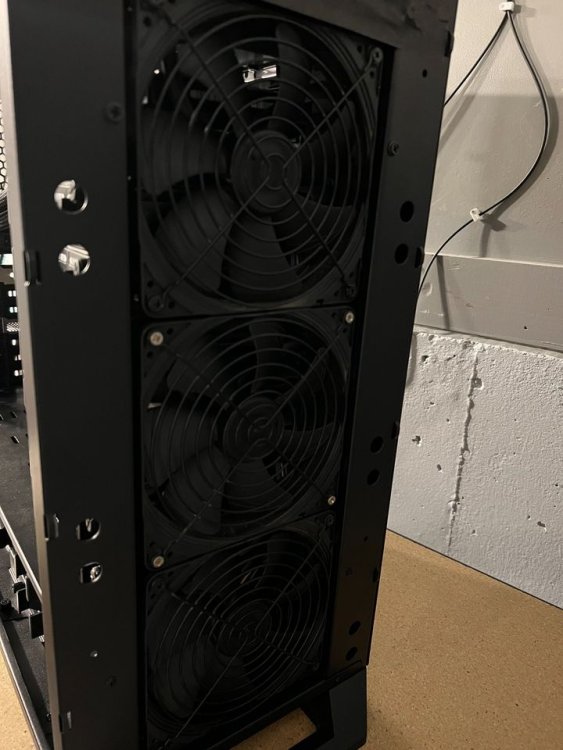
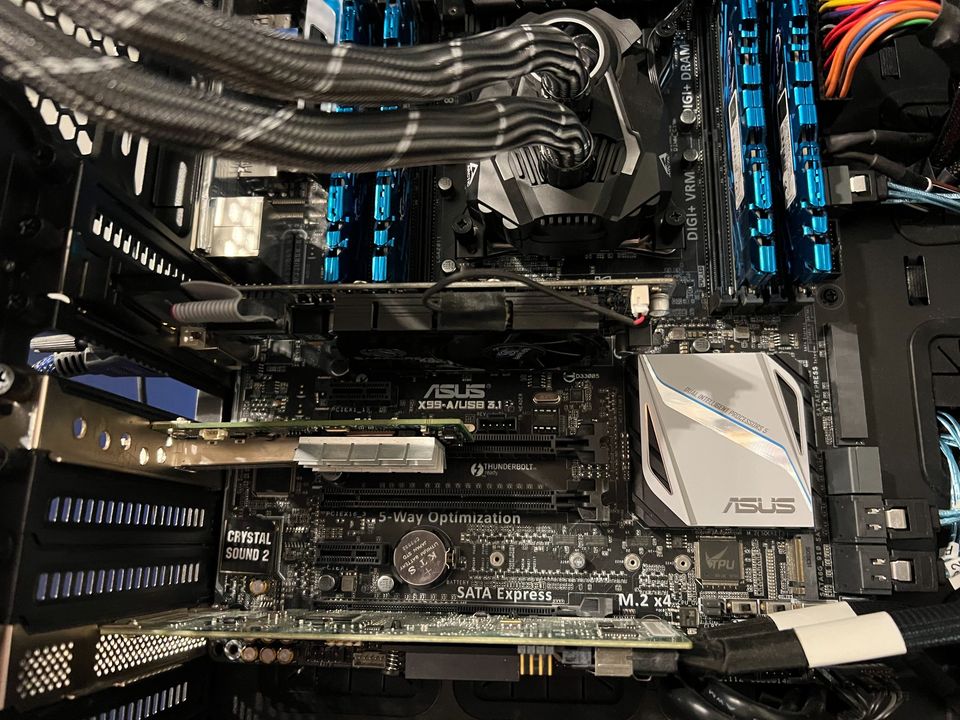
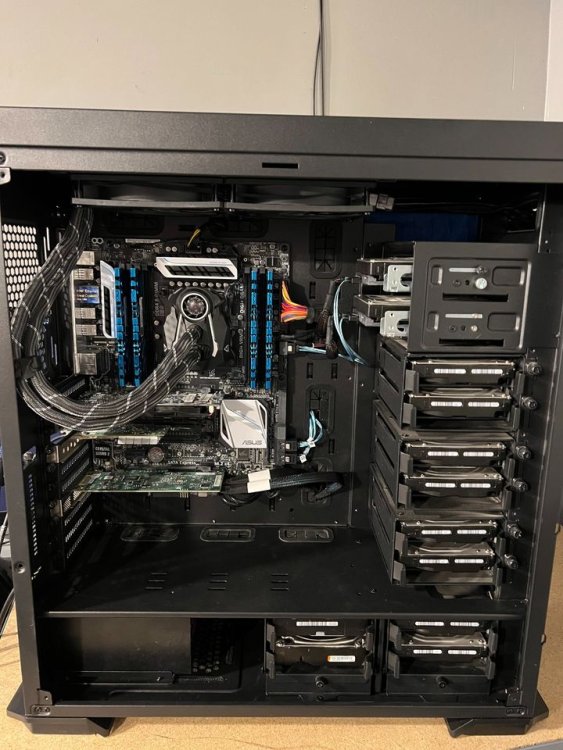
Selling one of my Home Storage Servers. This is my backup server that I used to backup my primary server to. Please note that the pic is showing the side & front cover removed, all buttoned up it looks all black and very clean. (Has RGB installed, but I'm not using it) System has 11x 8TB HDD's & 1x 5TB HDD, with 2x 1TB SSD's. Also includes a 10G NIC. Detailed specs in the pictures. The case is a ZOFOS EVO SILENT Been really happy with it, solid & has sound dampening installed as well, giving it a nice heavy/sturdy feel. I changed my network setup and don't need this server anymore. It has been sitting idle for the past 3 months. The HDD's have about 1.5 years runtime on them, most of that time they were spun down, as they only spun up when my main server ran a backup at night. I have built a dozen x99 systems and they are awesome for storage servers due to their 40 PCIe lanes & ability to use Xeon CPU's with up to 22 cores. I use the same motherboard/CPU in my main server, with 300TB of storage and 2 16 port HBA cards. The storage throughput is very high and this system has a lot of room for growth. This system is highly tuned. I overclocked the CPU & tuned the Memory Timings. The CPU is a silicone lottery winner, able to hit 4.25Ghz with hardly any voltage bump. Performance and temperatures are very good, Prime95 AVX stable, with full load temps in the 60's on the CPU. (I have been running overclocked x99 since launch date & know how to get good performance with low temps & low voltages) Airflow is amazing on this case. I'm showing the front (The 3 big fans) with the cover removed, looks very slick all buttoned up. The front fans are the Noctua Industrial. They are set to about 40%, but would get the job done at much lower speeds as well. (I have it in a server room, so I don't care about noise at 40%, but the system has been built to also operate quietly and fan speed can be reduced a lot.) Detailed spec are in the pictures. I was running Unraid on this. Right now I have TruNAS installed, just so I can show that it boots and everything works. I'm in Kansas City, you can pick it up for free, or I can ship it in the USA for actual shipping costs. (Probably $75-100, but haven't checked) Thanks for looking!
-
awesome!
-
My Network settings for my vlans look like this: FYI, I don't have any routes defined in my routing table for my vlans. I manually define IP addresses for each container I put on my vlans, I don't use DHCP.


-
Only differences from mine, I define my gateway. I have "preserve user defined networks" set to yes. Also, use ipvlan, and do not use macvlan. macvlan is considered buggy right now and new versions default to ipvlan.
-
Make sure you also have the vlan enabled on the settings > docker page. First define vlan in settings > network settings Then go to settings > docker Stop the docker service add the vlan start the docker service Now you should see it when you're adding containers. Might have to make sure to click the little "advanced" tab in the top right, don't remember if you need to be in advanced or not.
-
Right, but looks to me like your dockerfile is building from nextcloud:stable-apache and the stable-apache tag is Nextcloud version 25.0.5 right now. (I'm assuming viviolay is referring to the update notice in the Nexcloud Dashboard, informing about version 26 & not the update notice on the Unraid Docker page) Very useful dockerfile by the way! Thank you! I used your dockerfile to build my own image, with a few mods, and it works well for me. Been meaning to ask you, do you have youtube-dl in the build for a reason? I'm assuming I can remove it, or is there an actual dependency that I'm overlooking?
-
This dockerfile is based on nextcloud:stable-apache as of writing this, nextcloud:stable-apache & production-apache tags are based on 25.0.5
-
OK, thanks for confirming! Now I know what to search for. Cheers!
-
Ran into an issue that I'm not sure if it's on my end. Issue: Web UI URL's are not updating Use case: I have folders with the docker-compose.yml files and I use the "Advanced > Stack Directory" setting to link to the yml file. I add the UI Labels to the docker-compose.yml file, like this: labels: net.unraid.docker.icon: "https://raw.githubusercontent.com/jlesage/docker-templates/master/jlesage/images/jdownloader-2-icon.png" net.unraid.docker.webui: "http://dl.mydomain.com" Detail: When I have an existing stack, if I update the "net.unraid.docker.webui", the webui link on the "docker" page doesn't update. This happens even when I click "edit stack" > "UI Labels" and "save". (It is pulling the correct info from the .yml file) Checks I have done: -When I check the plugin folder, /boot/config/plugins/compose.manager/projects/ the .yml file is correct and the url's are correct -I tried logging in with "incognito" mode to see if it was cached or a cookie. No change -I checked the unraid dockerMan/templates-user dir and there is no .xml file for the docker I'm using -Delete stack & recreate (Have not tried rebooting) So, I'm not sure where it's pulling the web ui url from, any other tips on where I should look? P.s. I'm also using the docker folders plugin. Not sure if that's what is caching the old URL somewhere. Didn't see anything in the plugin dir files. P.p.s I'm only changing the URL from https to http
-
Just wanted to drop by and say thanks for this, it's really useful!







