ab5g
Members
-
Joined
-
Last visited
Everything posted by ab5g
-
Ok - I'll observe and report the behavior when Beta7 comes out and I do the install. BTW do you mind sharing your conf.plist ?
-
I have some issues similar to what you describe but unfortunately I couldn't get to the root of the issue. Tried a lot of combinations and messed up the entire VM. I ended up doing a clean install with fresh XML definition. I can share my config.plist for BigSur/Monterey if it helps you compare stuff.
-
Thank you for the suggestion. I will give it a go soon. For now I have isolated the CPU's that are used by the MacOS VM and I haven't seen a crash yet. I even got the VM to sleep, then Unraid host to sleep ; woke up Unraid and woke up the VM without crash or freeze.
-
I’ll leave it here in case someone runs into the issue - Unassigned devices and NTFS does not play well. So if you have your disk file on a SSD that is NTFS formatted - you’ll get terrible speeds in the macOS VM - spinning beach ball everywhere. I tore my hair trying to find out the cause of the issue until finally formatting the disk to XFS and restoring the img file to it solved it.
-
Noob question - what do you do with these and why is the update important ?
-
An alternate way is here https://forums.unraid.net/topic/48383-support-linuxserverio-nextcloud/?do=findComment&comment=1028554
-
It seems like the error is related to the MariaDB container being upgraded and as a result MariaDB being upgraded from 10.1 to MariaDB 10.2. To get rid of this ssh into the Mariadb container and delete the binary log file in /config/databases (these log file are called "ib_logfile0", ""ib_logfile1" etc). After deleting restart the MariaDB container. https://mariadb.com/kb/en/upgrading-from-mariadb-101-to-mariadb-102/+comments/2903
-
What OS are you on ? I have dual displays and using a Rx560 - so every-time I reboot the VM I hit the AMD reset bug. The whole system freezes and I have to reboot the Unraid server. I wish I could solve this then perhaps move to what you want to achieve.
-
No luck - still the 2 files only and nothing else. What else have i tried Stopped the array, rebooted - no change Stoped the array mounted the drive only with unassigned devices plugin - no change Stopped the array and mounted the disk manually from cmd line to another mount point - no change Also turned off and uninstalled - recycle bin plugin and VM Backup.
-
I don't put the unraid to sleep while the macOS is sleeping. I don't think it would work - its too much to handle I guess. I will give it a try in a weeks time and come back to you . BTW what GPU / Motherboard/ CPU and the System Definition are you using ?
-
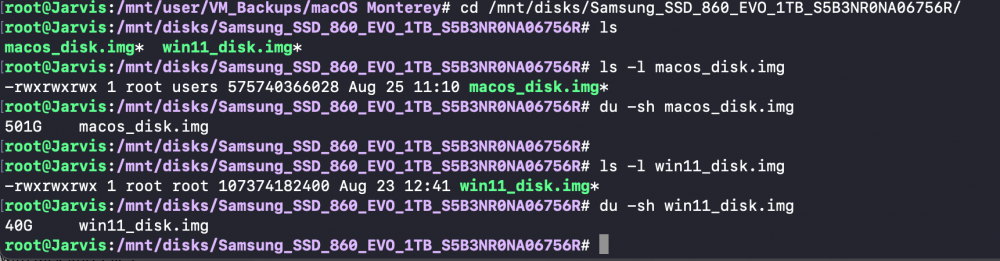
I did - thank you for the pointer. I don't suppose its related because the primary location of the img file is on the SSD. The backup copy is going to the Array. You'd also see that the size of the img files are reported correctly. Or am I missing something ?
-
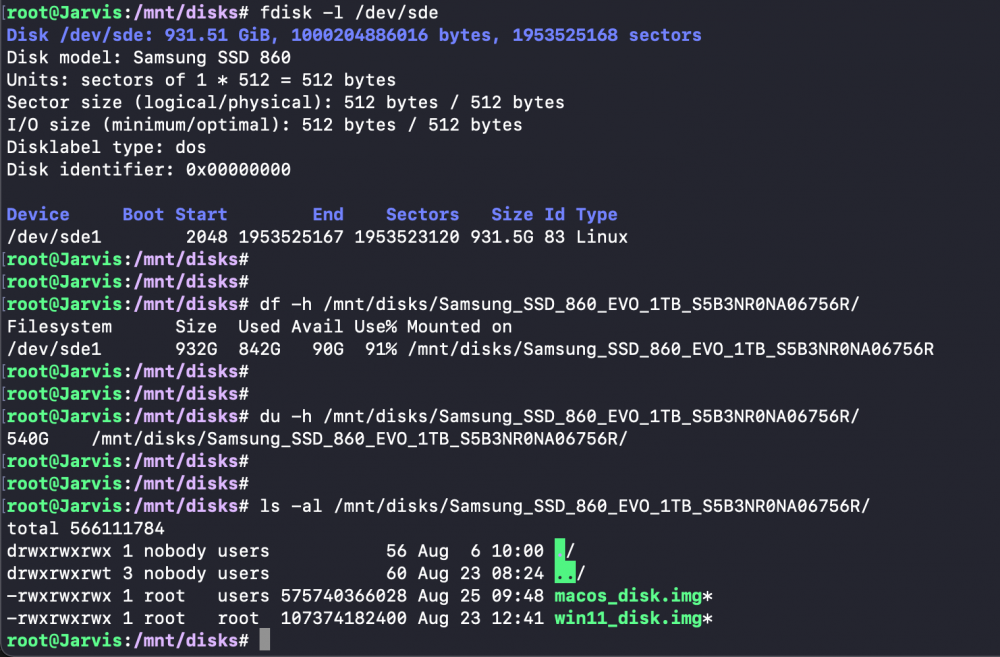
Hi Guys - I'm missing some space on an external SSD mounted with Unassigned devices. The device has 2 image files for my VM's. I have a 1TB SSD on which 1 have 2 raw image files totalling 540GB. I am on the RC1 and it reporting a utilisation of 842GB and filling up. The only thing I can think of is that I have a VM Backup plugin which takes periodic backup of the 2 imp files to the array and is somehow responsible for the increased size. Appreciate any help !
-
@ghost82 - I realised one more thing . Some of the instability in the system (sleep/wake) was because I deleted a number of unused controllers which caused the PCIe Device Paths to change. My config.plist Device properties were referencing the older Device Paths and causing a lock-up / devices not detected after sleep. After cleaning up - it sleep/wake issues have disappeared. I am still testing for Unraid hanging on shutting down the VM. It seems to be the reset bug on AMD.I did try the vendor_reset plugin on 6.10-RC1 and ti didn't seem to help. I will try a few other stuff and update you.
-
shutdown and reboot both. Doesn't happen often though. It happens only when the VM has been running for a while. I gave up on it for a month in frustration. I've started testing it again - will try to eliminate the possibilities. Thanks for the reply !
-
No - the unraid system freezes only when I shut down the Mac VM. I did provide some logs in the previous page. Nothing on it though.
-
Yeah same issue with BigSur as well. It does not look like anything to do with the OS though. I have tried different unraid versions and different BIOS for the Motherboard - so far the issue doesn't seem to go away. At my wits end !
-
I think we successfully confused @ghost82 😀 - I am running Monterey - my issue now is rebooting the VM , freezes up the unraid server. I have attached some logs from Unraid and Monterey showing the freeze. Couldn't capture much though. Out of ideas for now. I'm running 6.10-RC too. My EFI is 0.7.2 My issue is not too urgent. Take a look when you can spare some time.
-
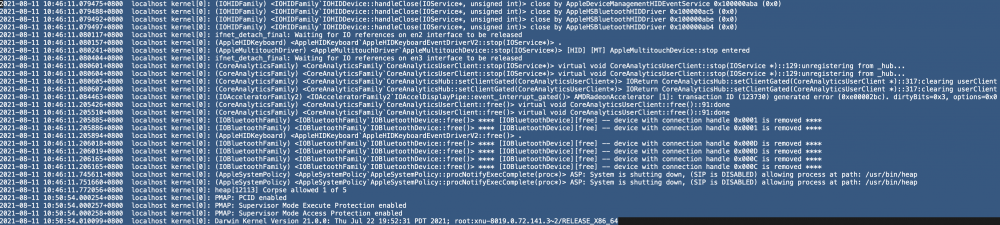
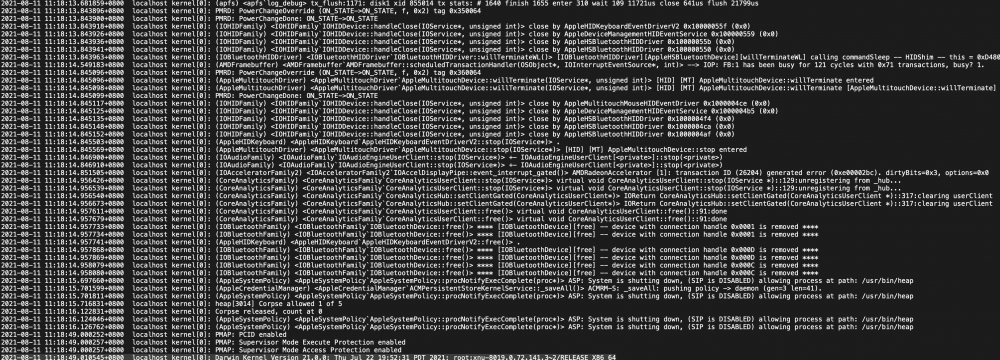
I suffered another freeze today morning after I tried to reboot the VM. I have the syslog being written to flash and only got nothing on it. The server froze around 10:45 Unraid Logs Aug 11 10:28:54 Jarvis emhttpd: read SMART /dev/sdb Aug 11 10:48:27 Jarvis kernel: Linux version 5.13.8-Unraid (root@Develop) (gcc (GCC) 10.3.0, GNU ld version 2.36.1-slack15) #1 SMP Wed Aug 4 09:39:46 PDT 2021 I also looked at logs in the MacVM and didn't find anything different between a clean reboot and a system Hang. So it must be something to do with KVM. System Freeze on Reboot Clear Reboot Would you have any recommendations that I should try ?
-
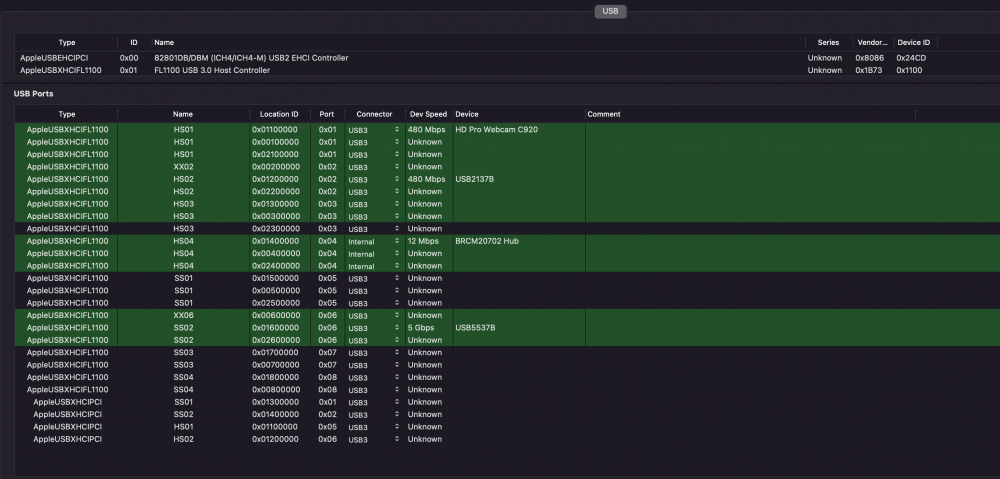
Thank you - The ports looka lot better now. I can't seem to delete the additional USB controller - it keeps coming back in the XML for some reason. Today I updated to RC-6.10 (a possible bug maybe).
-
Thank you for the updated Kext. I get the system to sleep from the Apple Menu then Sleep. I have disabled automatic sleep. I would generally get the system to sleep when im away. I wake it up through a 'apple shortcut' command on my iPhone. The command logs onto the unraid server using SSH and runs the 'virsh resume guest1' to resume it from sleep. Sleep/wake generally works fine My watch is able to unlock the machine when it wakes up Bluetooth mouse and keyboard connect automatically with the following exceptions Sometimes some USB devices like webcam and speaker would not connect. Unplugging and plugging brings them back on >> I am thinking this should be now fixed with the USBPower kext. I'll test it for a while and update you. The second issue is painful. Sometimes while shutting down/ restarting the VM, the unraid server becomes unresponsive and I have to force a manual reboot. I don't have a clue on why this happens. This generally happens when the VM has been up for some time and has also gone through a few sleep/wake cycles. Edit : For #2 I am thinking its a controller related issue described here - although I'm unsure. And a possible fix here - https://dortania.github.io/OpenCore-Post-Install/usb/misc/shutdown.htmlal
-
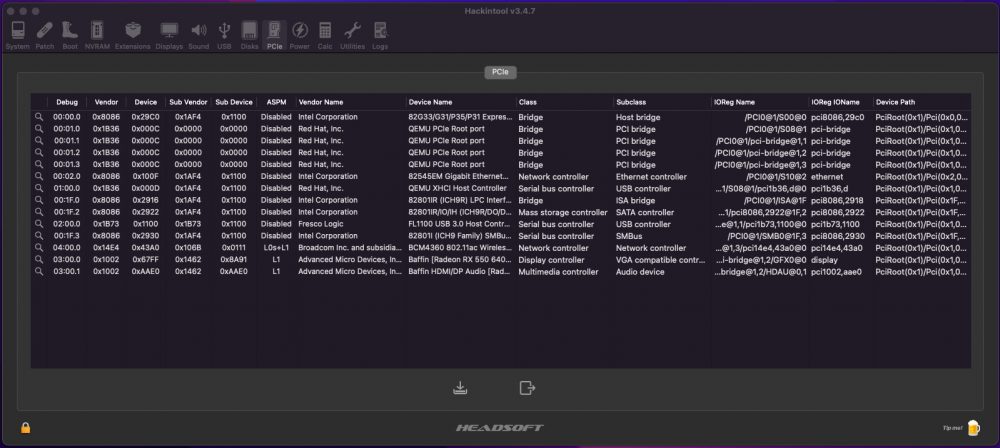
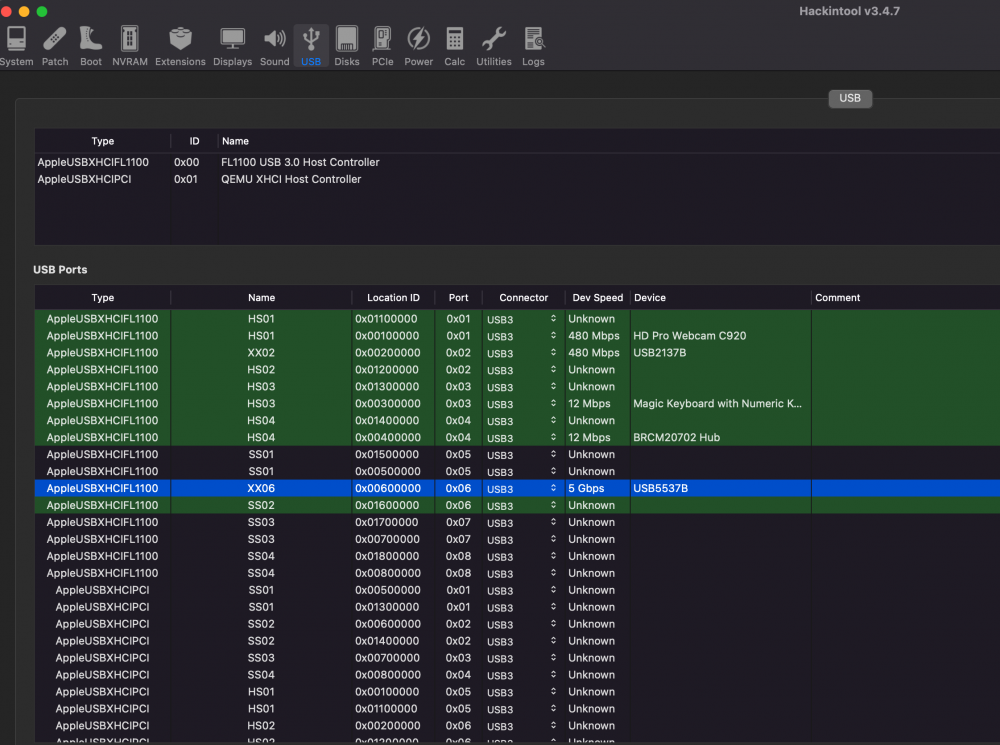
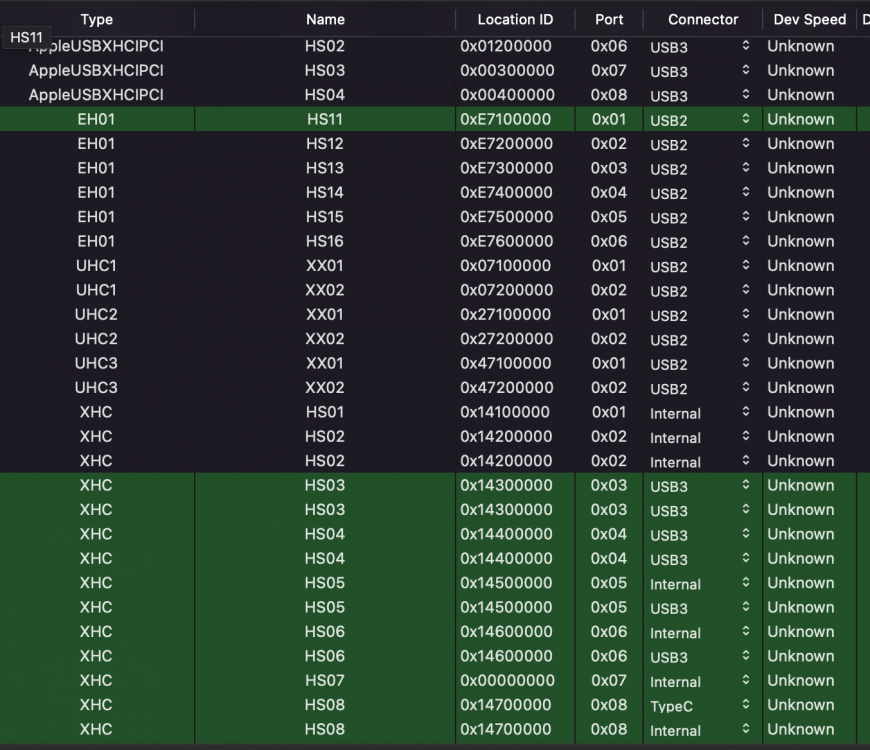
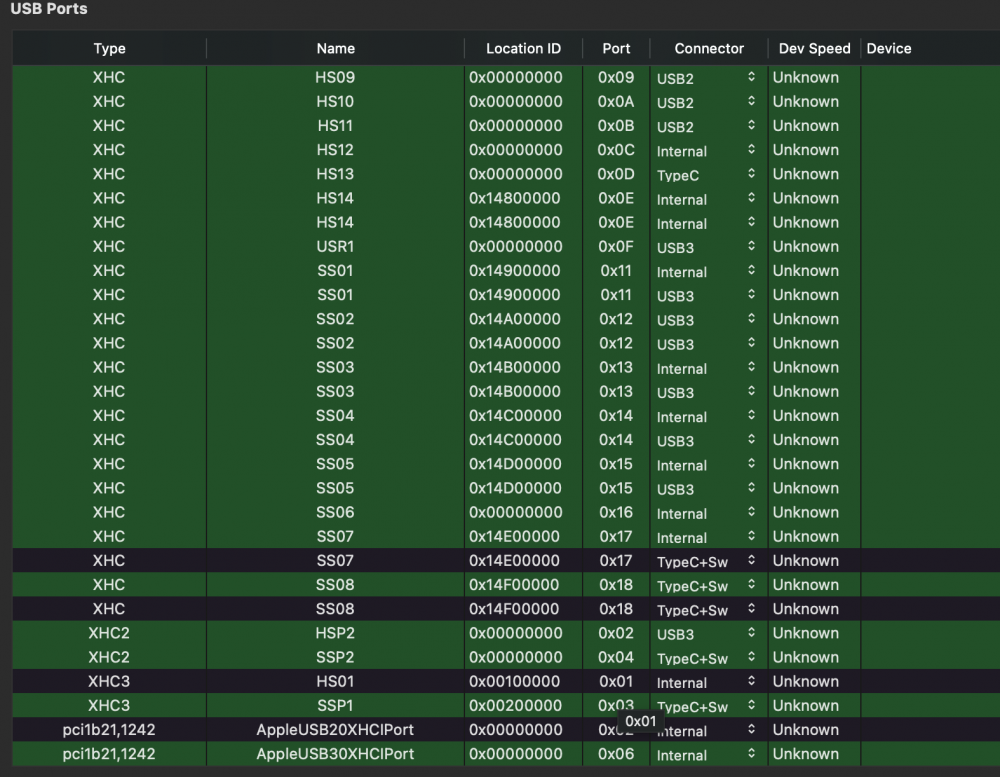
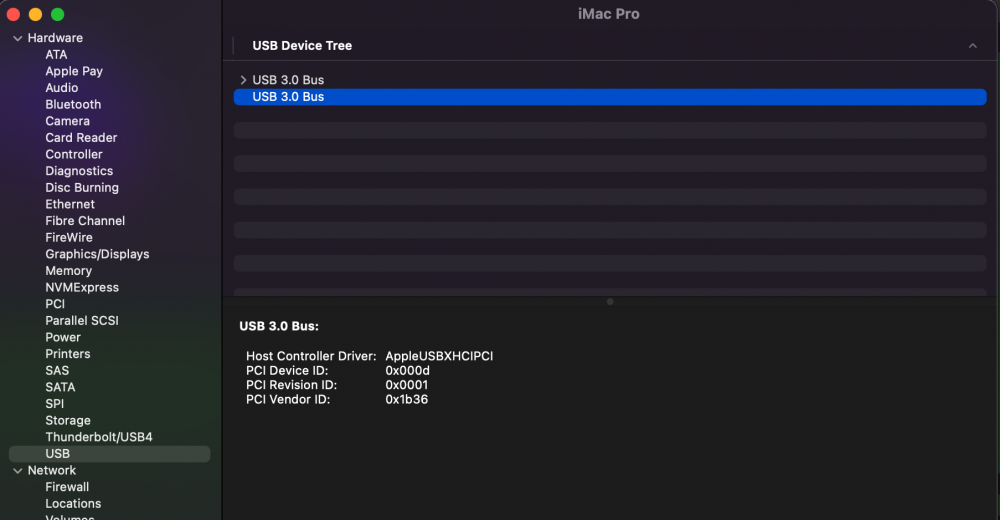
Thanks for taking a look here's the IOREG. I did try to read your instructions again and here's what I came up with for the USBPower kext. I Think it's working now after creating a USB map. I did delete some USB controllers not in use. Appreciate if you can look through once. Is my USB map correct. I selected only a few ports but a lot seem to be green. Attached is the config.plist , Ioreg and the modified kext. config0.7.2.plist USBPower.kext.zip
-
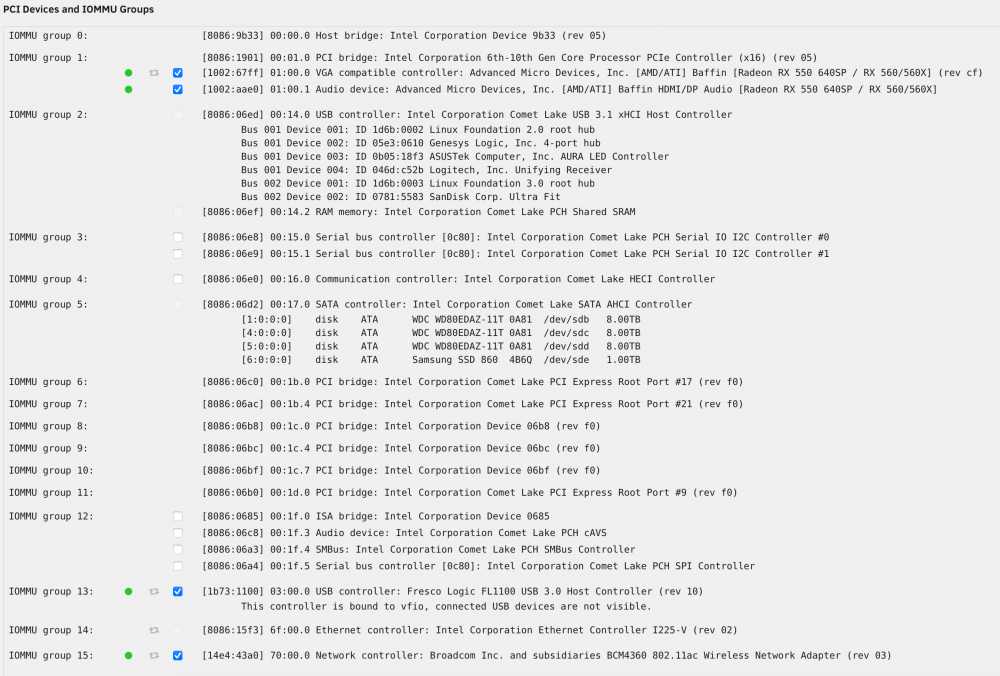
@ghost82 - I can use some help from you. I am on OC 0.7.2 with Monterey Public beta (macOS 12.0 21A5294g). I have a ASUS PRIME Z490-A z490 motherboard with i9-10850K CPU. My IOMMU groups are attached - I have passed through the following to the VM RX 560 USB PCI card FL1100 BCM4360 802.11ac Wireless Network Adapter - This one is a Fenvi T919 I have everything working fine (wifi/ continuity/handoff/ unlock using Apple Watch) though I do see that USB devices have some issues after sleep/wake. I think it is due to what you described in your post on page 32. I have tried injecting the 'USBPowerFresco.kext' which does not seem to help (Added to the kexts folder and in config.plist - also set it to enabled) I compared your IOReg to mine and after injection nothing changes for me. Maybe I need to inject all 3 - which I tried but it did not seem to help. Maybe I am doing it wrong because I do not understand the LIBVIRT XML too well. I tried reading your post on it and went over my head. The following is my XML and Hackintool PCI details. I can provide some IOreg screenshots if needed. Any help is appreciated ! <?xml version='1.0' encoding='UTF-8'?> <domain type='kvm' id='23' xmlns:qemu='http://libvirt.org/schemas/domain/qemu/1.0'> <name>MacOS Monterey</name> <uuid>8439805b-181f-eee5-7d63-3c7265084a34</uuid> <metadata> <vmtemplate xmlns="unraid" name="Linux" icon="linux.png" os="linux"/> </metadata> <memory unit='KiB'>16777216</memory> <currentMemory unit='KiB'>16777216</currentMemory> <memoryBacking> <nosharepages/> </memoryBacking> <vcpu placement='static'>8</vcpu> <cputune> <vcpupin vcpu='0' cpuset='2'/> <vcpupin vcpu='1' cpuset='12'/> <vcpupin vcpu='2' cpuset='4'/> <vcpupin vcpu='3' cpuset='14'/> <vcpupin vcpu='4' cpuset='6'/> <vcpupin vcpu='5' cpuset='16'/> <vcpupin vcpu='6' cpuset='8'/> <vcpupin vcpu='7' cpuset='18'/> </cputune> <resource> <partition>/machine</partition> </resource> <os> <type arch='x86_64' machine='pc-q35-5.1'>hvm</type> <loader readonly='yes' type='pflash'>/usr/share/qemu/ovmf-x64/OVMF_CODE_Mac.fd</loader> <nvram>/etc/libvirt/qemu/nvram/OVMF_VARS_Mac.fd</nvram> </os> <features> <acpi/> <apic/> </features> <cpu mode='host-passthrough' check='none' migratable='on'> <topology sockets='1' dies='1' cores='4' threads='2'/> <cache mode='passthrough'/> </cpu> <clock offset='utc'> <timer name='rtc' tickpolicy='catchup'/> <timer name='pit' tickpolicy='delay'/> <timer name='hpet' present='no'/> </clock> <on_poweroff>destroy</on_poweroff> <on_reboot>restart</on_reboot> <on_crash>restart</on_crash> <devices> <emulator>/usr/local/sbin/qemu</emulator> <disk type='file' device='disk'> <driver name='qemu' type='raw' cache='writeback'/> <source file='/mnt/disks/Samsung_SSD_860_EVO_1TB_S5B3NR0NA06756R/macos_disk.img' index='1'/> <backingStore/> <target dev='hdc' bus='sata'/> <boot order='1'/> <alias name='sata0-0-2'/> <address type='drive' controller='0' bus='0' target='0' unit='2'/> </disk> <controller type='pci' index='0' model='pcie-root'> <alias name='pcie.0'/> </controller> <controller type='pci' index='1' model='pcie-root-port'> <model name='pcie-root-port'/> <target chassis='1' port='0x8'/> <alias name='pci.1'/> <address type='pci' domain='0x0000' bus='0x00' slot='0x01' function='0x0' multifunction='on'/> </controller> <controller type='pci' index='2' model='pcie-root-port'> <model name='pcie-root-port'/> <target chassis='2' port='0x9'/> <alias name='pci.2'/> <address type='pci' domain='0x0000' bus='0x00' slot='0x01' function='0x1'/> </controller> <controller type='pci' index='3' model='pcie-root-port'> <model name='pcie-root-port'/> <target chassis='3' port='0xa'/> <alias name='pci.3'/> <address type='pci' domain='0x0000' bus='0x00' slot='0x01' function='0x2'/> </controller> <controller type='pci' index='4' model='pcie-root-port'> <model name='pcie-root-port'/> <target chassis='4' port='0xb'/> <alias name='pci.4'/> <address type='pci' domain='0x0000' bus='0x00' slot='0x01' function='0x3'/> </controller> <controller type='sata' index='0'> <alias name='ide'/> <address type='pci' domain='0x0000' bus='0x00' slot='0x1f' function='0x2'/> </controller> <controller type='usb' index='0' model='qemu-xhci'> <alias name='usb'/> <address type='pci' domain='0x0000' bus='0x01' slot='0x00' function='0x0'/> </controller> <interface type='bridge'> <mac address='52:54:00:3b:85:02'/> <source bridge='br0'/> <target dev='vnet0'/> <model type='e1000-82545em'/> <alias name='net0'/> <address type='pci' domain='0x0000' bus='0x00' slot='0x02' function='0x0'/> </interface> <input type='mouse' bus='ps2'> <alias name='input0'/> </input> <input type='keyboard' bus='ps2'> <alias name='input1'/> </input> <hostdev mode='subsystem' type='pci' managed='yes'> <driver name='vfio'/> <source> <address domain='0x0000' bus='0x01' slot='0x00' function='0x0'/> </source> <alias name='hostdev0'/> <rom file='/mnt/user/isos/vbios/amd560.rom'/> <address type='pci' domain='0x0000' bus='0x03' slot='0x00' function='0x0' multifunction='on'/> </hostdev> <hostdev mode='subsystem' type='pci' managed='yes'> <driver name='vfio'/> <source> <address domain='0x0000' bus='0x01' slot='0x00' function='0x1'/> </source> <alias name='hostdev1'/> <address type='pci' domain='0x0000' bus='0x03' slot='0x00' function='0x1'/> </hostdev> <hostdev mode='subsystem' type='pci' managed='yes'> <driver name='vfio'/> <source> <address domain='0x0000' bus='0x03' slot='0x00' function='0x0'/> </source> <alias name='hostdev2'/> <address type='pci' domain='0x0000' bus='0x02' slot='0x00' function='0x0'/> </hostdev> <hostdev mode='subsystem' type='pci' managed='yes'> <driver name='vfio'/> <source> <address domain='0x0000' bus='0x70' slot='0x00' function='0x0'/> </source> <alias name='hostdev3'/> <address type='pci' domain='0x0000' bus='0x04' slot='0x00' function='0x0'/> </hostdev> <memballoon model='none'/> </devices> <seclabel type='dynamic' model='dac' relabel='yes'> <label>+0:+100</label> <imagelabel>+0:+100</imagelabel> </seclabel> <qemu:commandline> <qemu:arg value='-device'/> <qemu:arg value='isa-applesmc,osk=xxxx'/> <qemu:arg value='-cpu'/> <qemu:arg value='host,vendor=GenuineIntel,+hypervisor,+invtsc,kvm=on,vmware-cpuid-freq=on'/> </qemu:commandline> </domain>