





ab5g
Members
-
Joined
-
Last visited
Everything posted by ab5g
-
Php version is below. I am not touching the container at all. I think when it starts it looks for an upgrade and perhaps that triggers it or it is because of the unraid host restart. I must say that I am running 6.10-RC1 if that is making a difference. root@19d96f21f660:/# php -v PHP 7.4.24 (cli) (built: Sep 23 2021 21:36:11) ( NTS )
-
Thank you for the quick fix. There's one more - the permissions on the /tmp also get reset resulting in another error after a reboot/upgrade. ls -al /tmp drwxr-xr-x 1 root root 22 Oct 1 22:27 tmp Error generated {"reqId":"UUDhEGpBF44fiEZkPkjd","level":3,"time":"2021-10-01T14:29:21+00:00","remoteAddr":"192.168.1.187","user":"xxx","app":"PHP","method":"GET","url":"\/index.php\/apps\/files\/","message":"tempnam(): file created in the system's temporary directory at \/config\/www\/owncloud\/lib\/private\/TempManager.php#240"} {"reqId":"UUDhEGpBF44fiEZkPkjd","level":3,"time":"2021-10-01T14:29:21+00:00","remoteAddr":"192.168.1.187","user":"xxx","app":"index","method":"GET","url":"\/index.php\/apps\/files\/","message":"Exception: {\"Exception\":\"UnexpectedValueException\",\"Message\":\"Unable to detect system temporary directory\",\"Code\":0,\"Trace\":\"#0 \\\/config\\\/www\\\/owncloud\\\/lib\\\/private\\\/TempManager.php(55): OC\\\\TempManager->getTempBaseDir()\\n#1 \\\/config\\\/www\\\/owncloud\\\/lib\\\/private\\\/Server.php(602): OC\\\\TempManager->__construct()\\n#2 \\\/config\\\/www\\\/owncloud\\\/lib\\\/composer\\\/pimple\\\/pimple\\\/src\\\/Pimple\\\/Container.php(118): OC\\\\Server->OC\\\\{closure}(*** sensitive parameters replaced ***)\\n#3 \\\/config\\\/www\\\/owncloud\\\/lib\\\/private\\\/AppFramework\\\/Utility\\\/SimpleContainer.php(108): Pimple\\\\Container->offsetGet()\\n#4 \\\/config\\\/www\\\/owncloud\\\/lib\\\/private\\\/ServerContainer.php(86): OC\\\\AppFramework\\\\Utility\\\\SimpleContainer->query()\\n#5 \\\/config\\\/www\\\/owncloud\\\/lib\\\/private\\\/Server.php(1448): OC\\\\ServerContainer->query()\\n#6 \\\/config\\\/www\\\/owncloud\\\/lib\\\/private\\\/Server.php(695): OC\\\\Server->getTempManager()\\n#7 \\\/config\\\/www\\\/owncloud\\\/lib\\\/composer\\\/pimple\\\/pimple\\\/src\\\/Pimple\\\/Container.php(118): OC\\\\Server->OC\\\\{closure}(*** sensitive parameters replaced ***)\\n#8 \\\/config\\\/www\\\/owncloud\\\/lib\\\/private\\\/AppFramework\\\/Utility\\\/SimpleContainer.php(108): Pimple\\\\Container->offsetGet()\\n#9 \\\/config\\\/www\\\/owncloud\\\/lib\\\/private\\\/ServerContainer.php(86): OC\\\\AppFramework\\\\Utility\\\\SimpleContainer->query()\\n#10 \\\/config\\\/www\\\/owncloud\\\/lib\\\/private\\\/Server.php(1599): OC\\\\ServerContainer->query()\\n#11 \\\/config\\\/www\\\/owncloud\\\/lib\\\/private\\\/TemplateLayout.php(69): OC\\\\Server->getIntegrityCodeChecker()\\n#12 \\\/config\\\/www\\\/owncloud\\\/lib\\\/private\\\/legacy\\\/template.php(242): OC\\\\TemplateLayout->__construct()\\n#13 \\\/config\\\/www\\\/owncloud\\\/lib\\\/public\\\/AppFramework\\\/Http\\\/TemplateResponse.php(153): OC_Template->fetchPage()\\n#14 \\\/config\\\/www\\\/owncloud\\\/lib\\\/private\\\/AppFramework\\\/Http\\\/Dispatcher.php(123): OCP\\\\AppFramework\\\\Http\\\\TemplateResponse->render()\\n#15 \\\/config\\\/www\\\/owncloud\\\/lib\\\/private\\\/AppFramework\\\/App.php(100): OC\\\\AppFramework\\\\Http\\\\Dispatcher->dispatch()\\n#16 \\\/config\\\/www\\\/owncloud\\\/lib\\\/private\\\/AppFramework\\\/Routing\\\/RouteActionHandler.php(47): OC\\\\AppFramework\\\\App::main()\\n#17 \\\/config\\\/www\\\/owncloud\\\/lib\\\/private\\\/Route\\\/Router.php(343): OC\\\\AppFramework\\\\Routing\\\\RouteActionHandler->__invoke()\\n#18 \\\/config\\\/www\\\/owncloud\\\/lib\\\/base.php(927): OC\\\\Route\\\\Router->match()\\n#19 \\\/config\\\/www\\\/owncloud\\\/index.php(54): OC::handleRequest()\\n#20 {main}\",\"File\":\"\\\/config\\\/www\\\/owncloud\\\/lib\\\/private\\\/TempManager.php\",\"Line\":245}"} {"reqId":"UUDhEGpBF44fiEZkPkjd","level":2,"time":"2021-10-01T14:29:21+00:00","remoteAddr":"192.168.1.187","user":"xxx","app":"no app in context","method":"GET","url":"\/index.php\/apps\/files\/","message":"Temporary directory \/tmp is not present or writable"} {"reqId":"UUDhEGpBF44fiEZkPkjd","level":3,"time":"2021-10-01T14:29:21+00:00","remoteAddr":"192.168.1.187","user":"xxx","app":"PHP","method":"GET","url":"\/index.php\/apps\/files\/","message":"tempnam(): file created in the system's temporary directory at \/config\/www\/owncloud\/lib\/private\/TempManager.php#240"} root@b3103d33b471:/# chown abc:abc /tmp
-
Anyone please ?
-
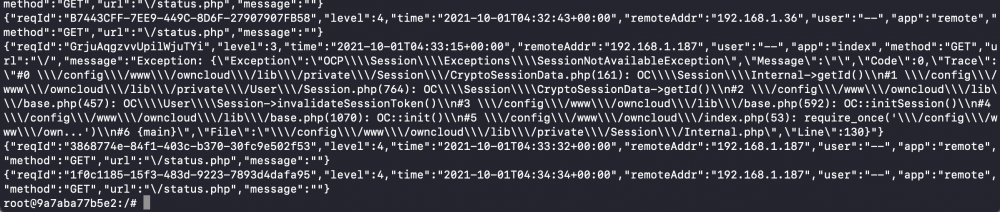
Hi dlandon - I have seem to run into some issues with the latest container version. I don't know if that is because of my environment and therefore seeking help. I have looked at the permissions on the config and data directory and it seems to be ok. The nginx and the DB logs look normal Owncloud log reports "SessionNotAvailableException" error I have tried a clean install by nuking the config directory and some folders in data directory and reinstalling the container. It works fine but after an array reboot - I seem to run into the issue. So either is my permissions or something in the container that breaks when it updates. I have provided some information below. Do you know where should I look ? EDIT : Solved - https://central.owncloud.org/t/php-upgrade-breaks-owncloud/22841/4 Can this check be incorporated into the image please ? root@b3103d33b471:/var/lib/php# ls -al total 0 drwxr-xr-x 1 root root 30 Sep 28 21:30 . drwxr-xr-x 1 root root 262 Sep 28 21:34 .. drwxr-xr-x 1 root root 24 Sep 28 21:33 modules drwxr-xr-x 1 root root 0 Jun 22 04:02 sessions root@b3103d33b471:/var/lib/php# chown abc:abc sessions/ root@b3103d33b471:/var/lib/php# ls -al total 0 drwxr-xr-x 1 root root 30 Sep 28 21:30 . drwxr-xr-x 1 root root 262 Sep 28 21:34 .. drwxr-xr-x 1 root root 24 Sep 28 21:33 modules drwxr-xr-x 1 abc users 186 Oct 1 14:18 sessions

-
Hi Guys This is probably a stupid question but I am having a tough time trying to run a dockerhub image on unraid. The image in question is owncloud/ocis. I have the following configuration on unraid PROXY_HTTP_ADDR = 0.0.0.0:9200 OCIS_URL = http://192.168.1.142:9200 Data Path in container /var/tmp/ocis mapped to /mnt/user/OCIS_TEST Instructions from OCIS : https://owncloud.com/news/howto-install-owncloud-infinite-scale-tech-preview/ When I run this the I get the following error and the container stops. It's clearly a permission error and I can't seem to get my head around it. {"level":"info","service":"settings","transport":"http","addr":"0.0.0.0:9190","time":"2021-09-30T09:31:55Z","message":"starting server"} {"level":"info","service":"ocs","transport":"http","addr":"0.0.0.0:9110","time":"2021-09-30T09:31:55Z","message":"starting server"} {"level":"info","service":"idp","transport":"http","addr":"0.0.0.0:9130","time":"2021-09-30T09:31:55Z","message":"starting server"} {"level":"info","service":"web","transport":"http","addr":"0.0.0.0:9100","time":"2021-09-30T09:31:55Z","message":"starting server"} {"level":"info","service":"ocs","transport":"debug","addr":"0.0.0.0:9114","time":"2021-09-30T09:31:55Z","message":"starting server"} {"level":"info","service":"thumbnails","transport":"grpc","addr":"0.0.0.0:9185","time":"2021-09-30T09:31:55Z","message":"starting server"} {"level":"info","service":"web","transport":"debug","addr":"0.0.0.0:9104","time":"2021-09-30T09:31:55Z","message":"starting server"} {"level":"info","service":"storage","transport":"debug","addr":"0.0.0.0:9179","time":"2021-09-30T09:31:55Z","message":"starting server"} {"level":"info","service":"storage","transport":"debug","addr":"0.0.0.0:9149","time":"2021-09-30T09:31:55Z","message":"starting server"} {"level":"info","service":"thumbnails","transport":"debug","addr":"0.0.0.0:9189","time":"2021-09-30T09:31:55Z","message":"starting server"} {"level":"info","service":"storage","time":"2021-09-30T09:31:55Z","message":"host info: 2d529c6a0d7f"} {"level":"info","service":"storage","time":"2021-09-30T09:31:55Z","message":"running on 20 cpus"} {"level":"error","service":"storage","error":"open /tmp/revad--059cacdd-d8b0-447c-b931-1c85ec99cda3.pid: permission denied","time":"2021-09-30T09:31:55Z","message":"error creating grace watcher"} The permissions on the directory are drwxrwxrwx 1 nobody users 48 Sep 30 16:18 OCIS_TEST/ When I run the same container on my machine using docker, the image runs perfectly. Any help is appreciated
-
7.4 - I raised a ticket on Github which you've responded to and closed - thank you for it. I haven't tested the latest version if you've updated it after the ticket. root@19d96f21f660:/# php -v PHP 7.4.24 (cli) (built: Sep 23 2021 21:36:11) ( NTS ) imagick.so missing root@19d96f21f660:/# php -m | grep im imap SimpleXML Edit : Works with your latest commit - thanks a ton !!
-
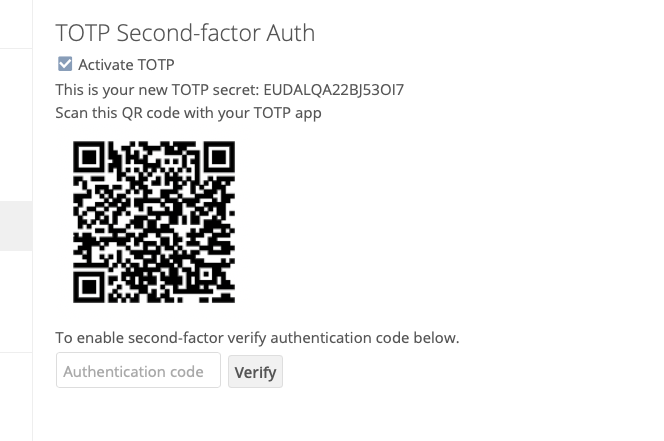
php install in the container is missing imagick extension which is used for generating the QR code. Have opened a ticked in GitHub.
-
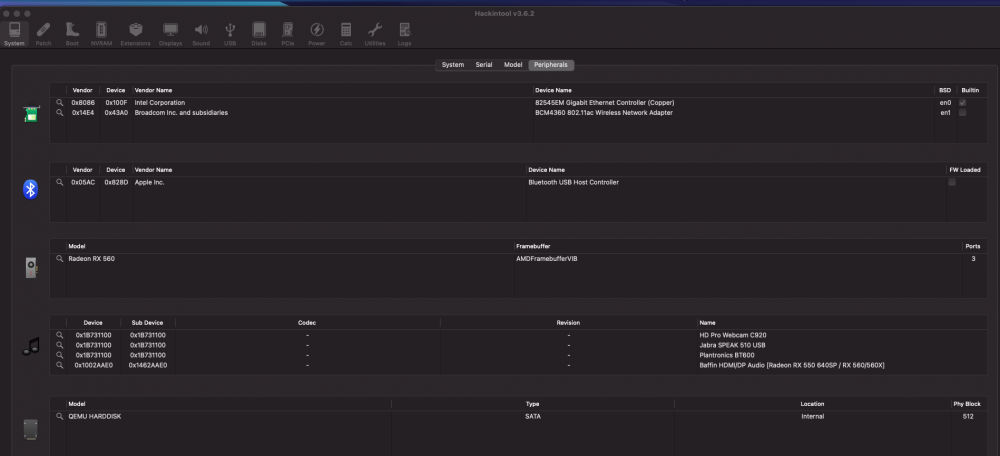
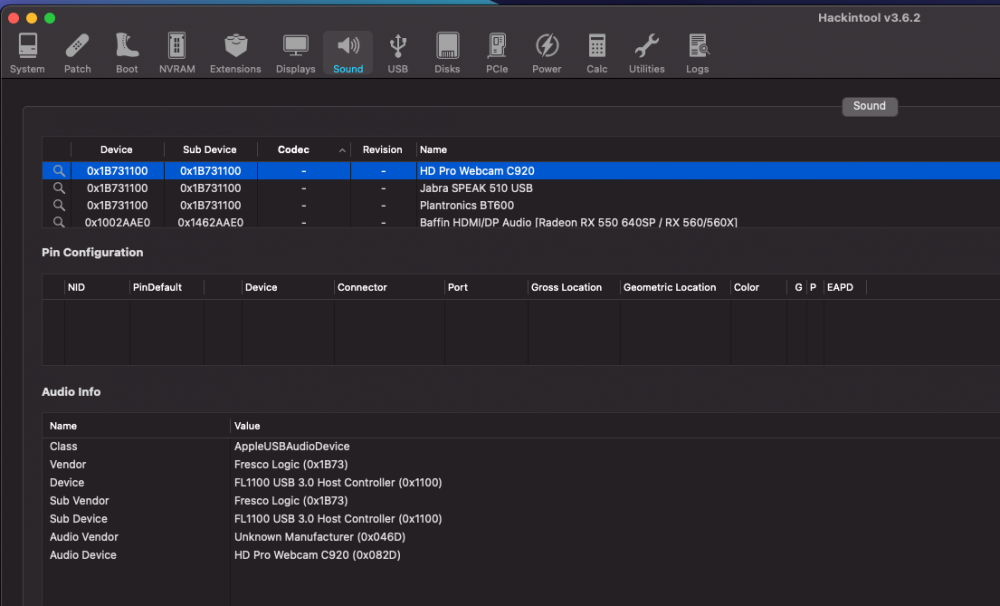
Would anyone know the reason for audio issues ? I have a USB speaker connected and a USB wireless earphone. Both of them seem to go off randomly on Microsoft Teams and Webex. They will work for a random time and then no sound or the other party can't hear me. There are no logs on the macOS console . Toggling between the inputs seems to get them back to work. Initially I though it was Microsoft Teams, but then one day I did a Webex webinar and behold - my audio and video cut out so many times that I use the IPAD for the webinar. Edit: I do not have a sound device passed to the VM . The USB devices are the only sound devices.
-
A guide if any would be KVM specific (Intel or AMD). You can look into macinabox to start (some videos on Youtube from spaceinvador one) - recommended if you do not want to start configuring the config.plist from beginning. Or look at kholia/OSX-KVM, foxlet/macOS-Simple-KVM on Github. OR simply look at the config.plist from ghost82 and compare from dortania to see why certain options are turned on/off.
-
The config.plist is on page 36 posted by ghost82 (13th Sept) - you can use that as a reference. The XML should be ok as you are able to boot the VM and passthrough the devices. You are running the VM on Unraid so the Designare config.plist will not apply. The config.plist needs to be KVM specific.
-
I think your config is way off - unnecessary ACPI patches, kernel patches. Reusing the Designare EFI will do more harm than help you. A better approach is to create an EFI from scratch. There's one config.plist attached on this page or the one before which you can use to create your EFI. Once done you can then tackle the USB problem (which is likely due to wrong USB port mapping - https://github.com/corpnewt/USBMap). You could also start with an EFI from macinabox and customize that to the newer version. So use macinabox to define a VM, mount the defined volume of this VM as second disk in Win VM. Extract the EFI customize and then work on it.
-
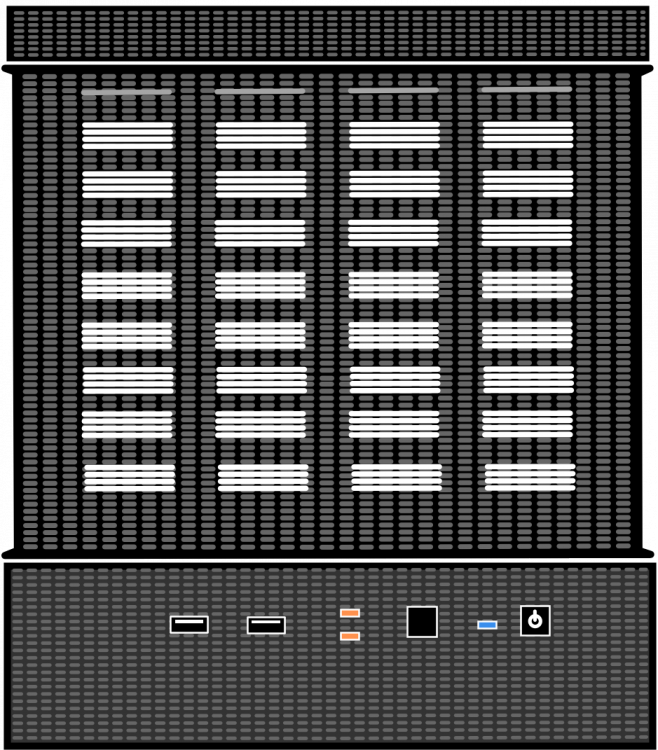
Here's an attempt. Its not perfect. BTW - I updated the other icon in my post above too. As before, editable file is also attached. Untitled.graffle
-
-
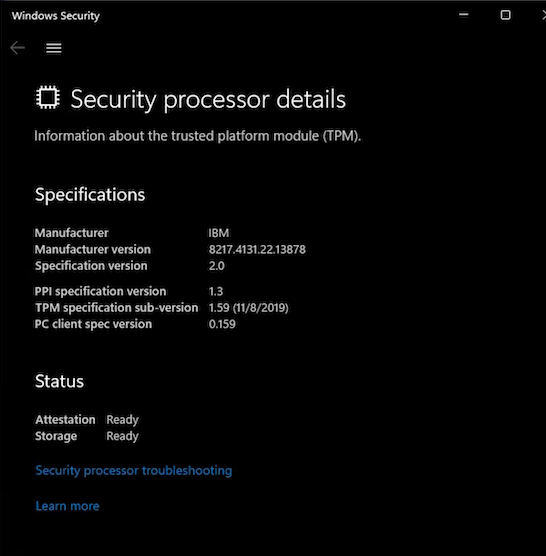
The latest Developer Beta is enforcing the check. The installer checks for TPM at around 4% and does not proceed if the chip is not found. This is with the help from the members above
-
Thank you got it working now
-
I did make the edits in my XML. On booting the VM should it not create the directory in /var/lib/libvirt/swtpm first which should then be used in the script ? I don't suppose I can use the script before the directory in /var/lib/libvirt/swtpm is created I have added the OVMF files to the VM and XML edits for the TPM chip. This is a WIN-11 VM. When I start the VM I get an error internal error: Could not run '/usr/bin/swtpm_setup'. exitstatus: 1; Check error log '/var/log/swtpm/libvirt/qemu/Windows 11-swtpm.log' for details. # cat /var/log/swtpm/libvirt/qemu/Windows\ 11-swtpm.log Starting vTPM manufacturing as root:tss @ Mon Sep 20 16:10:52 2021 Error: Could not start the TPM 2. Error: An error occurred. Authoring the TPM state failed. Ending vTPM manufacturing @ Mon Sep 20 16:10:57 2021 Starting vTPM manufacturing as root:tss @ Mon Sep 20 16:15:14 2021 Error: Could not start the TPM 2. Error: An error occurred. Authoring the TPM state failed. Ending vTPM manufacturing @ Mon Sep 20 16:15:19 2021
-
I place the 3 packages in /boot/extra and nothing happens after a reboot. The /var/lib/libvirt/swtpm is empty? Do you know why ? EDIT: I am running 6.10-RC1 root@Server:/boot/extra# ls -al total 2640 drwx------ 2 root root 16384 Sep 20 13:36 ./ drwx------ 13 root root 16384 Jan 1 1970 ../ -rw------- 1 root root 190644 Sep 20 13:33 libseccomp.txz -rw------- 1 root root 1781908 Sep 20 13:33 libtpms.txz -rw------- 1 root root 673376 Jul 3 03:10 swtpm_final.txz root@Server:/var/lib/libvirt/swtpm# ls -al total 0 drwxr-xr-x 2 root root 40 May 6 03:31 ./ drwxr-xr-x 10 root root 200 May 6 03:31 ../ root@Jarvis:/var/lib/libvirt/swtpm#
-
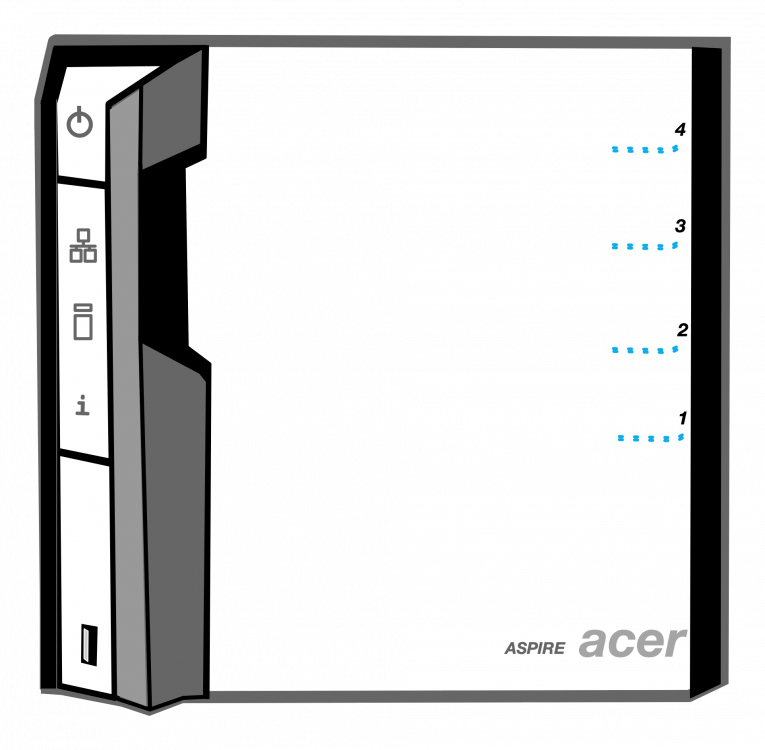
I made an attempt Theres an editable version attached too - in case you wants to improve it (will open in Omnigraffle) Acer.graffle
-
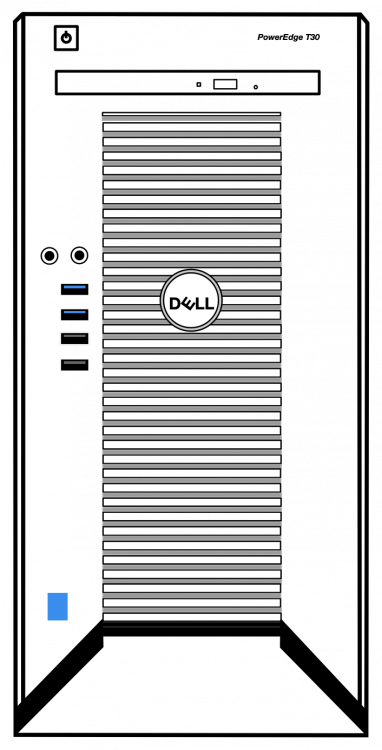
Dell T30 Theres an editable version attached too - in case anyone wants to improve it (will open in Omnigraffle) T30.graffle
-
I created one for my server - Meshify XL 2. Theres an editable version attached too - in case anyone wants to improve it (will open in Omnigraffle) Black background fractal.graffle fractal black background.graffle


-
Going by my own experience on this - I would recommend the following Check to make sure your USB patches are correct. Did you copy the kext from somewhere and doesn't know how it works ? Here's an excellent resource to map your USB properly.- https://github.com/corpnewt/USBMap Check to make sure that whatever you inject as Kernel Properties in OC have the correct device path. You can use Hackintool then PCI to see the true device path of PCI devices and match that with what you are injecting. I realized that if you mess with the XML or change the machine type the device paths can change which in turn mess up with sleep wake. Check for errors in your config.plist. Compare with the sample on this page. Try adding tlbto_us=0 in the OC boot argument along with vti=12. Details here - https://www.nicksherlock.com/2020/08/solving-macos-vm-kernel-panics-on-heavily-loaded-proxmox-qemu-kvm-servers/ Try CpuTscSync kext - it helps avoid crashes from certain wake-from-sleep scenarios. Check the clocksource in Unraid here - cat /sys/devices/system/clocksource/clocksource0/current_clocksource. I got some stability by changing that to 'hpet' instead of 'tsc'. You can change that by adding a boot argument in the flash drive 'clocksource=hpet'. Isolate the cores that the VM runs on by adding a boot argument in the flash drive. Isolate and allocate cores consecutively (2,3,4,5,6,7,8) as opposed to isolating and allocating based on hyper-threaded pairs (2,12,3,13,4,14,5,15)
-
I upgraded to 11.6 without the shutdown error you encountered. I made an observation that when the clocksource was tsc, the machine had random sleep/wake issues. Setting the clocksource to hpet for Unraid got rid of those issues for me (although I loose some performance in Geekbench). You can try and see if that gets rid of the shutdown error for you. I'll observe the behavior when Beta6 comes out.
-
Gosh ! that was it. I was comparing the wrong versions. thank you Geekbench 5 on Baremetal with i9-9900k is 1203 and 8068 on VM with i10-10850(8 threads) is 1311 and 7752 Geekbench 4 on Baremetal with i9-9900k is 6310 and 35213 on VM with i10-10850(8 threads) is 6117 and 34138
-
Hmm, I have a baremetal install of Big Sur on an i9-9900k which gives me a single core perf of 5800+ and multicore near 39000 - I'm wondering if the low scores are normal or is it the KVM penalty or is it because the Geekbench lowers the score as it realizes its on a VM ?
-
I'm curious as to what benchmarks do you get on the VM. I have an Intel i9-10850K (10 core 20 threads) with no overclock on the cores. I have allocated 8 threads to the VM and 16GB RAM iMacPro1,1. The cores are isloated for use by the VM. and I am getting 1311 as the Single-Core Score and 7752 for Multi-Core Score in Geekbench5. I got slight performance bump by cat /sys/devices/system/clocksource/clocksource0/current_clocksource - changing the clocksource to tsc in bootmenu of the flash drive In the VM XML , allocating CPU threads consecutively (2,3,4,5,6,7,8) as opposed to allocating based on hyper-threaded pairs (2,12,3,13,4,14,5,15)







