





v3life
Members
-
Joined
-
Last visited
Everything posted by v3life
-
On the dropbox.com settings, you will find a list of all devices that are linked. One of the items that helped me was deleting the last authentication (which was this container) and re-did the process.
-
I've swapped cables and slots a number of times now but I'll give it another shot. I ordered some new cables from a different brand; maybe those will make the difference.
-
zeus-diagnostics-20240421-1840.zip thank you
-
I'm experiencing recurrent drive failures in the first vdev of my ZFS pool on a Unraid server. Has anyone encountered a similar issue or have suggestions to resolve it? root@Zeus:~# zpool status pool: dumpster state: ONLINE status: One or more devices is currently being resilvered. The pool will continue to function, possibly in a degraded state. action: Wait for the resilver to complete. scan: resilver in progress since Sun Apr 21 19:50:36 2024 3.31T scanned at 86.8G/s, 3.31T issued at 86.8G/s, 76.7T total 0B resilvered, 4.31% done, no estimated completion time config: NAME STATE READ WRITE CKSUM dumpster ONLINE 0 0 0 raidz1-0 ONLINE 0 0 0 sdg1 ONLINE 0 0 0 sdd1 ONLINE 0 0 0 sdc1 ONLINE 0 0 0 sdf1 ONLINE 0 0 2 raidz1-1 ONLINE 0 0 0 sde1 ONLINE 0 0 0 sdm1 ONLINE 0 0 0 sdl1 ONLINE 0 0 0 sdj1 ONLINE 0 0 0 raidz1-2 ONLINE 0 0 0 sdh1 ONLINE 0 0 0 sdi1 ONLINE 0 0 0 sdn1 ONLINE 0 0 0 sdo1 ONLINE 0 0 0 cache nvme0n1 ONLINE 0 0 0 errors: No known data errors /////// TWO MINUTES LATER ////// Apr 21 19:52:42 Zeus kernel: sd 5:2:6:0: [sdf] tag#3887 BRCM Debug mfi stat 0x2d, data len requested/completed 0x4000/0x0 Apr 21 19:52:44 Zeus kernel: sd 5:2:6:0: SCSI device is removed Apr 21 19:52:44 Zeus kernel: zio pool=dumpster vdev=/dev/sdf1 error=5 type=1 offset=654300413952 size=28672 flags=40080ca0 Apr 21 19:52:44 Zeus kernel: zio pool=dumpster vdev=/dev/sdf1 error=5 type=1 offset=654493540352 size=12288 flags=1808a0 Apr 21 19:52:44 Zeus kernel: sd 5:2:6:0: [sdf] Synchronizing SCSI cache Apr 21 19:52:44 Zeus kernel: sd 5:2:6:0: [sdf] Synchronize Cache(10) failed: Result: hostbyte=0x04 driverbyte=DRIVER_OK Apr 21 19:52:44 Zeus kernel: megaraid_sas 0000:42:00.0: scanning for scsi5... Apr 21 19:52:44 Zeus kernel: megaraid_sas 0000:42:00.0: 62950 (767058765s/0x0001/FATAL) - JBOD 06 for PD 22(e0x10/s6) is now OFFLINE Apr 21 19:52:48 Zeus kernel: zio pool=dumpster vdev=/dev/sdf1 error=5 type=5 offset=0 size=0 flags=100480 Apr 21 19:52:48 Zeus kernel: zio pool=dumpster vdev=/dev/sdf1 error=5 type=5 offset=0 size=0 flags=100480 Apr 21 19:52:55 Zeus kernel: scsi 5:2:6:0: Direct-Access ATA WDC WUH722020AL W108 PQ: 0 ANSI: 6 Apr 21 19:52:55 Zeus kernel: sd 5:2:6:0: Attached scsi generic sg6 type 0 Apr 21 19:52:55 Zeus kernel: sd 5:2:6:0: [sdf] 39063650304 512-byte logical blocks: (20.0 TB/18.2 TiB) Apr 21 19:52:55 Zeus kernel: sd 5:2:6:0: [sdf] 4096-byte physical blocks Apr 21 19:52:55 Zeus kernel: sd 5:2:6:0: [sdf] Write Protect is off Apr 21 19:52:55 Zeus kernel: sd 5:2:6:0: [sdf] Mode Sense: 9b 00 10 08 Apr 21 19:52:55 Zeus kernel: sd 5:2:6:0: [sdf] Write cache: enabled, read cache: enabled, supports DPO and FUA Apr 21 19:52:56 Zeus kernel: sdf: sdf1 Apr 21 19:52:56 Zeus kernel: sd 5:2:6:0: [sdf] Attached SCSI disk /////// new zpool status ////// root@Zeus:~# zpool status pool: dumpster state: DEGRADED status: One or more devices is currently being resilvered. The pool will continue to function, possibly in a degraded state. action: Wait for the resilver to complete. scan: resilver in progress since Sun Apr 21 19:50:36 2024 76.6T scanned at 0B/s, 76.2T issued at 702M/s, 76.7T total 0B resilvered, 99.26% done, no estimated completion time config: NAME STATE READ WRITE CKSUM dumpster DEGRADED 0 0 0 raidz1-0 DEGRADED 0 0 0 sdg1 ONLINE 0 0 0 sdd1 ONLINE 0 0 0 sdc1 ONLINE 0 0 0 sdf1 REMOVED 0 0 0 raidz1-1 ONLINE 0 0 0 sde1 ONLINE 0 0 0 sdm1 ONLINE 0 0 0 sdl1 ONLINE 0 0 0 sdj1 ONLINE 0 0 0 raidz1-2 ONLINE 0 0 0 sdh1 ONLINE 0 0 0 sdi1 ONLINE 0 0 0 sdn1 ONLINE 0 0 0 sdo1 ONLINE 0 0 0 cache nvme0n1 ONLINE 0 0 0 errors: No known data errors root@Zeus:~# The first time this happened I thought it was a wire issue. Then it happened again so I switched out the raid controller then the backplane. Eventually I said screw it and started from square one. Purchased 4x new Ultrastar DC HC560's (20TB) drives. Wiped all the drives, rebuilt everything from the ground up. Transferred all the files back on (around 75TB). Then it started doing this again. I ran zfs for about 3 maybe 4 years on my unraid server without any problems at all. This only started happening after 6.12 was released and I imported the zpools into unraid for native integration. Not sure if that has anything to do with it or if its complete coincidental. Prior to adding the new drives, the 4x 18tb drives were the ones in the first vdev. Funny enough, even though they're the same 4x drives, now that they are in the 2nd vdev i haven't had a single issue with them. Any thoughts on what might be up?
-
okay, I solved my problem; posting it here in case it helps anyone else. My docker.img file bloated, gaining around 29GB to it's max of 50GB. I tried re-mapping the app-folder to a zfs drive thinking maybe the cache for dropbox was causing the problem (I have over 1m+ files and about 1.2TB of storage being used). This did nothing... which didn't become obvious until the next step was taken. I deleted the container and "removed" the image thinking that would solve the problem, but unfortunelty it didn't. I reinstalled the docker container and tried the "new" mapping from the get-go. This is when I saw the following in the log: Using America/New_York timezone (15:43:25 local time) Starting dropboxd (194.4.6267)... [ALERT]: Your Dropbox folder has been moved or deleted from its original location. Dropbox will not work properly until you move it back. It used to be located at: /opt/dropbox/****** Dropbox To move it back, click "Exit" below, move the Dropbox folder back to its original location, and launch Dropbox again. This computer was previously linked to k******@********.com's account. If you'd like to link to an account again to download and restore your Dropbox from the web version, click "Relink". ** Press ANY KEY to close this window ** I realized when I was mapping the paths, the default mapping was: My main dropbox folder actually has the company name in front so its "******* Dropbox" Solutions: Initial problem - docker.img growing like crazy and not seeing any files in the designated dropbox folder - I changed the Container Path: "/opt/dropbox/Dropbox" to host: "/opt/dropbox/" that way anything that is being sent to the "dropbox" folder within the container image will funnel to the designated host path I still had to solve the current bloat problem which would not go away, even after I had deleted the container and "removed" the image. Of course, @SpaceInvaderOne came to the rescue: this youtube video: https://www.youtube.com/watch?v=9DxPEfbAJJ0 *note* when I ran the script, there was nothing in the results that showed this mysterious 29GB outside of the fact that in the total used space, it was showing 49GB. I nonetheless followed the instructions and edited the following two lines: remove_orphaned_images="yes" # select "yes" or "no" to remove any orphaned images remove_unconnected_volumes="yes" # select "yes" or "no" to remove any unconnected volumes Once I did that and re-ran the script, the mysterious 29GB disappeared Reinstalled and remapped the container (as outlined in step one above). I got the wonderful alert seen above yet again. I went to dropbox.com --> account settings --> security --> unlinked --> restarted the container --> relinked --> everything seems to be working as originally expected -K
-
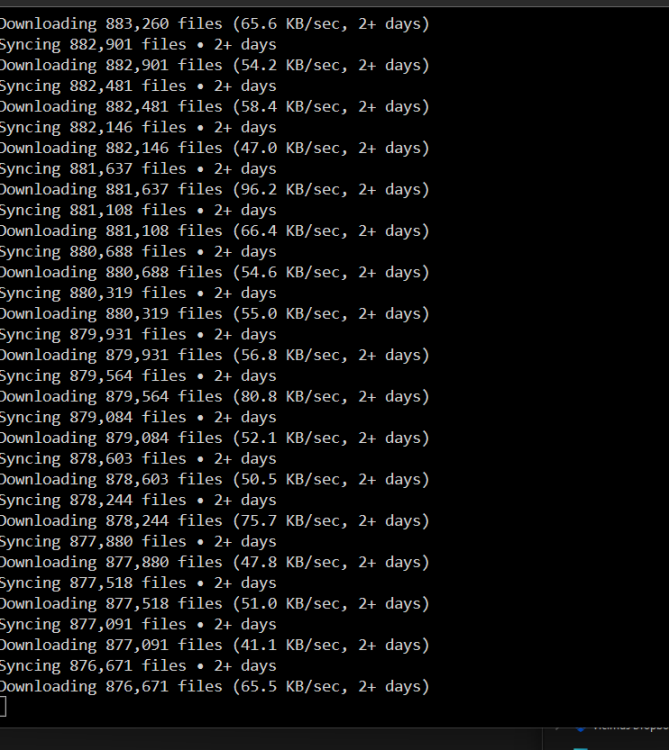
Anyone know what's going on here? I can see that docker container is writing huge amounts to the app folder: root@xxx:~# sudo iotop -o Total DISK READ : 0.00 B/s | Total DISK WRITE : 111.24 M/s Actual DISK READ: 0.00 B/s | Actual DISK WRITE: 121.81 M/s TID PRIO USER DISK READ DISK WRITE SWAPIN IO> COMMAND 58246 be/4 root 0.00 B/s 3.71 K/s ?unavailable? dockerd -p /var/run/dockerd.pid --mtu=9000 --log-opt max-size=500m --log-opt max-file=3 --log-level=fatal --storage-driver=btrfs 52003 be/4 root 0.00 B/s 9.61 M/s ?unavailable? [kworker/u256:8+loop2] 126610 be/4 root 0.00 B/s 6.57 M/s ?unavailable? [kworker/u256:1-btrfs-endio-write] 36619 be/4 root 0.00 B/s 11.01 M/s ?unavailable? [kworker/u256:12-btrfs-endio-write] 94954 be/4 nobody 0.00 B/s 663.22 K/s ?unavailable? dropbox [DBXLOG_WORKER] 95004 be/4 nobody 0.00 B/s 1111.54 K/s ?unavailable? dropbox [NUCLEUS_CONTROL] 95008 be/6 nobody 0.00 B/s 9.71 M/s ?unavailable? dropbox [Linux FSYNC WOR] 95009 be/6 nobody 0.00 B/s 1130.06 K/s ?unavailable? dropbox [Linux FS WORKER] 5234 be/4 root 0.00 B/s 8.44 M/s ?unavailable? [kworker/u256:16-btrfs-endio-write] 15166 be/4 root 0.00 B/s 3.48 M/s ?unavailable? [kworker/u256:9-btrfs-endio-write] And outside of the docker memory usage (which is now sitting at 14GB, still smaller than the amount thats being "written" to the app folder), and since there is no increase in the used space of the app directory, I have no idea what's going on. The actual dropbox folder is completely empty.
-
@AlainF you need to edit your post - although @JustinRSharp fixed his, your quote still contains the original hash
-
was this ever figured out?
-
Hey - I'm using the DirSyncPro docker. After a scheduled unraid restart, the schedule engine doesn't seem to turn on and the option to start it is grayed out. Any idea why that's happening? Forget it - needed to restart the docker. If you load a new profile you have to restart the container for the schedule engine to be available.
-
To close out this thread: Even after resilvering/reimporting the pool was nurfed Every attempt to recover presented new problems I had a full backup of the pool on a qnap server (which runs nightly) so I took everything offline, formatted the drives, removed the pool (then turned on the array, turned it off again), re-created the zpool in the unraid GUI, added the drives replacing the drives i wanted to replace to begin with, started it up, and transferred the 80TB back into unraid. Note - before i did all of the above, I turned of VMS and docker so they didn't all freak out, once everything was transferred back I went ahead and reactivated VMS & Docker Although there was probably a way to solve the problem, the downtown and general agitation from the whole ordeal lead me to brute force a solution I was confident would work... thankfully it did! Thank you @JorgeB for the advice and guidance -K
-
@JorgeB The "order" of the drives as per the last zpool status is incorrect... drives from my vdev are now in another vdev. Should I be adding the drives in order as per what the vdevs were supposed to be?
-
Originally, I created the pool a few years ago (way before native support) using spaceinvaderone's videos. When there was native support (and the ZFS Master Plugin was depreciated) I followed the instructions on here (I can find the link if needed) to export and re import the pool. What was really weird is, the first time I did it, I had created a pool (named tank) using the following command: zpool add dumpster raidz sdc sdd sde sdh Then I read how that's a bad idea due to possibility of the designations changing on reboot, so I destroyed the pool and re-did it using: zpool add dumpster raidz ata-WDC_WD181KRYZ-01AGBB0_3FHR6YST ata-WDC_WD181KRYZ-01AGBB0_3FHS6EBT ata-WDC_WD181KRYZ-01AGBB0_3GKUE1VE ata-WDC_WD181KRYZ-01AGBB0_3GKZVZBE At this stage, i'm assuming when I exported the pool and re-added it, I wasn't paying attention and accidentally did so using the sdc instead of their SN? Understood. I will follow the above instructions and revert back. Thank you!
-
here you go.. thank you kk-shang-zeus-diagnostics-20231214-1320.zip
-
Current setup - 1 zpool with 3x vdevs with 4x drives each in a raidz1. vdev1 are 4 18tb drives, vdev2 4 14tb drives, vdev3 4 12tb drives. Everything was running smoothly until one drive failed. I went to replace it and next thing I knew every vdev was having issues. I suppose i'm one more failure away from loosing the pool! ~# zpool status pool: dumpster state: DEGRADED status: One or more devices is currently being resilvered. The pool will continue to function, possibly in a degraded state. action: Wait for the resilver to complete. scan: resilver in progress since Wed Dec 13 22:04:11 2023 72.4T scanned at 0B/s, 71.5T issued at 707M/s, 72.9T total 5.88T resilvered, 98.19% done, 00:32:34 to go config: NAME STATE READ WRITE CKSUM dumpster DEGRADED 0 0 0 raidz1-0 DEGRADED 0 0 0 replacing-0 DEGRADED 0 0 0 5766548143726475423 UNAVAIL 0 0 0 was /dev/sdf1 sdc1 ONLINE 0 0 0 (resilvering) sdg ONLINE 0 0 0 sdl ONLINE 0 0 0 sdm ONLINE 0 0 0 raidz1-1 DEGRADED 0 0 0 sdj ONLINE 0 0 470 sdn ONLINE 0 0 470 sdk ONLINE 0 0 470 sdi REMOVED 0 0 0 raidz1-2 DEGRADED 0 0 0 sdh ONLINE 0 0 0 sde ONLINE 0 0 0 sdd ONLINE 0 0 0 11356428966707618947 FAULTED 0 0 0 was /dev/sdh1 errors: 6 data errors, use '-v' for a list Finished resilvering; did a reboot then this: ~# zpool status pool: dumpster state: DEGRADED status: One or more devices is currently being resilvered. The pool will continue to function, possibly in a degraded state. action: Wait for the resilver to complete. scan: resilver in progress since Thu Dec 14 11:42:10 2023 55.1T scanned at 30.1G/s, 39.0T issued at 21.2G/s, 72.4T total 154G resilvered, 53.84% done, 00:26:49 to go config: NAME STATE READ WRITE CKSUM dumpster DEGRADED 0 0 0 raidz1-0 DEGRADED 0 0 0 sdc1 ONLINE 0 0 0 2364323260111293387 UNAVAIL 0 0 0 was /dev/sdg1 sdl ONLINE 0 0 0 sdm ONLINE 0 0 0 raidz1-1 DEGRADED 0 0 0 sdj ONLINE 0 0 0 replacing-1 DEGRADED 0 0 0 11133145800720317235 FAULTED 0 0 0 was /dev/sdn1 sdg1 ONLINE 0 0 0 (resilvering) sdk ONLINE 0 0 0 sdi ONLINE 0 0 0 raidz1-2 DEGRADED 0 0 0 sdh ONLINE 0 0 0 sde ONLINE 0 0 0 sdd ONLINE 0 0 0 11356428966707618947 FAULTED 0 0 0 was /dev/sdh1 errors: 7819 data errors, use '-v' for a list At one point it said sdf was "fault" and on the Unraid GUI, an 'x' instead of a green dot saying "Device is disabled, contents emulated" then after the above restart, sdf had no faults (although it also isn't showing any read or write movement) and now sdd has the 'x' but still shows reads and writes. I don't even know how to begin figuring out wtf is going on or diagnose the problem. Any advise would be appreciated.
-
dlandon I changed the mount point for the ZFS pool to /mnt/addons/ Once that was done I ran the latest UD update and rebooted the server. The banner continues to show "reboot required to apply Unassigned Devices update" Two questions: 1) Is there a way to force update UD? 2) Is it safe to update to Unraid 6.12 with this issue still present? Thank you! *edit* It looks like a few more restarts solved the problem, In case it helps anyone this is what I did for the mounting: I only did this so I can update UD properly before upgrading to 6.12.1 Once updated to 6.12.1 I created a new pool with all 12 ZFS drives, left filesystem to "Auto" and started the array. It automatically imported the ZFS pool and mounted it to "/mnt/<zfs pool name>" Initially I set the "Enable user share assignment" set to "No" until I had a few more restarts/changed all the docker container paths to reflect the new mount point. Only then did I stop the array and update the share function & turn SMB service back on. Thank you @dlandon for the support!
-
Understood. I don't believe /mnt/addons/ was around when I set up ZFS back in '19... I appreciate the heads up. Once I prepare the pool for export it'll unmount and give me a window between preparing and upgrading to get the UD issue resolved once and for all. Thank you for the support! -K
-
@dlandon I shut down the array and ran the ls command as instructed. The only item that's still "mounted" is my ZFS pool under /mnt/disks/ Do I need to unmount my ZFS pool as well? If so, do you happen to know the right commands to unmount and remount it? If not, no worries, I'll track down the original instructions I followed to set it up. Also, once this is done do I just need to reboot? Or do I have to force the plugin to re-install followed by restart? -K
-
@dlandon thank you for the reply & instructions! -K
-
For some reason I can't seem to satisfy this notification. For the last 5-6 months even after clicking the "x" on the notification, it inevitably comes back within a few hours if not sooner. This last UD update I rebooted prior to updating, then again after updating, and yet, here we are!

-
Bump
-
Ah shit - I wasn't on the last page. My issue above *I believe* is identical to chr's issue
-
Random issue started happening - i'm assuming since upgrading to 6.11; upon fresh boot, my p400 is recognized and works great. Shortly afterwards (around 15 minutes) it errors out and the nvidia app no longer recognizes the card as being present. My log is flooded with the following error: any thoughts on where I should start looking?
-
No, I was just looking for regular iperf3. I'll read the docs to figure out how to initialize it. Probably need a user script to run on boot...
-
Sweet, I'll look into that. I didn't realize it was part of Nerdpack until i went to run an iperf3 test from a test rig and it was returned as no server found. Thank you!
-
anyone know an iperf workaround?



