FlyingTexan
Members
-
Joined
-
Last visited
Everything posted by FlyingTexan
-
So when a mod is an employee of Limetech that’s outside of the control of Limetech? I’m not saying it’s that person but it’s a bit of a kick to the intelligence to suggest they are not associated.
-
Forgive me for asking but I'm currently using OpenClaw. What does this do for me that OpenClaw doesn't? Or why would pick to use this over openclaw? I'm relatively new to LLM API use and still learning daily.
-
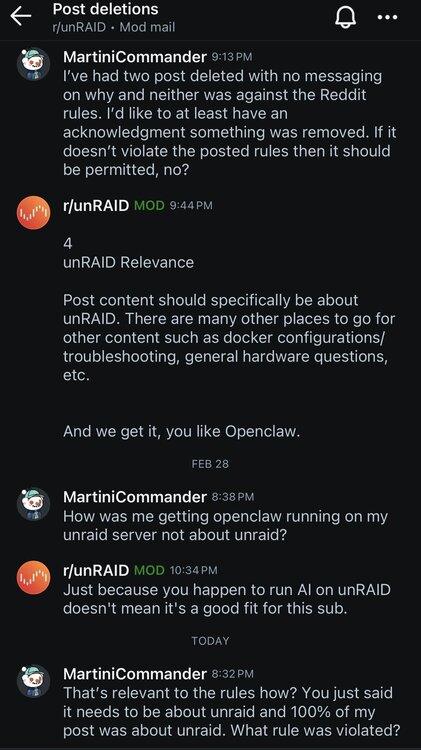
I don't have a link as they're gone but go make a post about Unraid and AI usage and wait till they delete it. You can read the screenshot above. Something that doesn't violate anything gets deleted. They keep that up we'll move elsewhere.
-
Man. You mention AI and talk about how your unraid server was setup and what you’ve been doing with it and you’re deleted. Is there some unwritten rule about unraid and AI I don’t know about? Place use to be encouraging to try new things and talk about our rigs and what we’re accomplishing. Apparently now even if you stay within the rules it’s subject to mod moods. Others have been getting deleted, too. Call it unofficial all you want but until there’s some answers or accountability every mod is on a “do not support list”. I got into this to experiment to have fun. To learn, ask questions, and grow in that nature but apparently it’s not allowed on Reddit. This is shameful. This kind of attitude is hard to support.

-
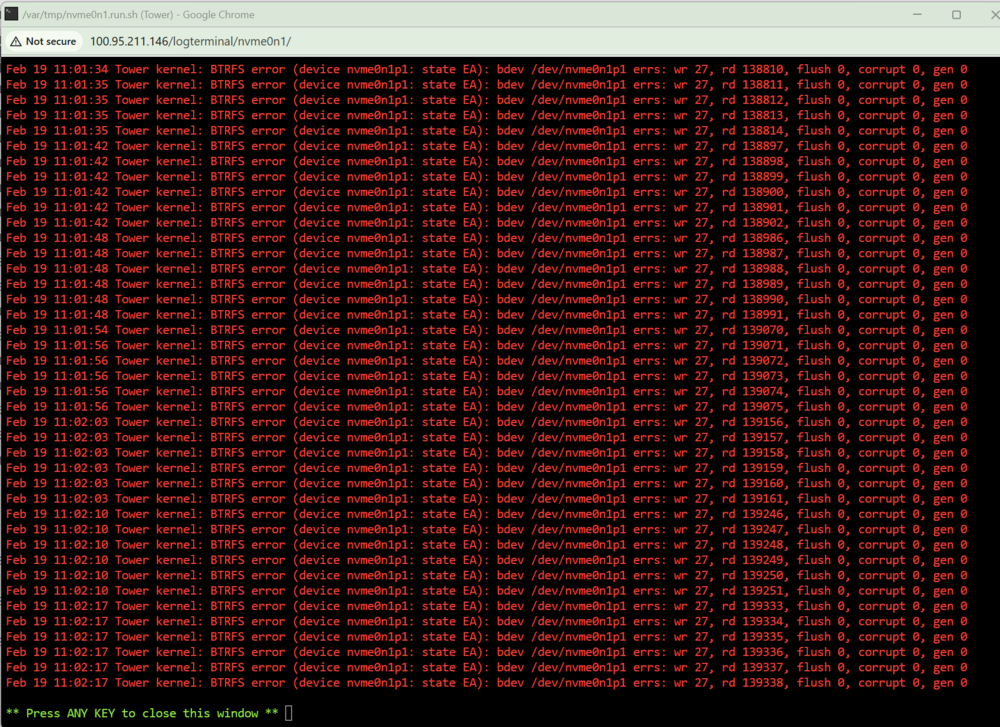
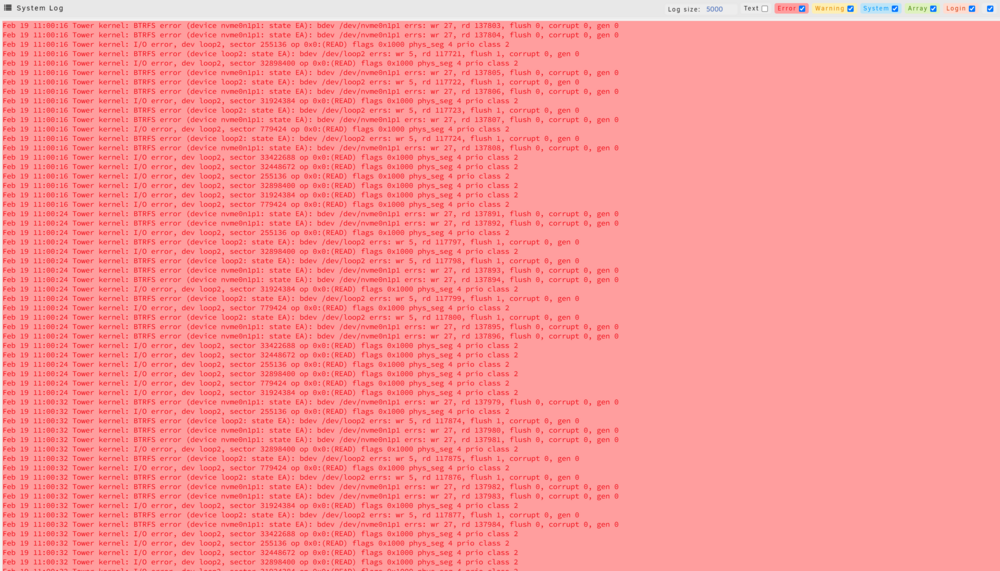
It could be completely anecdotal but I never had this error on any other version of unraid including the the Unraid 7 release candidates. Asking on reddit it appears a few others have been having the same issue where my system will run find for a while then suddenly docker quits working and I'm forced to do a reboot. After reboot it works fine all over again. I'm attaching errors I'm seeing with my NVME drive. The only thing on the drive is the Appdata. It passed it's smart test without issue and says it still has 91% endurance left. Total it has about 1.5yrs of time on it. Is my drive failing or is there something that makes it arbitrarily lockup? Could doing an appdata backup cause the issue? I'm manually performing one now to see if I can recreate the problem. Once I reboot things are fine and the system runs as intended for another couple weeks then it will happen again. tower-syslog-20250219-1821.zip.crdownload
-
Few months and no reply I'm guessing this is a dead project? I'm wondering why to use ram vs a NVME drive? I have a spare 2TB nvme drive sitting in my system I'd use.
-
So I'm having the same issue of mover not working. I put the "Move now button follows plug-ins" to no and it's still not working.
-
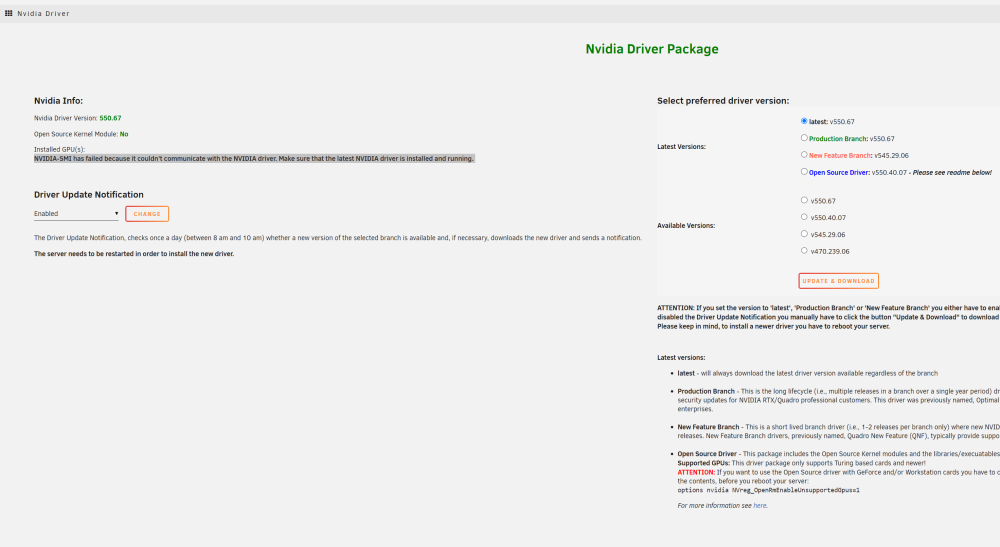
I went from the RTX 4060 to the RTX 4070ti and appear to be having an issue getting the server to use the drivers. I'm currently in the process of rebooting over and over trying different things. Has anyone experienced this? Is the new card not yet supported?
-
I’m going to be digging into AI for a little while. My server was originally for plex only but I’d like to use it for AI training models/checkpoknts. Can I assign my intel 13700 to plex and my RTX to the AI? on another note I’ve purchased the RTX 4070 to because it has 16GB memory vs my RTX 4060 (8GB). I’ll get errors and crash at times due to vram memory limits. Could I possibly have both the RTX 4070ti & 4060 work on the same model training? If not I’ll sell the 4060.
-
I'm wanting to install this https://github.com/Nerogar/OneTrainer on my server. I don't see any docker available. It has a linux setup but obviously if im asking here I'm limited in my knowledge. Is there any means to install this? Or some kind of guide I could follow ot turn this into a docker myself?
-
Wanting to design a new build and curious about ARC and if it will be implemented.
-
Ultrastars are the only drive I'll buy. They are so much quieter.
-
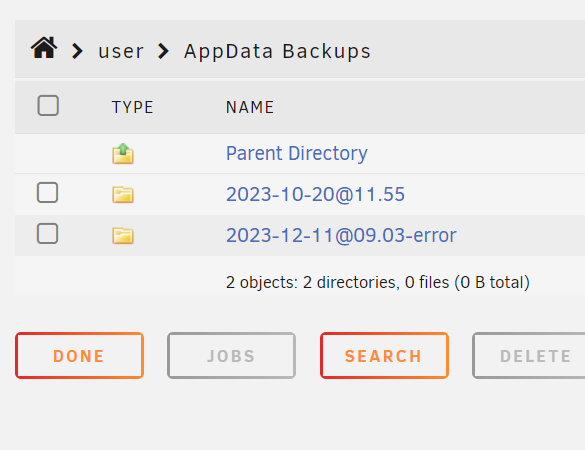
My server will no longer do the appdata backup. I get an error on the file name so go to start the containers and they won't start. I tried to download diagnostics but it just sat there like it was frozen. Is there a different set of logs I could get? Once I reboot server everything runs fine again.
-
Thanks for the advice. She's so damn heavy and hard to work with I really will have to budget some time to get into the power cables.
-
No it's on a backplane. Was going to shut down and move it to another slot to see what happens.
-
bump anyone?
-
So I've had a few issues with dries, three of them now, randomly dropping off line. I took two of them when it first happened and put them into an external USB connected drive dock and ran preclear. They both passed with no issues. I've been on a work trip and my while gone my parity, the third drive to go, errored but acted just like the other two. The system overall is running fine and so far no issues with other drives. Since it just happened (within 5min or so) I wanted to attach diagnostics. I'm heading home today and want to troubleshoot this. I've ordered new data cables and two new drive caddy's. today diagnostics.zip
-
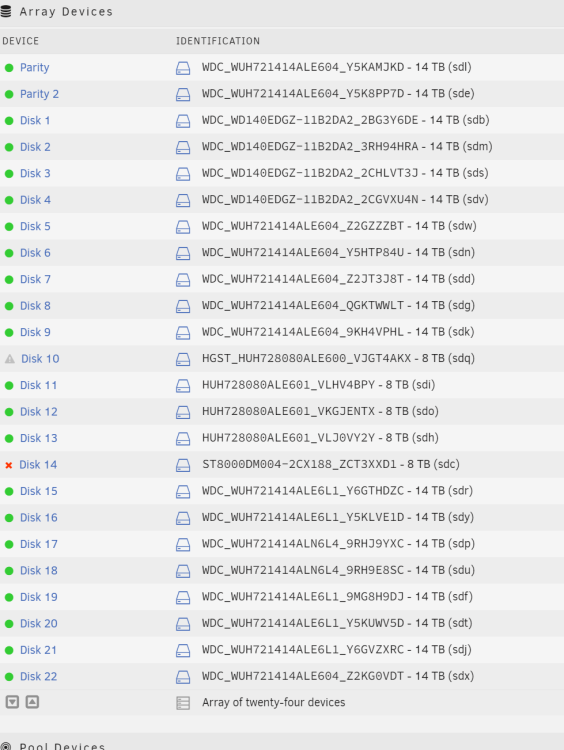
See but it doesn't happen when spinning down it happens when longer term usage. Do you think it could be bad cables? I've just ordered four new ones but don't get them till monday. Right now I'm just limping things along. I did a new config, removed the parity drive, started array with "Parity is correct" or whatever just so I don't know have to sit through 36hrs of it running again. Disk 21 and 22 were both new drives that passed preclear in an external enclosure that I then put into the system. The two drives that failed before I pulled from the system and they passed preclear also after the fact. I'm unsure if it's a cable though because it's not consistent on where the errors happen. Could a backplane be going bad and cause this? After a couple reboots it now sees the 1st parity drive again. I'm not sure I want to add it not knowing what the issue is if it's power supply, cables, or what.
-
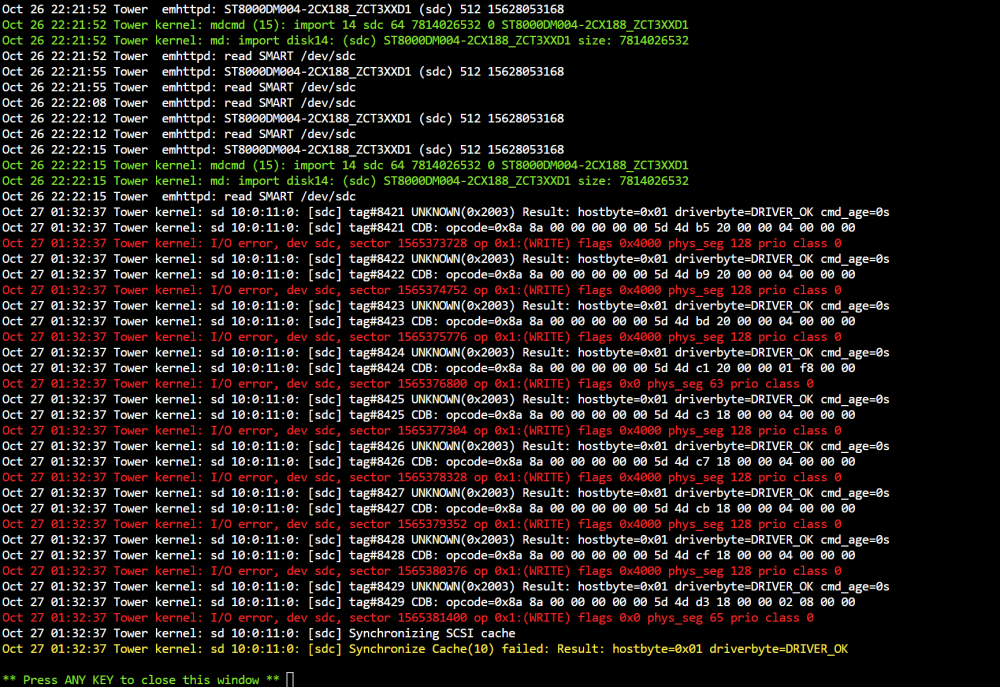
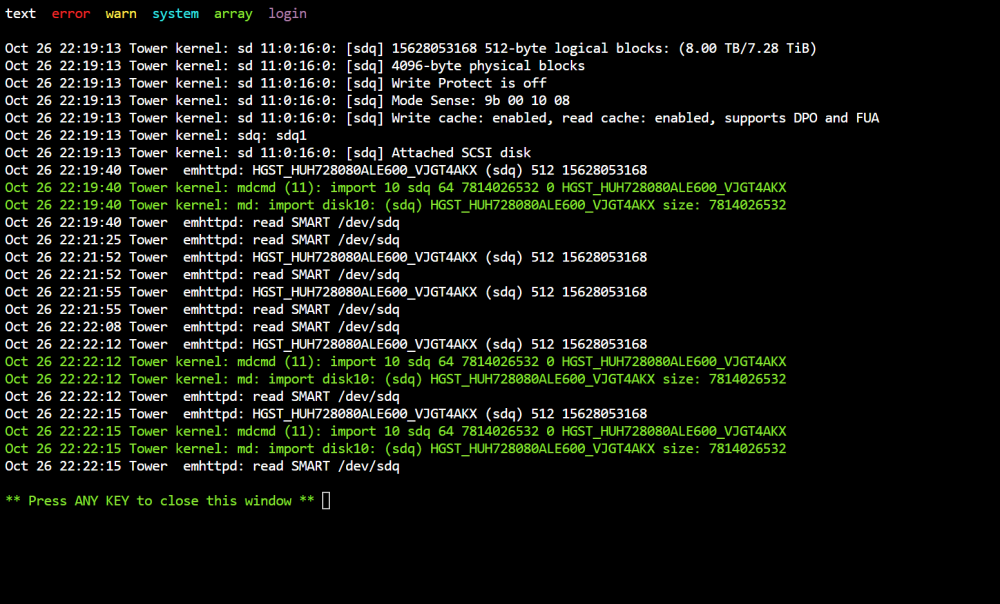
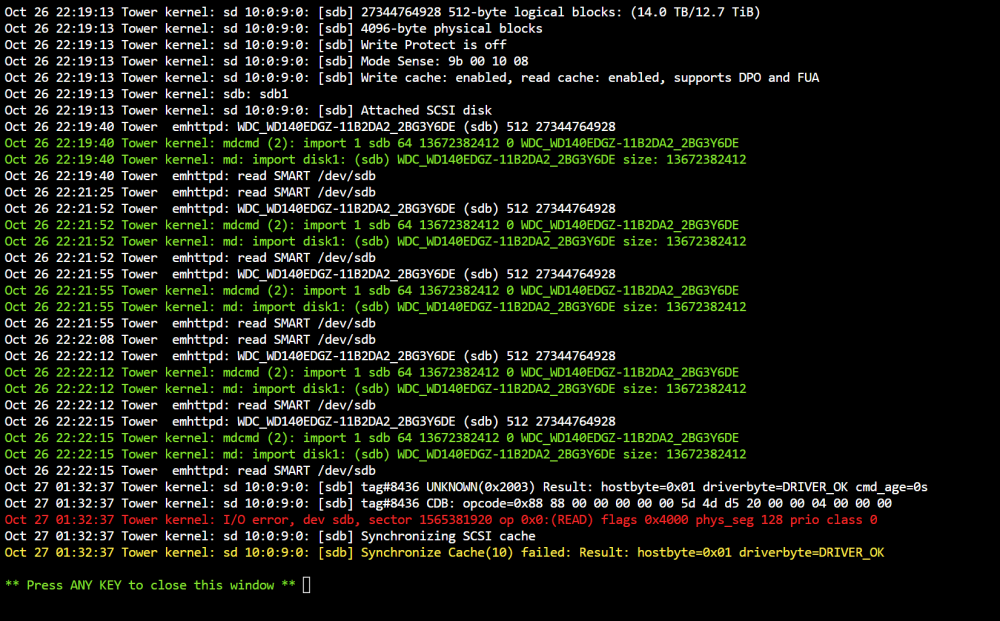
As a recap: The other day I swapped out drive planes so I could drop down from using two HBA card to running my drive cages off one. Not too long after I had a failure of a drive, or so I thought, without much else to go on I swapped drives. The same drive kept failing. Then it turned into two drives at one point. I'd dropped one of the drive cages about 6 inches onto tile which was a pretty solid thud so originally chalked it up to my mistake. The drives would then work again but later fall offline with no reasoning as to why. The drive caddy for each of the drives is flashing a "do not eject" symbol. I took the drives and moved them to different locations wondering if it was the backplane. It doesn't appear that it was. The drives still failed eventually. So I purchased two 10TB drives off amazon, purchased a two bay external dock, attached the dock with the drives to the server and ran a preclear on both drives. After I think about two days each drive passed 100%. Today I swapped the drives out with the two that were thought to be faulty. I placed the new drives in the server and, just to be sure, took the old drives and put them in the external dock. The two new 10TB drives are still flashing the same error as before on the drive caddy. So far the two old drives have passed their smart data and are in the pre-clear process without issue. That doesn't mean they're out of the woods yet, I'm going to let the preclear do it's full workup. Again the two new replacement drives are flashing the same issue on the drive caddy however they are currently operating fine. Video above. My drive cages are HP DL380s. I don't know anything about them except they fit the bill for what I was trying to do. What roll do the caddy's play for this disk shelf? The drives plug directly into the backplane so is the blinking just coincidental? The two 10TB drives appear to be functioning correctly and currently the two older drives are still going through preclear and looking ok so far. Why wouldn't the caddy's clear their light? If the two drives I pulled end up passing their preclear I may just try and put them back in. But I'm worried they'd fall offline again and cause tons of hiccups. EDIT*** Just had one parity drive show errors today diagnostics.zip
-
I had two drives dying on me for the past month while I was on the road. I had plenty of space and wasn't going to miss what was on them so for stability sakes I removed the troubled drives and have downsized the array then started a parity rebuild. It's running at 3-6MB/s on average. I'm a bit unsure why. I do have dockers going but they're not doing anything. I have plex but have stopped all of it's schedule tasks. I'd like ot keep plex running because I'm going to leave town again and will want to use it. Any ideas why this is so slow? I did activate turbowrite mode to see if it'd speed things up and no luck. tower-diagnostics-today.zip
-
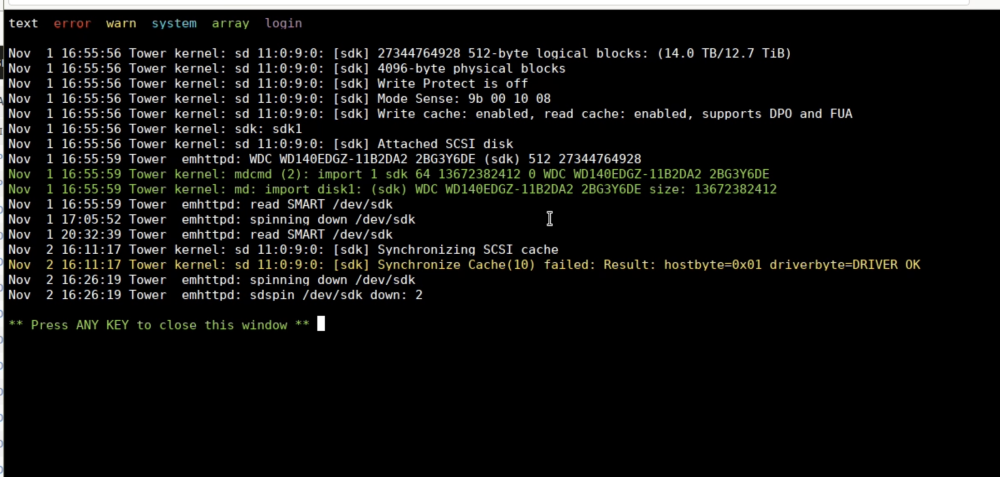
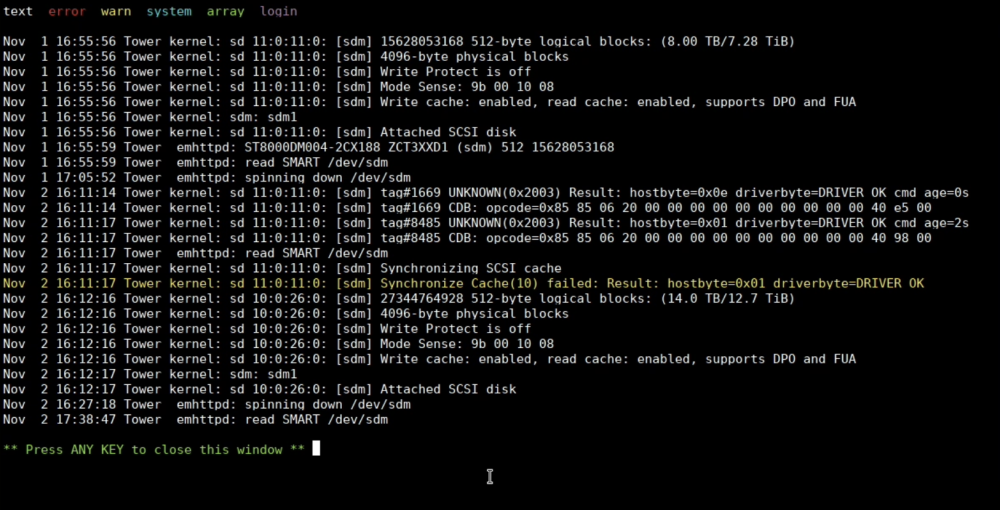
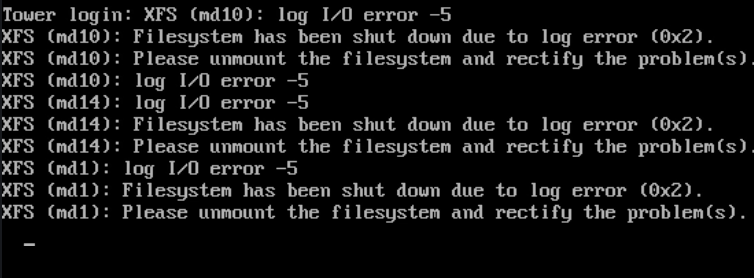
1) Do HBA cables send power signals to the backplanes where what first looked like a power issue could be a bad cable? I moved drives around after replaced a failed 8tb. The replacement drive then would drop off line and the drive caddy would show a little illumination of do not eject. Moved the drives around and now I'm seeing this on two other drives that have dropped off line. I don't have access to the server so this is all I can go on using my pikvm to access it in safe mode. I had a small accident when switching out backplanes where one of the drive cages fell over. It was standing vertically on the tile floor as i was grabbing it to insert into my small rack and it fell 90 degrees with a solid thud. Trying to figure out if drives we bad or if the backplane is having issues or if it's a cable or what. Because I did replace the one drive that actually did fail and the new one started giving me the same headaches until I moved it around.
-
This is a screen grab of what I'm seeing. Can't access server atm.
-
how do I know which device had it. They're spread across two different backplanes. Is there something that manages power?
-
Also the Unraid gui seems to get bugged out. In this case it's still trying to do a rebuild of the one replaced drive but the numbers are all frozen and clicking it to stop doesn't do anything.
-
I replaced my backplanes with these because I wanted to drop down to one hba card. I now have everything connected to a LSI 9300. I had one drive appear to fail so I replaced it. How I'm having multiple failures. I pulled all the drives and moved them around wondering if it was the backplane but nothing is the same. Except that I've now got two drives giving me errors on two different backplanes. Thing is the drives are removed from the array but not showing as removed. Sometimes they show zero errors and everything is fine. tower-diagnostics-20231027-0912.zip