





ctsdad
Members
-
Joined
-
Last visited
Everything posted by ctsdad
-
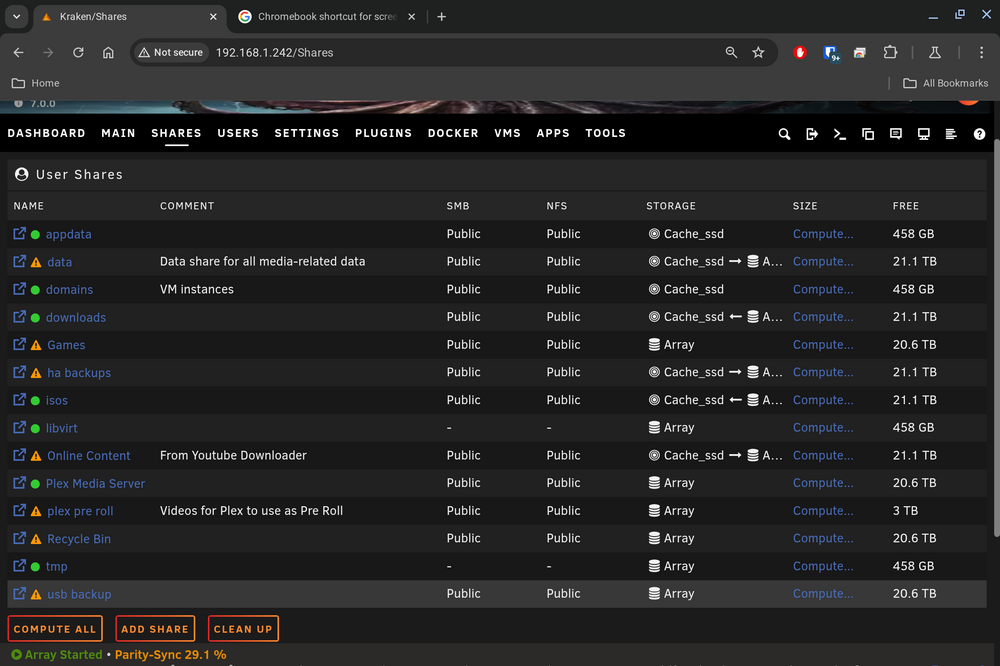
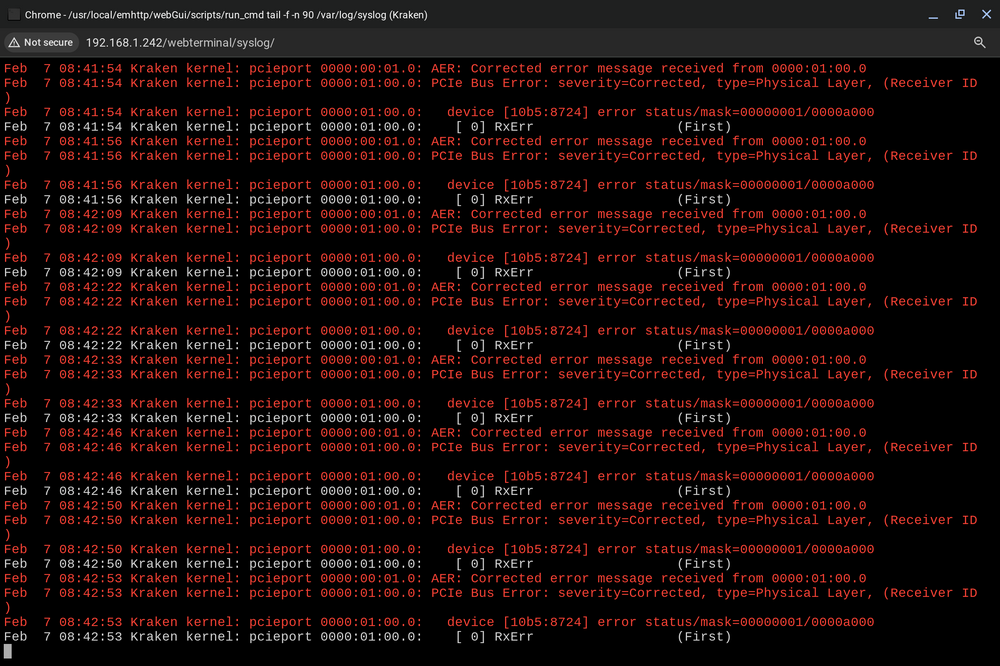
I'm getting continuous errors in the log during rebuild. I found that my shares were missing so I rebooted. When it came back online the shares were there but warned that files may be unprotected. I looked at the disks next and I had one parity and one array disk in error. So I stopped the array then started without the disks and repeated adding the disks back again. I am now getting this continuously in the logs: {Feb 7 09:19:32 Kraken kernel: pcieport 0000:00:01.0: AER: Corrected error message received from 0000:01:00.0 Feb 7 09:19:32 Kraken kernel: pcieport 0000:01:00.0: PCIe Bus Error: severity=Corrected, type=Physical Layer, (Receiver ID) Feb 7 09:19:32 Kraken kernel: pcieport 0000:01:00.0: device [10b5:8724] error status/mask=00000001/0000a000} I don't know what the error is. Also the array seems to be running the parity okay. What should I do? Thanks in advance for any help that you can provide. kraken-diagnostics-20250207-0847.zip
-
I am going to have to agree with the UPS diagnosis you made. We pulled my server and placed it on a cart which ment it was disconnected from the UPS. It has been up and running since this morning without issue. I wonder if something changed in UPS handling during the last unraid update
-
I plan to pull the system to check the AIO, memory, and the power supply and check each just to be sure
-
Thanks I will look to see if that can help. I plan to pull the system to check the AIO, memory, and the power supply. I am handicap so I will have to wait for my wife to help me pull the system
-
Hey did you figure out what was the issue? Or what hardware has caused this? I am having the same issue. syslog syslog-previous
-
This seems to be the same issue I am having. Just wanted it noted. I have throwed time and money at the issue. My only hardware left to replace will soon be the backplanes or chassis.
-
Thanks for replying I am trying everything i can think of and that others have suggested (see previous post that fixed memory issue but not this). I now ordered two new LSI 16 cards but I have the wrong cables. I did swap the mini SAS cables with brand new ones. I will get the right cables to allow me to try the new cards I bought. I just had to take a break. I have a progressive disease call CMT IIa and I just haven't been having good days for the last week. If it's not the cards then the only thing left is the backplanes in the chassis. I really hope it's not that. Especially after I have purchased a new: MB, NIC card, 64GB of memory 2 LSI cards and new cables (which were wrong for my cards.) If you find a Fix please let me know. I should not that I also tested the network with the same cable and built a windows system with all the ARRs as a backup and they all worked.
-
Hey I just wanted to mention that it only seems to happen when downloading. I can hit 100+ MBs then watch it go to bits per second and everything becomes unreachable but just wait a minute and it returns to working as normal. I complete erased SABnxbd getting rid of .img file and app data tried NZBget and it still happens
-
Thought I should mention I tested the cable and specific port it's connected to. The issue is random I will get speeds up to 110 MB's on a download the watch as it goes down to bits per second and then the entire server goes "offline" where your connection to it freezes and I am unable get to anything. Then shortly it will come back.
-
I started having this error. I did a memtest found errors bought a new set of RAM tested it in this server as well as another PC previous to installing it. I fixed some minor corruptions. Checked for errors had none. Started having these a few days later. I have tried a separate known working pcie NIC then replaced the motherboard previous to the memory replacement. Now I'm piling on here.
-
I don't know how I would do a disk share with so many files already spread over the entirety of the server. I don't have a RAM cache set up.
-
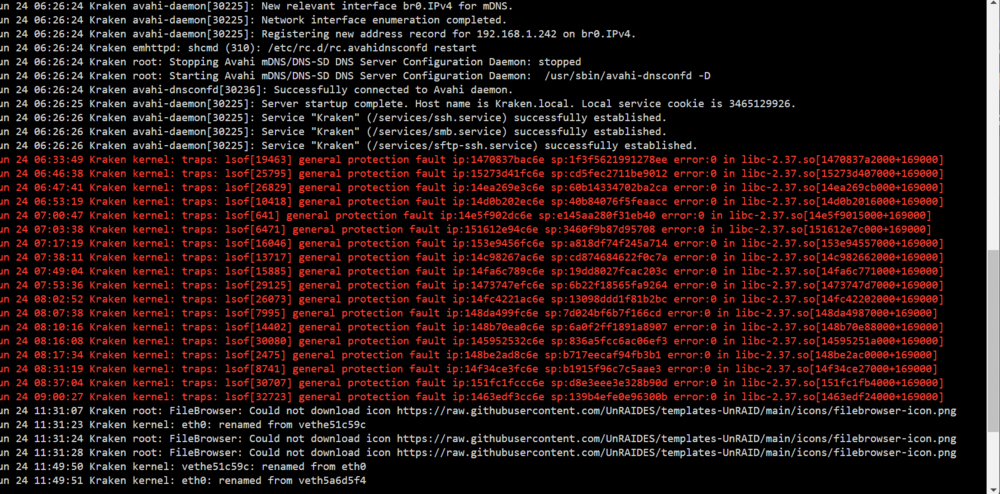
I just don't understand. It has work wonderfully for years. I'm left wondering what has changed. While the system was down I set up the ARR's on a windows PC for nightly entertainment. It works well. The whole network seems to work well. Outside of Unraid but this seems to be dropping network connectivity. Then shortly it will reconnect. Could it be a network hardware issue that was there with my memory issue? I posted a screenshot of the log showing some errors.
-
When I download somMaybe the same issue?ething (Sabnzbd) it will have great speeds of up 90 MB's then after going for a bit it will slow down to kbps then bits and then go offline. During this time I can't access anything on the sever. Apps such as Plex freeze up as well. After a few moments everything will refresh and reload as normal until it repeats again in a minute or two. I have added a new network card then a new motherboard and updated bios. Then I replaced one of my LSI cards. I would have to buy a new card to replace the larger 6 mini SAS card. Could the back planes built into the chassis be bad? should I buy new cards and cables first? I saw the linked post below but the last post was in like March and didn't have an answer kraken-syslog-20240623-2135.zip kraken-diagnostics-20240623-1734.zip
-
It seems great. It defiantly had me stressed. I think I spent a week trying to figure it out myself. I am going to mark the memory as what solved the issue although it defiantly led to many more problems. Also I want to say thanks for all the help. Your are appreciated. I will give a donation not this Friday but the next.
-
When you get time. Thanks again for all your help
-
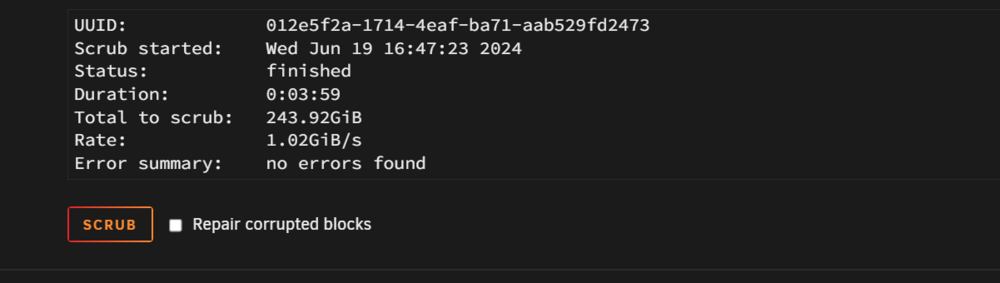
Okay so I went back and use the cmd prompts given previously cleared it again and for good measure re-ran the scrub and it all seems clear. For my own sanity will you look over the system logs and tell me if everything looks ok? syslog.txt
-
-
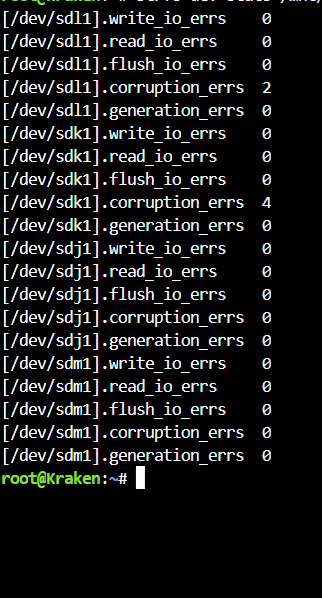
Okay I deleted the files and ran a scrub (which just shows 240gb scanned out of 1TB) but shows no errors. The stats command and it shows 2 errors. See the attached for both.
-
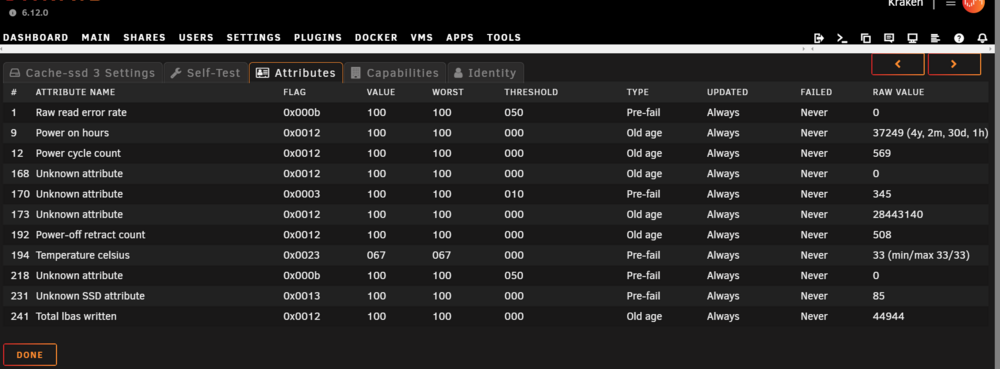
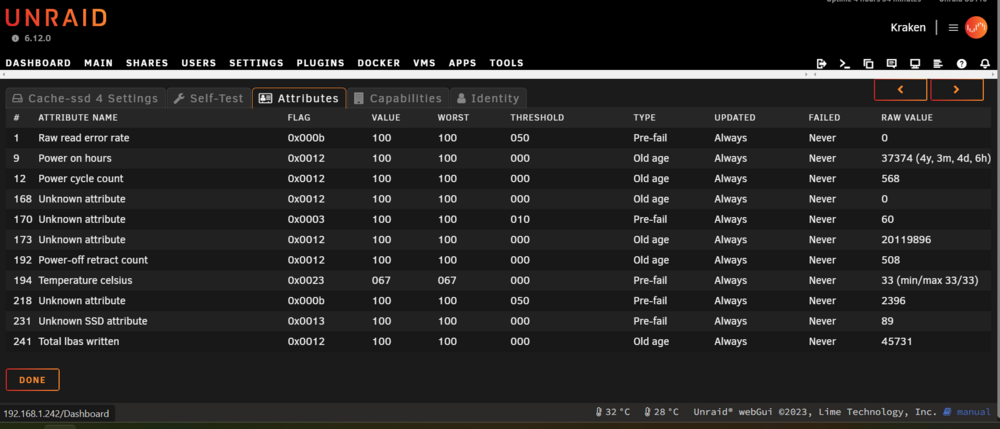
All passed here are the other two. I am not sure if they even matter but I'd rather give too much info than not enough.
-
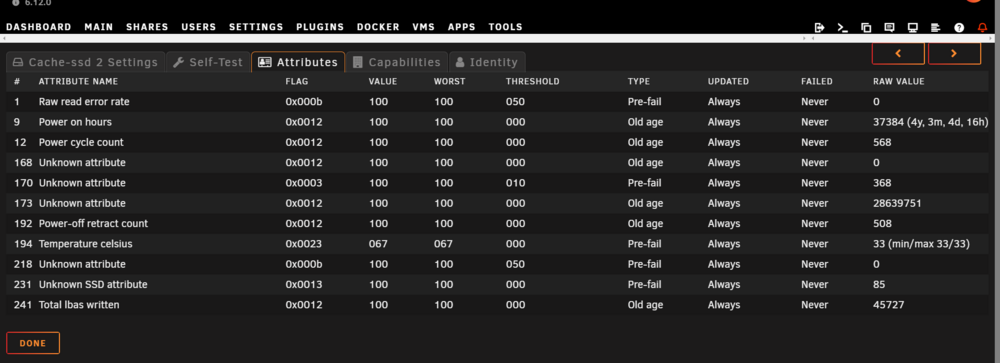
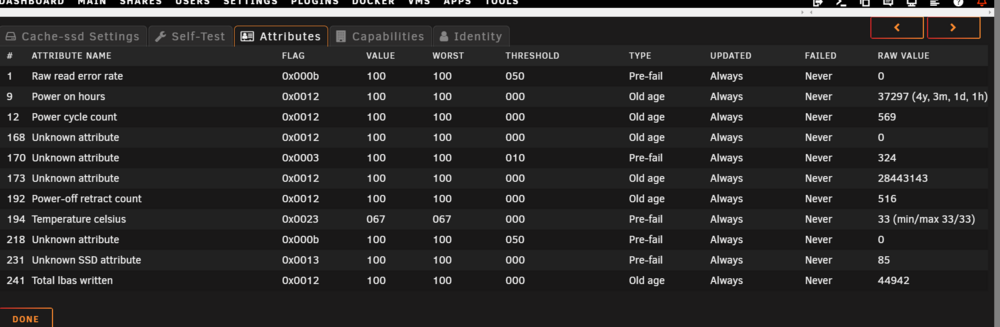
Okay I have the logs and can see the files. Since they are files waiting to be moved I should need to worry about where there final storage would be on the main array correct? Because they were not moved. Oh while waiting I have done smart tests Long self tests and the first two passed. I don't kbow if it matters but I added screen shots of their attributes.
-
Ok so it completed with three uncorrectable errors. See attached. It seems to have started with three and ended with three.

-
Do I need to do this separately for each device in the pool or is it considered as one device. I have a scrub running at this moment on the first device since it was the one that showed errors. I have attached what errors were shown before clearing.pre scrub.txt
-
I had ordered new RAM so I can put back the original 64GB and return what I was using temporarily to it's PC. It didn't get here until today because the mail didn't run yesterday. Should I rum a memtest on the new RAM in a test unit before putting it in the Unraid and then run the scrub and check for errors? Also all of your help is appreciated
-
Yeah I have read it, thank you. I just wanted that sentence I corrected to make since. I got in to big of a hurry. I will go through all of those steps as I cam. Again thank you.
-
And what about the RAM being from a different PC . Already changed out once?





