





mjeshurun
Members
-
Joined
Everything posted by mjeshurun
-
Do I need to create a second mariadb container with a different appdata folder and port?
-
Yes, thank you for mentioning this. I forgot to indicated in my post that I also gave the second wordpress container a unique appdata folder.
-
Can anyone please explain how to setup a second wordpress instance on the same home server to host a completely different website? I created a new mariadb database using Adminer, called the database by a new name, created a new user and gave the user a unique password. I then tried installing the wordpress app again with a different appdata path, container name, and the unique db info I created earlier (db name, db user and db password). The db server info (ip and port) are the same as the first website, but that's the only similarity. The second instance installs ok, but when I try to open the webui I get the following error message: Error establishing a database connection Am I doing something wrong?
-
Thanks. I manged to configure my Wordpress instance with the reverse proxy using the NginxProxyManager. For noobs like me, it's simpler to configure than Swag.
-
Hi Friends, I've installed the Wordpress docker app for UnRAID and was able to migrate my website from Namecheap to my UnRAID home server. I'm able to open the website using my server's local [IP address]:[port] and all the website data seems to have been migrated well. As a second step, I would like to configure the Wordpress website I created on my local server to be reachable using my registered domain name. Can anyone suggest what steps I should take to connect between the Wordpress website, Cloudflare and Swag (which I use to create Let's Encrypt SSL certificates)? Any help will be much appreciated. @Nexius2 maybe you can assist? I read your previous posts in the thread, when you tried to setup swag 🙏
-
Hi friends, After an issue with my unRAID NextCloudPi (NCP) docker app which caused an unfortunate loss of data, I would like to start “fresh” and setup NCP to backup my data using an automated schedule. I’m currently running my UnRAID server using a 2x4TB SSD’s cache pool (no array or parity disks). I also bought a 2TB M.2 SATA SSD and would like to set it up as an extra backup drive, in case something goes wrong with the cache drives (which happened to me and that’s how I lost my data 😱 ). What would be a good approach to do set up my server? Would it be better to keep the 2x4TB SSD’s as a cache pool or will it be better to use 1x4TB SSD as a cache drive and the other 1x4TB SSD as an array disk? Or maybe I should skip the cache drive completely and setup one drive as an array disk and the second as a parity disk? Would it be better to add the 2TB M.2 backup drive as an unassigned device or as an array disk? Which format type should I use for the 2TB backup drive (xfs, btrfs, exfat…)? What is the best way to backup the NCP docker app to automatically save all its data to the 2TB backup drive? I welcome any tips 🙏
-
Hi friends, After an issue with my unraid nextcloudpi docker app which caused a loss of data, I would like to start "fresh" and setup NCP to backup my data using an automated schedule. For this purpose I bought a 2TB M.2 SATA SSD and would like to set things up so that my files will be automatically backup up to this drive every 2-3 days. What would be a good approach to do this? Would it be better to mount the backup drive as an unassigned device or as an array drive? Which format type should I use (xfs, btrfs, exfat...)? How do I setup the NCP docker app to backup the data to this drive? I welcome any tips 🙏
-
Hi Chris, sorry if I'm reawakening an old thread, but where in the webui dashboard can we see the power consumption of the UnRAID server? I cannot see such data in UnRAID 6.10.3. Hope you can help.
-
Thank you @ich777 Do you mean the PS part, that changing DVMT per-allocation settings makes no difference?
-
Hi everyone, hope someone can help. I recently had to change my server's motherboard from Asus Z490-i to a Gigabyte Z490-i due to failure of the Asus MB. The new Gigabyte MB supports the ability to manually set DVMT values. What would be good DVMT values to set, in terms of the iGPU memory allocation, when using the server with an Intel i7-10700 CPU and 64GB of RAM? I currently use the server to run Nextcloud, OpenHAB and Jellyfin.
-
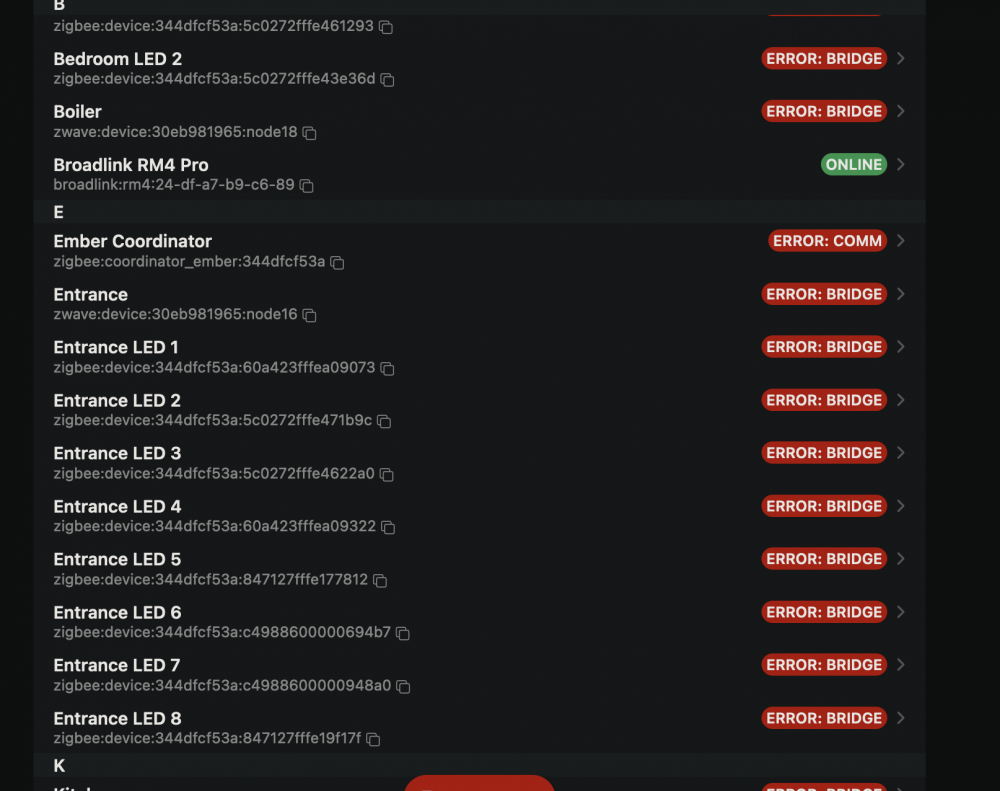
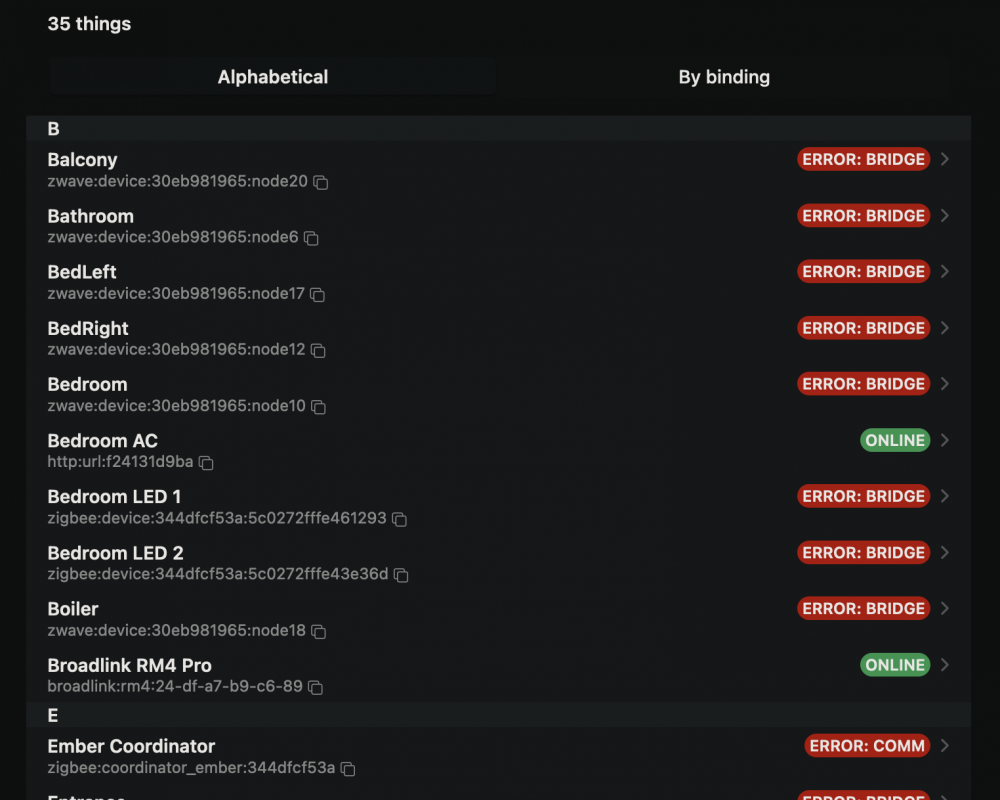
Hello Friends, After rebooting my unraid server today, OpenHAB 3.3.0 (installed with the docker app) no longer recognizes my zwave and zigbee controller dongles that are connected using USB. This means all my zwave and zigbee Things are showing an Error: Bridge message. I tried to reboot the unraid server again, thus also restarting OpenHAB, but that didn't fix the issue. Does anyone know how to fix this?
-
I suggest you manually bakcup all your server files immediately to an extrenal device! I had the same issue a few days ago, and at the moment I lost all my files and folders from my server and also my laptop that was syncing with the server. I'm will try to follow a suggestion given on the Nextcloud forum to re-scan all files using occ, in hope that will bring back all my files. https://help.nextcloud.com/t/all-files-lost-after-nextcloudpi-upgraded-to-v1-48-2/142529/7 I just need to learn how to run occ with NCP installed as an unraid docker app. Hope someone here can help me with the commands needed to run occ.
-
Hello, Can someone please explain the commands needed to run occ for NCP installed as a docker app on UnRAID? 🙏
-
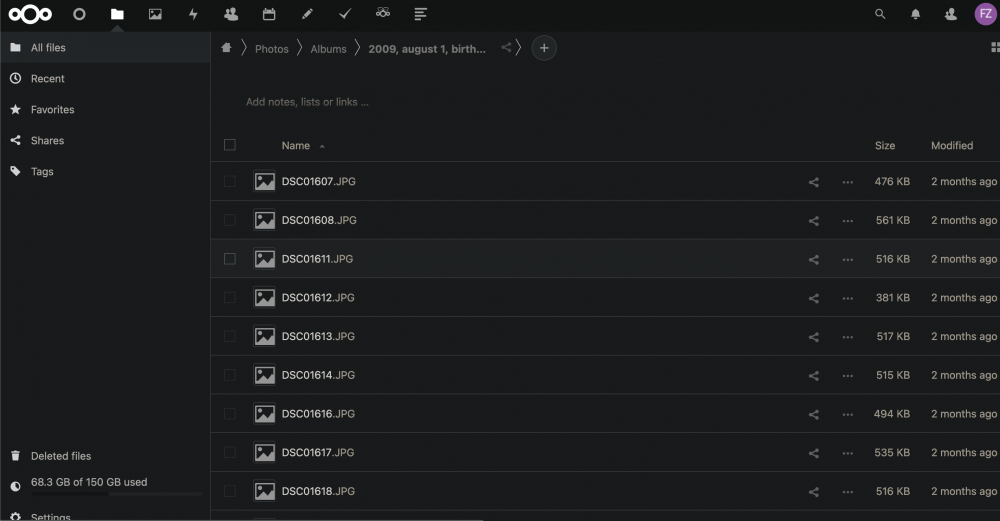
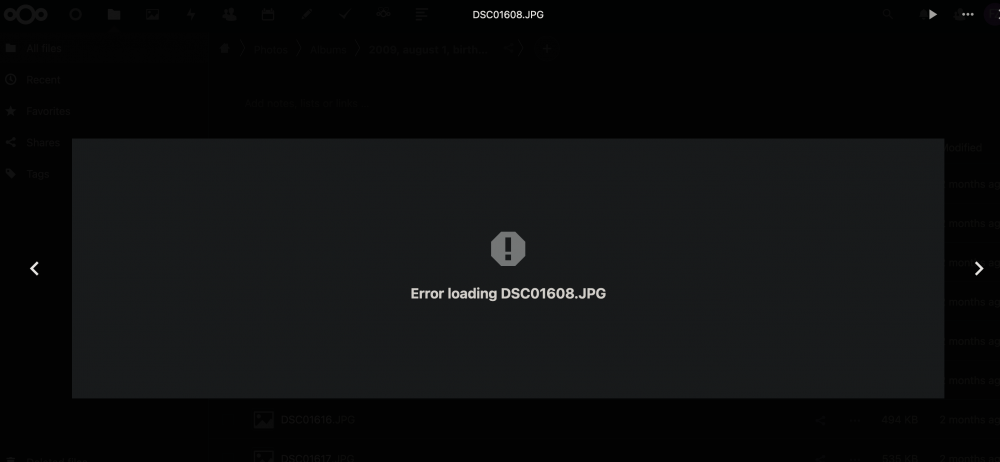
Hello friends, I'm in urgent need of assistance. In the last two days, my Nextcloudpi unraid docker installation has become very problematic to the point I can't open any of my saved files and photos. The problem started a few days ago when I tried to open the Nextcloud web dashboard and I got an error message saying my data directory is invalid and that I need to make sure there is an .ocdata file in the root of the /data directory: I read a few forum posts referring to this issue, that suggested to manually create a new empty .ocdata file in the root data directory. I did that and I was happy to see I could open the Nextcloud web dashboard again. Sadly, however, my problems didn't end there, because now I can't open any of my files. I can see all my files and folders listed in the Nextcloud web dashboard: but when ever I try to open a file I just get an error message: Is there anything I can do to fix this issue to restore my files? I really hope someone can help 🙏🙏🙏

-
Hello friends, I'm running Nextcloud on an UnRAID server with a btrfs cache pool of 2 SSD's. This morning my Nextcloud data got corrupt and now I can no longer see most of my saved files and photos uploaded to the Nextcloud server. Is it possible to restore the main SSD to its state from yesterday using the second SSD in the cache pool? I really hope someone can help with this issue. I might have lost very important files 😱
-
Hello Friends, I'm a novice UnRAID user. Until now I used UnRAID to install and use various docker services. Now I would like to use my server for a VM and I would like to use it with a wireless monitor on my work desk that is located a couple of meters away from the PC running the UnRAID server (there's no possibility to run an HDMI cable from the server to the monitor). Is that possible? Can anyone recommend a wireless display adapter for this or a monitor with built-in wireless connection support? Is there a preferable OS to achieve this goal: MacOS, Windows, Linux? Is there a good tutorial that explains how to install VM's? Thank you very much for all your help.
-
Hi @plantsandbinary , thank you for sharing your installation steps. I'm getting error messages when I try to create the new admin user: $ register_new_matrix_user -c /data/homeserver.yaml http://0.0.0.0:8008 New user localpart [matrix]: mjeshurun Password: Confirm password: Make admin [no]: yes Traceback (most recent call last): File "/usr/local/lib/python3.9/dist-packages/urllib3/connection.py", line 174, in _new_conn conn = connection.create_connection( File "/usr/local/lib/python3.9/dist-packages/urllib3/util/connection.py", line 95, in create_connection raise err File "/usr/local/lib/python3.9/dist-packages/urllib3/util/connection.py", line 85, in create_connection sock.connect(sa) ConnectionRefusedError: [Errno 111] Connection refused During handling of the above exception, another exception occurred: Traceback (most recent call last): File "/usr/local/lib/python3.9/dist-packages/urllib3/connectionpool.py", line 703, in urlopen httplib_response = self._make_request( File "/usr/local/lib/python3.9/dist-packages/urllib3/connectionpool.py", line 398, in _make_request conn.request(method, url, **httplib_request_kw) File "/usr/local/lib/python3.9/dist-packages/urllib3/connection.py", line 239, in request super(HTTPConnection, self).request(method, url, body=body, headers=headers) File "/usr/lib/python3.9/http/client.py", line 1285, in request self._send_request(method, url, body, headers, encode_chunked) File "/usr/lib/python3.9/http/client.py", line 1331, in _send_request self.endheaders(body, encode_chunked=encode_chunked) File "/usr/lib/python3.9/http/client.py", line 1280, in endheaders self._send_output(message_body, encode_chunked=encode_chunked) File "/usr/lib/python3.9/http/client.py", line 1040, in _send_output self.send(msg) File "/usr/lib/python3.9/http/client.py", line 980, in send self.connect() File "/usr/local/lib/python3.9/dist-packages/urllib3/connection.py", line 205, in connect conn = self._new_conn() File "/usr/local/lib/python3.9/dist-packages/urllib3/connection.py", line 186, in _new_conn raise NewConnectionError( urllib3.exceptions.NewConnectionError: <urllib3.connection.HTTPConnection object at 0x152d41037730>: Failed to establish a new connection: [Errno 111] Connection refused During handling of the above exception, another exception occurred: Traceback (most recent call last): File "/usr/local/lib/python3.9/dist-packages/requests/adapters.py", line 440, in send resp = conn.urlopen( File "/usr/local/lib/python3.9/dist-packages/urllib3/connectionpool.py", line 785, in urlopen retries = retries.increment( File "/usr/local/lib/python3.9/dist-packages/urllib3/util/retry.py", line 592, in increment raise MaxRetryError(_pool, url, error or ResponseError(cause)) urllib3.exceptions.MaxRetryError: HTTPConnectionPool(host='0.0.0.0', port=8008): Max retries exceeded with url: /_synapse/admin/v1/register (Caused by NewConnectionError('<urllib3.connection.HTTPConnection object at 0x152d41037730>: Failed to establish a new connection: [Errno 111] Connection refused')) During handling of the above exception, another exception occurred: Traceback (most recent call last): File "/usr/local/bin/register_new_matrix_user", line 19, in Do you, by chance, know what I should do to fix this?
-
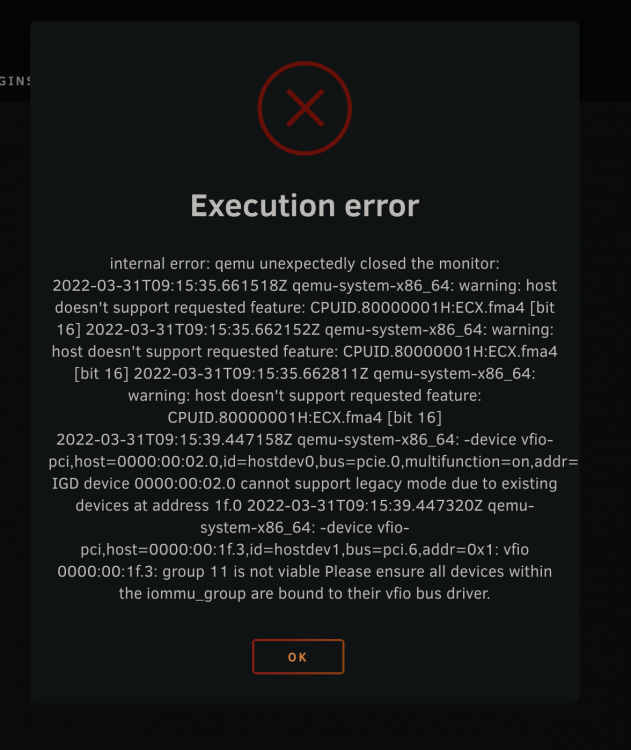
Hi Greenbean, Did you manage to get your Macinabox Monterey VM to work with the intel iGPU? I'm facing issues as well. I'm seeing the following error message when I try to start the VM while the graphics card is set to Intel UHD Graphics 630 (00:02.0) and the sound card is set to Intel Comet Lake PCH cAVS (00:1f.3).
-
Thank you very much. Regarding 1. is it not possible to use OpenHAB's builtin backup/restore system with the docker configuration?
-
Hello Friends, I have two questions regarding the OpenHAB docker container, and I hope someone can assist. 1. how do we create backups files using the OpenHAB docker container? 2. after each UnRAID reboot, the Homekit binding shows my devices in the iOS Home app as unavailable. To fix this, I need to enable/disable the 'Use openHAB mDNS service' option inside the Homekit Integration settings, and then the Home app will refresh and properly show the devices. Is there a known fix for this issue?
-
Good idea. I will try to search the Nextcloud forum.
-
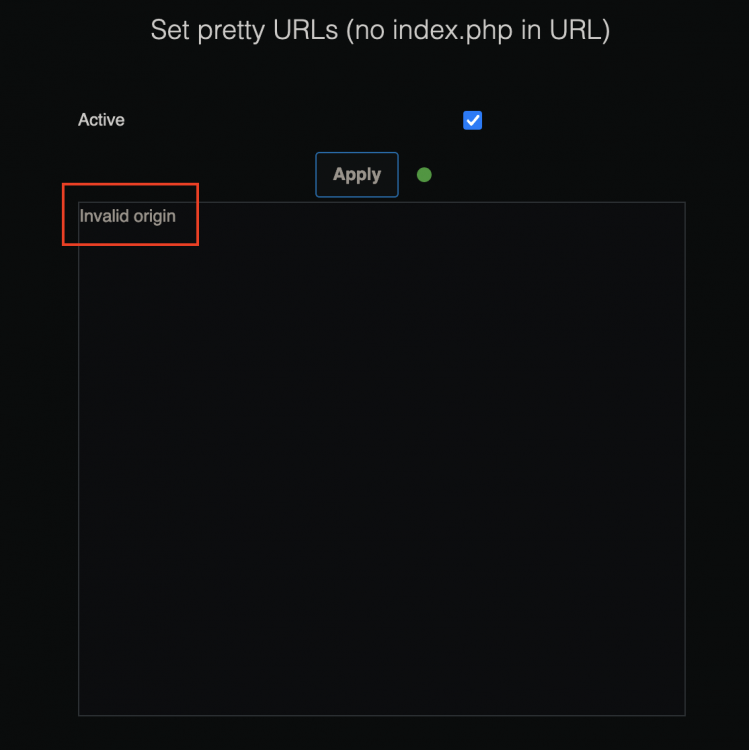
Is anyone else seeing an "invalid origin" message when applying setting changes in the NCP dashboard? It happens for all settings changes, not just for pretty url's.
-
Thanks, @potjoe 🙏
-
Hi Friends, Just finished installing NextcloudPi on my UnRAID using the docker app. Thank you for making this such an easy process I've re-synced my files with the new NC instance and things seem to work ok. However, I'm seeing two warnings regarding my setup in the settings overview page: Can anyone share the path location of the opcache.ini file in the nextcloudpi container, so I can update the opcache.interned_strings_buffer to a value higher than 8? Is there a way to add imagick to the container? Thank you.

-
Hello @Maverick_GERMANY, Did you end up succeeding to install and run Matrix? I'm also trying to install the app on UnRAID, but I'm seeing various error messages in the app's log and the server won't load. Hope you can help.




