





Exlife
Members
-
Joined
-
Last visited
Everything posted by Exlife
-
How to enable dark theme ?
-
Yes. VM loads fine. But graphics card not defined in the system. With qemu 6.0 graphics card show informations what it GT 710. If I choose higher it show "unknown video card"
-
I haven't updated unraid for a long time. Now I decided to update Unraid and Mackinbox. I have problems with passthrough gpu. I use BigSur with GT 710. If i set qemu 7.2 my GT 710 don't passthrough. If i set qemu 6.0 or lower then all good. I edit xml. If i edit form view then start docker macinbox then my VM BigSur use 7.2 qemu. upd. i updated to 7.0 beta 4. test 8 and 9 qem. still can't passthrough. 5.2 perfect passthrough for me. Why ?
-
I succeeded trim macos vdisk. I did it according to this guide. I'll add to this, I've also reduced partition size in macos Disk Utility. After i did command qemu-img resize --shrink macos_disk.img 80G
-
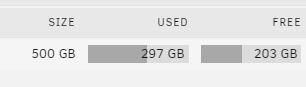
Yes. It all started with trimming. I wanted to reduce vdisk from 260 to 190 Gb. I try with you guide change driver to SCSI and Defrag and Optimize drive. Now i get this: Add to drive free space 80G But vdisk still 260G It fine ? Now i can use it space ? For MacOS VM need to do the same?

-
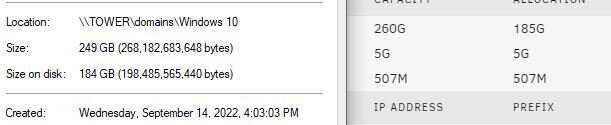
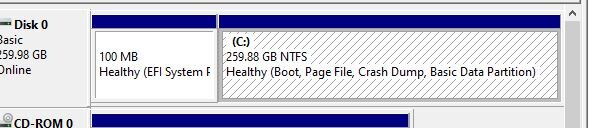
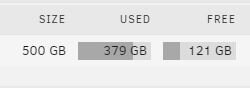
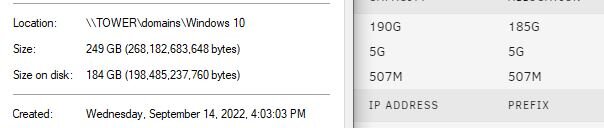
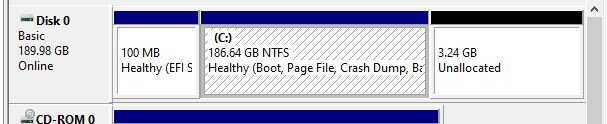
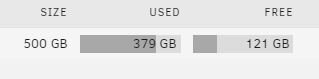
Hello. I can't resize vdisk.img. I want shrink it. It before shrink it after shrink windows Shrink in terminal It after shrink in terminal Why i can't really shrink img ? Just i have around 3-4 VM which need shrink.


-
Hello. I have 2 windows 10 VM. Program key collector show two identical Hardware ID (HID). Why ? I change guid, disk's serial number and other HWID in registry. But I still have two of the same Hardware ID (HID) in Program key collector. Why ?
-
Monterey to don't work
-
I was able to successfully install Monterey 12.6.7 If you need, I can share the opencore and img installer. I can also tell you how to make the installer yourself. XML from BigSur worked for me. You can write me a private message, I can tell you how I did it.
-
I think so. All you can do is wait for a new release or try to manually create a VM yourself
-
Hello. Where i can find opencore for Ventura, Monterey unraid ? Maby information on how to make it yourself?
-
Spaceinvader haven't finished working on the new Macinbox at the moment. If you try donwnload Monterey - it download Ventura or Sonoma with opencore from BugSur( that's why you get black screen with text different languages). I see you success install BugSur. You can passthrough gpu and use it OS
-
just force stop, then edit, change something( add 1 cpu or memory), save, then you can delete
-
Any one can help me create opencore_ventura.img ?
-
Can you help me create opencore ? i don't understand now? how can i do it according to this guide Or maby you can give me you opencore.img ?
-
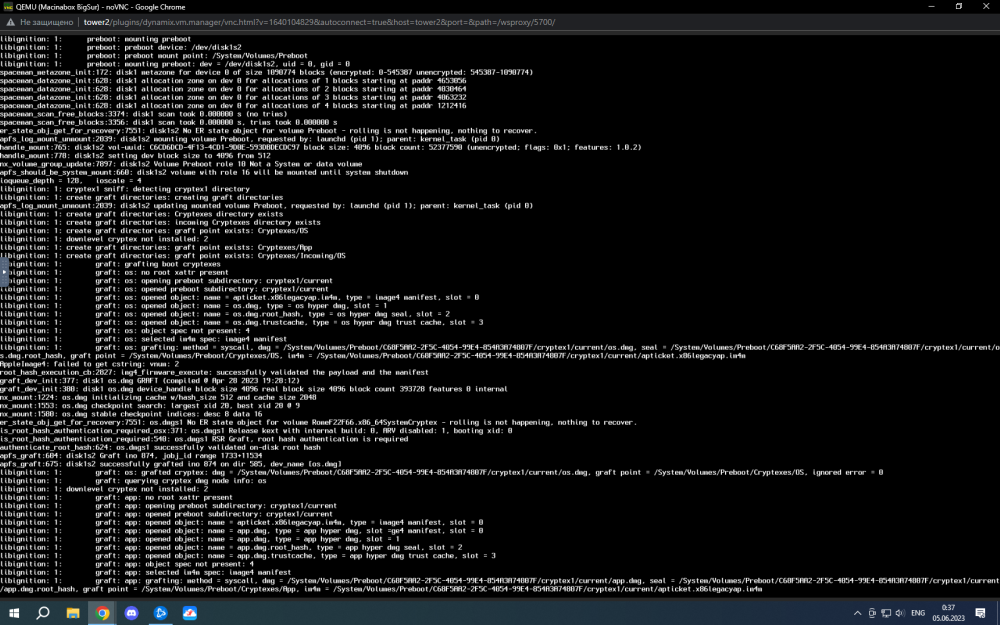
I try create install ventura img from https://github.com/kholia/OSX-KVM and get open core from ThierryLC I get it What's i can try to do ?
-
Now have it problem UPD: I don't understand what's is it. But my VARS file 2 times broken.
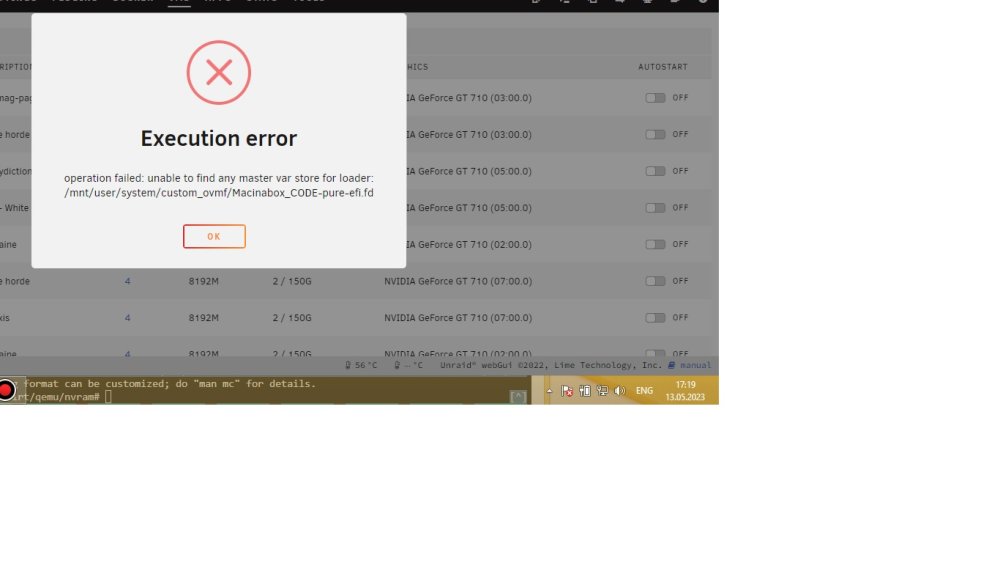
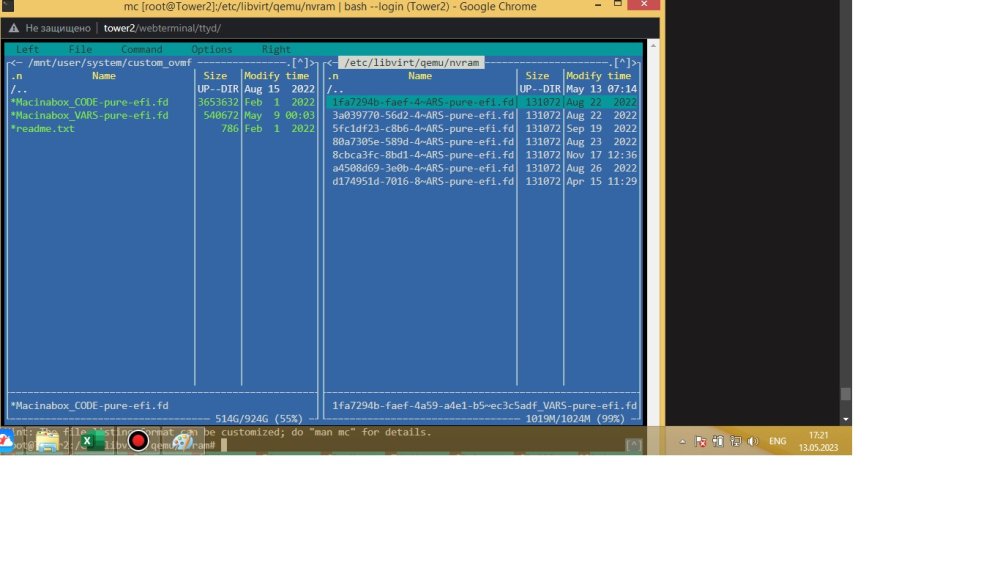
-
Hello. I need add new VM macinbox. I delete docker, script's and i don't have VM with name Macinabox BigSur. After install app macinbix i start script 1_macinabox_vmready_notify then 1_macinabox_helper . I get it It logs VM Whats is it ?
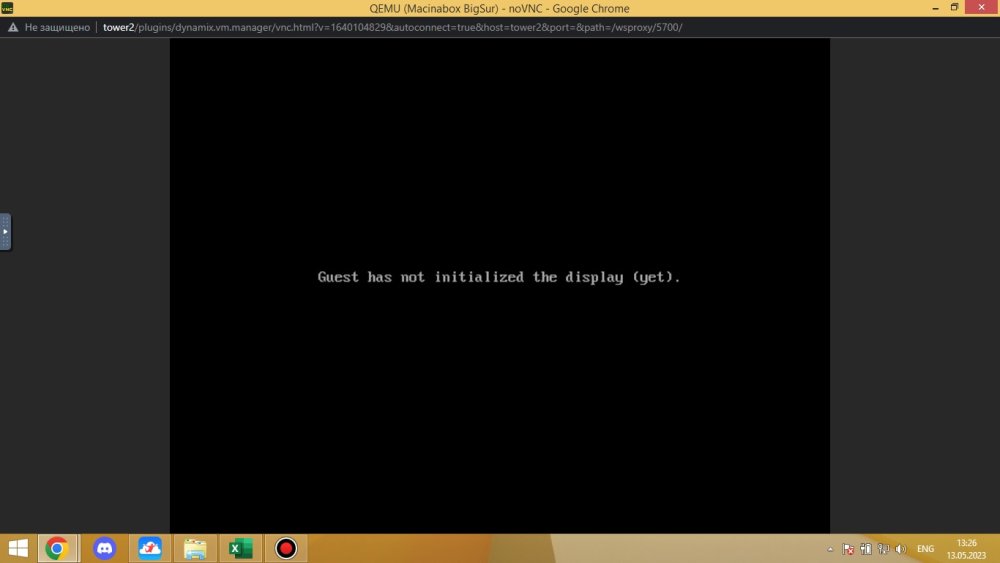
-
You mean it finish ? I lost my data ?)
-
Ok. now i read more for it utility. I try keys -n and -nv i get only it
-
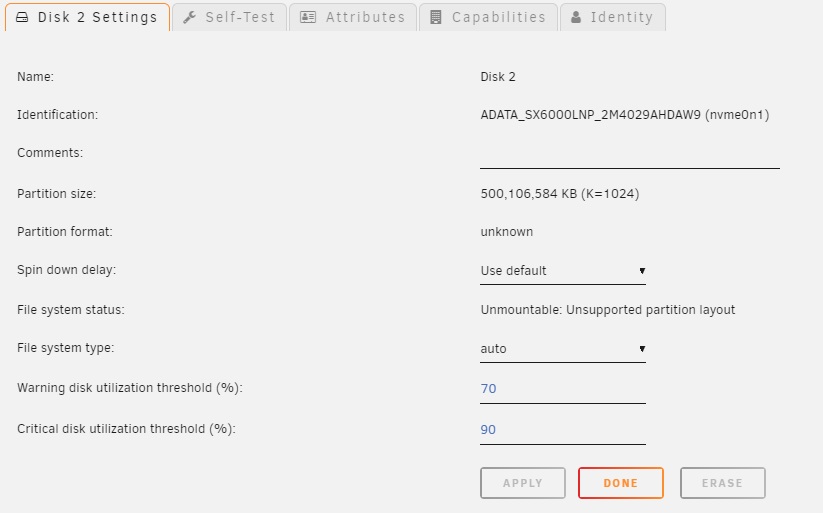
I can only format It still Unsupported partition layout Maby i bad can tell on English. I have array wothout parity. It just disk1 disk2 disk3. I don't add new disk2. My disk2 lose my file system after VM on it disk froze(stuck,halt). I wanna back 4 VM xfs_repair status: xfs_repair status: It can see file with one of my VM. I think it good
-
I don't understand. How it can help me ? I don't have parity drive. It just array with 3 disk. I need repair my file system and data on disk 2. I have 4 VM on it disk. In that thread need format disk. I don't want format and lose my data in 4 VM
-
Hello. I have 3 disk in my array. disk 2 have bad file system ( it was xfs). I can it repair ?
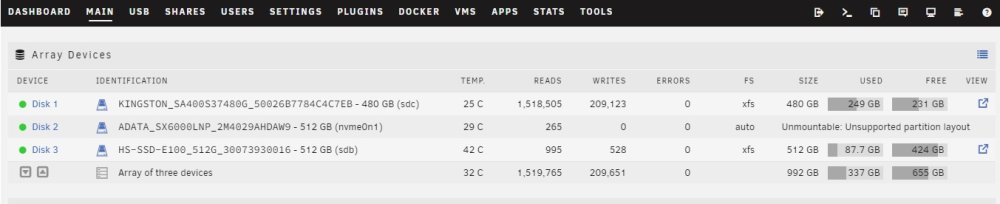
-
NO( Use 2 video card and load pc on 2 card I start VM win 10 without vbios with 1060
-
Hello. I successfully get pass through gt 710 on windows 10. But I can't get pass through GTX 1060 6 GB. I think it's in the vbios. I try it guide https://youtu.be/FWn6OCWl63o but I get bios 58 Kb i try it with 2 video cards. video card bind vfio. i add video=efifb:off to the Unraid boot option and it https://youtu.be/1IP-h9IKof0 I try get vbios from CPU-Z and edit in HxD My GTX 1060 6 BG Palit JetStream. 1Palit.GTX1060.rom 10606.rom




