





Pstark
Members
-
Joined
-
Last visited
Everything posted by Pstark
-
face palm... tower-diagnostics-20220807-1142.zip
-
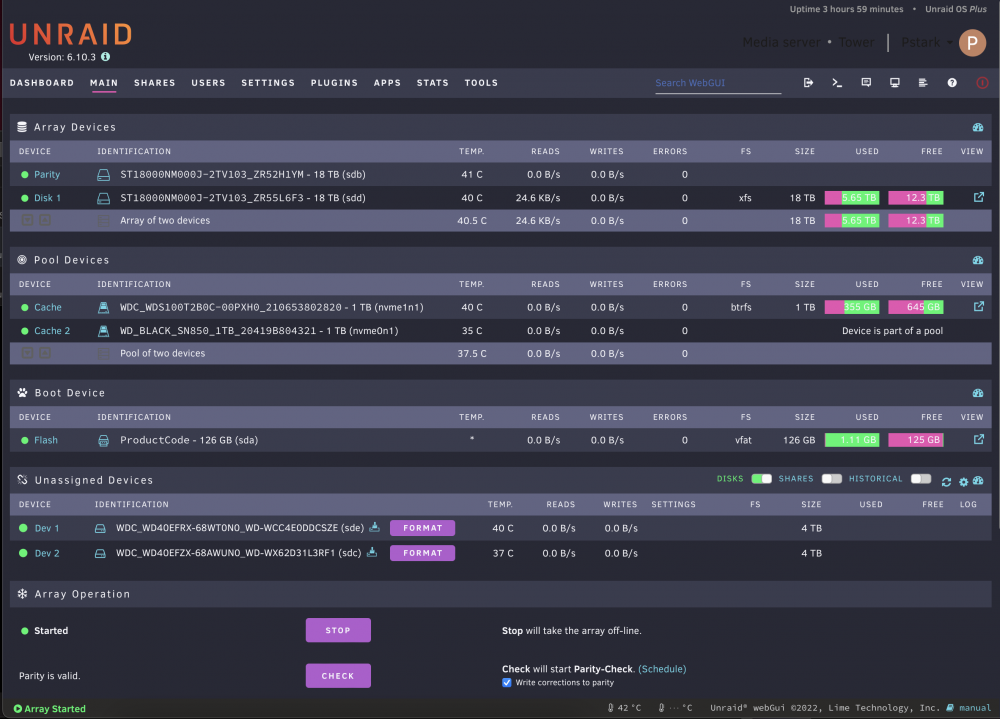
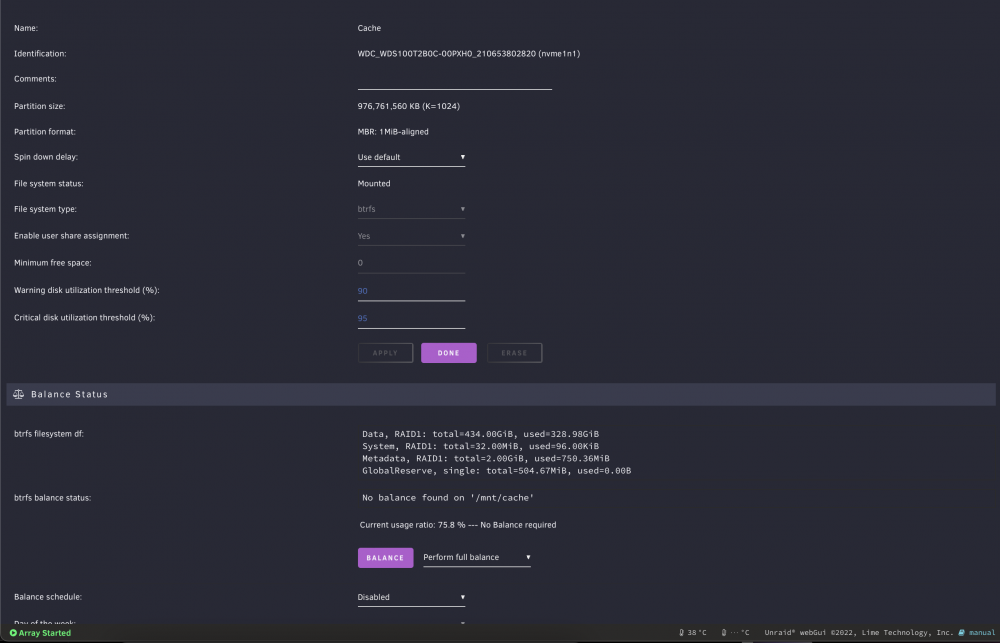
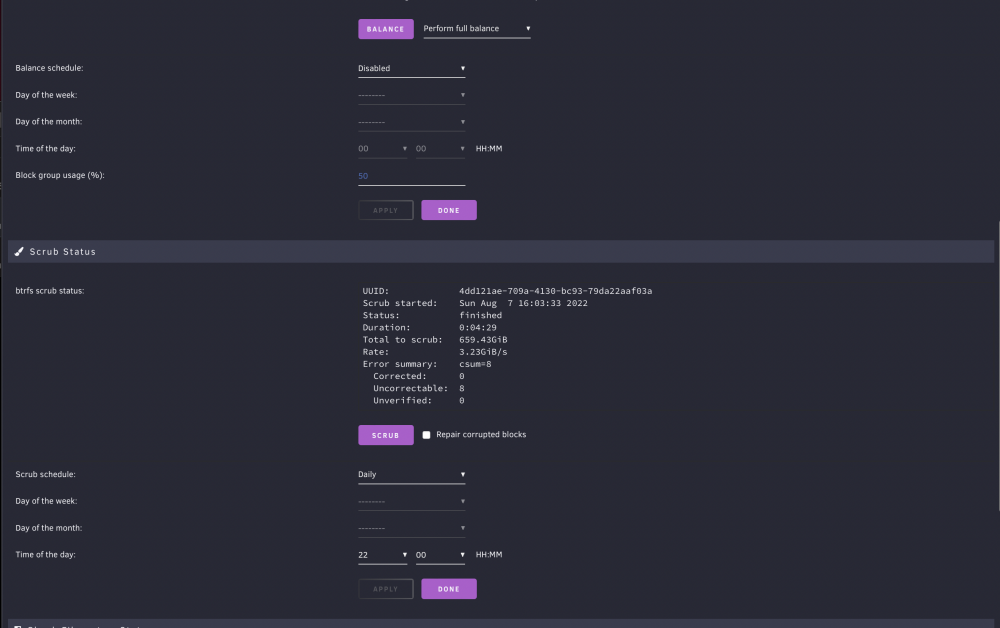
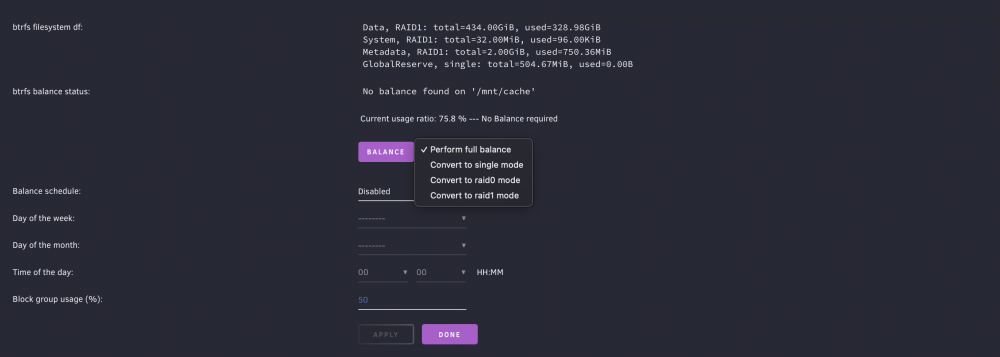
I was looking around my server looking for reasons that might make it become unresponsive seeming randomly. I think that may cause an issue but I'm not sure how to fix it. It said 99.9% utilized before I started the mover. At 99.9% utilization, the MAIN tab says roughly 50% utilization. My question is do I have this set up right? It seems I'm only using half of each drive. I see I have 8 blocks uncorrectable but how do I fix this?
-
In the past I've had this issue of my server becoming unresponsive but it was usually caused by an app that I didn't keep. I recently installed several docker's that I don't want to just uninstall but afterwards, my server becomes unresponsive. How do I figure out the cause of this myself versus posting every time it happens? tower-diagnostics-20220807-1142.zip
-
For those that are avid gamers, you probably know sometimes game updates can be close to 100GB or more. Sometimes you find out there’s an update when you launch the game and therefore have to wait to download the very large file that can take a while depending on your ISP package. I’m asking the community if such an app exists that will download this update automatically so it can be downloaded for my local server instead. My local network is many times faster. I believe this would essentially be caching the update locally on my server.
-
I recently had a 4 disk array and I migrated to a 2 disk array. I copied all the data from all the prior data disks to to a single drive then created a new config with a new parity drive (18TB no data) and the array disk (18TB with data from the old array disks). Parity was built successfully and no immediate issues were noticed. Now, about a week later, I noticed on my MacBook Pro, Time Machine backups are not completing, smb shares are not mounting. When Time Machine fails, I get a notifications "Backup Disk Not Available" but if I watch the Time Machine preferences as I start a backup, it starts with looking for backup disk and then changes to preparing backup. This to me means it found the disk but for some reason can't write to it. tower-diagnostics-20220720-0750.zip
-
Thanks for pointing out my docker image was not in the cache drive. I moved it to the cache drive now. As to why my docker img is 75G, I'm not really sure. Is there a way to reduce it size?
-
So can I run the nvme and SSD in a parity outside of the array? essentially having a parity for the HDD's(2 x18tb drives) and cache parity (nvme and SSD drives)?
-
Currently getting data moved from 3 smaller drives to 1 large drive. This will free up bays in my cage for a 1TB SSD. My drives available for new config: 1TB nvme 1TB SSD (Sata) 18TB HDD (Sata) x 2 I currently host a Nextcloud instance but plan to host more and I’m ultimately looking to setup my new config the best way possible to speed up docker while I’m going through the process anyways. I was going to put the SSD in the array and reserve it for all the dockers but will the parity process slow it down?
-
I got PhotoPrism setup for personal use but I want to know if family can make their own accounts to backup their photos? Similar to Nextcloud’s new user registration app.
-
Can someone one point me to a guide for replacing 2 drives so I don’t loose my docker setup? Once I have that, I can mount the other drives UD and manually copy the data over. I think I made good decisions that will pay off being none of my shares are allocated more then one drive.
-
I got it working. I had to create an HTTP policy in cloudflare.
-
After much frustration and time, I was successful in setting up Cloudflared for Nextcloud but the same method doesn't seem to work for PhotoPrism. I point the domain to PhotoPrism IP:Port but it only works via HTTP. Set it to HTTPS and I get a 503 error.
-
I don't plan to keep the previous HDD's. It would just be the 2 18TB drives.
-
Thanks, I was definitely overthinking it. Installed the container and it worked... simple
-
When I attempt to setup a reverse proxy, I get an error saying “that domain is already in use”. I own the domain and I think it’s because I have set this up in the past. How do I fix this?
-
I want to run the latest build of Nextcloud and it says it’s based on php8. I know I have php7 but how do I update to php8? Same scenario, should I be using Apache or apache2?
-
I did this. So if I disable the onboard networking, I should only have 1 active network (not sure if the onboard will still be detected or not) which is my 10gbe, what would Unraid ne it?
-
A while ago I installed a 10 Base-T network adapter in my server. At the same time, I disabled (in bios) the MB ethernet. The MB is still listed in Unraid and I also have a bridge. I only have the 1 network so don’t think I should have a bridge. Is this right?
-
That guide was very helpful. This along with me finding out I needed swag allowed me to finally get it working. Thanks! Does anyone know to access the it via the local network?
-
I'm using UD to mount the drive(18TB) since it's not apart of the array. It's not part of the array since it would have to be the parity drive and since it's much larger then the rest of the drives, I would loose aprox 10 TB of usable space.
-
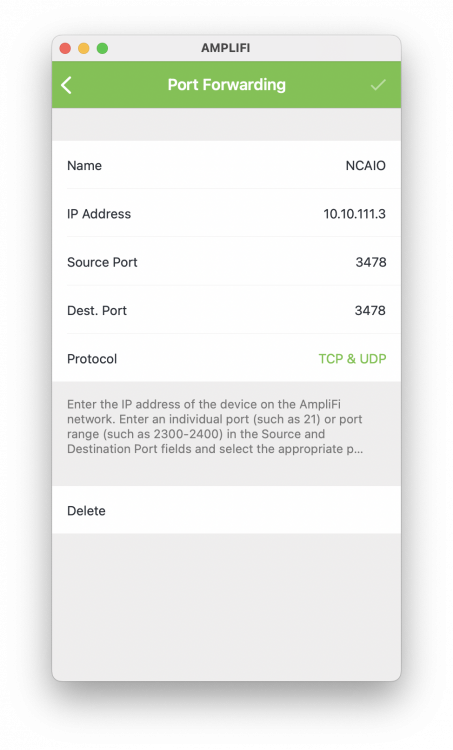
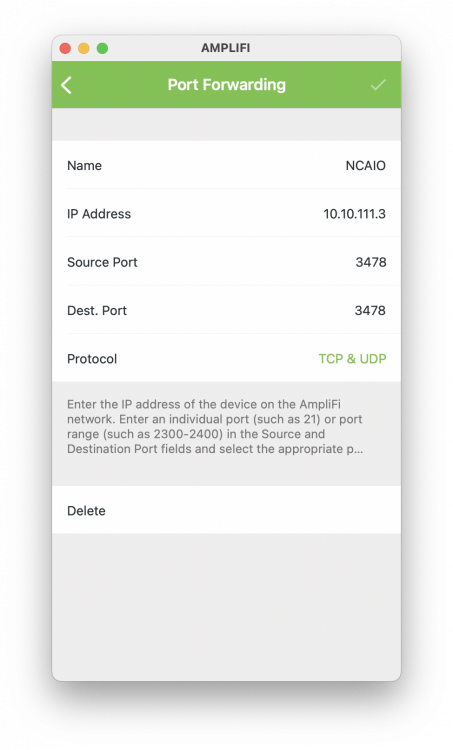
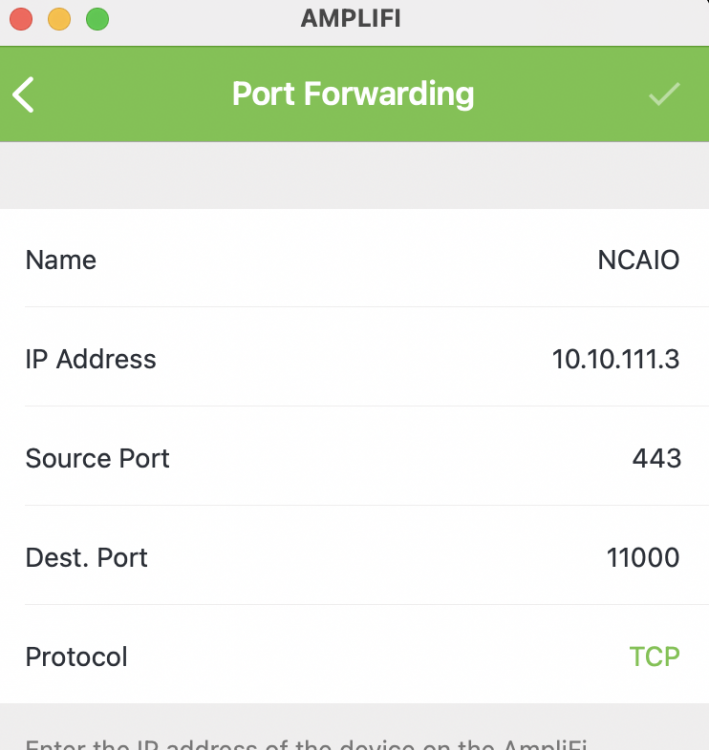
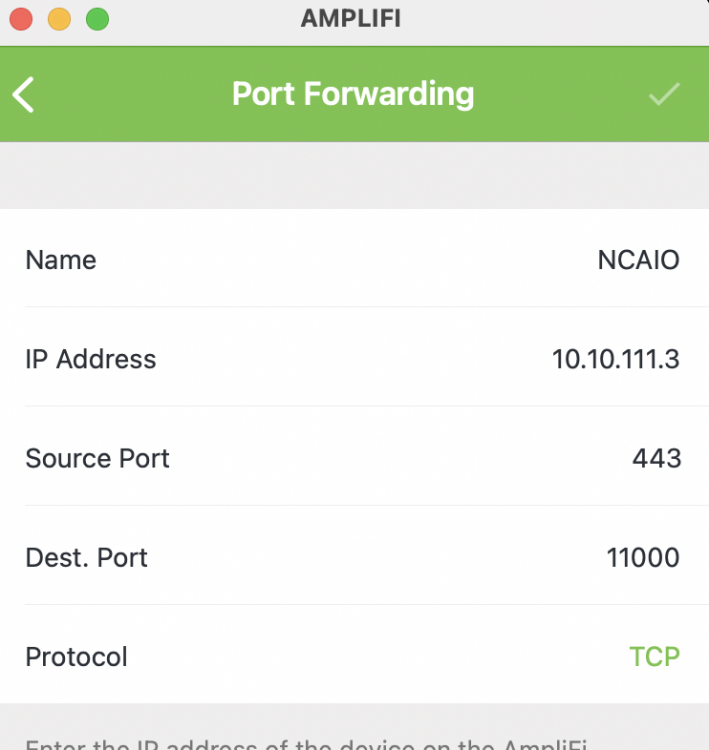
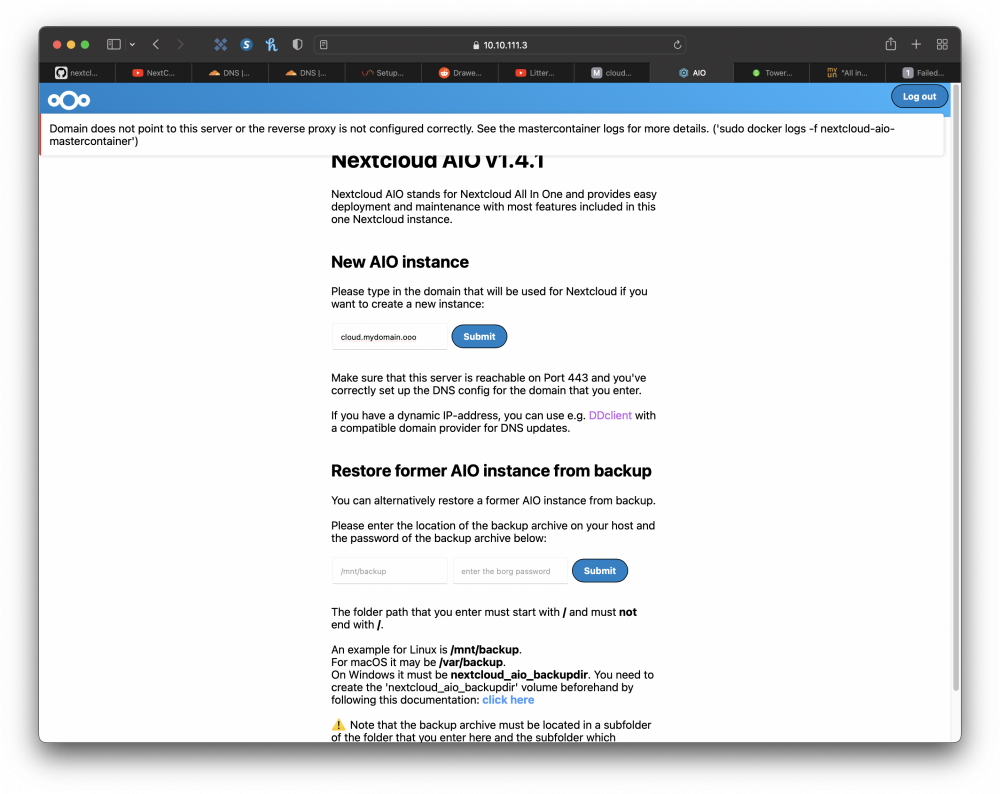
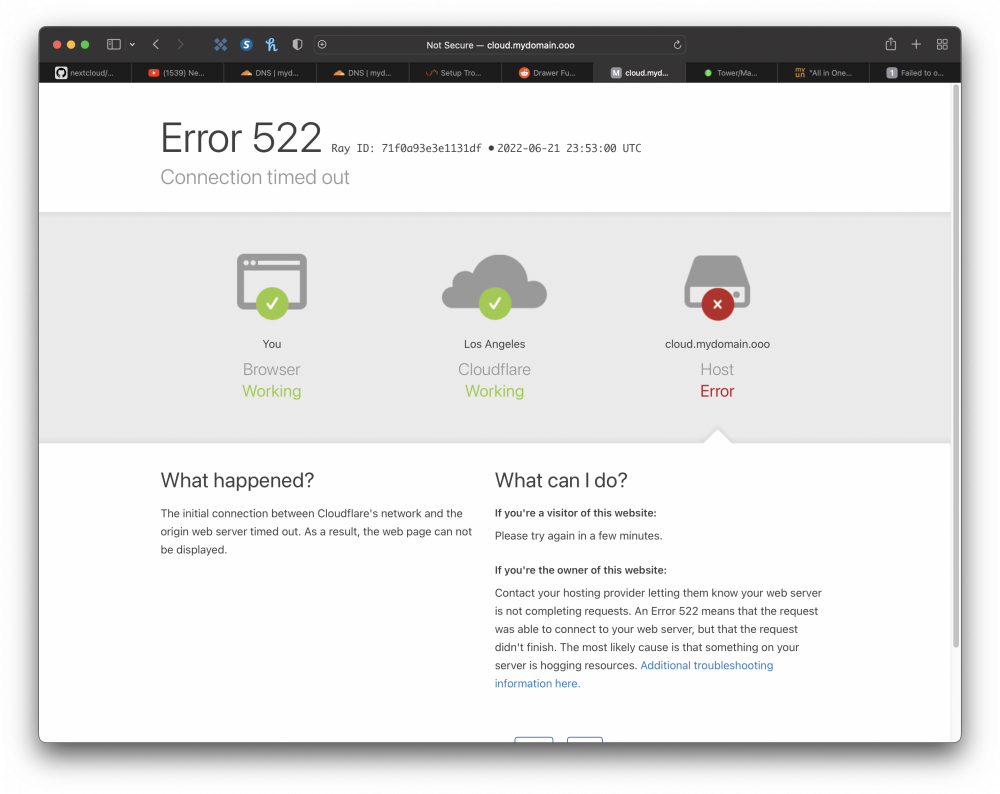
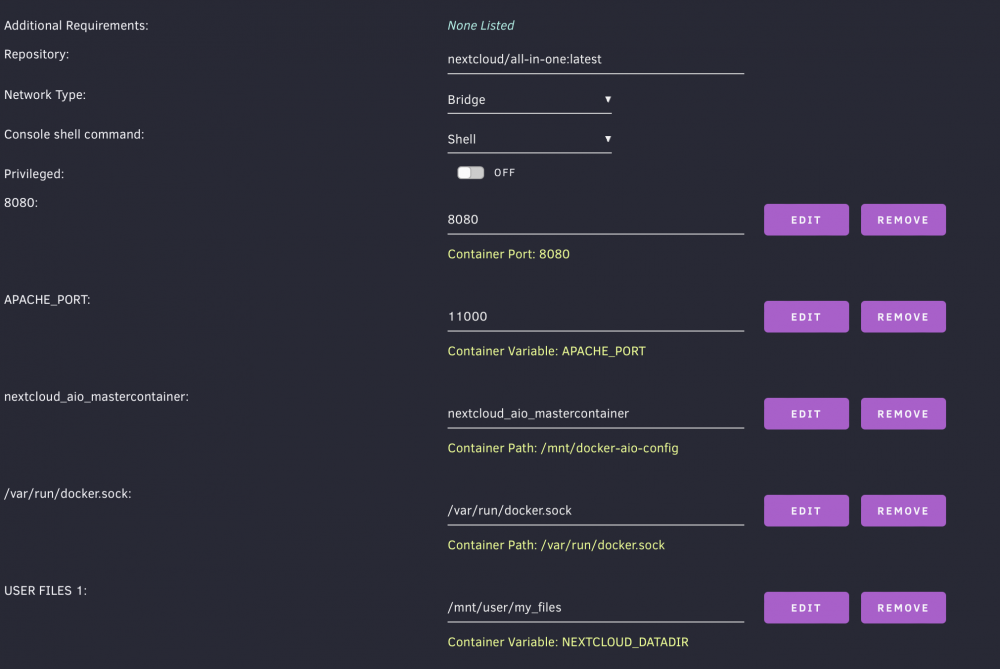
I figured out what my issue was. I have been using NginxProxyManager for other Nextcloud containers but nice I was having issue getting my AIO working, I removed the containers and I forgot SWAG was required to also be installed. Long story short, I installed SWAG and was able to get a SSL certificate and then the AIO install went smoothly.



-
tower-diagnostics-20220621-1405.zip I had to compress it.
-
I must be missing something. I attached all that I can think of that might be helpful as to what the problem could be. Since you have yours up and running, many you could identify what's different?
-
When you get to the setup page, after initial login, do I put "CNAME.domainIown.com" or "CNAME.ddnsdomain.com"?
-
That's the reason I haven't added it to my array yet. I'm using UD to add it to my server. See attached. Would I just just take out my parity drive then rebuild it with the larger drive then take out another, rebuild again then manually move all the remaining data on the other drives to the array?


