






JackieWu
Members
-
Joined
-
Last visited
Everything posted by JackieWu
-
由于你的 Unraid 用的是 DHCP 自动获取 IP ,所以估计是你的局域网里面有两个 DHCP 服务器所导致的。 更进一步的判断你需要将你的诊断信息发上来,方法参考:
-
请上传日志和诊断信息,方法参考:
-
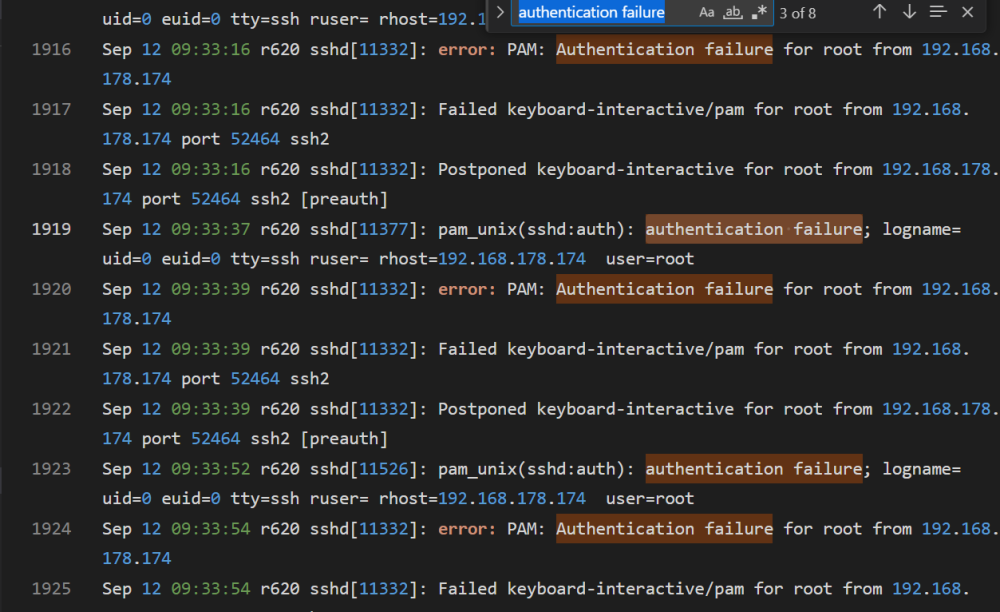
Maybe try to disable SSL authentication? I see the authentication failure error in your syslog.
-
-
建议使用官方的安装包重新安装一下系统,将 config 文件夹内的 .key 文件拷贝回去。 参考:如何安装/重装/更换unRAID系统
-
-
如果是虚拟机,可以借助 libvirt hook: docker 的我不太清除,有知道的朋友可以分享一下。
-
尝试删掉关于主题类的插件测试看看,比如 theme engine 。
-
关于阵列写入速度慢的问题,参考: unRAID 万兆网卡速度达不到,参考:Unraid 万兆网络实现注意事项
-
建议用 unraid 搭建一个 openwrt 虚拟机来给 unraid 使用代理
-
KVM, QEMU start or stop virtual machine from command line (CLI) 查看虚拟机列表: # virsh list --all Id Name State --------------------------------------- - CentOS7 shut off - debian shut off 启动名为 CentOS7 的虚拟机: virsh start CentOS7
-
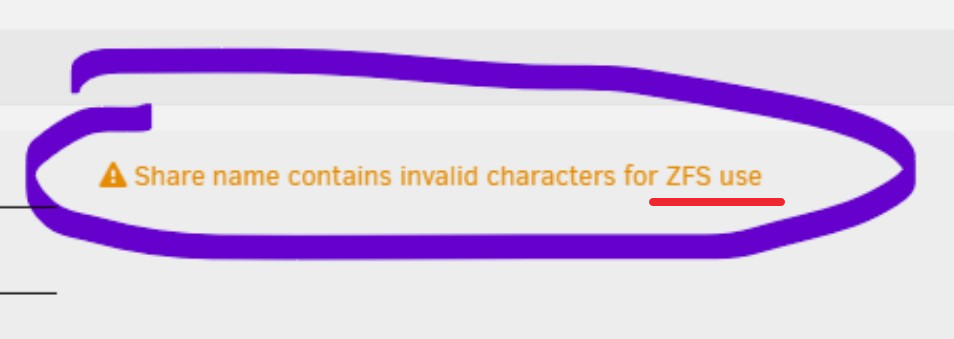
我没理解,是这里的共享文件夹命名问题吗?
-
谢谢反馈
-
面板的列数会根据页面的缩放来自适应,我也不是很清楚如何固定三列进行显示,有知道的朋友可以说一下。
-
可以,但是优惠码也基本是长期有效的。
-
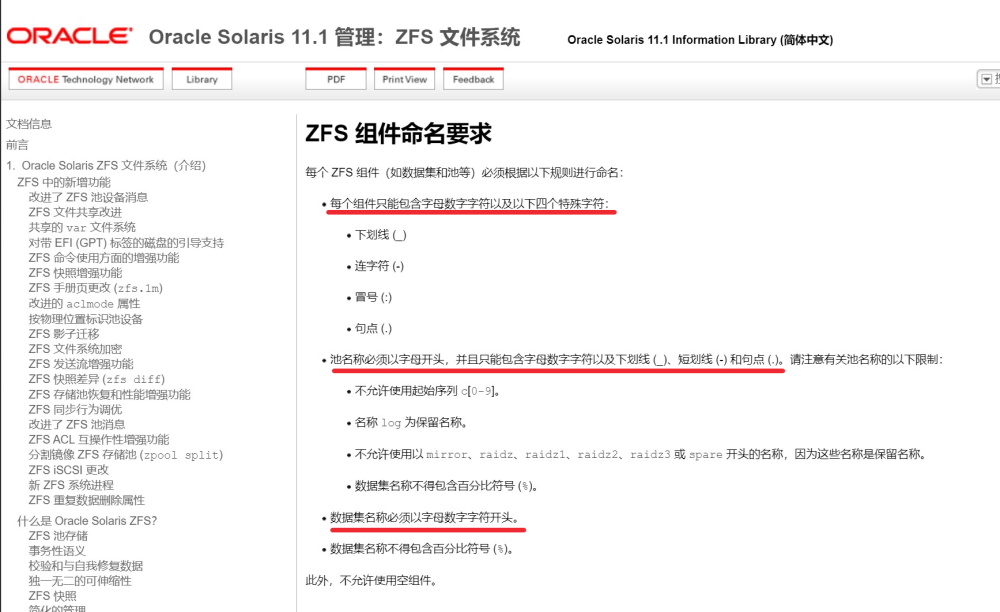
因为这是 ZFS 的要求(ZFS 组件命名要求):
-
BIOS 设置参考:如何保证unRAID正确开机
-
你用的是什么版本,我查了下官坛的资料,有的说回退版本有用。
-
日志里面没有无法访问时的错误信息,建议你按照这里的方法去保存日志,然后出现问题时再将日志上传上来:
-
建议可以尝试重新安装一下 unRAID ,方法参考:如何安装/重装/更换unRAID系统 然后最好也检查下主板的 BIOS 设置,方法参考:如何保证unRAID正确开机
-
请上传相关的诊断信息,方法请参考:
-
-
你可以到 /boot/config 中去修改 network.cfg 文件,删除里面关于 eth1 的参数。 另一个简单粗暴的方法是重置 unraid 的网络设置设置,参考:常见问题-1:unRAID无法访问
-
参考:6.12.4 关于失联问题的解决办法以及相关更新说明
-
如果你是通过 WebUI 界面去升级的,那么你可以按照 2P 朋友的方法去回退。 如果不是,参考:如何安装/重装/更换unRAID系统


