





sneville83
Members
-
Joined
-
Last visited
-
I am currently on v7.3.0. I am not able to see if the direct monitor/keyboard is frozen because my server is a total headless unit. No port for a display. I am still using v7.3.0 because I am afraid if I upgrade too much, my older GPU won't work with the NVIDIA driver and I can't afford to buy a new one right now. I was able to get the syslog looping back to itself and saving on the server. I am just waiting for now. I am moving so my server is packed away. But once I get it running again, I will check and see what the logs say when it happens again. But thank you for this suggestion, I didn't realize it was an actual option. I thought I would have to build another PC from scratch just to receive the logs. lol
-
Hello, I need some help with an issue that has been coming up every so often. Sometimes, my server will be running fine and then it seems like anything accessing it will freeze. I am not able to access it through the webGUI, SSH, and any remote apps like Plex also loose connection. The only way to regain access is to manually restart it. Everytime I check syslog to see what happened, it will only show me from the boot up. I did setup a container on another PC that tests the connection between it and the server using ping and the webpage. If it loses connection, it notifies me. I have tried setting up a syslog server on the other PC but it doesn't seem to want to work through my network. I am looking for any suggestions to make the syslogs persist through a manual restart (Either pushing the power button or loss of power). Once I am able to get those logs, I may need some help decoding those logs to figure out what exactly is causing it to totally freeze on me. I should also mention that the server is headless and doesn't have a connection to hook up a monitor.
-
Oh okay. Thank you very much.
-
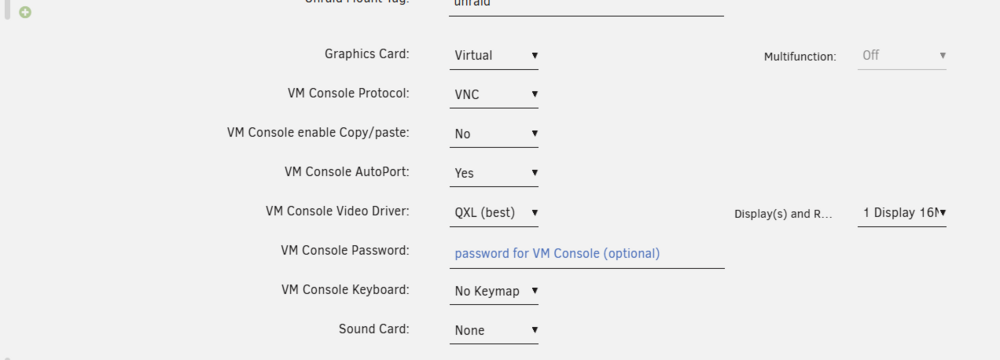
I tried to follow all these steps and none seemed to work. I didn't get the checkboxes when I went to System Devices, and I don't get the choice to add a second GPU to a VM. I tried on an existing VM and a brand new one, but neither one worked. My server is registering the GPU which is highlighted in one of the screenshots. Could someone please help me? I have taken screenshots and added the diagnostic file for you to review. tower-diagnostics-20260308-1313.zip

-
The transcoding is basically done through Plex. I was also thinking of using the GPU to create subtitles through Whisper. I tried setting up transcoding videos "manually" to save space on my media server, but got frustrated trying to find the best settings to use that save space and still be usable on plex.
-
I have a Nvidia GT 730 in my server right now. Been trying to find a relatively cheap that is more up to date for transcoding.
-
I highly doubt this, but other then downgrading my Unraid OS, is there anyway to use the previous drivers? I have a Nvidia GT 730 and it uses linux driver version 470.256.02. I remember seeing it somewhere i may have to setup up the driver file to use that version and kernel that unraid is currently using. If that's the case, is there a tutorial to follow? I have never done that before.
-
I have reviewed all the previous posts and unable to find one that allows me to access my unRaid server through the zeroTier Docker container. I have added the Docker network interface for as a listening interface, but still unable to access my unRaid server at all. I am able to ping the Container using the zeroTier IP Address, but get a timeout error when I try to access unRaid. Could someone please help me? I am willing to supply anything data you need. I am not looking to just access the unRaid webGUI, but also the network shares I have setup.
-
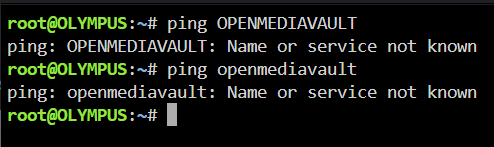
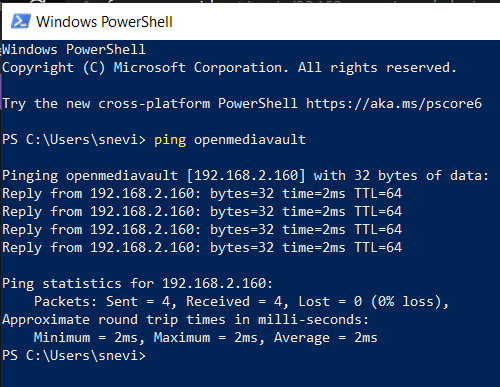
When I ping OPENMEDIAVAULT (Server's hostname), it says Name or Service not known. However, I can ping the server by host name on all my other computers.
-
I attempted to ping the server by its hostname and its says that its unknown. However, when I go to ping the ip address of the server, it works fine. Unsure how to force unRaid server to automatically add openmediavault's IP address to DNS record so I don't have to use the IP address to connect.
-
Here is the file. olympus-diagnostics-20231017-1441.zip
-
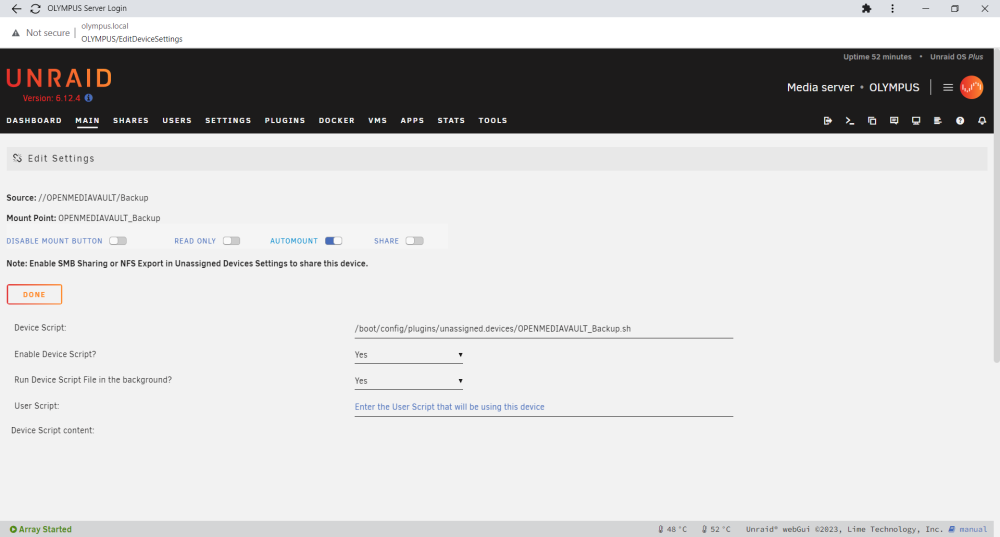
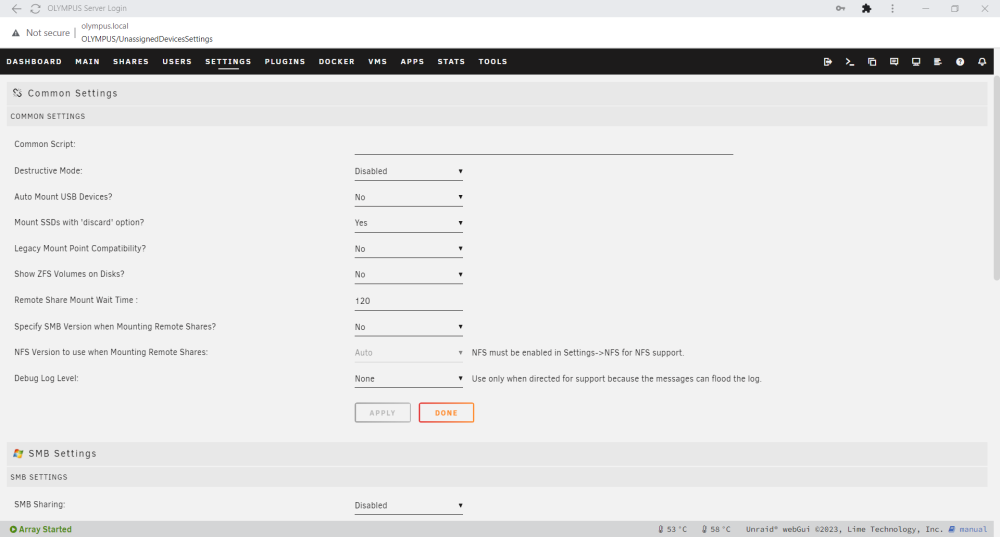
I am having an issue with remote sharing. I have a share setup to auto mount to my backup shared folder on another server. But everytime I reboot my unRaid server, it won't auto connect and says that remote server is unavailable. Even though it says that, the remote server is always on and you can always access the shared folder from other computers. Also the mount button is greyed out. I have changed the remote share timer delay to 2 minutes thinking it was a slow connect thing, but it is still happening. I have attached a screenshot of what it shows on the main tab, the settings for the specific mounting, and also settings for the plugin. I hope someone can help me out with this. It happens to all shares I setup, even when I try to connect to shares on other servers/computers.

-
I was following the instructions for the Elasticsearch container. This is a quote of the steps it said to take: You must follow these steps if using Elasticsearch 5 or above -- vm.max_map_count must be increased or this container will not work Install CA User Scripts from Community Apps Create a new script named vm.max_map_count with this contents: #!/bin/bash sysctl -w vm.max_map_count=262144 3. Set script schedule to At Startup of Array 4. Run the script now to affect changes I followed the steps at stated above.
-
sneville83 joined the community
-
Hello, I am having an issue and unsure how to fix it. I installed the elasticsearch container and within it you need to create a user script with the command: #!/bin/bash sysctl -w vm.max_map_count=262144 I set the script to execute the script at startup of the array. After I restarted the server, it will not load. It seems to freeze with a dash in the upper left corner of the screen. I have a feeling its the script that is causing it but unsure how to find the script with it not booting up. I can use another OS to access the USB drive, but don't know where to go within the filesystem. Please help.



