





spall
Members
-
Joined
-
Last visited
Everything posted by spall
-
@eranwolf I had this same problem last night but with NZBGet.. I run Sonarr through Binhex's PrivoxyVPN, and have been having some issues with a change he made in the last 48 hours. Telling Sonarr to ignore the IP where NZBGet is got it working for me. If you're using a similar setup, you might look there.
-
So.. turns out it's /foundry/data/Config/options.json.lock/ <-- this folder is getting hit every 5 seconds 24/7. Andrew (the FVTT dev) isn't sure anything can be done about that. I'm trying to think of the best way to try and work around it.
-
Thanks for taking a look. I upgraded to the beta 0.7.3 as a friend suggested the changes with WebRTC could be the culprit. That didn't turn out to be the cause. I'll contact the developer to find out what file(s) he's smacking around a lot when the server is otherwise inactive.
-
Have a great session
-
Are you saying you think FoundryVTT is hitting the disk fairly frequently even when nobody is connected to it?
-
Hallo, First up.. thanks for doing this. Installed the other day and came up first try. That said: I have my /foundry/data folder mapped to a share that I've assigned a single drive to and using cache (/foundry/fvtt is with the rest of appdata on the cache drive). When this container is running it prevents the drive in the share from spinning down. Is anyone else seeing this behavior? Thanks!
-
@ledfortr I _think_ you can edit the config.xml in the sonarr dir in appdata to have: <AuthenticationMethod>None</AuthenticationMethod> and restart the container.
-
@amb5014 Yes. If you're using a SOCKS proxy, try switching to HTTPS or running without and see if that solves your issue. That's what did it for me.
-
@lordvaderxiii I think you might have been. I switched over to using privoxy that's passing through Binhex's DelugeVPN docker container since I already had that running. 100% CPU problem has been gone for over a week.
-
@lordvaderxiii I am. Are you on to something?
-
I get this all the time. I've asked in various threads about it, but I've always come up empty. It seems to only affect some people. In my case, it's caused by NzbDrone.exe running a ton of threads. I limited mine to 2 cores because it makes my CPU temps go crazy otherwise. Restarting the Sonarr docker will temporarily solve the issue. I have a script running every couple hours to restart the container. It's bandaid, but I haven't figured out how to stop it from happening.
-
No change. Reverted back. I'm still seeing this problem several times a day. Restarting the docker seems to be the only (temporary) fix.
-
Hey, was that directed at me? I certainly can do that, if so.
-
Hi all, Reposting this from another thread as I have switched dockers to see if it solved my issue. It did not. --- Has anyone had an issue with Sonarr hammering your CPU (regardless of any pinning settings) at 100%? This has been happening for a while to me. Looking at top, I get: /usr/bin/mono --debug /usr/lib/sonarr/NzbDrone.exe -nobrowser -data=/config I have around 16 or so lines of that in top with each one using 10-20% CPU. Restarting Sonarr solves it until it (seemingly) randomly starts again. I've gotten to the point where I have a script restarting Sonarr every few hours, but lately I've still had to check it manually and see if it is out of control. Anyone seeing this or have any ideas? Thanks!
-
Hey all, Has anyone had an issue with Sonarr hammering your CPU (regardless of any pinning settings) at 100%? This has been happening for a while to me. Looking at top, I get: /usr/bin/mono --debug /usr/lib/sonarr/NzbDrone.exe -nobrowser -data=/config I have around 16 or so lines of that in top with each one using 10-20% CPU. Restarting Sonarr solves it until it (seemingly) randomly starts again. I've gotten to the point where I have a script restarting Sonarr every few hours, but lately I've still had to check it manually and see if it is out of control. Anyone seeing this or have any ideas? Thanks!
-
Hallo, I too am suddenly seeing Used value showing up red when the drive has a ton of free space left. Any thoughts on this? Thanks for this plugin! -Dave

-
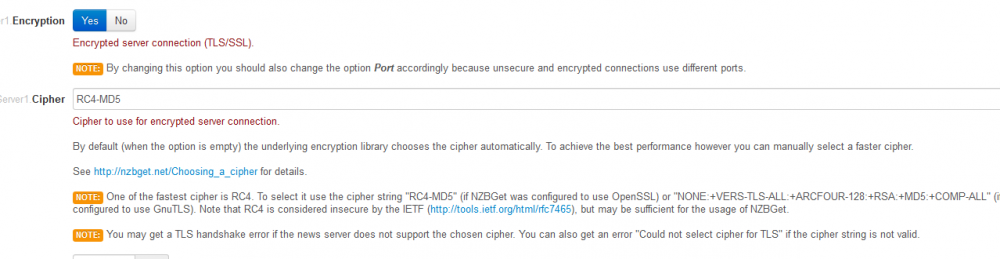
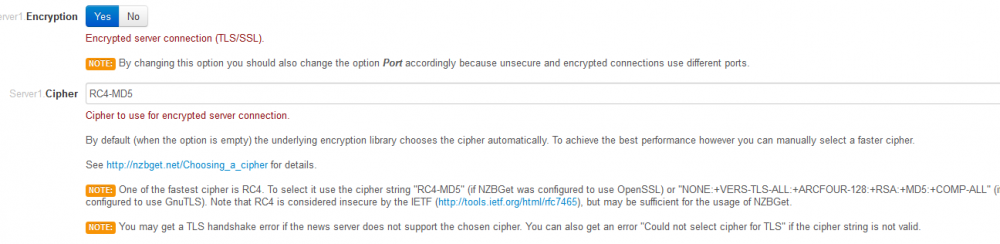
@binhex You were spot on. That never occurred to me. For reference, anyone having a similar problem, I did the following: 1) SSH into unRAID 2) docker exec -it <container-id> bash 3) openssl ciphers -v That will show you a list of the ciphers openssl supports. RC4-MD5 is indeed gone in openssl 1.1. Just need to match one up with your usenet provider (or blank works as binhex mentioned). I went with AES128-SHA and noticed no speed difference from before. Although there was a TLS handshake error right when nzbget starts, it resolves itself in a matter of seconds. Thanks binhex! Sorry you had to drop a bit of cash. Much appreciated.
-
@binhex As requested. Port is the same in both cases, as well. Latest: 18.0-1-01: Error when running Latest:

-
@binhex Same issue with latest.
-
@binhex Sorry. I can get into the GUI fine, that first constant loop snippet is in the messages section of nzbget. Just keeps churning errors. No download activity. Looks like a different bug. Unless something changed with encryption in this build that my news server doesn't like. 18.0-1-1 doesn't have this problem.
-
@binhex Installed latest, getting constant loop of this in messages: errorThu Apr 27 2017 12:24:17Could not select cipher for TLS errorThu Apr 27 2017 12:24:17Could not select cipher for TLS: error:1410F0B9:SSL routines:SSL_set_cipher_list:no cipher match errorThu Apr 27 2017 12:24:17Could not select cipher for TLS errorThu Apr 27 2017 12:24:17Could not select cipher for TLS: error:1410F0B9:SSL routines:SSL_set_cipher_list:no cipher match Here's the content of the log: 2017-04-27 12:23:38.031314 [info] Host is running unRAID 2017-04-27 12:23:38.049118 [info] System information Linux df54658645ad 4.9.19-unRAID #1 SMP PREEMPT Thu Mar 30 08:32:28 PDT 2017 x86_64 GNU/Linux 2017-04-27 12:23:38.069483 [info] PUID defined as '99' 2017-04-27 12:23:38.090782 [info] PGID defined as '100' 2017-04-27 12:23:38.121204 [warn] UMASK not defined (via -e UMASK), defaulting to '000' 2017-04-27 12:23:38.140821 [info] Permissions already set for volume mappings 2017-04-27 12:23:38,314 CRIT Set uid to user 0 2017-04-27 12:23:38,314 INFO Included extra file "/etc/supervisor/conf.d/nzbget.conf" during parsing 2017-04-27 12:23:38,315 INFO supervisord started with pid 7 2017-04-27 12:23:39,317 INFO spawned: 'nzbget' with pid 40 2017-04-27 12:23:39,322 DEBG 'nzbget' stdout output: [info] NZBGet configuration file exists 2017-04-27 12:23:40,323 INFO success: nzbget entered RUNNING state, process has stayed up for > than 1 seconds (startsecs) 2017-04-27 12:24:21,234 WARN received SIGTERM indicating exit request 2017-04-27 12:24:21,234 DEBG killing nzbget (pid 40) with signal SIGTERM 2017-04-27 12:24:21,234 INFO waiting for nzbget to die 2017-04-27 12:24:21,234 DEBG fd 8 closed, stopped monitoring <POutputDispatcher at 47910989772632 for <Subprocess at 47910989884664 with name nzbget in state STOPPING> (stdout)> 2017-04-27 12:24:21,235 DEBG fd 10 closed, stopped monitoring <POutputDispatcher at 47911003475264 for <Subprocess at 47910989884664 with name nzbget in state STOPPING> (stderr)> 2017-04-27 12:24:21,235 INFO stopped: nzbget (terminated by SIGTERM) 2017-04-27 12:24:21,235 DEBG received SIGCLD indicating a child quit Reverting back to binhex/arch-nzbget:18.0-1-01 restores normal functionality. Thanks for all your work on this!
-
Thanks! I think my signatures flagged to off after the board change. I think I did that right by going with: binhex/arch-nzbget:18.0-1-01 As a side note, the link under q11 in the faq goes to a 404. Thanks again!
-
Hallo, I'm having this issue again, too (as expected seeing the comment here). What's the proper way of reverting to the prior version until a fix is rolled in? I've never had a good handle on that process. Thanks!
-
EDIT: Saw there was another update push. Problem solved on my end. Thanks! Hallo, I'm having the same issue as cheese_man. Updated 10 minutes ago and cannot connect anymore. Snippet from log below. Any help appreciated! -S 2017-04-15 16:14:36,669 DEBG 'nzbget' stderr output: /usr/bin/nzbget: error while loading shared libraries: libssl.so.1.1: cannot open shared object file: No such file or directory 2017-04-15 16:14:36,669 DEBG fd 8 closed, stopped monitoring <POutputDispatcher at 47043699021008 for <Subprocess at 47043699021512 with name nzbget in state STARTING> (stdout)> 2017-04-15 16:14:36,669 DEBG fd 10 closed, stopped monitoring <POutputDispatcher at 47043699225016 for <Subprocess at 47043699021512 with name nzbget in state STARTING> (stderr)> 2017-04-15 16:14:36,669 INFO exited: nzbget (exit status 127; not expected) 2017-04-15 16:14:36,669 DEBG received SIGCLD indicating a child quit 2017-04-15 16:14:39,673 INFO spawned: 'nzbget' with pid 49 2017-04-15 16:14:39,678 DEBG 'nzbget' stdout output: [info] NZBGet configuration file exists 2017-04-15 16:14:39,678 DEBG 'nzbget' stderr output: /usr/bin/nzbget: error while loading shared libraries: libssl.so.1.1: cannot open shared object file: No such file or directory 2017-04-15 16:14:39,678 DEBG fd 8 closed, stopped monitoring <POutputDispatcher at 47043699021008 for <Subprocess at 47043699021512 with name nzbget in state STARTING> (stdout)> 2017-04-15 16:14:39,679 DEBG fd 10 closed, stopped monitoring <POutputDispatcher at 47043699224800 for <Subprocess at 47043699021512 with name nzbget in state STARTING> (stderr)> 2017-04-15 16:14:39,679 INFO exited: nzbget (exit status 127; not expected) 2017-04-15 16:14:39,679 DEBG received SIGCLD indicating a child quit 2017-04-15 16:14:39,679 INFO gave up: nzbget entered FATAL state, too many start retries too quickly
-
First, thanks for this script I found this because I stumbled upon an empty directory in one of my shares and was looking for something to locate those. The good news: I found about 250GB of duplicate files I had no idea existed. So again, thank you. The bad news: I cannot for the life of me get the -f/-F args to produce anything. I created a duplicate folder on the chance that the one I stumbled on was the only one, but it is not being reported by the script. Any help appreciated, Thanks!




