






zarkoff
Members
-
Joined
-
Last visited
Everything posted by zarkoff
-
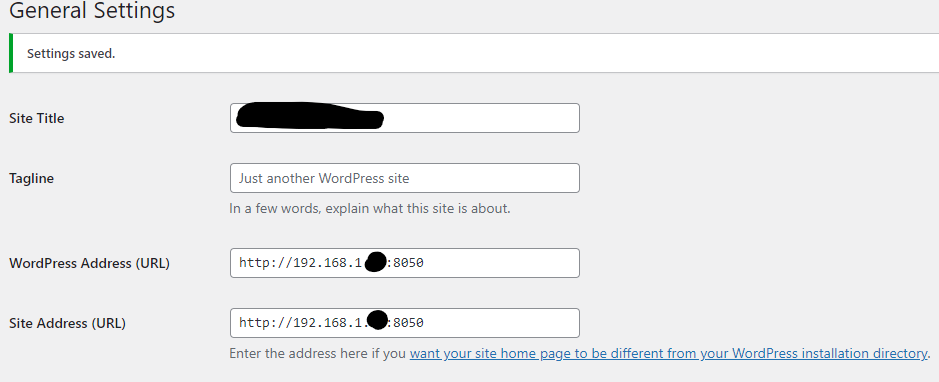
Hello, Thanks for the script, I will take a look at it. Right now my cloudflare tunnel works as a container (and it works fine for Nextcloud), but I'll see with your script if I can do it differently. So you created a subdomain by entering HTTP and localhost:8050 and it works? Did you configure something in wordpress in the interface or a configuration file somewhere? for example in this screen ?
-
Hi, I'm trying to make it accessible via Cloudflare Tunnel but it doesn't work and I don't know why. My configuration: UnRAID home server on which I have : Cloudflare docker (status is Healthy) Worpress + Maria DB Wordpress is on 192.168.1.xx:8050 and works locally. I added a subdomain pointing to this address (HTTP), and I tried with “No Happy Eyeballs” enabled, then disabled But it doesn’t work. After a while, there is ERR_CONNECTION_TIMED_OUT on https: //sub.domain:8050. I don’t know if the problem comes from Wordpress or Cloudflare. I already have 2 other public hostnames that work fine (nextcloud and searchXNG), and I remember I had to edit a config.php file in Nextcloud to get it to work, maybe it’s the same for Wordpress but I couldn’t find any documentation about it… Do you have any idea what I could check?
-
Ok, I answer to myslef... I think it was just the cache of my browser 🙂
-
Hi, I had a docker on port 8070 for wordpress... (for which I tried to get a ssl certificate, without success and maybe this is the cause of my problem...). This docker has been deleted. I don't have another Docker on port 8070. But now when I enter 192.168.1.10:8070 it redirects to unRAID Dashboard while all other ports return an error (expect the ones where there is docker, of course). How can I force the removal of this obsolete redirection, and make it return an error as before ? EDIT: that's even worst. Now each time I try to install Wordpress on a different port, the 192.168.1.10:8888 or 8095, all are redirected to 192.168.1.10/Main even if the Docker is stopped. Do you have an idea how to fix ? Thank you.
-
Ok, thank you. I'll edit the config.php directly in shares.
-
hi @terratrax, thank you for the application. I wanted to edit the config.php to add a tusted domain (a cloudflare tunnel). I tried to install nano via apt install but sudo is not installed and su requires a password I don't have (not the same than nextcloud_admin...) do you know what is su password ?
-
@JonathanM Oh thank you. It worked after installing the patch and a rebooting.
-
Hi @Siwat2545, First, thank you for the Adguard-home repository. But I've a question: the docker now says "not available". I'm a beginner, so I don't know if this is something I've to do on my side or if this is something to be maintained on your side or something else ? Thank you. Zarkoff

-
Bonjour, Je rencontre ce également ce problème sur Brave. Mais ça marche sur Chrome, Edge ou Vivaldi. Savez-vous pourquoi seul Brave semble ne pas fonctionner ?
-
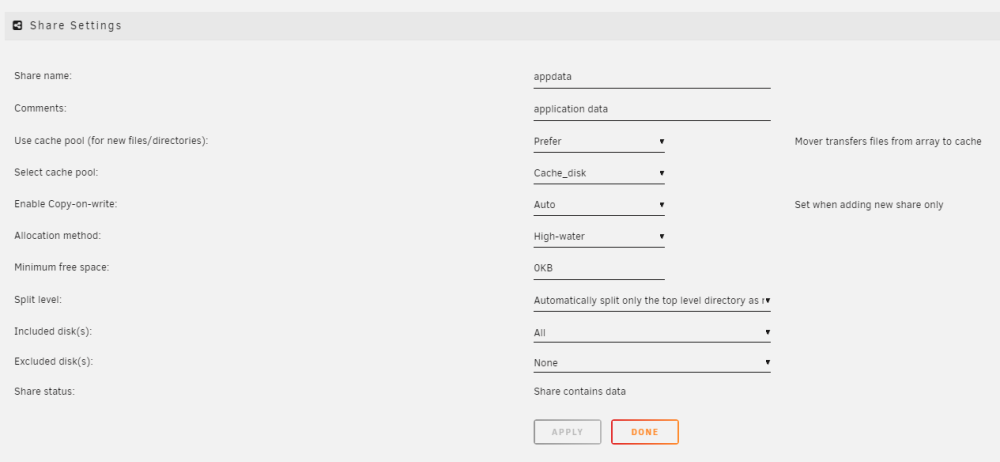
oui j'ai ça aussi mais par contre quand je regarde les dockers: est-ce qu'il faut que j'édite tous les dockers 1 par 1 ? Ou existe-t-il une solution plus rapide ? Merci.
.png.314ddb35498740abcf56c2be545093a9.png)
-
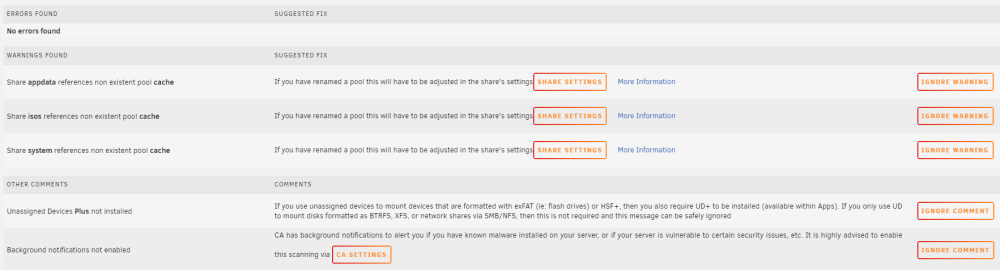
Bonjour, Bon tout d'abord, je précise que mon niveau est débutant sur unRAID donc désolé par avance si la question vous pourrait triviale. Quand j'ai installé Unraid, mon serveur n'était pas tout à fait prêt et il me manquait des disques plus grand en taille et un SSD pour le cache. Depuis, j'ai acheté la licence, changé les disque de parité sans trop de difficulté et ajouté un SSD pour le cache afin de limiter les écritures disques sur mes disques de parité (pour la VM et les Docker). Bon pour la VM pas trop de soucis, car je devais les re-créer. J'ai configuré "domains" pour n'utiliser que le Cache, et ça fonctionne. Mais par contre les Docker créés avant l'ajout du disque de cache ont l'air de continuer à utiliser les disques de parités au lieu du cache... ... est-ce qu'il y a une action particulière à faire pour forcer tous les Docker à utiliser le cache même ceux créés avant l'ajout du disque ? J'ai d'ailleurs quelques warning dans "Fix Common Problems" que j'avoue ne pas bien comprendre... (cf screenshot) Merci.
-
@kricker oh yes, that's it. I changed the docker template and now it works like a charm. Many thanks.
-
Hi, When I use tinyMediaManager to rename, the owner of renamed/moved files is set to "UNKNOWN". Then if I want to do additional touches on files (like a move to another folder, with Krusaders for example) I can't unless I change the owner to "nobody" or "root". Is there a setup to do in the docker template or via docker console to fix this ? Thank you.
-
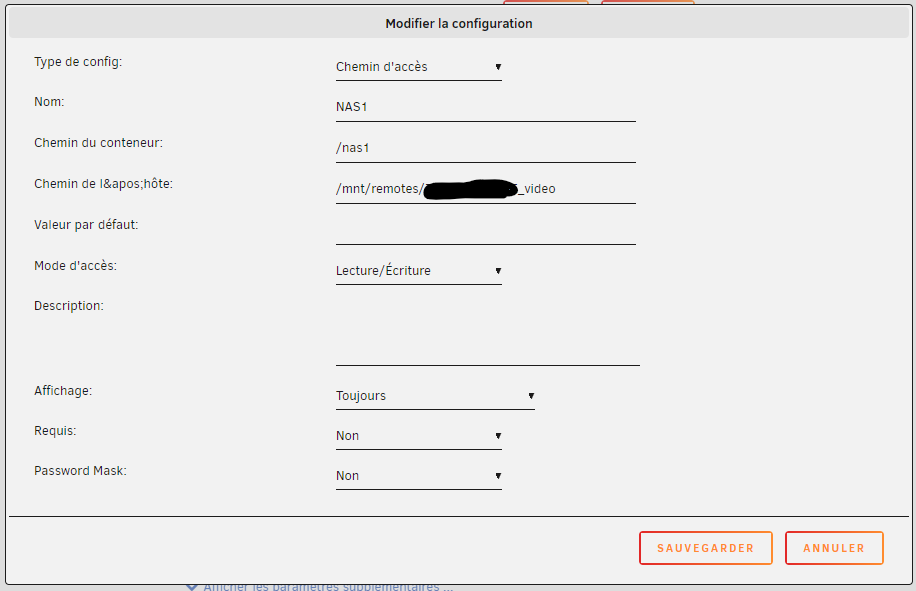
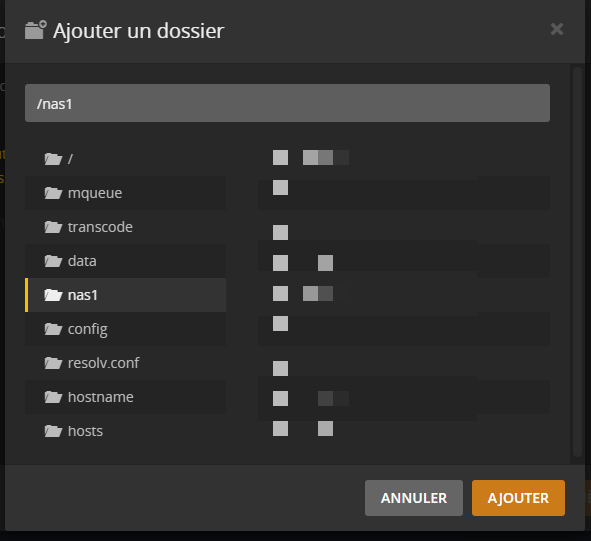
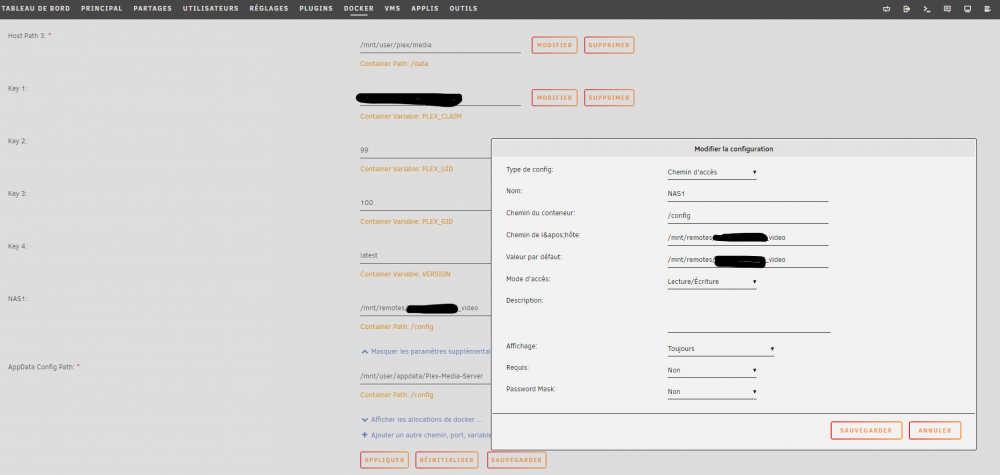
Ah super. Non j'avais bien laissé AppData Config Path, mais c'est vrai que du coup j'avais 2 "path" qui pointaient vers config, j'ai pas fait gaffe... donc voila comme tu l'indiques j'ai ajouté un Path (ou chemin d'accès, dans l'interface en FR) Et après avoir relancer le container, j'ai bien le chemin dans Plex ! Merci vraiment beaucoup pour ton aide. Bonne fin de week-end. 👍
-
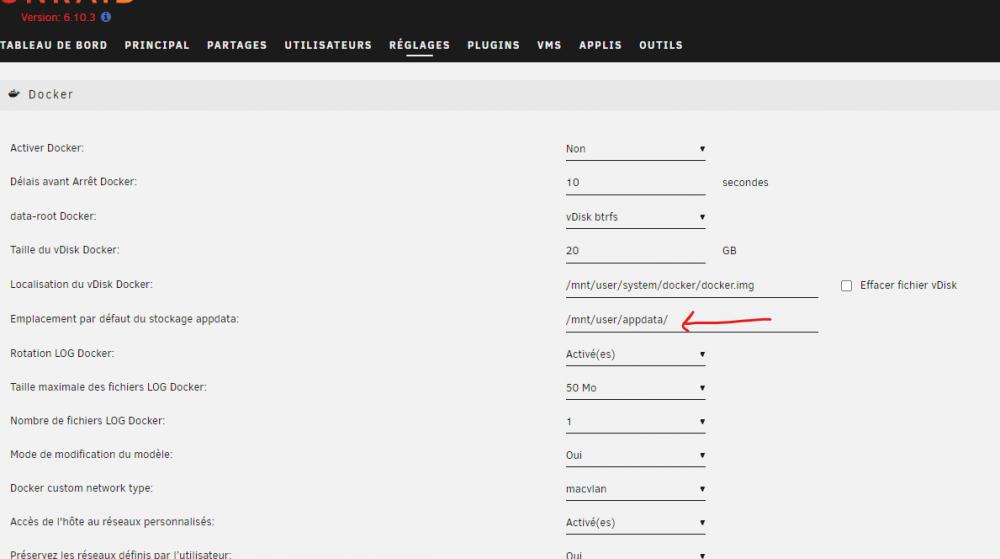
Ok en fait je me suis mal exprimé, c'est pas une VM mais une appli via un container docker, désolé. mais ça m'a inspiré pour faire une modification dans le container plex malheureusement ça ne fonctionne pas car je pense qu'il faudrait ajouter cet argument dans Docker lui-même... et ça je ne sais pas faire Faut-il passer par la console pour éditer les paramètres Docker ? car dans les réglage, je ne peux pas ajouter d'autres arguments
-
Bonjour à tous, Je suis tout nouveau sur unRaid et pour l'instant j'aime bien. Mon server unRaid n'a pas beaucoup d'espace disque car j'attends d'avoir un peu plus de sous pour ajouter des disques. Et j'ai par ailleurs un vieux Synology qui me sert de NFS / SMB pour mes backup de films. J'ai installé avec succés Plex Media Server qui fonctionne et j'ai ajouté des partages NFS externes. Mais là je séche, je ne sais pas comment faire pour voir ces Shares dans mon la VM Docker/Plex ? je pense qu'il faudrait éditer fstab pour ajouter les symblink mais je ne sais pas comment faire dans unRaid. Auriez-vous une idée ? Merci.



.png.314ddb35498740abcf56c2be545093a9.png)




