





endystrike
Members
-
Joined
-
Last visited
Everything posted by endystrike
-
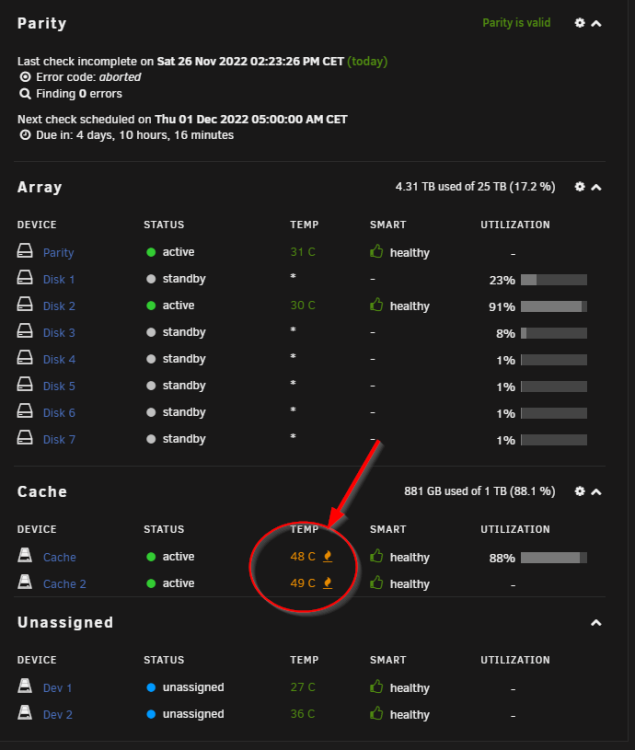
@JorgeB it seems the problem was due to the Kingston SA400 SSD, with Samsung SSDs speed is fine... Now I've just another problem: SSD temperature... It seems they get hot while transferring files... What's a good threshold value? Thank you!
-
Ok thank you so much, I'll probably try also configuring the cache pool as RAID-0 instead of RAID-1 then, so that the backup time of my PC will decrease a lot...
-
@JorgeB does the fact SSDs are in a pool of 2 identical drives affect the speed? If there would be only 1 of them would it go faster? Thank you
-
@JorgeB any advice for a better SSD? I'm looking for Crucial MX 500 or BX 500 or Samsung 870 Evo, but at this point I wanna be sure I'll get a decent drive before getting something not good again... Thank you!
-
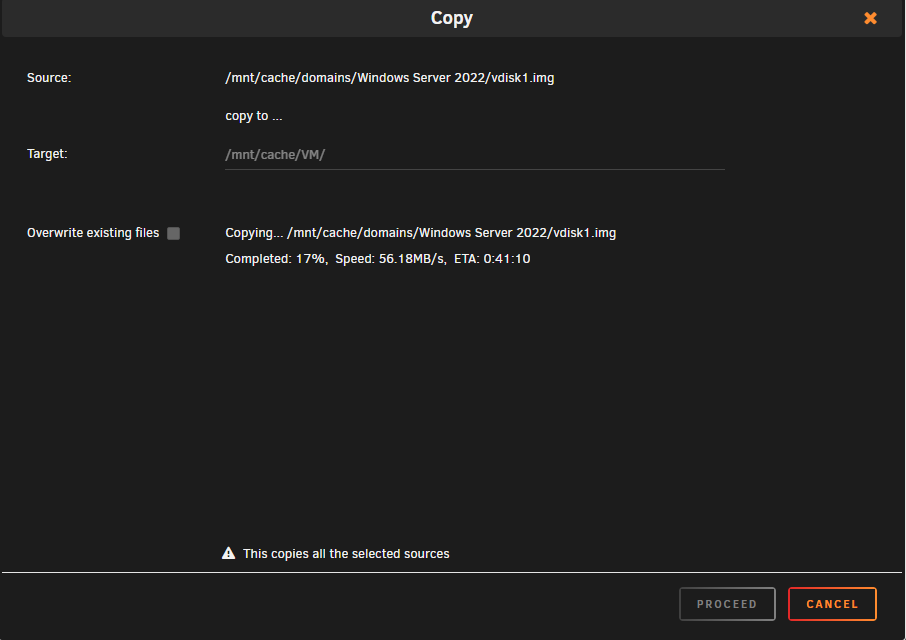
Well, it seems you're right: SSD speed is trashy... I did a test and I tried to copy and paste in the same cache drive an img of a VM... After the first 2-3 minutes, it goes from 300 mb/s to 50-60 mb/s... It seems I've to ask refund to Amazon for the SSDs and get a different model...
-
Thank you for your help @JorgeB Unfortunately, after enabling turbo write, the transfer speed is still the same... Btw, I'm writing to the SSD cache pool, so why turbo write should improve speed in this case? Thank you!
-
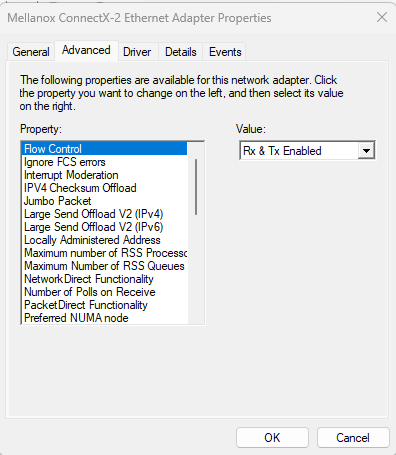
Hi @MAM59, thank you so much for helping me! I checked and on Windows "Flow control" was already enabled. I honestly don't know where is the problem now, I really don't have any other idea about how to fix this issue...
-
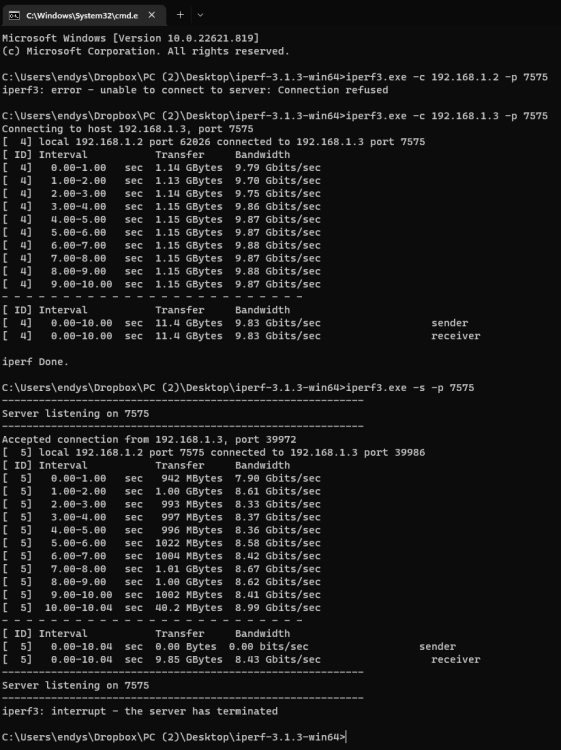
I also rerun iperf3 after applying the changes and from both sides it seems 10 gbit works, but copying files the problem still persists and still get ~60 mb/s of avg speed... endys-diagnostics-20221125-0334.zip
-
Also turned on disk cache write as it was disabled on all drives (even if there was lo power loss).
-
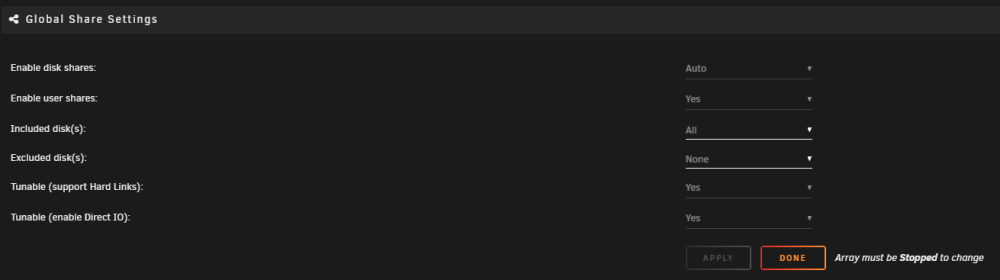
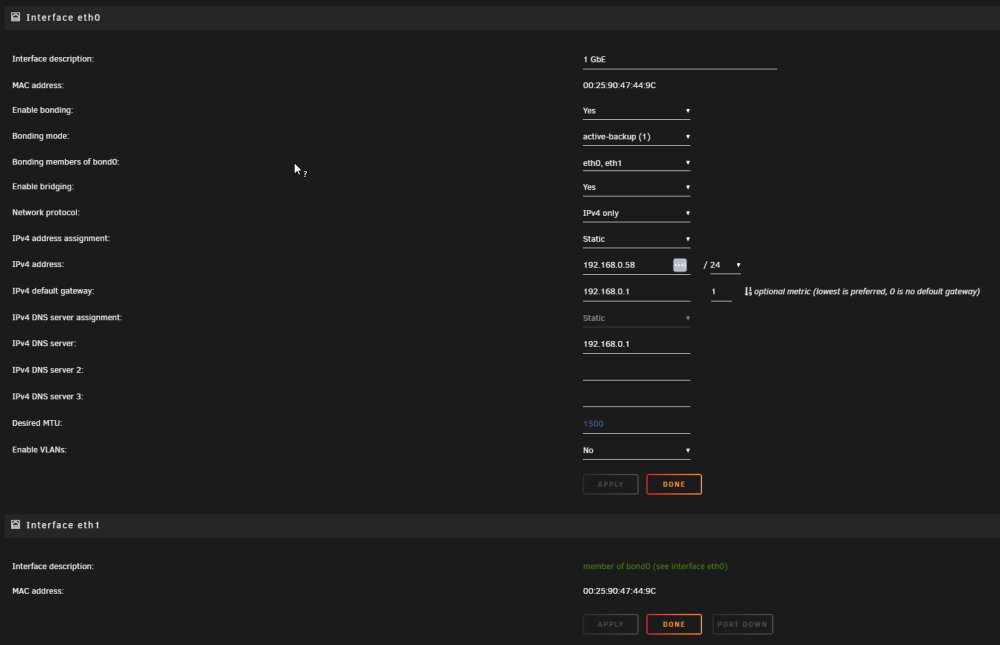
already tried also, but results didn't improve significantly (~60 mb/s): - enable direct IO - changing MTU/Jumbo size to 9000 both in Windows and Unraid, then rebooted both - checked SATA speed in the Unraid supermicro server
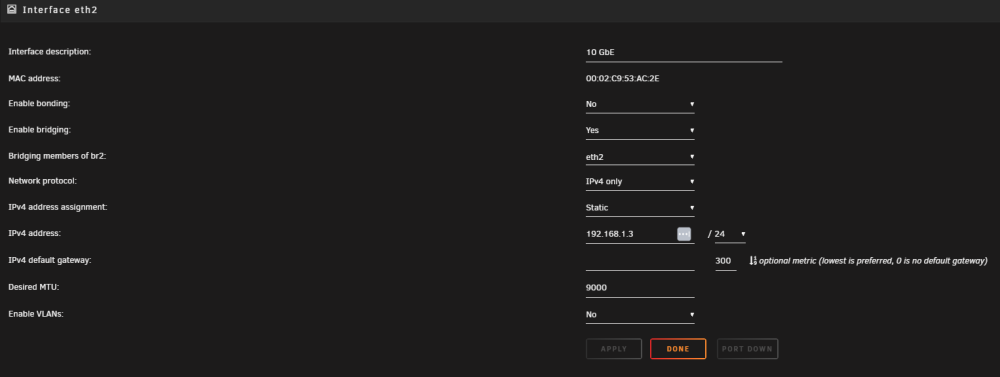
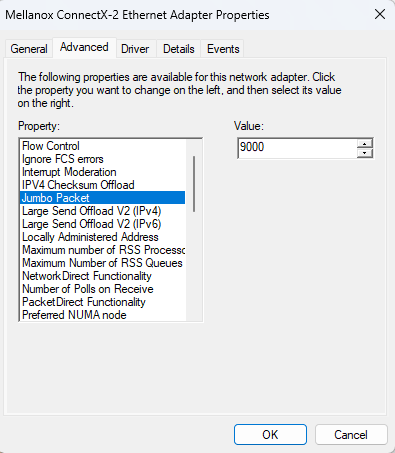
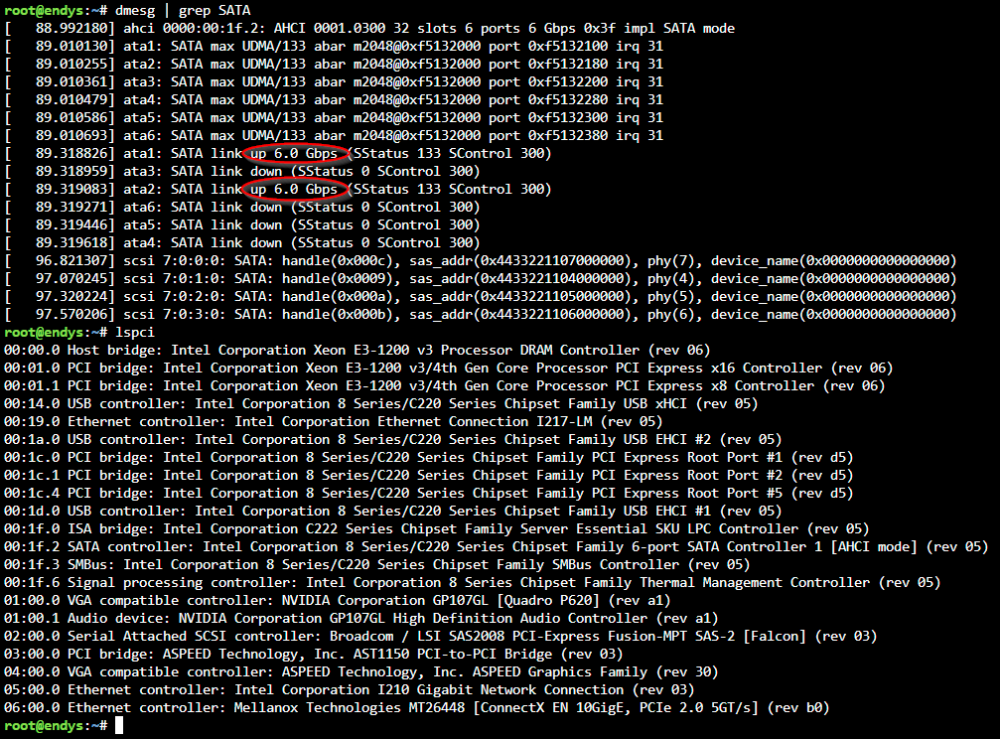
-
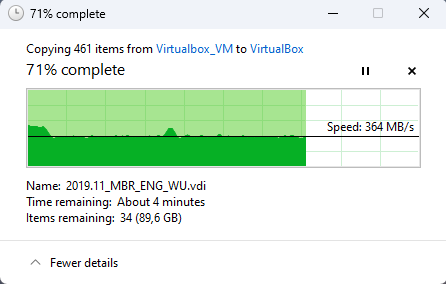
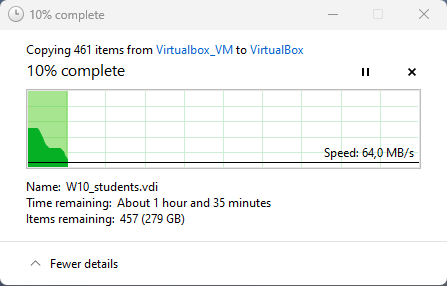
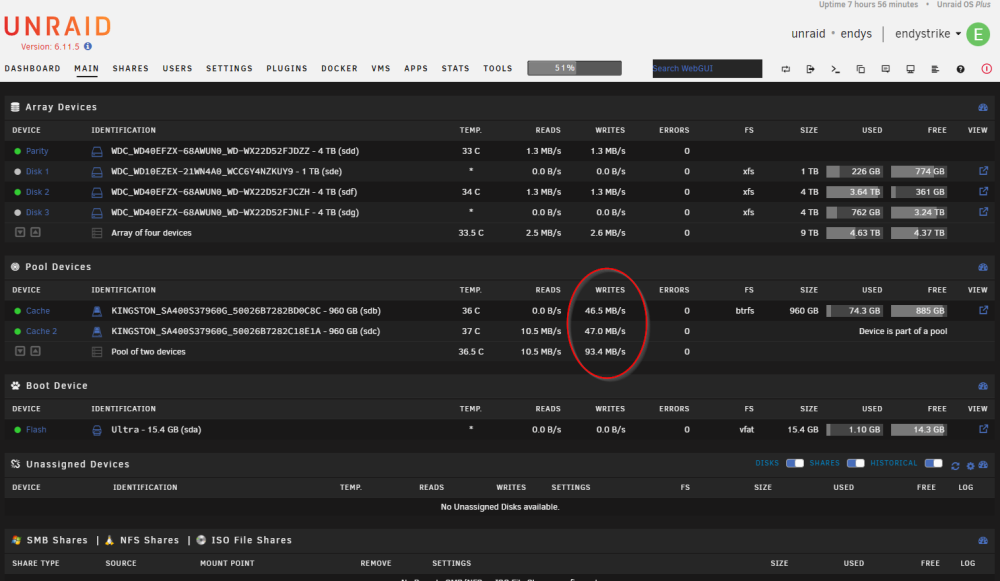
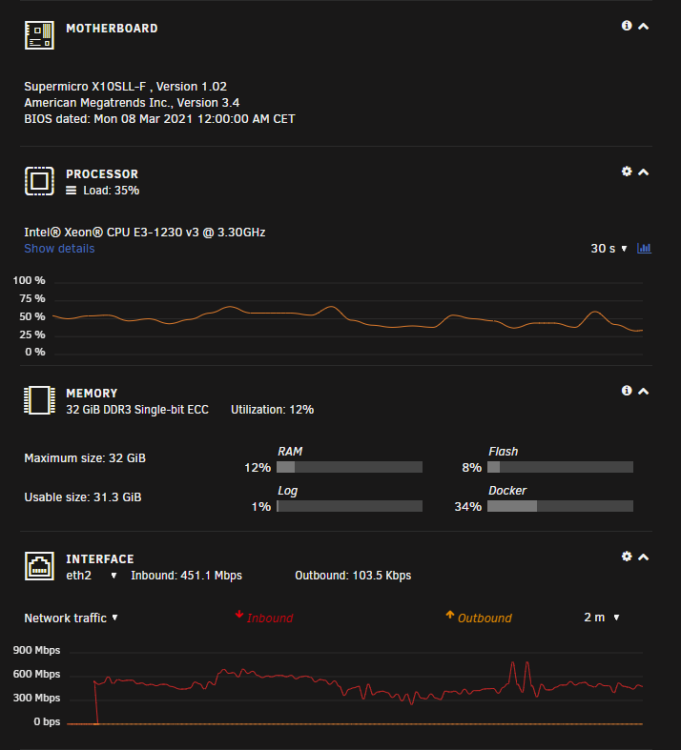
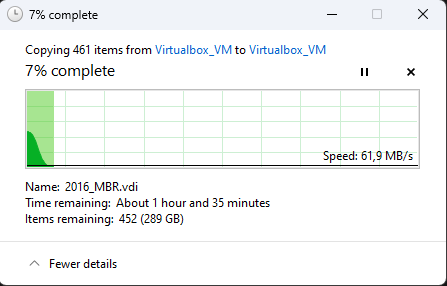
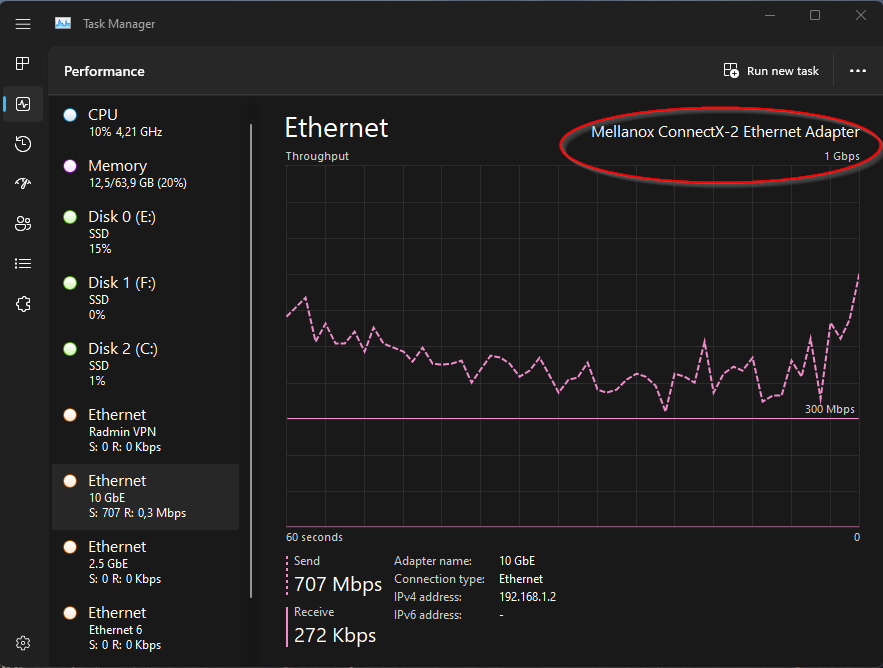
Hi everybody, I got 2x 10 GbE ethernet cards + a DAC cable to connect my computer to Unraid server (2x Mellanox Technologies MT26448). I tried to run iperf3 and performances are good enough for me, but when I try to copy any file from my PC to my Unraid server, it goes really slow... I'm trying to copy some .vdi drive images from VirtualBox folder (~10-30 gb each one) and they are saved into a SATA3 SSD drive that performs pretty well... The destination drive in Unraid is the RAID-1 SSD cache pool, both SSDs are connected to the SATA 3 port on the motherboard (SuperMicro X10SLL-F) and both of them are almost brand new (Bought both of them 3 weeks ago)... I think the problem can't be in the Windows PC as it has a Ryzen 3950X, 64 gb of ram and all drives are NVME SSD + 1x SATA3 SSD. As you can see here, it seems speed is fine from iperf3 tests (with antivirus -Kaspersky- enabled)... Already tried disabling antivirus, but I cannot understand why it goes at around 50 mb/s... It seems initially speed is qiet good (~900 mb/s) but immediately it drops down to 35-50 mb/s)... I attach also diagnostic zip file, maybe it could help! endys-diagnostics-20221125-0149.zip Thanks everybody!
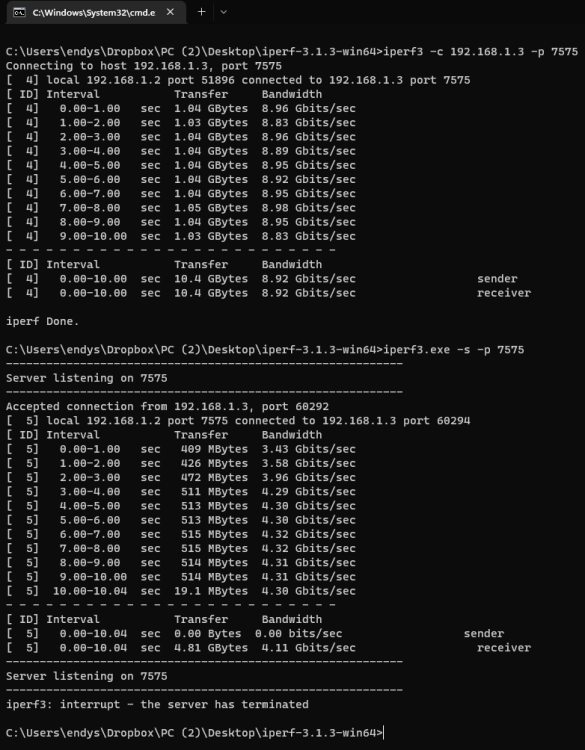
-
Hello everyone, I have a problem deleting a record from LAN routing table. I need to set a high metrix for eth2 that is a 10 gbe lan card that is directly connected with a DAC cable to my PC. But unfortunately I cannot delete the first record that is created automatically by Unraid. How can I force it to be removed? endys-diagnostics-20221124-1711.zip

-
so, you can confirm onboard Chipset Intel C612 does support HBA/IT mode? or the fact that supports AHCI is good for Unraid anyway? as far as I can understand up to 10 drives it should work properly with Unraid, right?
-
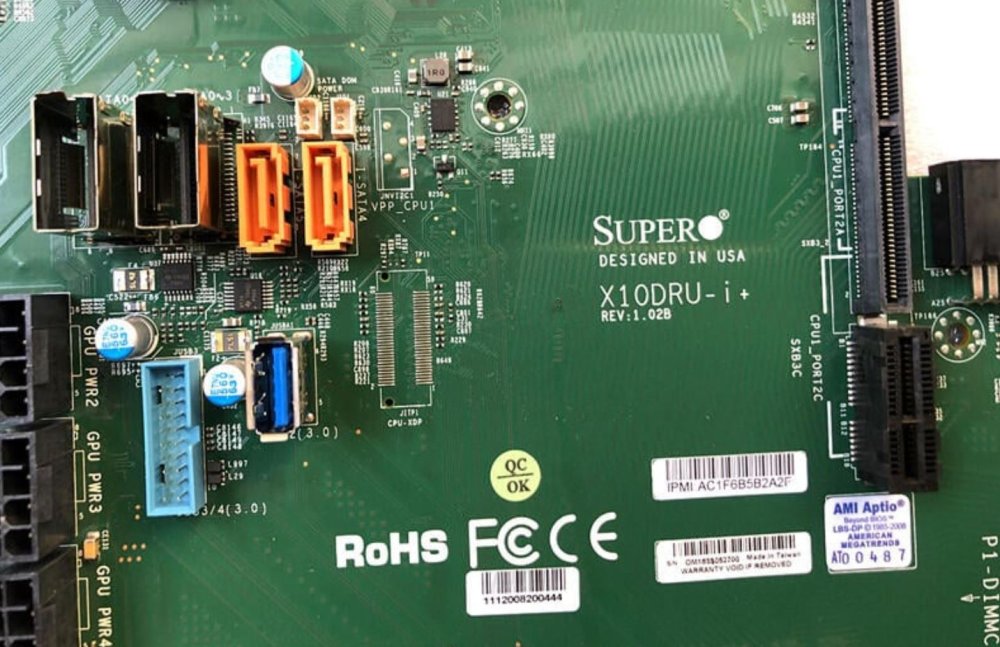
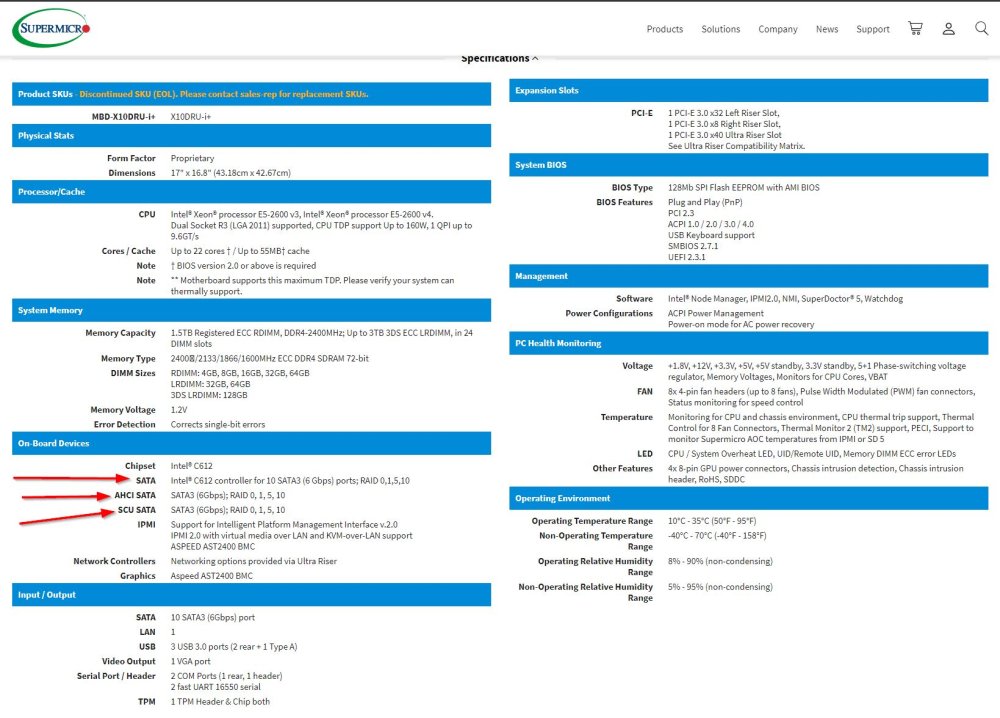
Thanks @JorgeB It seems the motherboard has 2 Mini SAS slots (I suppose with 4 channels each) + 2 SATA connectors. So it seems if I wanna use 12x LFF drives I should add an HBA card and then add a Mini SAS cable to connect the other 4 drives to the backplane... Is it right? As far as you know, onboard chipset Intel C612 supports HBA/IT mode? Thanks
-
Hello, I'm collecting informations to build my 2nd Unraid server and I'm considering to buy a Supermicro CSE-829U. The server is sold in 12x LFF configuration, but honestly I cannot understand how is it possible to use 12x drives as Supermicro says on their website the motherboard supports 10x SATA connections, but it has 12 slots... Also, the powerseller on ebay says the server comes with LSI Megaraid 9266-8i... I tried to get some informations about this card and it seems it has an LSI 2208 chipset, but it can be flashed to HBA using LSI 2308 bios and firmware (it requires to use the same SAS address after changing the bios of the card). I've few questions about this possible buy opportunity: 1. how is it possible the server comes with 12 LFF bays when the motherboard has 10 SATA connections? Does Intel C612 support HBA mode? 2. has anyone already flashed the LSI 9266-8i into HBA mode? Here are the specs about the motherboard: https://www.supermicro.com/en/products/motherboard/X10DRU-i+ Here are the specs of the server I wanna buy: https://www.ebay.it/itm/125460566456?hash=item1d360851b8:g:N-MAAOSwiX9i9inM Here are the specs of LSI 9266-8i: https://docs.broadcom.com/doc/12351959 Here are some tutorials of flashing chipset LSI 2208 to LSI 2308: https://www.youtube.com/watch?v=CDatT8fn9KQ&pp=ugMICgJpdBABGAE%3D https://mywiredhouse.net/blog/flashing-lsi-2208-firmware-use-hba/ Thank you guys!
-
Good morning everyone, I was thinking about buying a used server to start getting using it too as a NAS, with Unraid. The project is not aimed at the moment for work purposes, but only for the home/amateur context. Given the future use as a NAS, I have chosen the following as eligible models: HP DL380P Gen8 and HP DL380 Gen9. The G8 can be found quite easily in the 12x LFF configuration, while the G9 isn't as many and they are much more expensive. Now, I saw that there are G9s that have the 12 front slots but have the backplane of the 3.5" SAS/SATA drives for 4 disks only and I was wondering if anyone had already tried to convert the Gen9 from 4x LFF to 12x LFF. If someone has already tried to convert it, could you confirm that the following parts are needed? 1x HP 747560-001 (PSU cable backplane) (there's 1x already in the 4x LFF version) 1x HP 777284-001 HP 742794-001 (backplane) 1x HP 747574-001 (SAS to 2x Mini SAS cable) 1x HP 747572-001 HP 784626-001 (SAS to Mini SAS cable) Secondly, is there any LSI card compatible with Unraid with SAS port instead of with Mini SAS port? Thanks
-
16 GB cannot upgrade anymore as HP MicroServer G8 supports max 16 GB of Unbuffered ECC memory (PC3-12800E)
-
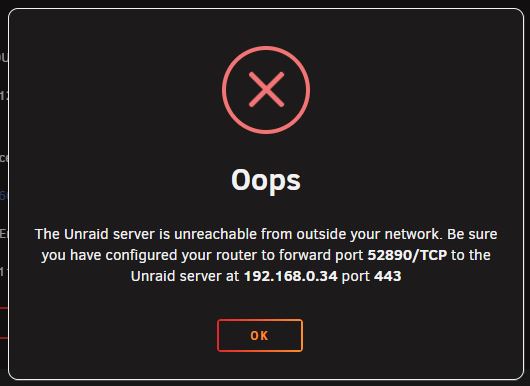
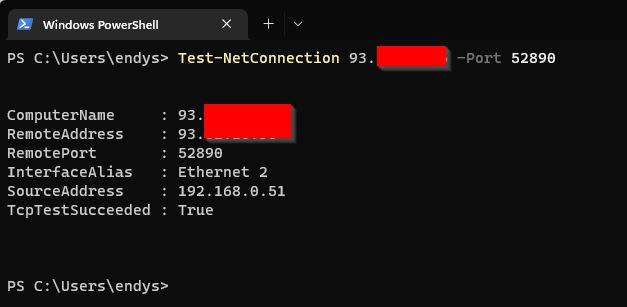
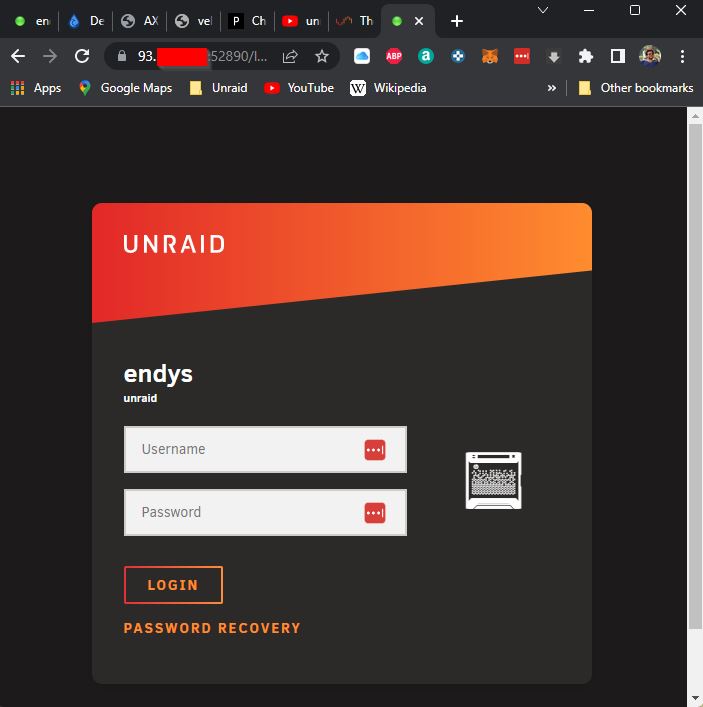
Hi everyone, my ISP activated me the public IP, if I try both from my smartphone (after disabling wifi) and from my PC to enter via web browser into my Unraid, it works... But I don't know why, when I do the test from Unraid it says that the server is not reachable from the internet. I tried to also test the connection and everything seems to be fine: the NAT forwarding works as expected forwarding the traffic from external port 52890 to internal port 443 on Unraid's IP. If I try from the web browser, everything seems to be fine too. Now, I've 2 questions: 1) I put a domain under cloudflare and enabled proxy: but if I try to reach the host using the fqdn, it doesn't work... I'm using Cloudflare DDNS docker and the IP in Cloudflare matches with the real one, so the docker is working properly... Why I cannot use my fqdn? Is there any particular setting in Cloudflare that should be set? 2) Why unraid under settings is telling me that my server cannot be reached from the internet when I can enter into it from https://mypublicip:52890? I attach here the diagnostic too. endys-diagnostics-20221021-1910.zip Thanks a lot for your help guys!
-
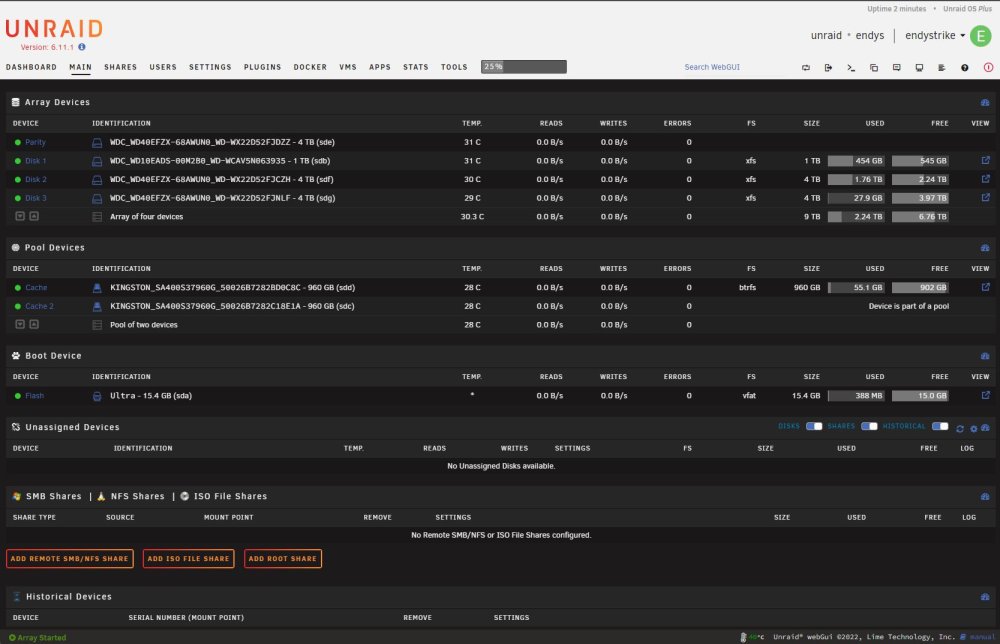
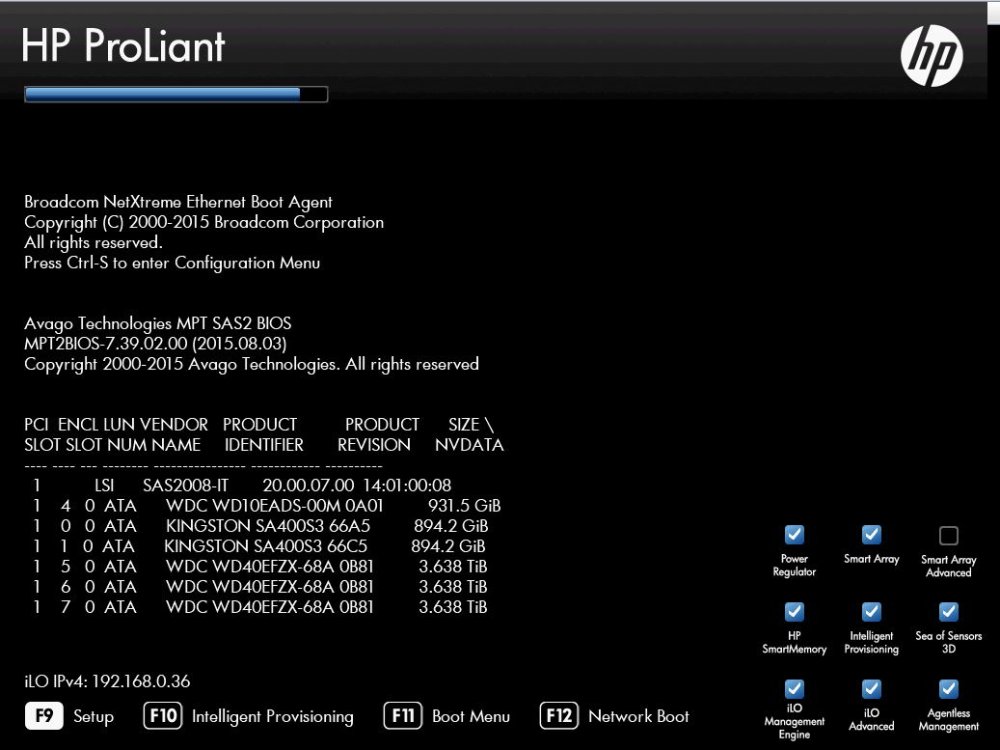
I've also disabled from BIOS the "HP RAID Integrated card", in fact it's not shown anymore in posts and in Unraid disks are shown correctly from LSI 9211-8i cards, they run perfectly and way faster than before...
-
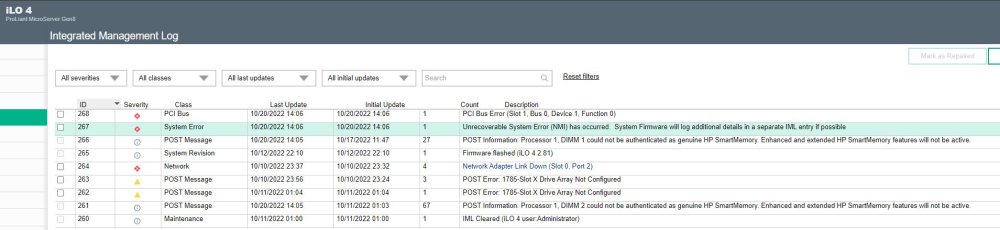
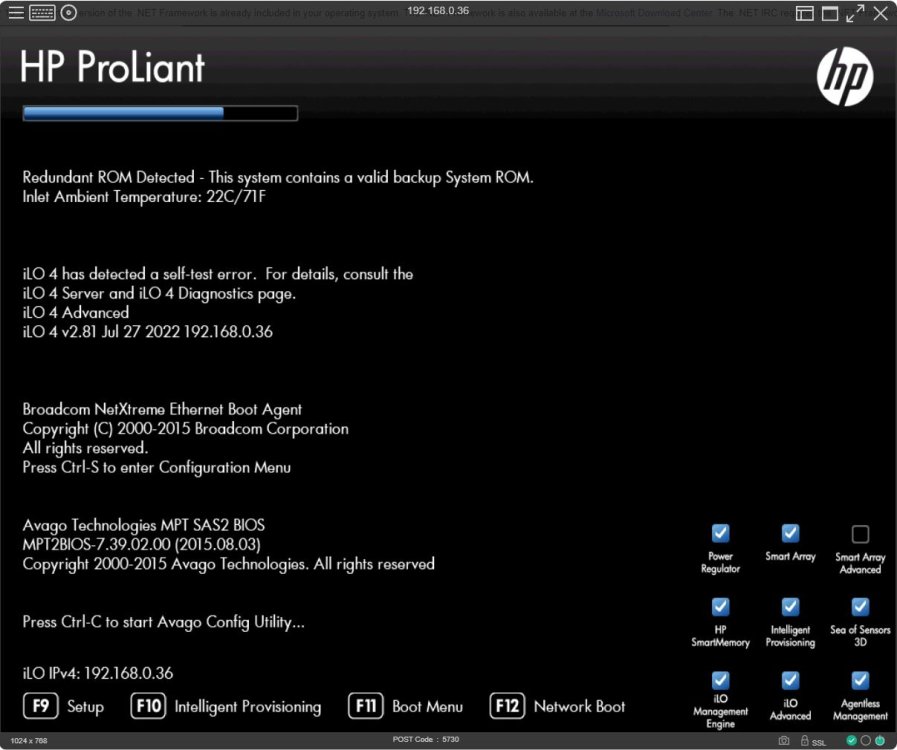
in this topic is has been said: https://forums.unraid.net/topic/12114-lsi-controller-fw-updates-irit-modes/ Hello, I put a genuine LSI 9211-8i card into my HP MicroServer Gen 8. I've correctly flashed the firmware to P20 IT mode on LSI 9211-8i (LSI SAS-2008), but I'm facing issues in doing this last part as when I press Ctrl+C when asked, I get the following error: "nmi detected. please consult the integrated management log". I must say, my HP iLO health status is deprecated, it works fine as I could test apart from the fact I cannot access to "Intellingent Provisioning" when I press F10 at boot, but have no problem in normal computer usage and remote control from iLO works perfectly... Do you have any advice for me? Is it a problem if I'd leave the card settings as they are now? It runs perfectly in Unraid... Thanks everyone!
-
it seems it was due to Chrome's cache... I cleaned navigation data from Chrome and everything is back and fully working! Thanks a lot @JorgeB for your help!
-
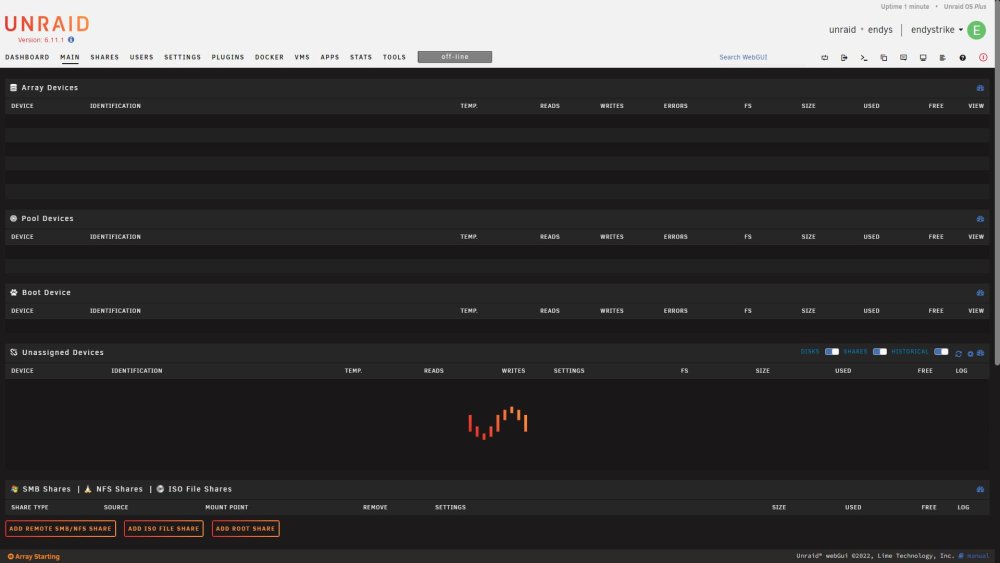
already tried to reboot but situation looks the same, unfortunately...
-
Thanks @JorgeB syslog.txt
-
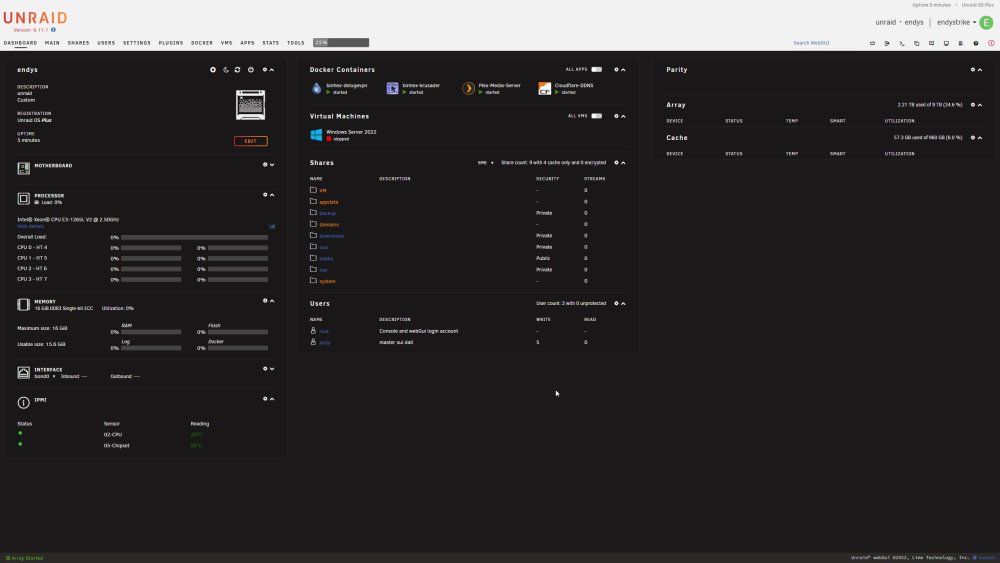
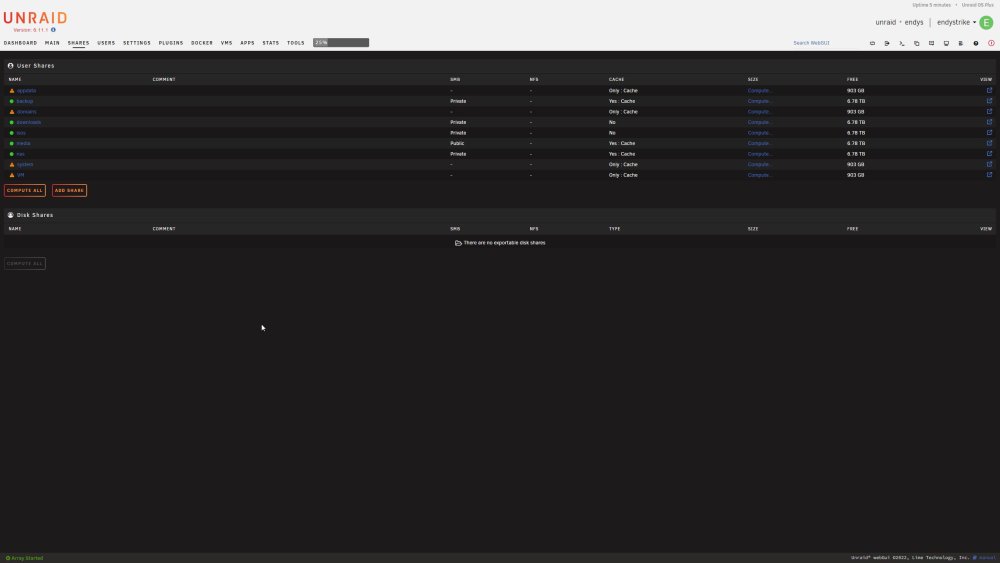
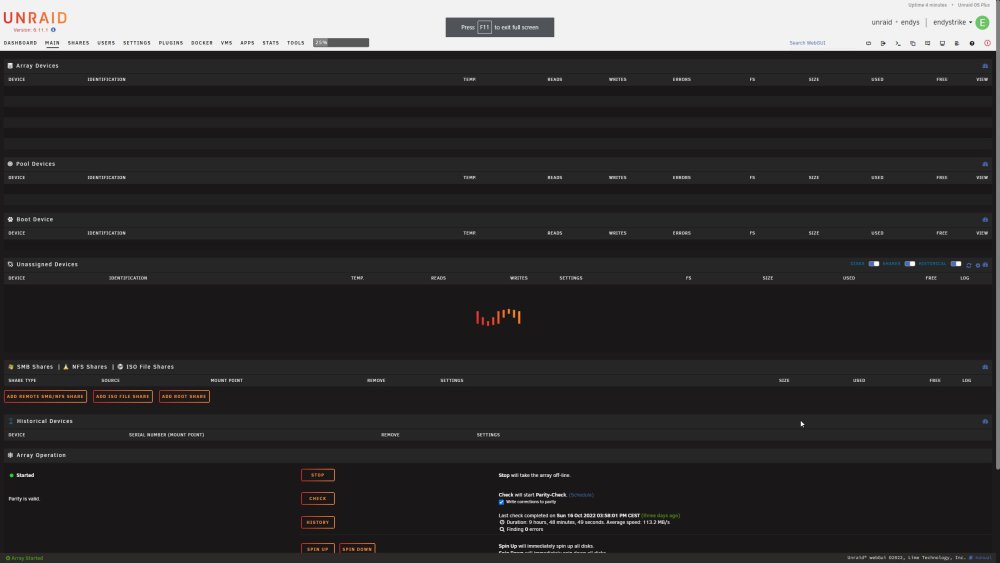
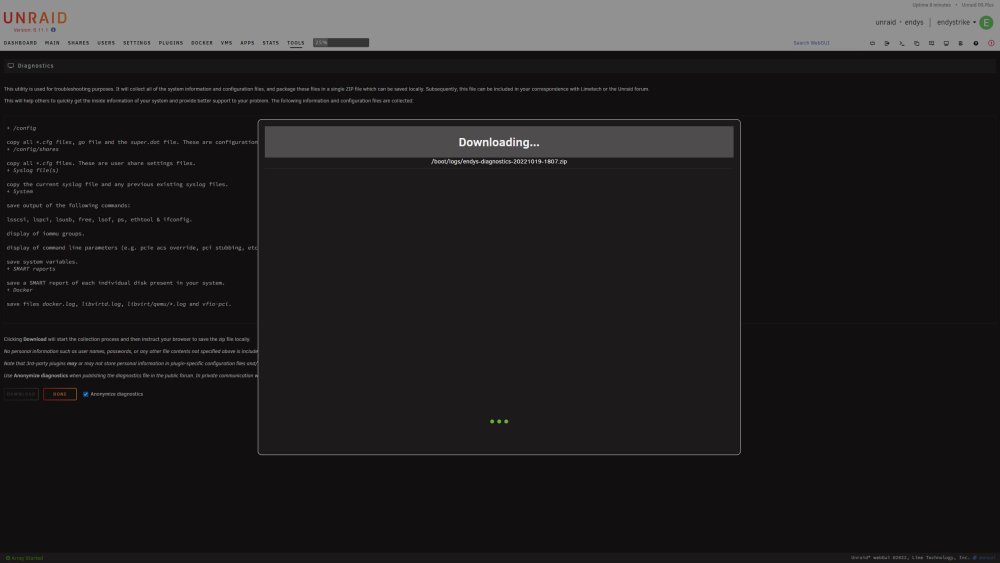
Hello, after some days of stable usage, it seems something weird is happened: WebUI doesn't show anymore network, ram and cpu usage, cannot access array page and cannot export diagnostic. What can I do? Thanks
-
Yeah, at least now I know that and therefore I was able to ask to my ISP to give me a public IP and in few days they'll give it to me! Thanks for your help!





