





endystrike
Members
-
Joined
-
Last visited
Everything posted by endystrike
-
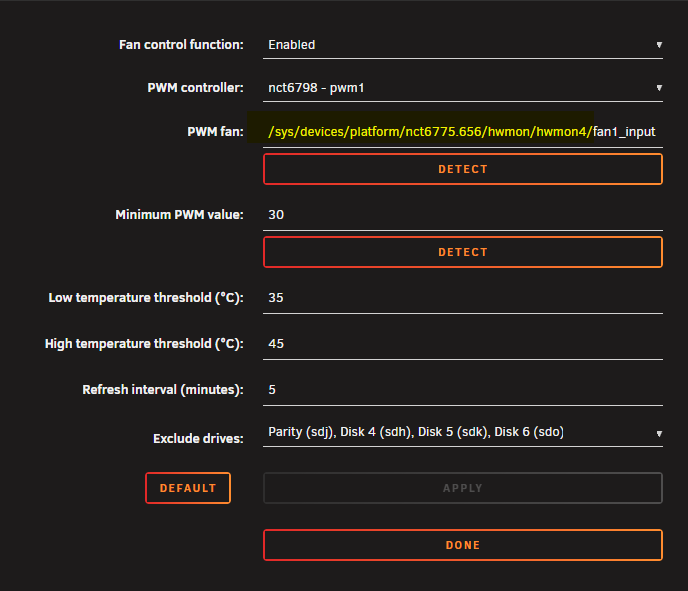
For all the people who struggled in identifying the PWM number, I suggest to do the following: take note of this part of the string, this identifies the base address of your PWM fans: So in my case I copied the base address: /sys/devices/platform/nct6775.656/hwmon/hwmon4/ Now from terminal I can try to set each fan (one by one) at 100% of the power to see which fan react to the PWM number. This for example for PWM controller #2: # Now we're going to set PWM control to manual echo 1 > /sys/devices/platform/nct6775.656/hwmon/hwmon4/pwm2_enable # Then now we're setting it to max power to identify which fan in the case react to PWM 2 controller echo 255 > /sys/devices/platform/nct6775.656/hwmon/hwmon4/pwm2 # finally once PWM 2 controller has been identified, we can set the fan back to PWM mode to auto echo 5 > /sys/devices/platform/nct6775.656/hwmon/hwmon4/pwm2_enable Now you can repeat the process, just change pwm2 with the next one you wanna test and so on until when you'll have tested all... Of course you can use this technique also to identify manually the minimum PWM value, once you've set the PWM mode to manual, just use the second command to vary the PWM value from 0 to 255 and choose the value you prefer. Sometimes I saw that after changing the values and saving them in the plugin it was a total mess even if I was sure 100% I did everything properly, but then everything got fixed after a server reboot.
-
Ciao @Ricyx , ho fatto i dovuti test e sono giunto alla conclusione che non aveva senso tenere la P2000... Semplicemente il transcoding con la UHD630 non era così tanto più lento da giustificare il consumo di una GPU dedicata. Grazie mille ancora per il tutorial, spero di poter utilizzare al meglio lo slot PCI-E che si è liberato!
-
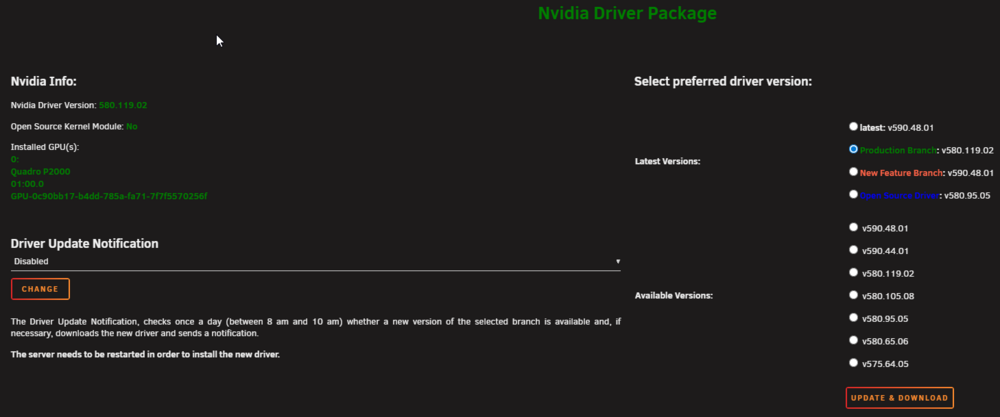
in realtà ultimamente non uso neanche praticamente più il transcoding nel senso che avevo trovato in offerta il "Fire Stick 4K Max", ma il server ormai è rimasto quello però ormai va sempre tutto in direct play... Diciamo che ogni tanto condivido con qualche amico qualche file della libreria e vedo che fanno transcoding ma si tratta sempre e comunque di singoli casi, per cui direi mai più di 1 alla volta... Ormai sta P2000 è lì ma col senno di poi avrei dovuto prendere i fire stick molto prima e forse non avrei proprio nemmeno dovuto pensare al transcoding e far solo direct play sul Fire Stick... Per la GPU Nvidia non ho un docker dedicato, uso il plugin che mette i drivers, mi pare si chiami proprio "Nvidia drivers" e poi dai settings del container di Plex si va a dire quale scheda usare mettendo appunto l'hardware id che ti da il plugin dei drivers, in questo modo il transcoding viene fatto dalla GPU sulla RAM, credo della mainboard comunque perché /transcode è mappato sul docker su /tmp che in Linux è appunto la RAM della mobo, non quella della GPU. Notavo però dal tuo tutorial che tu usi come percorso di RAM /dev/shm anziché /tmp. Il tuo setting è molto più sicuro, mi sono informato e non è detto che /tmp finisca sempre sulla RAM, per cui ti ringrazio e cambio il puntamento del mio per essere sicuro che lo faccia sempre. https://claude.ai/share/c4315744-73cd-4a80-ab81-589a82890f7f
-
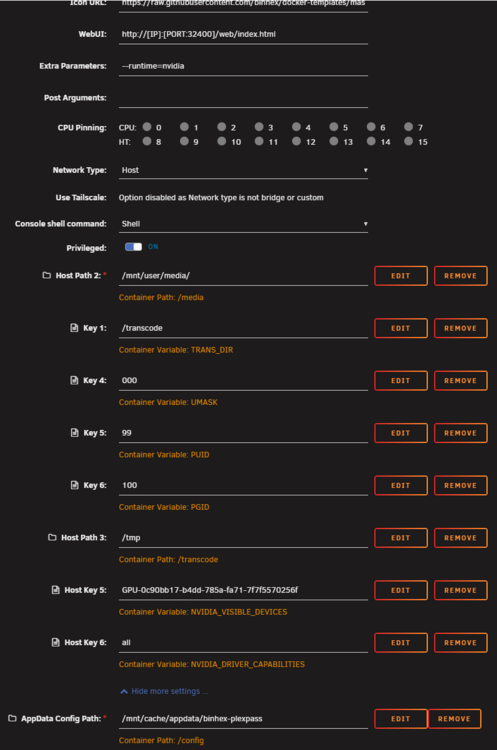
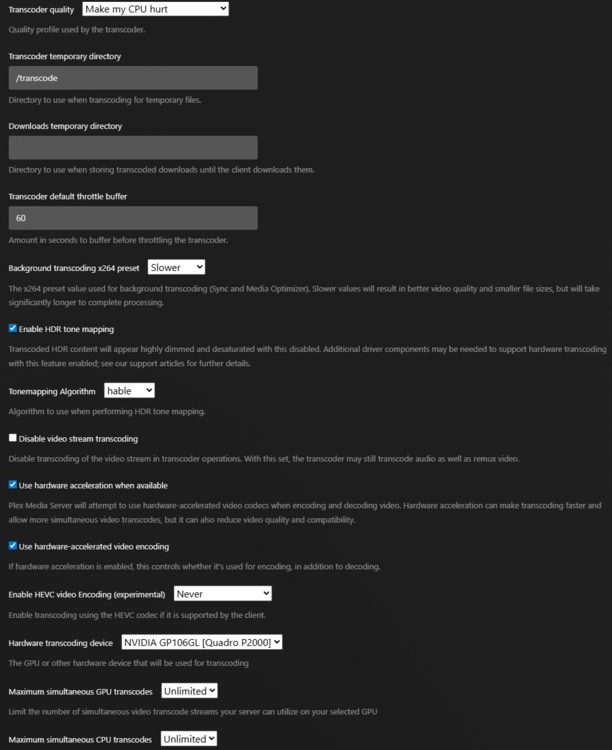
Ciao @Ricyx , la tua guida mi mette in crisi 😅, mi spiego meglio: ogni volta che cambio i settings del transcoding su Plex, succede un casino e ormai da 2 anni e passa non ho problemi facendo il transcoding sulla RAM tramite la GPU dedicata, una nVidia Quadro P2000. L'anno scorso ho aggiornato la build e ho preso usato un blocco con 9900k e 32gb di RAM e non mi sono minimamente impelagato a pensare di togliere la GPU dedicata che avevo già dalla build precedente (la P2000) per far fare recoding tramite GPU integrata (la UHD630). Al di là del risparmio energetico (credo minimo visto che cmq la GPU dedicata stà il idle la maggior parte del tempo, in status P8), che vantaggi avrei a spostare il recoding dalla P2000 alla UHD630? Entrambi cmq fanno recoding sulla RAM, non sul SSD cache o ancora peggio sui dischi dell'array... grazie! Questa è la mia configurazione di Plesk, uso Binhex PlexPass, anche verificando, stò già facendo recoding sulla RAM, Plex scrive sulla "/transcode" che di fatto dai settings del docker scrive su "/tmp" quindi nella RAM. Grazie!
-
Hi @JorgeB, Is there any particular risk in updating also the UEFI like this (without erasing anything) from a Windows machine? I feel more confident in flashing those cards from a Windows environment and later to move the card to the Unraid server sas3flash.exe -o -f SAS9300-16i_IT.bin -b mptsas3.rom -b mpt3x64.rom Thank you!
-
Hello everyone, just wanted to report that in 6.12.0-rc2 the speed of parity check seems to be slower than in 6.11.5 by ~10%. I always do parity check disabling all the dockers that could access file and all VM were shut down, turn off all user scripts may have access to the array and don't use any share on the Unraid server from any PC (I did parity check at night and all other PCs were shut down), so I'm sure 100% I did all parity checks you see here in the same conditions. I attach diagnostic report, hoping it may help. endys-diagnostics-20230412-0149.zip
-
have you already tried to reboot the server after installing the plugin? Initially it wasn't working on my server too, but after a reboot the plugin started working fine and since then I had no issue!
-
what do you mean exactly? I cannot understand... This plugin just adds the possibility to spin down SAS drives too, because Unraid natively supports spin down only for SATA drives... But the spinning down mechanism once you've installed this plugin is the same...
-
imho that's what spin down mechanism is meant to be and to do... it's a stort of "standby" and then when you access those drives they spin up again until when due to inactivity (aka "Default spin down delay" setting in Settings > disk settings) occurs again they spin down again and so on!
-
any idea @JorgeB? Thanks for your help!
-
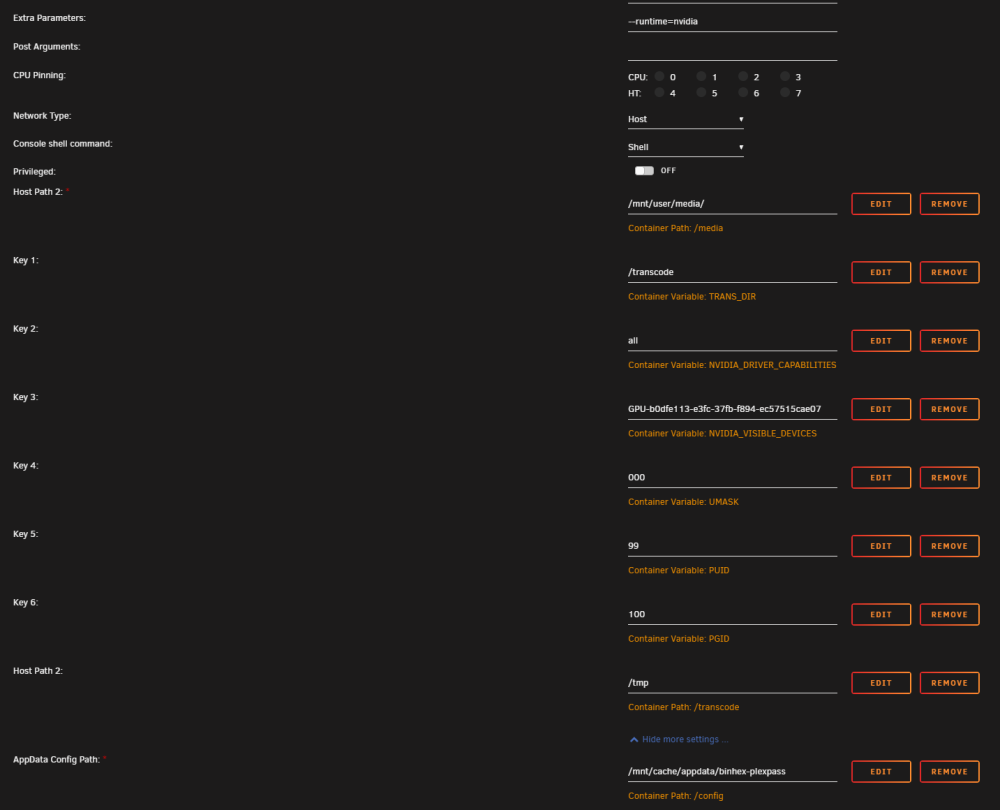
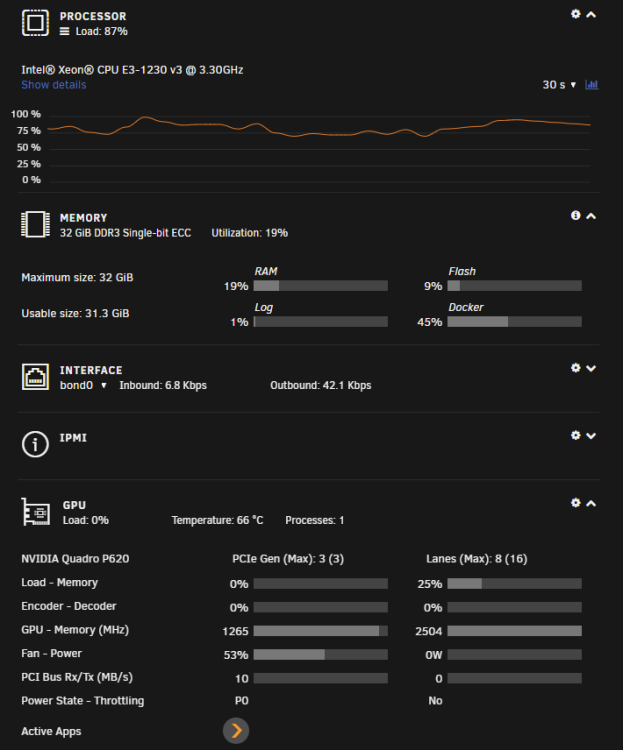
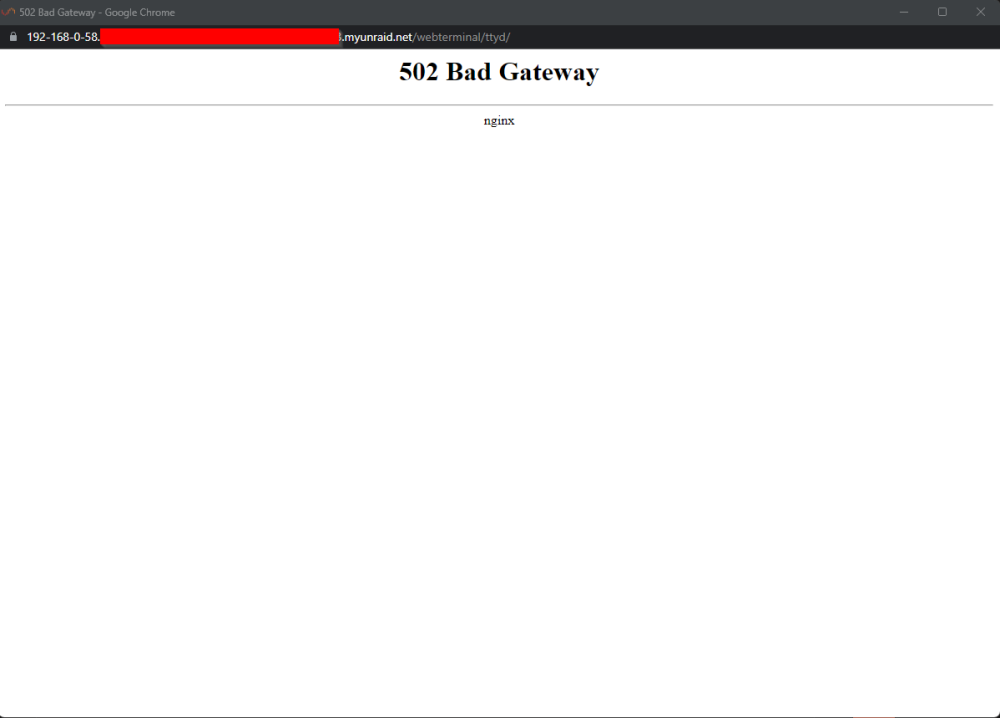
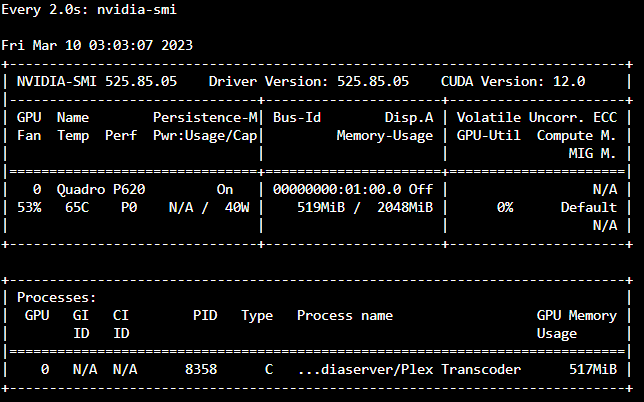
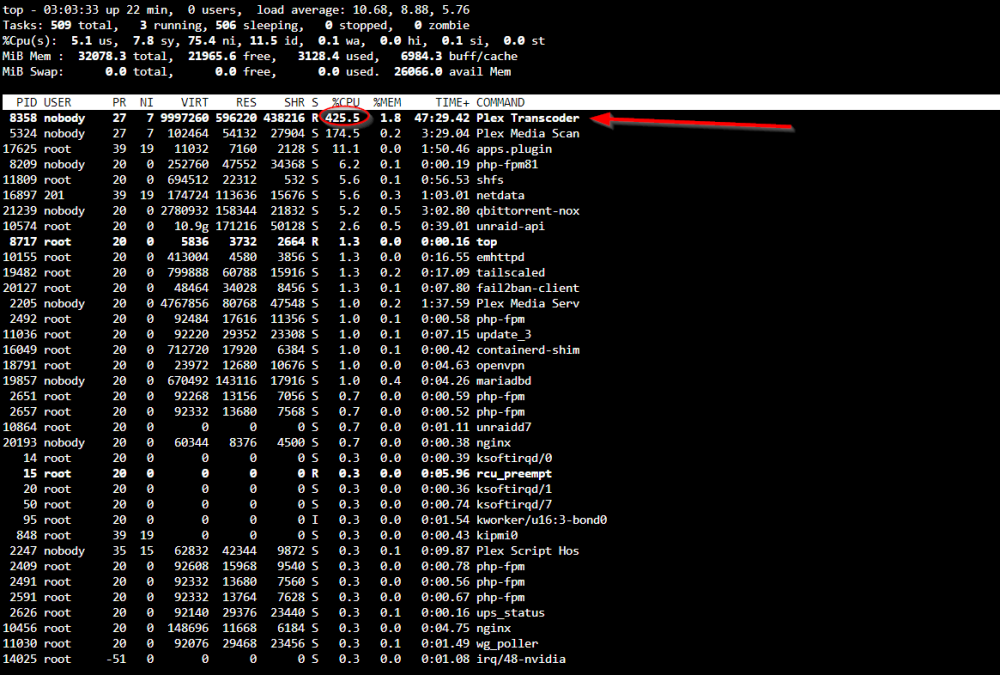
Hello, since a couple of days, I started noticing a couple of issues on my server: when I edit a share, it takes a long time to restart services and so on Cannot do a graceful shutdown, even if I increased the timeout from 90s to 300s Plex stopped transcoding correctly. Instead of using GPU, it freezes or uses CPU, but keeping GPU used as well Also terminal windows doesn't show up correctly anymore and I have to refresh the page to get it working Thanks for your kind help! Here are attached my diagnostic report and Plex configuration as well. Terminal endys-diagnostics-20230310-0254.zip
-
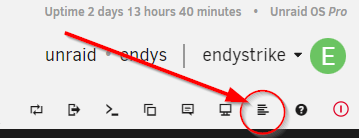
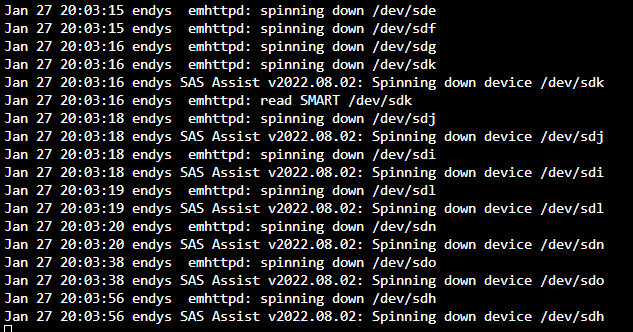
I've installed SAS spindown on my Unraid 6.11.5 and it works fine. I just have to say initially it wasn't working at all then I just reinstalled the plugin and rebooted the server and since then it started working perfectly... I'd just suggest to reinstall and reboot the server, then try to spin down a SAS drive while the syslog is open and you should see something as follows. Btw, the log you've to check is this one. PS I don't know for other users if it's the same, but some drives' models require more time to spin down, but it's not a problem for sure... Here I tried to spin up and then spin down all the drives, you can test if everything works doing the same. I'm really thankful to the creator of this plugin, I have 8 SAS drives in my build and I'm constantly saving 80w!

-
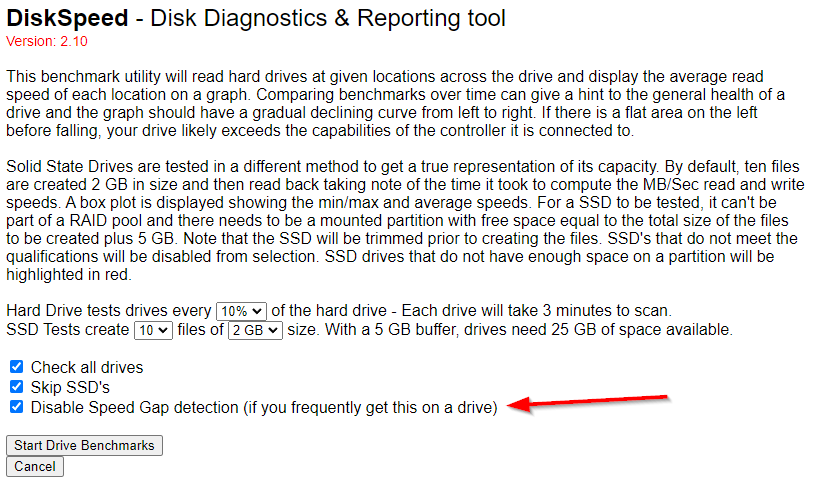
try disabling other dockers, sut down VMs, ensure mover is not running and make sure you're not accessing the drives from elsewhere during the benchmark... This is the main reason why speed gap detection occurs. By the way, I still get that alert but with that box flagged, the test continues anyway.
-
I got that alert too, I just disabled flagging the correct box and no other issue appeared after...
-
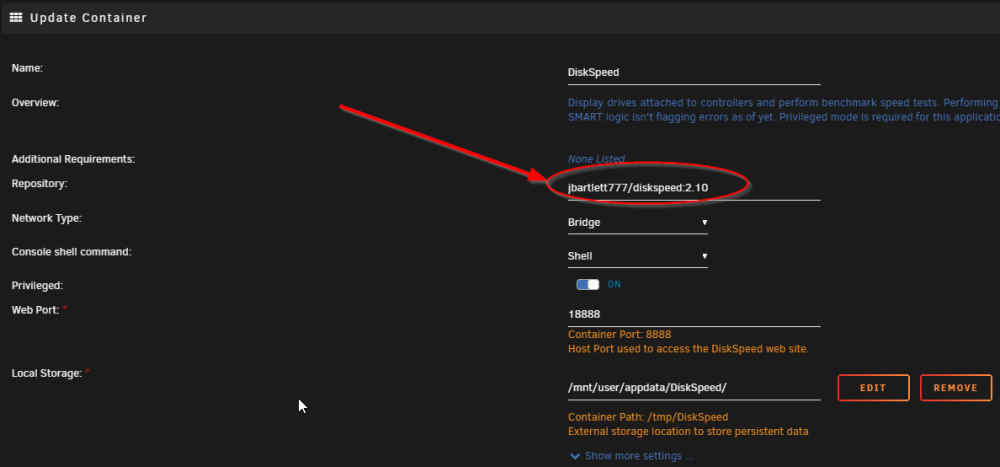
Guys for anyone having the issue of some HDD models recognized as SSD, I found a temporary fix: rollback to version 2.10. How to do that? Just edit the docker settings and set this field as follows: if the issue still persists, just remove the docker, delete the following folder "/mnt/user/appdata/DiskSpeed/" or wherever you've saved the app data of this docker, then when you reinstall the docker, set the repository field as "jbartlett777/diskspeed:2.10". In the future, when the bug will be fixed you'll just have to edit the docker again and set the repository to pull the latest version as follows: "jbartlett777/diskspeed". Hope this will help!
-
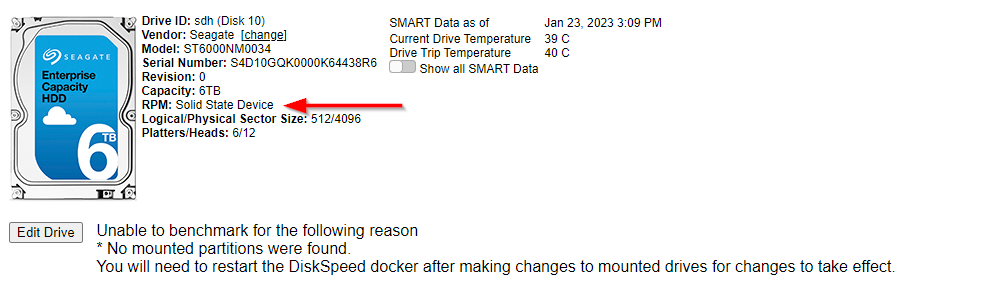
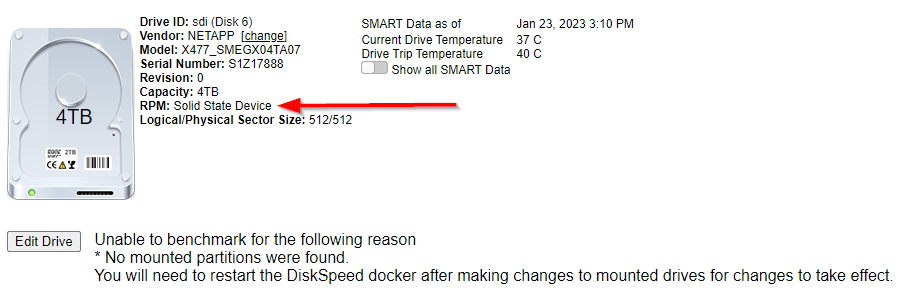
Unfortunately, it seems recently some HDD models get recognized as SSD and I'm unable to bench them...
-
just to be sure 100% have you configured as follows? Mount script example (to be scheduled when array starts): mkdir -p /mnt/disks/google rclone mount --max-read-ahead 1024k --allow-other google: /mnt/disks/google & Unmount script (to be scheduled when the array stops): fusermount -u /mnt/disks/google and to sync Google to your share (i.e. "Google_local"). This can be scheduled every 24h or whenever you wanna sync google data with your local data. rsync -a -v -P /mnt/disks/google/* /mnt/user/Google_local/
-
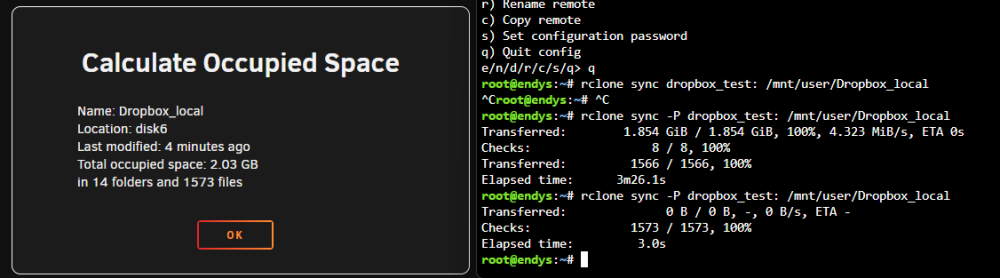
nice, I'll try that solution too! I tested mine one at the moment in the meanwhile with another account where there's no important data and it seems it works without any issue!
-
thank you, that's a very nice and super safe idea! 🙌
-
Hello everyone, my intention is to use a share of Unraid that I called "Dropbox_local" to make a local copy of the whole content of my dropbox account (1.2 TB). I've installed Rclone plugin and created the "dropbox" connection, then I've authorized it and I can successfully read the content. Now, I want to schedule a job, using "User Scripts" every 2h and I want to be sure there 100% of probability it won't delete ANY file on my Dropbox account. would this do the job? rclone sync dropbox: /mnt/user/Dropbox_local Thank you everyone!🙌 P.S. I'm sorry if I can seem to be a bit paranoic, but in Dropbox there's my whole life, so it's extremely important to be sure 100% not to delete any file! 😅
-
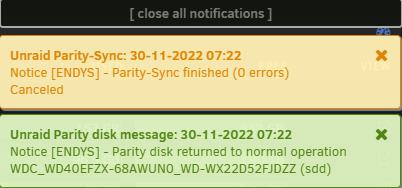
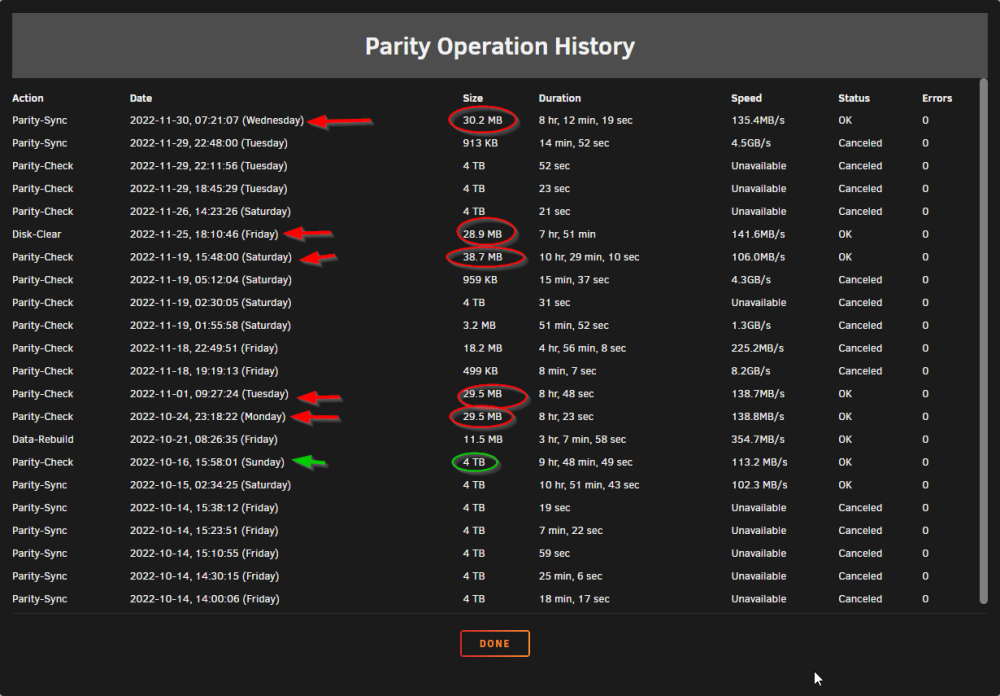
Hi everyone! I've just completed again a parity check, but it seems the report is wrong, as it says the size was 30.2 Mb... I checked from time to time while it was working live and it completed all 4TB of sectors' check... Also notification that comes out is wrong as it hasn't been cancelled, but it completed without any issue! Thank you all for the help! endys-diagnostics-20221130-1517.zip
-
any idea? @JorgeB Thank you!
-
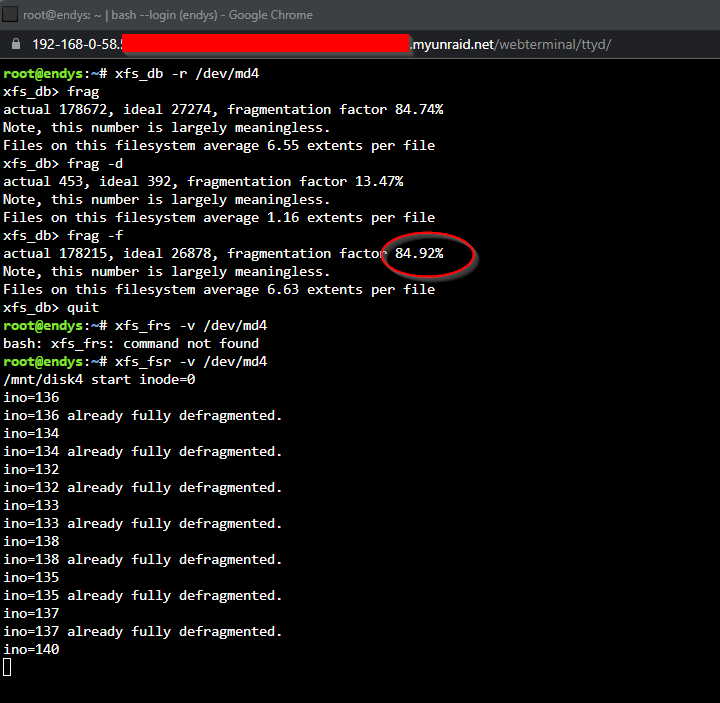
Hello everyone, I got 4 new drives for my Unraid server, then I decided to move all the data from a drive to another one to avoid defragmentation operation, but it seems the new drive has already a very high fragmentation... How is that possible? I just finished moving data from the old drive few hours ago and I did nothing else in the new drive! To move the files I used Dynamix File Manager, I don't know if it matters, but I think it was worth mentioning. Btw, you can see some parts are already defragmented just beacuse I've initially aborted doing Ctrl+C after few mins and started again... How much time is required in your opinion to defrag 3.8 TB of data on a 4 TB drive (Seagate Constellation ES.3 ST4000NM0023 attached to LSI SAS 9211-8i)? Thank you!
-
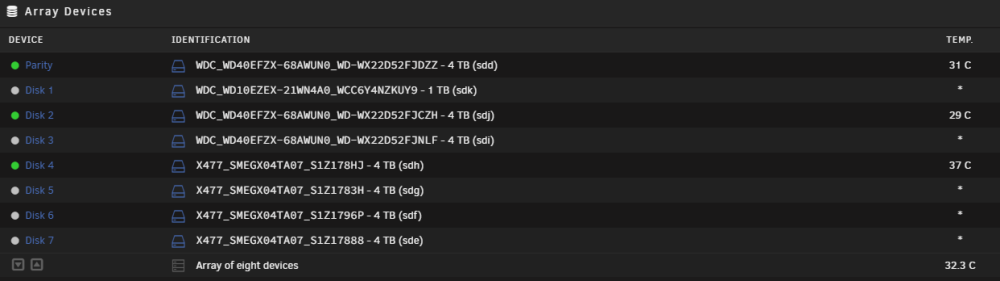
I installed the plugin 2 days ago (Unraid 6.11.5) and it wasn't working at all, then I just rebooted the server and magically it started working without any issue. Thank you so much for your work, really appreciate it! 🙌 Btw, I'm using a mix of SAS and SATA drive, SAS drives spin down perfectly like SATA ones, both for inactivity (set at 15 mins) and when asked manually too, no issue at all! SAS drives are recognized as NETAPP X477_SMEGX04TA07 in Unraid, but in reality they are Seagate Constellation ES.3 ST4000NM0023 (most probably they've been rebranded by Netapp).

-
@ConnerVT thank you for that! Unfortunately I don't have any M2 slot on the mobo, and my pci-e slots are full so I can't put any M2 drive in my build... I had 3 pci-e slot on my Supermicro X10SLL-F: 1x pci 8x in a 16x slot where I put my Nvidia Quadro P620 for Plex 1x pci slot 8x in 8x slot where I put LSI SAS 9211-8i 1x pcie 4x in a 8x slot where I put my Mellanox 10 gbe eth card... So the only solution for me was to use sata ssd and now I set the cache pool as raid-0 to enhance the performances...






