





spl147
Members
-
Joined
-
Last visited
Everything posted by spl147
-
-
fan splitter (run multiple fans off 1 header) these settings:
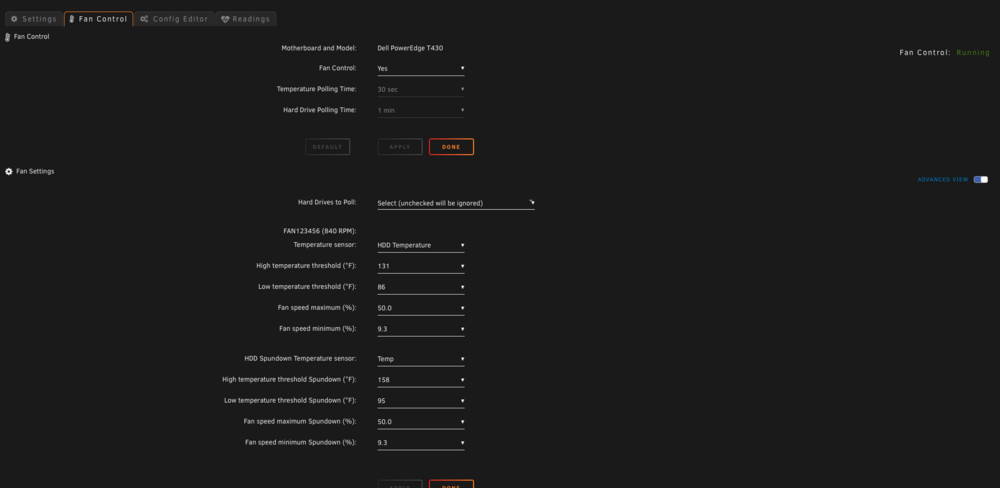
-
from this pic, you have not setup fan settings, so ipmi has no idea how or what to control! also this has been covered multiple times. only the first 4 fans are controlled. use splitters
-
should be double the size of the largest file you will be storing. and cache should be moved to the array daily at the latest
-
The plugin is to control fan speeds based on hdd temps. use your bios to set fan speeds
-
just posted yes
-
i just tried installing 1.17.9 on debian from source, no ffmpeg installed. and the issue persists. so it is indeed a MakeMKV issue since 1.17.8. seems to be linux only, mac is not affected
-
Seems i am not the only one: https://github.com/jlesage/docker-makemkv/issues/236
-
this did not fix the issue. just a fyi, current ffmpeg is 7.1
-
v.24.07.1 works as expected, issue starts with v.24.11.1 update to FFMPEG 5 and MakeMKV 1.17.8. perhaps a ffmpeg issue or a MakeMKV issue can we try building a MakeMKV 1.17.9 with FFMPEG 4 and a MakeMKV 1.17.7 with FFMPEG 5 for testing
-
not really no. i have only tested it with .mkv remux of bluray and UHD bluray and bluray and UHD bluray folder rips
-
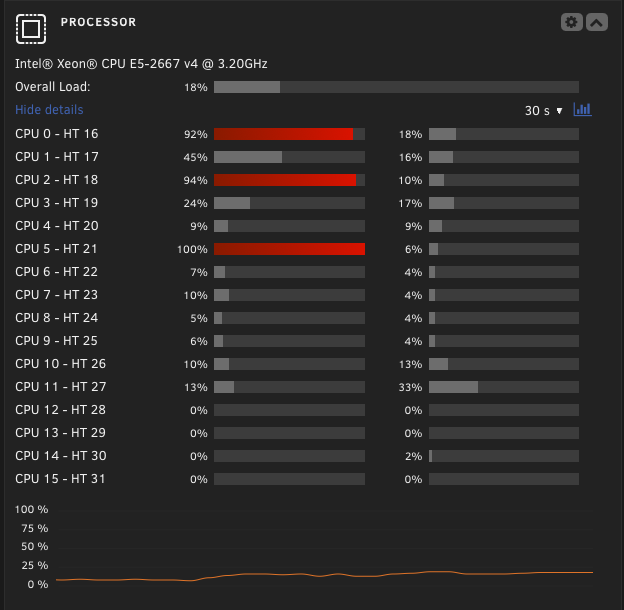
this issue still persists in the latest release.
-
-
i like the HDD icon, any chance to expand this? cpu icon for cpu temp, a fan instead of the rpm gauge for fan speed? the ability to label the sensors would also be great
-
Search is your friend! modprobe ftsteutates
-
modprobe nct6775 not modprobe NCT6775
-
Post the entire output of sensors-detect
-
modprobe NCT6775 or use the system temp app to find and load modules
-
/mnt/user is not a storage path, it needs to be a share
-
No, click the fan control tab
-
Thats the sensor page not the fan setting page
-
on supermicro boards, fanA is for the CPU and FAN1234 is chassis fans. looking at your manual, your board has FANABC and FAN123456. so it looks like the plugin is not taking all your headers into account. you could put both CPU's on FANA via a splitter and use splitters to keep your chassis fans on FAN1234 only. or see if @SimonFcan add support for the additional fan headers
-
post your fan settings page screenshot
-
screenshots would be helpful
-
you are welcome!


