ijuarez
Members
-
Joined
-
Last visited
-
Hope you can RMA the drive.
-
Caddy is such an easy reverse proxy
-
Thank you for the clarification I've been looking for something as polished as this but with out connection to internet.
-
By adding AI you are now connecting to the web so its no longer No telemetry, no external connections, no cloud dependency Is this a correct statement?
-
Very cool, i presume that it will make it to the CA apps
-
so having the appdata on the cache not and option anymore?
-
Getting this error and authelia will not start time="2026-01-28T09:09:21-06:00" level=info msg="Storage schema is already up to date" time="2026-01-28T09:09:22-06:00" level=error msg="Error occurred running a startup check" error="the system clock is not synchronized accurately enough with the configured NTP server" provider=ntp time="2026-01-28T09:09:22-06:00" level=fatal msg="One or more providers had fatal failures performing startup checks, for more details check the error level logs" providers="[ntp]" stack="github.com/authelia/authelia/v4/internal/commands/root.go:93 (*CmdCtx).RootRunE\ngithub.com/spf13/[email protected]/command.go:1015 (*Command).execute\ngithub.com/spf13/[email protected]/command.go:1148 (*Command).ExecuteC\ngithub.com/spf13/[email protected]/command.go:1071 (*Command).Execute\ngithub.com/authelia/authelia/v4/cmd/authelia/main.go:10 main\ninternal/runtime/atomic/types.go:194 (*Uint32).Load\nruntime/asm_amd64.s:1693 I have been using this for along time using IbraCorps guide and NTP server was not define. I am going to add that to my config file to see if it helps. Update you will have to define a NTP server if did not have one before this fixed the error.
-
Latest update broke authelia for me any docker that has the docker mod to use authelia gets a 500 internal server error. Otherwise swag is working. Anyone else having this issue? Ive recreated the container not a swag issue its authelia issue but the update must have rooted the issue. Authelia is having the issue of time time="2026-01-28T09:09:21-06:00" level=info msg="Storage schema is already up to date" time="2026-01-28T09:09:22-06:00" level=error msg="Error occurred running a startup check" error="the system clock is not synchronized accurately enough with the configured NTP server" provider=ntp time="2026-01-28T09:09:22-06:00" level=fatal msg="One or more providers had fatal failures performing startup checks, for more details check the error level logs" providers="[ntp]" stack="github.com/authelia/authelia/v4/internal/commands/root.go:93 (*CmdCtx).RootRunE\ngithub.com/spf13/[email protected]/command.go:1015 (*Command).execute\ngithub.com/spf13/[email protected]/command.go:1148 (*Command).ExecuteC\ngithub.com/spf13/[email protected]/command.go:1071 (*Command).Execute\ngithub.com/authelia/authelia/v4/cmd/authelia/main.go:10 main\ninternal/runtime/atomic/types.go:194 (*Uint32).Load\nruntime/asm_amd64.s:1693 Incase anyone else is having issues
-
Is this docker an alternative to uptime Kuma?
-
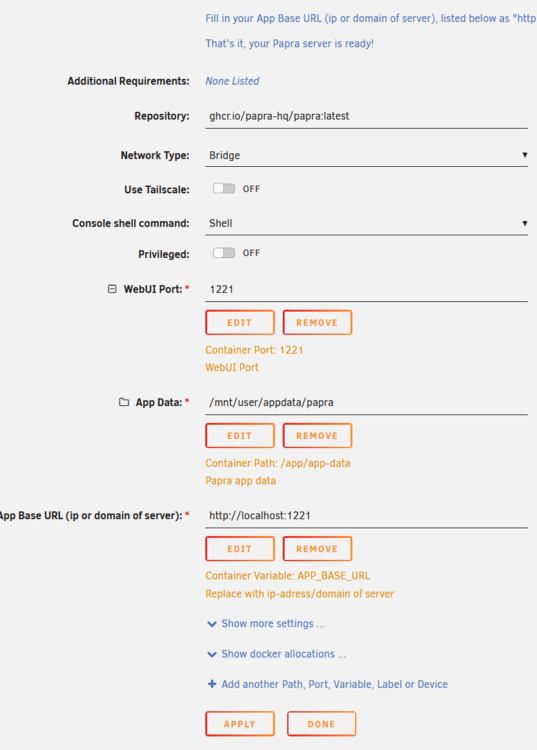
Thank you, im looking more into it and I need to define the variable in the template, I am reading the docs and if you used an .env using docker compose it may be easier. Thanks for the help.
-
It worked , few things i reverse proxy this because I want to access from outside and setup the owl relay and ingestion folder. However in the share i created to store my docs all I can see s the SQ lite (not sure how that will work if you have a large org) any way I do not see the config files to modify some of theses things like letting people just register. Just an FYI For the time now its behind authelia
-
This is very sad, this community has lost a great resource he help me out several times. My condolences and prayers for his loved ones.
-
I don't use the onboard nic i use a intel quad nic, Rolled back to the binhex/arch-urbackup:2.5.33-2-01 and it operational
-
Will do an report back Thanks
-
The current install does not have a documents location defined.