





Android_18
Members
-
Joined
-
Last visited
Everything posted by Android_18
-
Whenever I need to restart unraid I always turn off docker and I have the array set to not auto start on reboot. Whenever I reboot I wait a few minutes then start array then wait a few more minutes and start docker and that’s when I see the docker service fails to start.
-
Here is device ID for my PSU: Bus 001 Device 006 Port 1-13.4 ID 1b1c:1c27 Corsair HX1200i Power Supply
-
Is there a way I can look into it more and see what might be causing this issue?
-
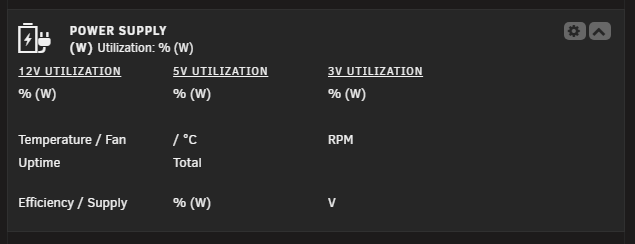
I cannot get this plugin to show my PSU, I am using Corsair 1200HXi. It shows up under Tools/SysDevs, but on my dashboard nothing shows up. I also attached diagnostics. capsulecorp-diagnostics-20250915-1446.zip

-
Here is diagnostic log after forcing reboot and getting Docker to successfully start up. capsulecorp-diagnostics-20250915-1446.zip
-
When rebooting the server I start my array first, then manually start Docker. After my array has started and I start up Docker I get the error "Docker service failed to start". I check the system log and I get a bunch these errors: emhttpd: error: malloc_share_locations, 8160: Operation not supported (95): getxattr: /mnt/user/appdata I attempt to stop my array but it is unable to be stopped because /mnt/user is in use eventhough I dont see any processes. I have to force restart my server causing parity check to run each time. After another reboot of the server I am able to start Docker without issue but I constantly have to run a parity check. I have attached diagnostics log. capsulecorp-diagnostics-20250915-1412.zip
-
Anyone get an error in the webui when clicking on the button to update to 2.0.9? Whenever I try I get the erro: My Puid is 1001, PGID is 100 and UMASK is 002.

-
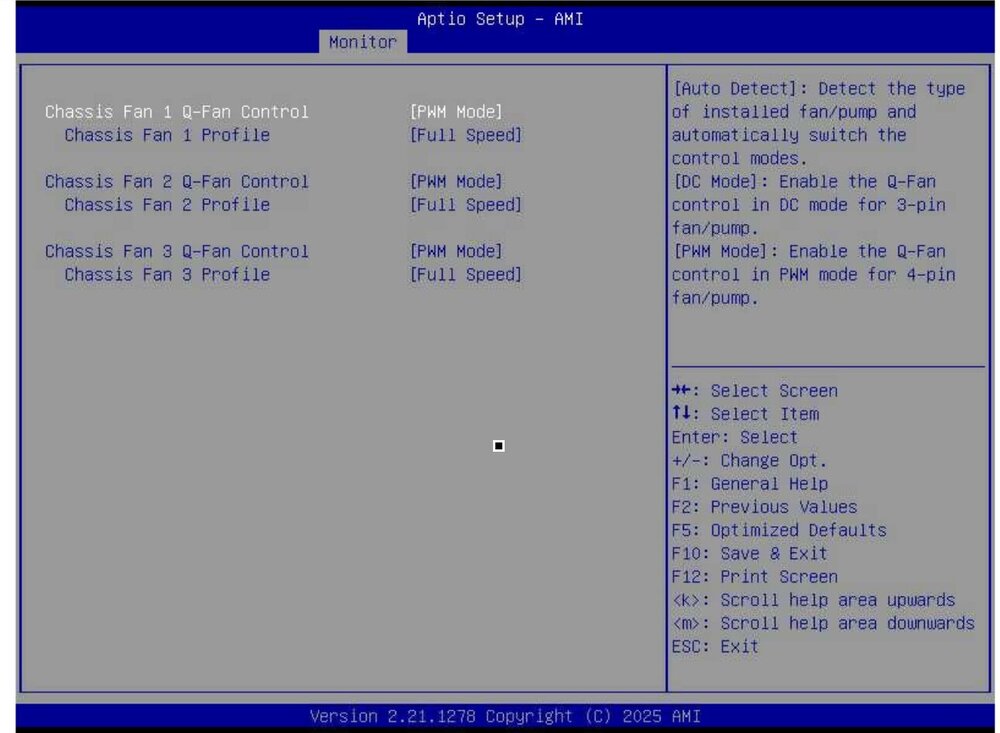
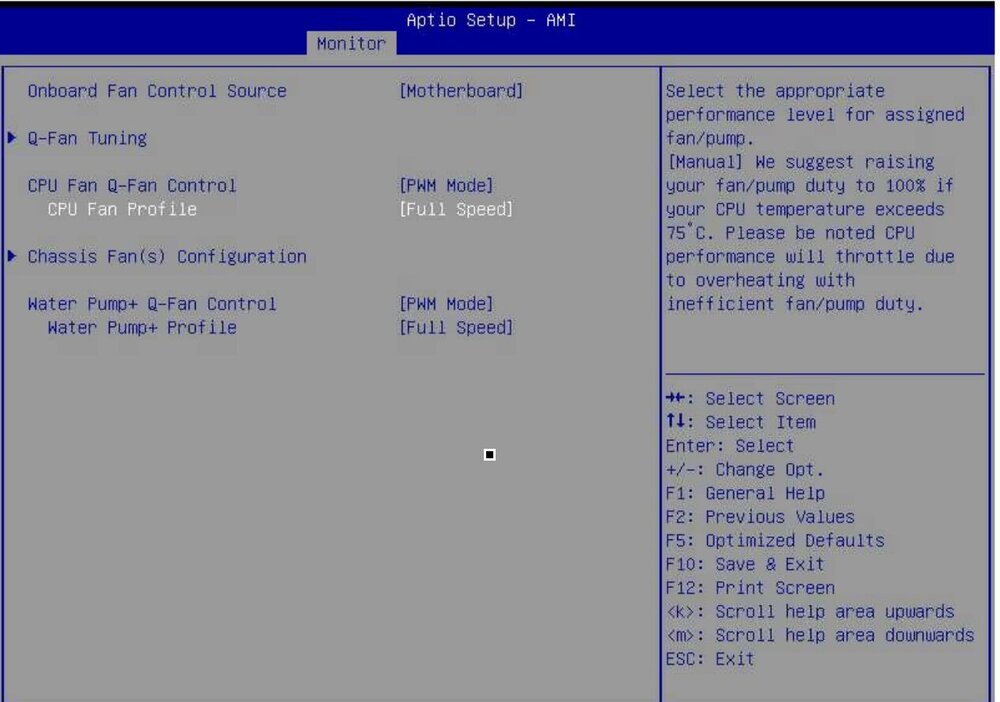
I tried this out but it doesn’t see any of my PWM fans at all, I am using an Asus W680 Ace IPMI motherboard. I have made sure to manually set all fans in PWM mode but they don’t show up at all. They do show up via the ipmi plugin but I can’t control them with your plugin or even the dynamix plugin. I attached my bios settings so you can see they are set to PWM mode.
-
I wasn’t sure this was an ipmi issue since I can connect to my motherboard and view my fans either the ipmi plugin. My issue is that I do have fan control enabled but none of my noctua fans show up as controllable. They are viewable through ipmi but I can’t control them.
-
I have a new system built and have 4 Noctua NF-A12x25 intake fans that I have all going to my aio pump header so they will run at 100% full speed 24/7. When I go into my bios the fans are correctly spinning at 2000rpm as they should. When I load up Unraid and look at the speeds with ipmi plugin or even if I use my motherboards IPMI remote viewer my fans are at around 1500rpm. For some reason when unraid loads fan speeds gets reduced to 1500rpm but in bios before unraid loads fans spin at 2000rpm. This seems like it should be a simple fix but I just can figure out what I need to change to just get my fans always running at full speed.
-
So I called Asus and as expected they were no help. I specifically told them that the bios clock doesn’t reset, only settings that I manually set. They said they knew what the problem was and that I need to replace the cmos battery which I already did. Then they said to send the board in so they can take a look, I’d rather just exchange the board from where I purchased it then wait 3+ weeks for them to receive my board and send it back. Does anyone else have this issue?
-
Yes that’s exactly what I did and all settings revert which is very annoying. So anytime I have to completely cut power to it I have to go back in and apply all my bios setting again. But what’s weird is that the internal bios clock does not reset, so clearly the cmos battery is working. What else could cause this? I plan on calling Asus tomorrow to find out if there is an issue with the board or what might cause this. I don’t expect much of a response but we’ll see.
-
Before I used folderview you could change the start order of containers individually when the system restarts. With folderview you can move folders around but not individual containers. Does the start order of containers inherit start order from when before folderview was installed or does it start based on which folder is on top and then from left to right in that folder?
-
I’m am experiencing an issue with the bios, whenever I power off system and do a power drain by holding the power button, all my settings in bios are reverted. The battery is firmly in place and I even replaced it but this issue still persists. I should also add that the time/date don’t reset, only my settings like multi monitor and fast boot.
-
I have an Intel Core i9-13900 and installed Intel GPU TOP and GPU statictics, igpu shows up in gpu statistics and I have it selected. I followed guide here: https://forums.unraid.net/topic/131548-add-intel-igpu-qsv-quick-sync-encoding-to-official-plex-media-server-the-easy-way/ and inside plex I see my igpu and have it selected. Whenever plex generates thumbnails it just uses software not my gpu. I do have a dedicated gpu installed, a p2200, but in the preferences.xml I specifically specified my igpu in the HardwareDevicePath. Is there something else I am missing, I am at a loss I dont know what else to do to get this working.
-
Follow up, restored unraid backup to new flash drive. It was recognized by MB and I was able to finally boot into unraid. igpu is detected and shows up in plex, my lsi 9300-16i hba card showed up and all drives were detected without issue. I have 12 16tb drives and added 2 more which were recognized and are now pre-clearing. Ipmi password was also reset and I can now log into webui. All sensors are reading except for my rear exhaust and front intake fans which are connected to my nexus+2 hub of fractal define 7xl case, the hub connects to cha_fan2. I will try just bypassing hub and connecting directly to fan header. Thanks for all the help everyone, this system is a lot snappier now and everything loads much quicker!
-
Ok so apparently my usb died during all of this, didn’t even show up in the boot menu. I took it out and stuck it in my laptop and my laptop doesn’t even see anything connected. I tried on several different computers and it wouldn’t read at all. Thankfully I make daily backups and copy them to an external server just in case my flash drive dies. I downloaded my backup and created a new usb and now unraid is running finally. I still haven’t tackled ipmi yet, can I run ipmitool on windows or can I do it within unraid?
-
So I received this board and attempting to first update ME via the ipmi before I update bios. I plugged just the power to the motherboard 24 pin and 8 pin connector but my ipmi card does not light up at all. I plugged the Ethernet cable into it and the port does not light up, when I plug the cable into the motherboard Ethernet ports they both light up. The motherboard just displays “00” on the screen, I can’t get the ipmi card to do anything. I even tried plugging a 6 pin power connector to the ipmi card and nothing happens. Am I missing something?
-
Perfect thank you! One last thing about ecc ram, does using intel 13th gen cpu actually use ecc ram? I wanted to get the i9-13900 and its looks like it does take ecc ram but I want to make sure the ecc will be utilized. https://www.intel.com/content/www/us/en/products/sku/230499/intel-core-i913900-processor-36m-cache-up-to-5-60-ghz/specifications.html
-
I am going to be getting the ipmi version of this board. Did you end up getting the Noctua NH-D15? If so does it brush up against the ram at all and how were temps?
-
Thank you for that! Would anyone know if running a cpu cooler like a noctua nh-d15 would but into the ram?
-
Ok so I am going to purchase this board! Are there any changes any of you have made to make to the bios specific to unraid and using plex, vm etc…
-
Thank you for the clarification! I saw a video on YouTube where someone put the ipmi card on the bottom pcie slot. I did see in the image of the board the single pcie slot above the x16 which confused me. If using the nvme slots doesn’t affect the pcie at all I think I will definitely get this board then.
-
And that’s why I keep coming back to this board. Yeah I could go pikvm and spend another 300ish but having it built in with an interface is really leaning me toward this one. For all of you that have this, does using the m.2 slots disable or affect the pcie lanes at all? I would like to install a rtx 3060 which is x8, hba which is also x8 for 8 more drives, and I would like to install a 10g x4 card. Is the ipmi built into the board or do you also need the extra adapter I’ve seen in images with this board? If so is it x4 or x8?
-
So I keep coming back to this board or the AsRock Rack W680 WS. The WS seems to have more useable pcie slots than the ipmi and more sata ports as well a total of 14. Other than the ipmi what draws people to the Asus Pro WS W680-ACE IPMI over the WS?


