





LanceM26
Members
-
Joined
-
Last visited
Everything posted by LanceM26
-
I am able to get it to work on this docker app as well. But it doesn't work with my reverse proxy for some reason. The binhex one works over reverse proxy.
-
Hi, How do I remove jellyfin-ffmpeg5 and install jellyfin-ffmpeg6?
-
Where do I throw this in: timeout - k .500 .600 intel_gpu_top -J -s 250 -d pci:slot=I see bars for a split second when going to dashboard, and then it goes to this: # cat /tmp/gpujson Time = Tue, 02 Jan 2024 03:22:08 -0800 {"00:02.0":{"clock":"N\/A","fan":"N\/A","memclock":"N\/A","memutil":"N\/A","memused":"N\/A","power":"N\/A","powermax":"N\/A","rxutil":"N\/A","txutil":"N\/A","temp":"N\/A","tempmax":"N\/A","util":"N\/A","error":[{"code":301,"message":"Vendor command returned no data.","extra":""}],"vfio":false,"vfiochk":false,"vfiochkid":"0000:00:02.0","panel":1}} diagnostics-20240102-0323.zip
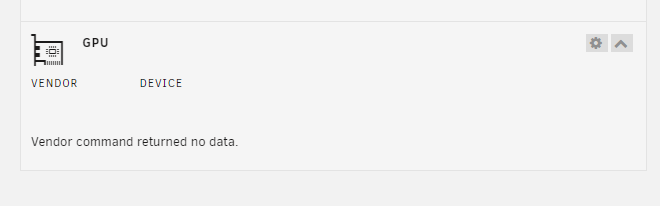 How do you get this output?Hi, I am having issues with getting transcoding to work: Playback Error This client isn't compatible with the media and the server isn't sending a compatible media format. I know it's an issue with the setting because turning off hardware transcoding lets me play the file. CPU/GPU: Intel i5 12600k File Type: MKV Settings:
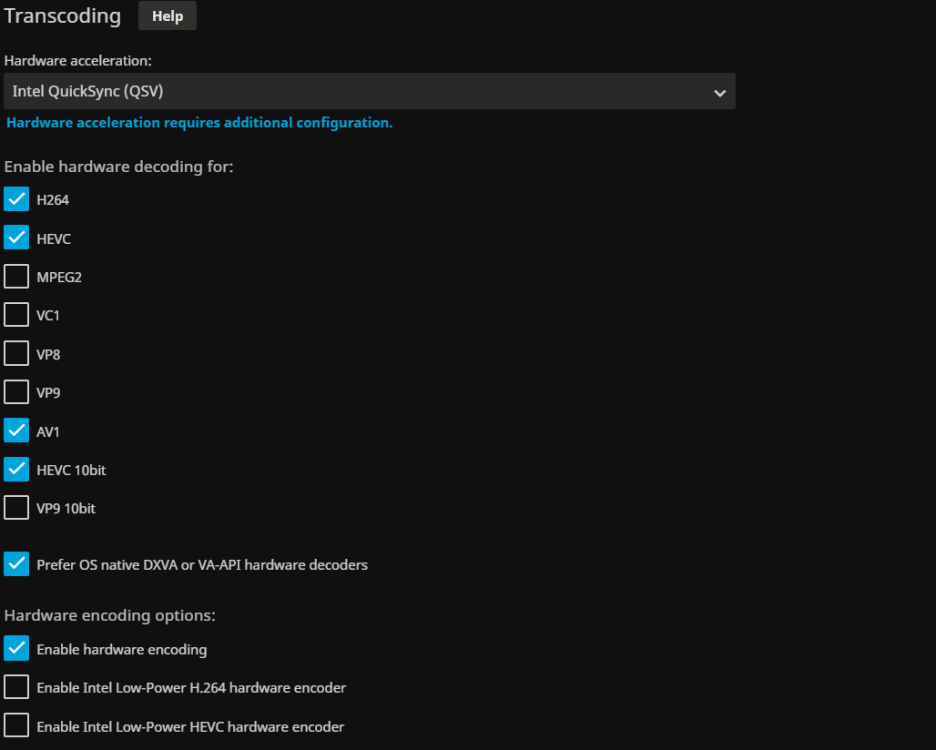 Yea, I checked if the file paths are correct: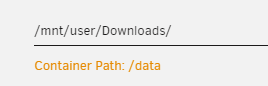
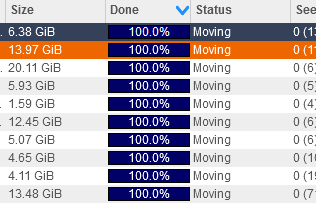
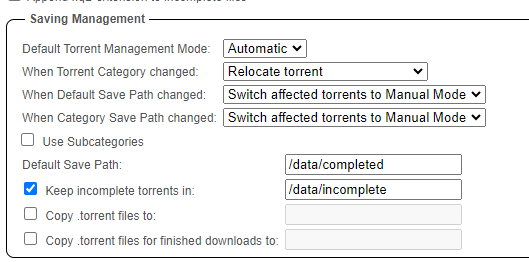 Hi, Not really sure what's going on. I have my files stuck in moving. It's setup as downloading incomplete into /data/incomplete and moving it to /data/completed once done. The torrents are pulled via Sonarr and Radarr if that helps. It's been stuck like this for hours
 Hello, I was using Gather to move stuff from an older 3TB (disk 4) drive onto my new 14TB (disk 1) drive. I did the dry run and had green checkmarks for all the files and folders. Once I did the actual run, I had yellow checkmarks for some items. When the run completed, I got this: So I went to go look at the files in "/mnt/disk 4" they aren't there anymore Where did the files go and what can I do to prevent this from happening again?


