





Cryd
Members
-
Joined
-
Last visited
-
Hi there, was someone able to add a pre_consume.sh I want to delete empty pages with this script: #!/bin/bash #set -x -e -o pipefail set -e -o pipefail export LC_ALL=C #IN="$1" IN="$DOCUMENT_WORKING_PATH" # Check for PDF format TYPE=$(file -b "$IN") if [ "${TYPE%%,*}" != "PDF document" ]; then >&2 echo "Skipping $IN - non PDF [$TYPE]." exit 0 fi # PDF file - proceed #PAGES=$(pdfinfo "$IN" | grep ^Pages: | tr -dc '0-9') PAGES=$(pdfinfo "$IN" | awk '/Pages:/ {print $2}') >&2 echo Total pages $PAGES # Threshold for HP scanners # THRESHOLD=1 # Threshold for Canon MX925 THRESHOLD=1 non_blank() { for i in $(seq 1 $PAGES) ; do PERCENT=$(gs -o - -dFirstPage=${i} -dLastPage=${i} -sDEVICE=ink_cov "${IN}" | grep CMYK | nawk 'BEGIN { sum=0; } {sum += $1 + $2 + $3 + $4;} END { printf "%.5f\n", sum } ') >&2 echo -n "Color-sum in page $i is $PERCENT: " if awk "BEGIN { exit !($PERCENT > $THRESHOLD) }"; then echo $i >&2 echo "Page added to document" else >&2 echo "Page removed from document" fi done } NON_BLANK=$(non_blank) if [ -n "$NON_BLANK" ]; then NON_BLANK=$(echo $NON_BLANK | tr ' ' ",") qpdf "$IN" --replace-input --pages . $NON_BLANK -- fi but i cannot add this to my docker. Tried several ways but everytime i got errors cannot find the file etc.
-
Hi Unraid Community, I am facing an issue where the /mnt/user folder intermittently disappears from my Unraid system. When this happens, the folder becomes completely inaccessible. I have attached the diagnostic logs to help identify the root cause. Here are some key observations from the logs: Network-related errors: The logs show repeated messages like Network is unreachable. While this might not directly relate to the /mnt/user folder, it could indicate an underlying network instability. Unmount and removal of /mnt/user0 and possibly /mnt/user:For example: Jan 29 15:40:45 Unraid emhttpd: shcmd (477): umount /mnt/user0 Jan 29 15:40:45 Unraid emhttpd: shcmd (478): rmdir /mnt/user0 This suggests that /mnt/user0 is being unmounted and removed, potentially affecting /mnt/user as well.System stability issues:Several general protection fault errors appear in the logs: Jan 29 15:37:01 Unraid kernel: traps: log-server[19536] general protection fault ip:14f4556289a2 sp:14f453679e60 error:0 in libc.so.6[14f455628000+188000] These might point to hardware or software conflicts affecting overall system functionality.Recreation of /mnt/user:Logs also show that the folder is recreated at times: Jan 29 15:15:33 Unraid emhttpd: shcmd (89): mkdir /mnt/user0 Jan 29 15:15:34 Unraid emhttpd: shcmd (91): mkdir /mnt/user However, it eventually disappears again. Steps I have already tried: Restarting the server. Verifying disk health and file system integrity. Checking share settings for anomalies. I would greatly appreciate any insights or recommendations to resolve this issue. If more information is needed, please let me know. Thank you for your support! unraid-diagnostics-20250131-0600.zip
-
ok ich brauche eigentlich keinen Rebuild da die Platte ja leer ist Oder muss ich das zwingend so machen?
-
Hallo zusammen, ich bin gerade etwas verunsichert wie ich am besten Festplatten austausche. Aktuell habe ich 2x 4TB die ich gegen 2x 16TB tauschen möchte. Parity ist bereits 20TB Auf meinen anderen Platten liegen etliche Daten die definitiv nicht verloren gehen dürfen. Die 4TB Platten habe ich bereits leer gemacht. Wie gehe ich jetzt genau vor? Ich muss die 4TB abklemmen und einen PreClear der 16TB Platten machen in dieser Zeit muss das Array aber wieder laufen.
-
This file is regenerated after every reboot
-
You are my hero today !!!! Thanks a lot
-
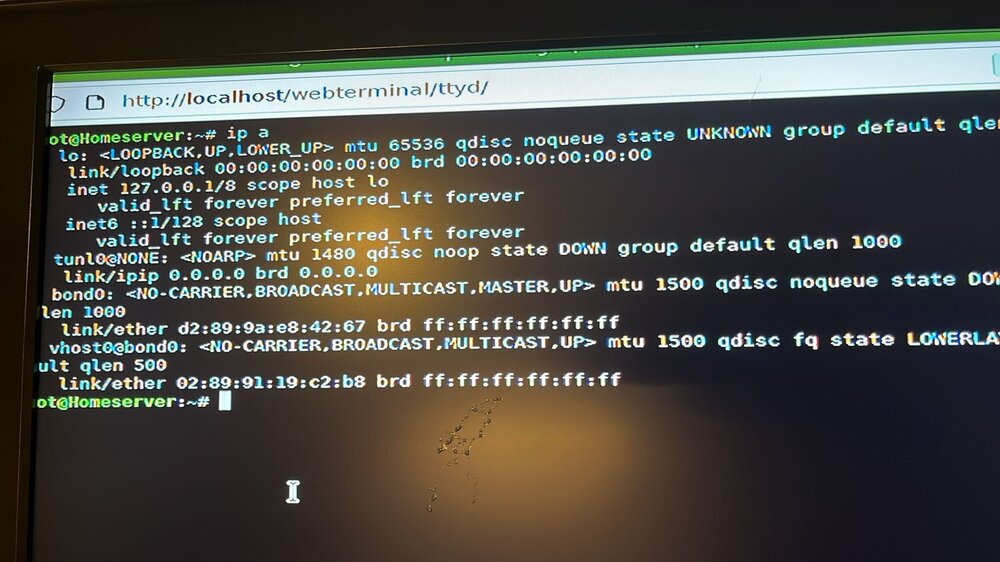
Hi ich verzweifle hier gleich! Hab meinem Server neue Hardware spendiert und jetzt krieg ich ihn nicht mehr ins Netzwerk. Die Netzwerk.cfg hab ich schon gelöscht aber bringt alles nix. Es ist ein Asus Prime B760M-Prime / i5 14500 Bios hab ich auf den aktuellen Stand gebracht. Im Gui mode hoch gefahren und: homeserver-diagnostics-20240728-0127.zip
-
Hi i got a new mainboard / cpu and ram for my unraid server. I installed everything and now i cannot access to unraid cause there is no ip. Deleting the network.cfg from the stick doesnt help. homeserver-diagnostics-20240728-0127.zip
-
Hier ist der Syslog Abstürze: 26.05 - 15:21 Uhr 11.06 - 13:52 Uhr 19.06 - 13:56 Uhr 19.06 - 18:40 Uhr 06.07 - 11:48 Uhr 07.07 - 20:20 Uhr 09.07 - 08:36 Uhr 13.07 - 16:00 Uhr Ich verzweifle langsam weil ich den Fehler nicht finde. syslog-192.168.0.110.log
-
Also wieso auch immer das er 2 HA anzeigt hier läuft nur eine. Frigate läuft als Docker.
-
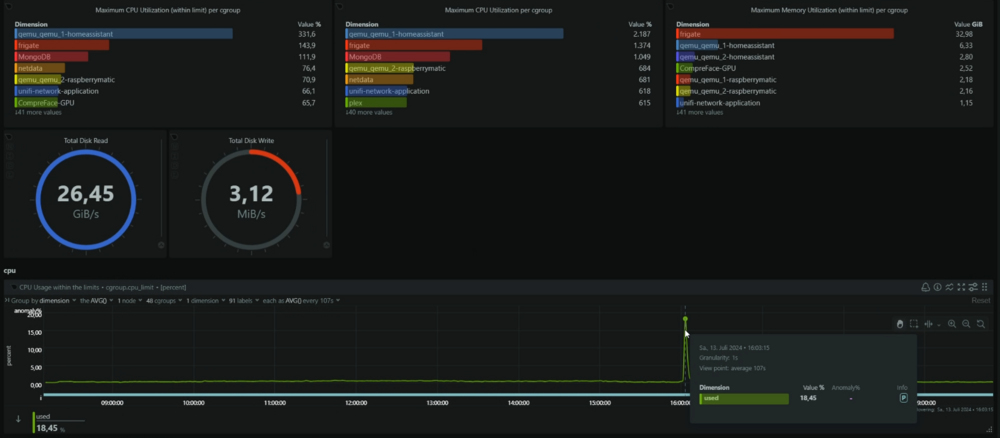
das hier haben wir noch gefunden in der Netdata Auswertung - genau ist er dann abgeschmiert
-
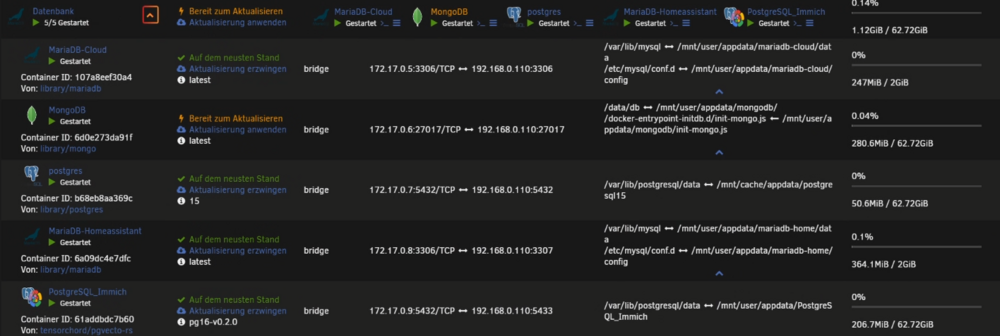
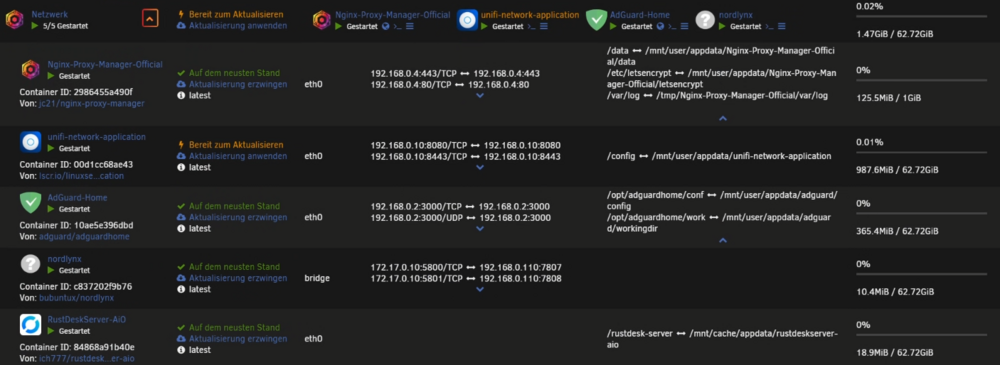
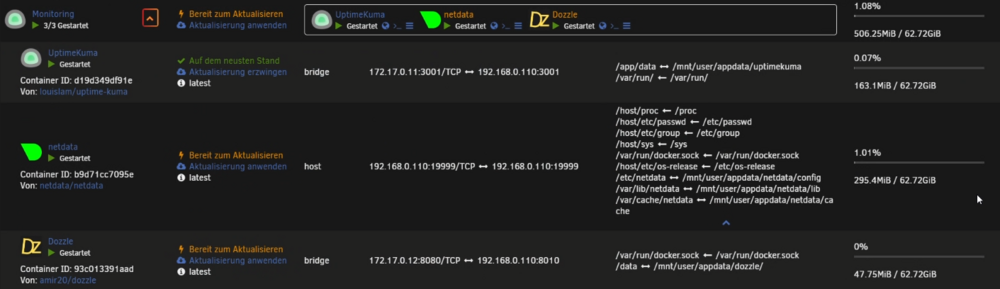
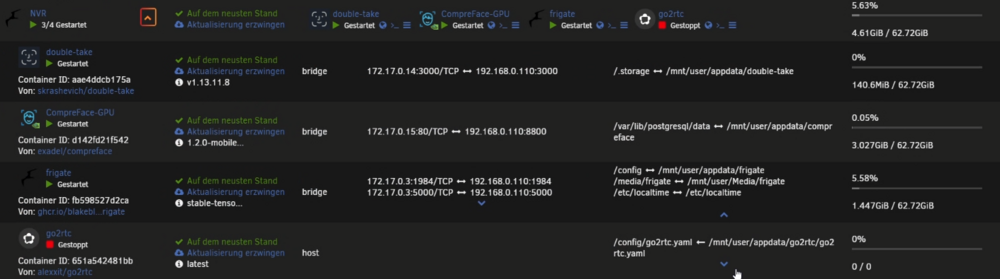
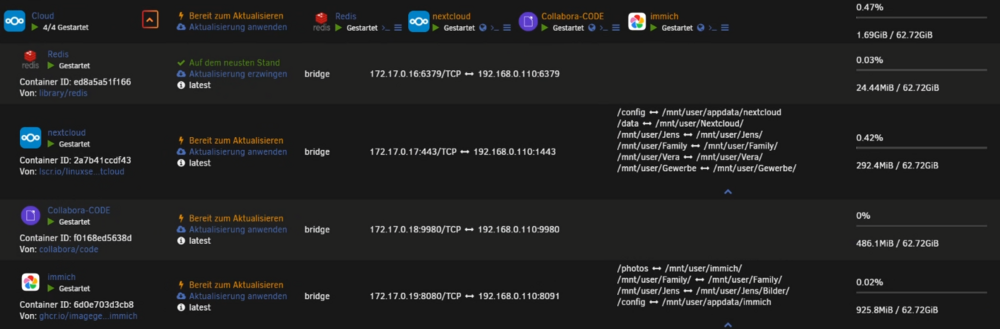
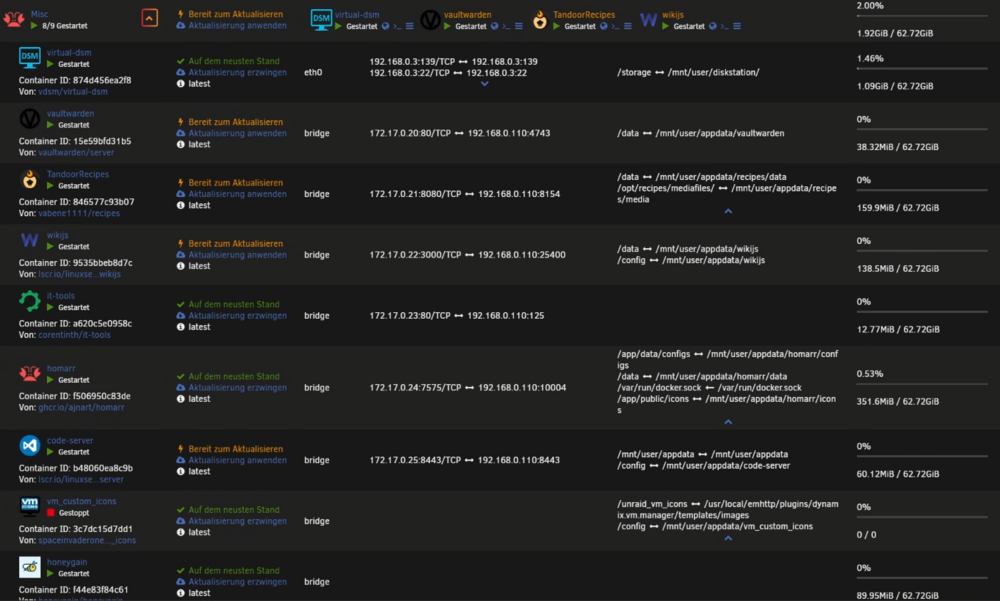
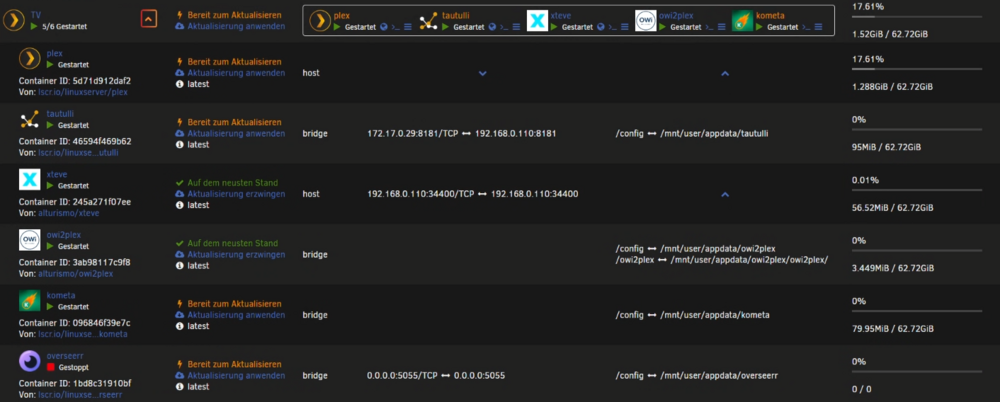
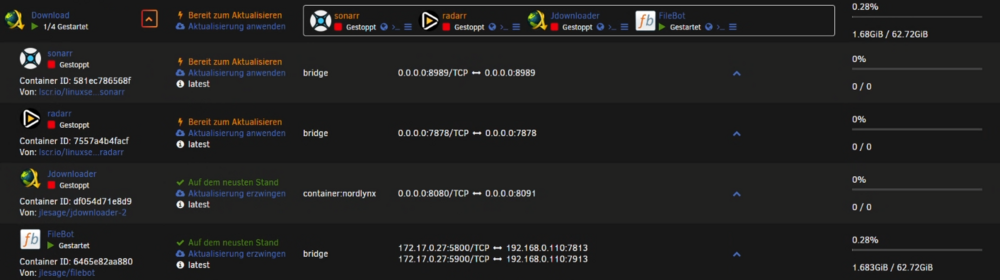
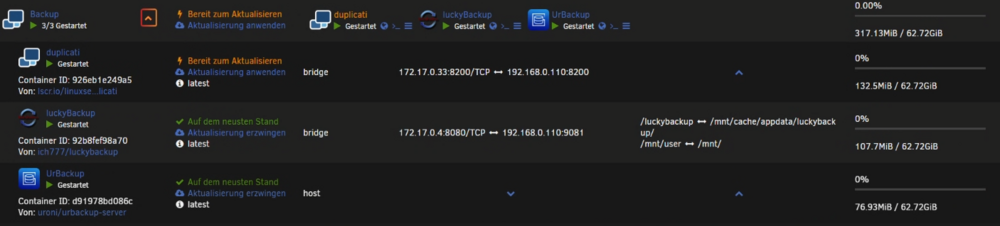
Hier hätten wir schon mal die Übersicht - RAM wächst gerade wieder langsam an - gestern 25gb heute 30gb

-
-
Hallo ja es ist eine Fritzbox als Router - macvlan aktiviert - bridging und bonding ist aber deaktivert
-
Hallo zusammen, ich bin leider nicht der begnadete Log Analyst und finde den Fehler nicht warum mein Server unregelmäßig komplett aussteigt. Was ich in Netdata gesehen hab das scheinbar der RAM voll läuft ich weiß aber nicht wieso. Hier hängt schon der Haussegen schief weil dadurch die komplette Homeautomation etc. dann nicht mehr läuft. unraid-diagnostics-20240713-1637.zip



