





A.sch3
Members
-
Joined
-
Last visited
Everything posted by A.sch3
-
Update on my end too. While updating to 7.0.0 and above solved my issue (will not boot unless I remove power from the computer all together), It did not entirely solved it. From time to time, my unraid won't boot, showing the same issue with USB devices as previously. Soft reboot don't solve this, I still have to unplug the power from the power supply for some seconds, then plug-in back in. Sometime this won't be enough though, so repeating this procedure will at some point, work. Fortunately it only happen once every 5 reboot i'd say. Honestly I think my motherboard is the issue here. BIOS is up to date ofc, I check almost every month.
-
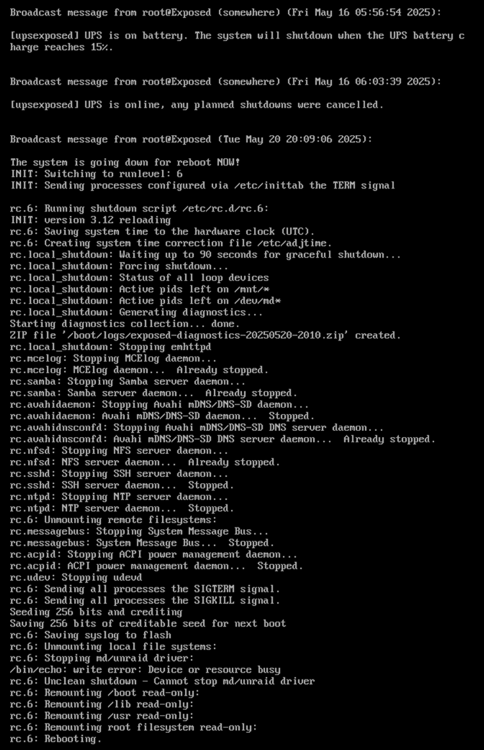
Thanks @JorgeB ! You are always so quick to answer! I will do that. EDIT: Probably will confirm, but this is the CLI output from me restarting Unraid.
-
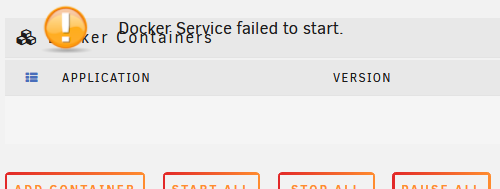
Hello, It happened a few times and I did not think much of it and just restarted the server (very uncleanly because the "normal" shutdown wouldn't work), but I think my server has a deeper issue: The server seems in a limbo states randomly where everything seems to works and not work at the same time. Most dockers seems responsive when I reach their web UI, others are not. The Docker tab in Unraid UI says "Docker Service failed to start." but in a weird way. Unraid UI is not updating the dashboard, but I can navigate the menus fine. Here is my diagnostics attached that I could download from that exact state. Would anyone knows why? Is it a memory issue? Thank you! exposed-diagnostics-20250520-1942.zip
-
That trick worked for me too! I now see the ollama icon back in the dashboard whenever it is in use! Thanks for sharing
-
Hi dglb99, quick question to you as the maintainer of the unraid template : updating a working seafile 11 to 12 will not work as is right ? I've read the seafile provides a script to facilitate this update, but I fail to understand how to run that inside my running container, then pushing changing the "11" to "12" tag. Is it something you can add to the template ? like to sort of Yes/No "I'm want to update from seafile 11" ?
-
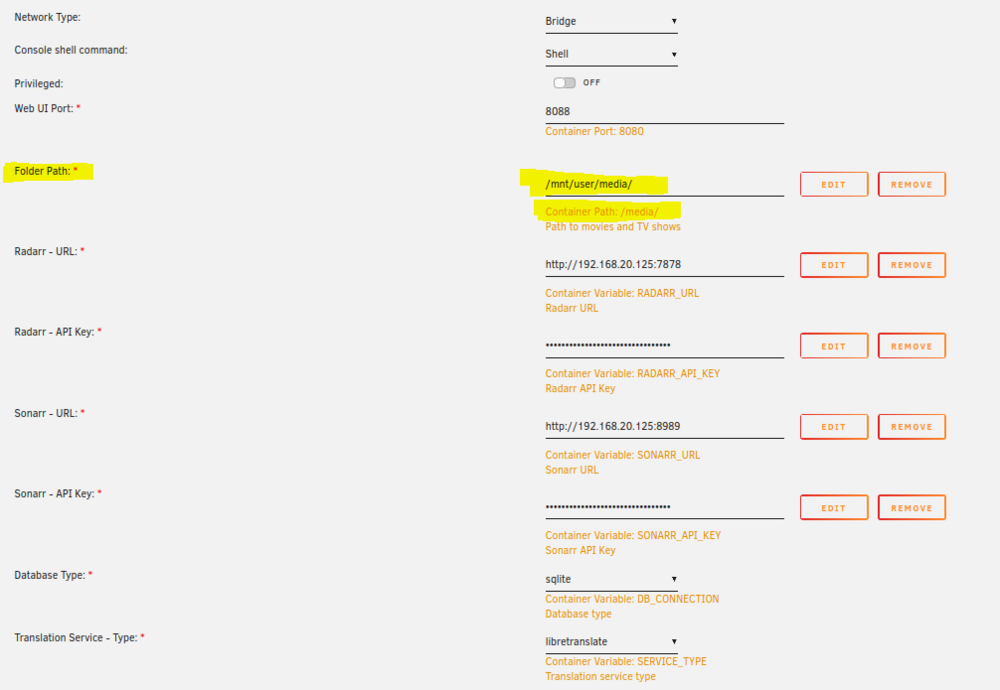
Yes it replace /app/media/movies and shows. I've removed them from the template and replaced them with what I shown in my screenshot, and now Lingarr is correctly working. I noticed that the paths were invalid when I saw the amount of lines in the logs that showd errors "not found" with the location path being "/media/movies/name of movie" instead of what I expected to see considering the OG template which was "/movies/name of movie" directly. The issue were all settings (radarr/sonarr adress, API, etc) disapears with stoping/starting the docker is still going strong. I haven't made any progress on this. PS: i'm on Unraid 6.12.15
-
I just want to provide an info for the LINGARR app : Because lingarr dev's have changed the way it internally map, you now need to map the /media/ folder of the docker to your own /media/ folder in your unraid. Otherwise Lingarr doesn't work at all. Hopefully your /media/ folder contain your movie folder AND tv show folder. If not, i'm not sure if it will work at all. Also, all the field for the URL and API key of the ARRs, and also translation services don't work and you will need to complet them inside of lingarr. Note that each time the app is restarted, all of this if forget for some reason. I suspect an issue with the way data is stored.
-
Just an update for my case (Nothing worked, fast boot or such, systematically unraid won't do a reboot. I have to remove power from the server and plug-it back): Updating to UnRaid 7 fixed fully this boot issue.
-
Firefox, Edge and Chrome. All show same behavior.
-
Sorry I don't think I tagged you properly. I want to add something : I was messing around with my network, and during some movin arround my switches connection, the icons came back for a few second. Next refresh : gone. Maybe this issue isn't related at all with your plugin... I didn't manage to reproduce when I messed up with my local network and the icon showed up randomly.
-
@SimonF result of gpujson while Plex was running : I want to add something : I was messing around with my network, and during some movin arround my switches connection, the icons came back for a few second. Next refresh : gone. Maybe this issue isn't related at all with your plugin...
-
I just did that : Remove the plugin, check that it is correctly removed, rebooted the server, reinstall the pluging. Unfortunatly, it is still not working as expected. Whatever happens next, I just want to thanks you for the time spend troobleshooting this minor issue with me!
-
Well ok. What can I do? Uninstall/Reinstall? Provide more logs or information?
-
output.txtSure, here you go.
-
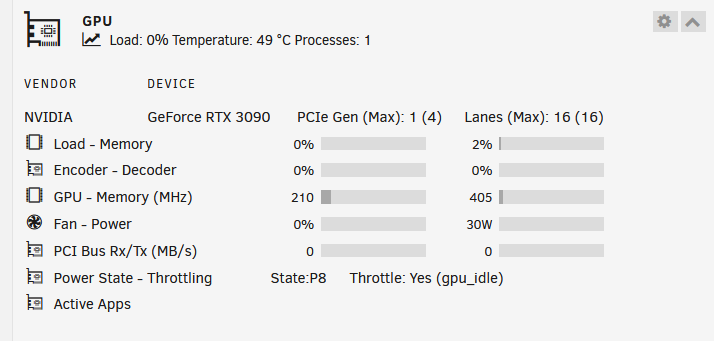
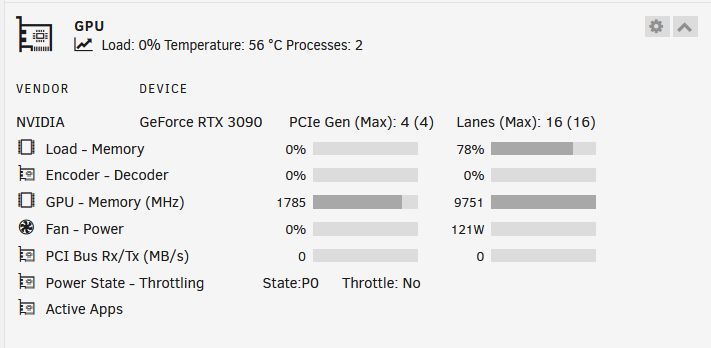
Hello, Since a few weeks, the "Active Apps" section doesn't show anything when the GPU is being used. It was working fine, but now doesn't. Is this something fixable? GPU not being used: GPU being used: Thank you! exposed-diagnostics-20250309-2017.zip
-
Oh man I'm so glad i'm not the only one ! What a crazy issue right? I think I will end up replacing the motherboard for some 500 chipset serie as it seems less affected as chipsets from 400 serie. For example I have a secondary Unraid server with a MSI Tomahawk B550 that works beautifully, never crashes, always boot, fully featured with 2.5G LAN. I'm thinking getting the same board and be done with this issue.
-
ASRock B450 Pro4 with 5700G here. Same kind of issue. I have to turn off the power supply of the machine to eventually have a proper boot. BIOS is up to date, fast boot is disabled, secure boot is still enabled (haven't tried that yet). My USB flash drive is fairly new, Samsung SACLE32BE4 as recommended by spaceinvaderone, on a USB 2 header. This is what I observe : 1) From a fresh power plugin, unraid boots fine. 2) I engage a system restart 3) Unraid doesn't boot, it's like the usb / mount become inaccessible after a precise operation related to HID something with USB 1-6 something. (I promess I will take a screen photo of that moment in the futur... It stresses my out so I avoid rebooting for the lolz) 4) After unraid tries to restart HID controller and fails, it says to press "ENTER" to initiate a reboot. So that's what I do. 5) Server restart, the USB drive isn't even recognize anymore and the BIOS default to the famous message "please insert boot device and press any key" If I check in the BIOS, the USB drive isn't there as well. 6) Any amount of manual restart/reset won't fix this issue. 7) If I now change the unraid flash drive to another USB port on the motherboard, it now boot fine. Alternatively, If I unplug the server from the main AC and plug it back in, it will also boot fine on the same USB header. The last method is what I prefer, as my USB flash drive is not very accessible without involving a lot of moving stuff around. Their was a "before" to this were my server would boot 100% of the time : when I had an older motherboard (A320 serie). But I wanted to have dual cache drive, and the low end end only had 1 m.2 slot. So I "upgraded" the motherboard to this ASrock I had lying around and since then, no amount of BIOS update or settings changes in the BIOS has ever fix this issue. tower-diagnostics-20241222-1033.zip syslog-192.168.20.163.log
-
After much time spend, it seem that the Jellyfin Docker is crashing, and is pulling unraid OS with him. For some reason, updating the BIOS of the motherboard is preventing unraid OS to crash, and now Jellyfin is the stopping on its own when it is crashing. So i'd say problem solved. Thanks for the help!
-
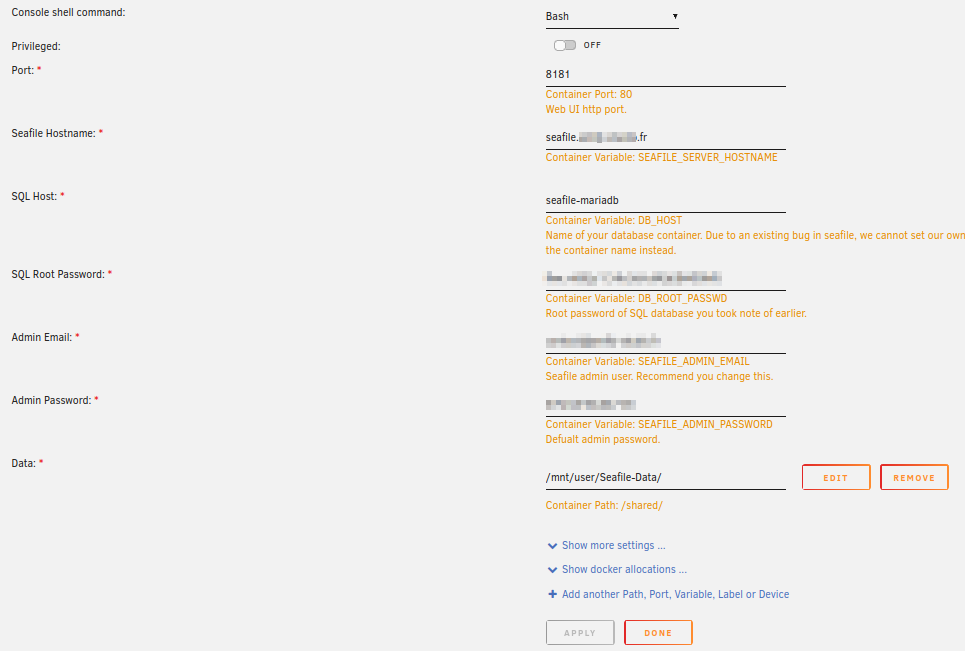
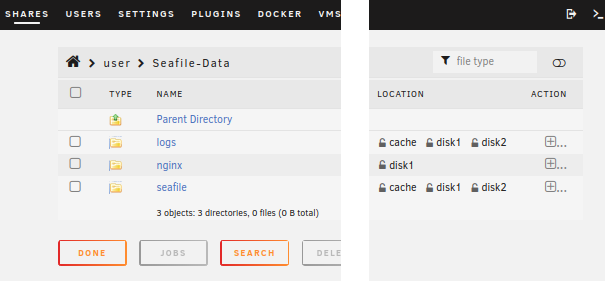
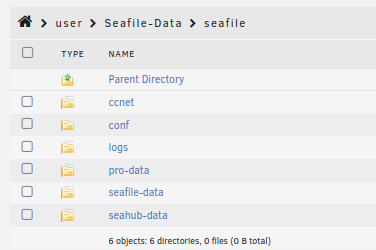
Hello, I have a seafile (cloud solution like nextcloud) docker running a my server, with this configuration : Problem is, the "Data" folder is an all-in-one solution that doesn't separate configs files and logs from the actual data. This write into a share that is set to my Array because of the data size. I tried to enable the cache so new logs files are written in the cache preferably, but obviously I'll have to wait the log rotation for a new log file to be created in the cache. Each time the log is written (every 5 minutes or so), so my disks never spin-down. I'm currently chasing avoidable power consumption, so I would like to know how to separate the config and log folder from the pure data? This is how the folders are inside the share : Most of the config and log files are written in the "seafile" folder How should I proceed? I just have to create a new path route for /shared/logs & /shared/nginx & /shared/seafile/conf & /shared/seafile/logs to a new cache only share like appdata? And the same for the other folder? It seems to be a lot of work just to split paths... Thanks for reading.
-
As far as I understand it, error number 5 is one of the few SMART errors line to really considerate as an indication that a drive WILL fail soon. This statistic data is from big data center lie backblaze : https://horizontechnology.com/news/smart-attributes-for-predicting-hdd-failure/ (near the bottom of the article)
-
Good idea, i'll do that !
-
Ok so, it's not c-states, nor RAM failling then : memtest turned-out "PASSED". Any others ideas ? Doesn't the syslog reveal something ? I personally don't understand what every lines means, but some seems to indicates errors that I don't understand the root cause.
-
Memtest is currently going on, so far so good. Thx for this suggestion, but RAM speeds are well under theses value as I have not enable XMP, so the RAM is running at default 2133Mhz. It is not clear in the topic you linked if it's ok to run at default RAM speed thought?
-
Hello support team, I have an Unraid server that keeps crashing randomly. The server initially was setup on a AORUS Gigabyte ITX motherboard, then was swapped for an MSI B450 ATX to add a 10G NIC Intel X540-T1 manufactured by 10GTek. Side note : I have this exact same NIC inside another unraid server running 24/7 no issue. AMD Ryzen, so I first tried to disable c-states features in BIOS, and by adding this to the /boot/config/go : "/usr/local/sbin/zenstates --c6-disable" (originally found on reddit) Other than that : XMP is disable, iGPU enabled with custom VRAM size of 4G. But no luck, it is something else the server keep crashing. I can read strange things about eth0 in the log before the crash (before line 11911 in syslog.log) Any ideas ? Should I remove the NIC ? Replace motherboard ? Thanks for reading. syslog-192.168.1.100.log vault-diagnostics-20241030-1414.zip
-
I tried increasing the VRAM amount attributed to the iGPU in the BIOS to 2, then 4gigs. I was able to observe the VRAM usage go above the default 480M, to about 1G but never higher. So I would advise to increase the VRAM to at least 1G, or 2G to have some headroom. The performances seemed to be a little bit better as well. Transcoding a movie with plex took a few less minutes than before.




