






BartyB
Members
-
Joined
-
Last visited
Everything posted by BartyB
-
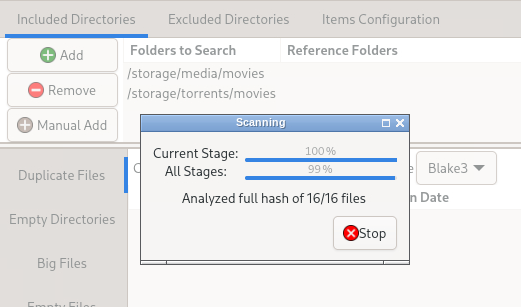
I am trying to use Czkawka to fix hard links. I installed and set the path in the container. When I am inside Czkawka and define the two folders to search in my program seems to just stall out indefinity. Any help would be greatly appreciated! One thing I noticed is it says 16/16 files. But each folder contains way more than 16 files?
-
I noticed that my daily backup this morning failed. I am not sure why. debug log id: 0d713210-17a3-460c-b173-ab20dcf9f458
-
@KluthR I just wanted to say thank you very much for picking up this plugin.. I just had to restore a container for the first time and it worked perfectly and solved my problem.
-
Look a couple days back in this thread. It's mentioned and there is a hot fix.
-
I SWEAR I checked the data folder.... oh my goodness. Thank you very much good sir..
-
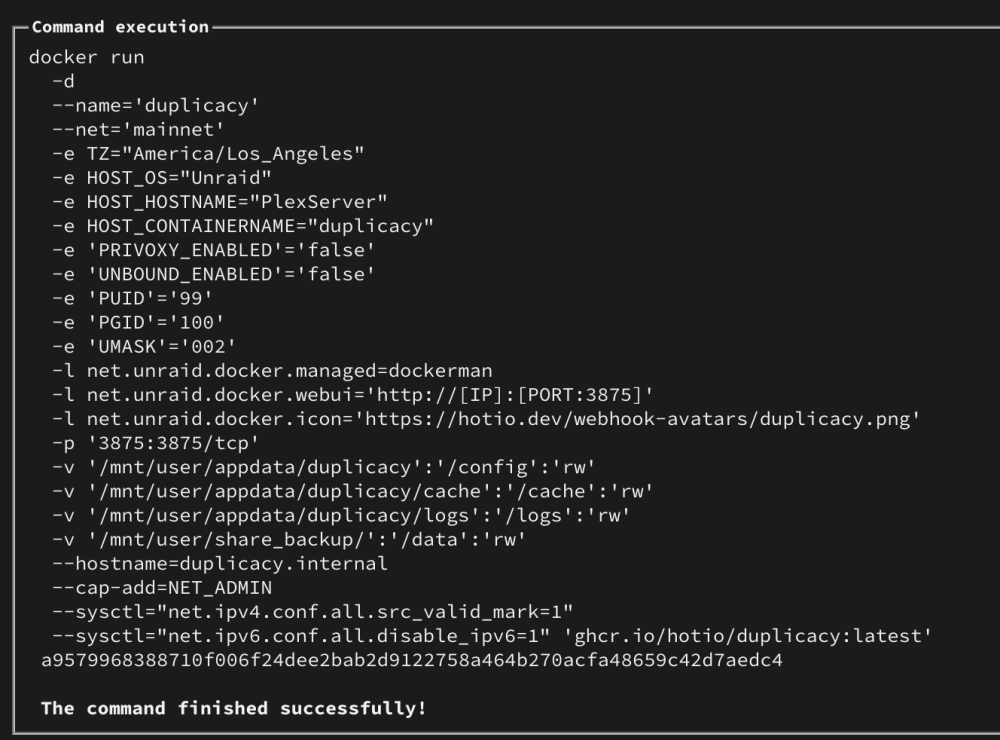
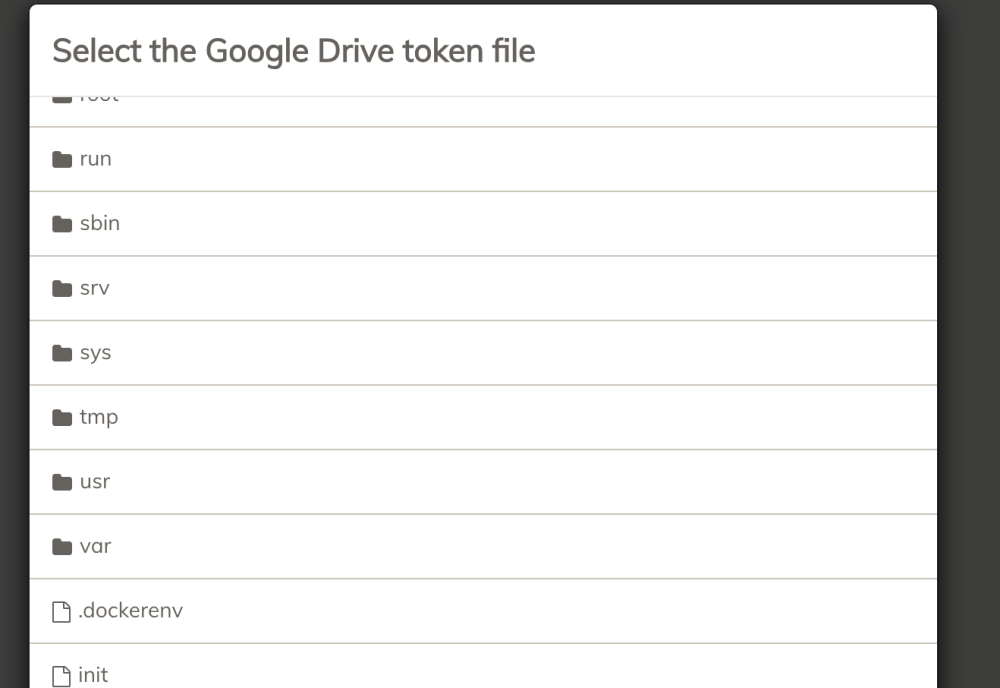
I am trying to set up Duplicacy and followed IBRACORPs video but my back up share is not showing up? Trying to sync to Google and I am at the first step of mapping the Google Drive token which I have saved inside my backup folder.

-
Thank you for the quick fix FlamongOle!!
-
Eh. This isn't so bad. At least Pro isn't changing.
-
I uninstalled since it made the dashboard unusable. When I did it said the settings were not deleted so I am hoping once it's fixed and I reinstall everything goes back to the way it was.
-
Like many my dashboard is not loading with the newest update. Other tabs will load (after a long time). If I try to go into settings for this plugin. My UI goes back to snail pace. I am new to unraid. Can anyone tell me how I can roll back to the previous version?
-
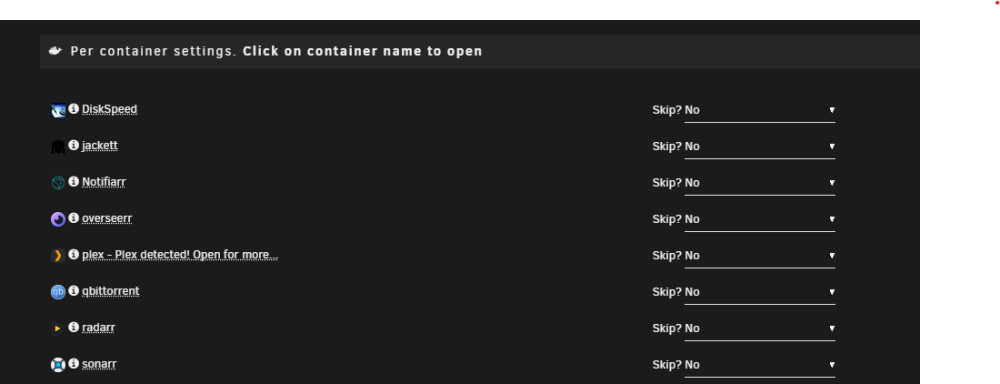
I just installed the hot fix and it appears to fix the errors. Although I have not run a actual backup yet since I am still trying to figure out/understand the plex exclusion suggestions. edit: I just ran the back up and I did not see any errors in the log. As far as I can tell this ran flawlessly! I had to do a reboot and the errors returned. I am assuming this is as expected?
-
sorry for the dumb question but is this the fix for my issue of getting the "used in multiple containers" warning? (new user trying to follow and understand)
-
oh whoops. I did not realize it's a known bug. By the paragraph I quoted I thought it was a feature and I just had to exclude certain path containers. Am I ok to use the plugin or does this bug cause issues with the backup?
-
Thanks for the reply! After posting my question I kept digging and finally found a old post that mentioned with 1 parity disk you are ok and with 2 you would have to do a rebuild. But it seems I am all set now. created a new config > rearranged my drives > turned the array back on with parity valid checked.
-
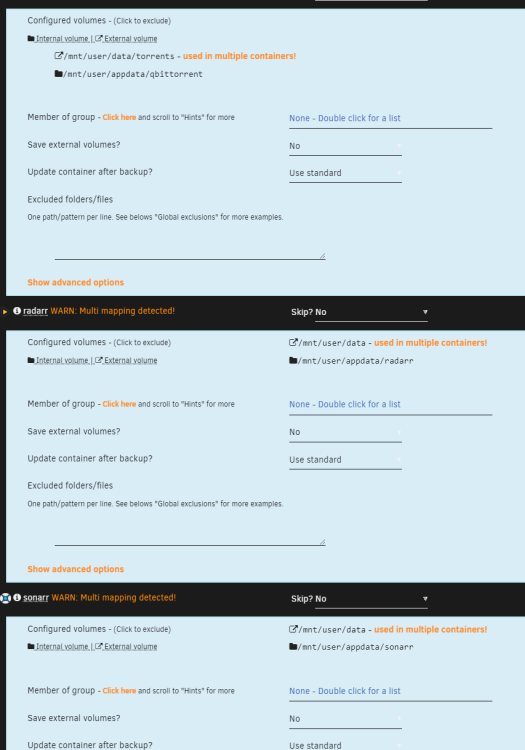
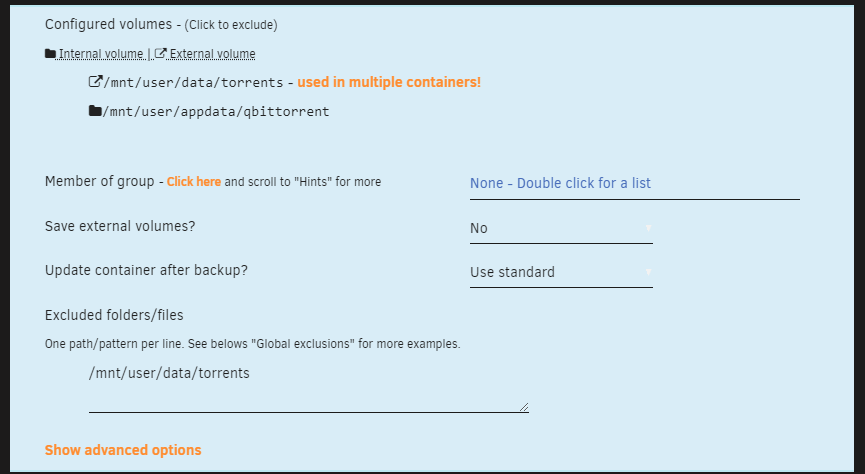
I do not think I am fully understanding this. So I am getting the multiple containers warning. I am trying to understand the remedy for this. So basically this is saying one file is pointed multiple times and will be backed up multiple times? Since I have the /mnt/user/appdata added to the appdata sources. I just exclude the file path in each container?

-
I currently want to arrange my disk under the array so the disk# matches the slot I physically have the drive. If I created a new config and kept all data. unassigned all the drives in the array and reassigned to correct slots. I should be ok right?
-
I am completely new to unraid and trying to confirm if I am understanding this OS correctly. The aspect I am getting most caught up on is the shares and mappings. I have gotten to the point I am at by following IBRACORP on youtube. 1. When I look at my shares. As I am using a cache drive. Everything is written to the cache drive first. On the shares where the arrow goes from cache --> array. That means the data will be transferred to the array at the set scheduled time by my mover? and for the appdata where the arrow is pointing to cache means the data will stay on the cache drive but will allow data to be written to the array in the event the cache drive is full? Once space is then available on the cache drive the mover will move the data sitting on the array into the cache drive?b 2. Adding a path under a container (example below) is essentially just allowing that path to be visible to the container as containers do not have free access to see all shares? In my brain I keep trying to sort of make connections to how something works in unraid vs windows. In my case I made a new share called data. So I basically had to tell the container about this share? 3. I decided to add a 2nd drive to my cache pool. I formatted the drive. increased the number of drives under the pool from 1 -> 2 and then selected the only available drive I could add to the pool. do I need to do anything else? Does unraid just automatically set it to mirror when there is only two drives?







