






craigr
Members
-
Joined
-
Last visited
Everything posted by craigr
-
Yes
-
7.1.3 to 7.1.4 with no problems. Dockers and VM's running fine. Interestingly, it seems unRAID and PLEX may be sharing my iGPU now (perhaps not)? This was not the case on 7.1.3. At first, I assumed PLEX was not using the iGPU for transcoding because I can still see the unRAID login screen on my iGPU HDMI output (use NVIDA PCIe for VM). But I checked PLEX, and it is using hardware transcoding including tone mapping. However, the curser is not flashing on the unRAID login screen after PLEX started so maybe that screen just persists statically now? Anyway, all is running well as it was before. Thanks guys.
-
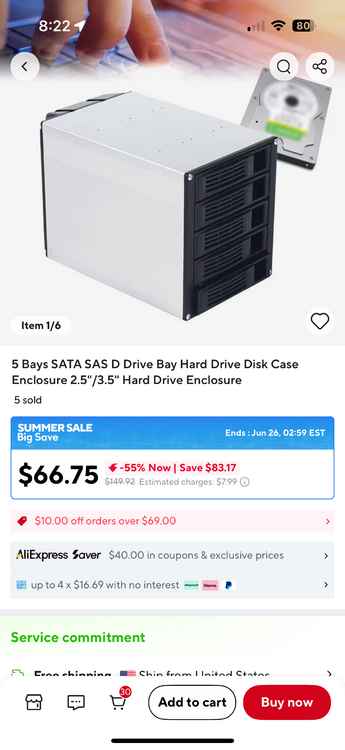
This would really be a great starter case. I'm thinking of tracking one down for a friend.
-
Or eBay: eBay5 bays SATA SAS D Drive Bay Hard Drive Disk Case Enclosur...Application This Hot-swap Cage Is Suitable for Different Types of Storage Applications, Such As Data Storage for Home and Consumer Electronics, Security Surveillance, Surveillance Image Storage, Br...?
-
Just search AliX for the keywords in this listing: 5 Bays SATA SAS D Drive Bay Hard Drive Disk Case Enclosure 2.5"/3.5" Hard Drive Enclosure https://a.aliexpress.com/_mOwxo4x
-
If I buy a big new expensive case I have no qualms making it the way I want it. Pretty much any tower I ever put pods in required me to bend the tabs out of the way in the 5.25” slots. Not a big deal to me. I keep considering replacing my very old Xigmatek ELYSIUM with this case.
-
If you order from AliX drive cages or pods are cheaper than ever. These are clones of my Norco’s.
-
7.1.2 to 7.13 seems to have gone without issue. Thank you.
-
Well... Maybe since I completely screwed up the docker when the upgrade initially would not run, and I had to completely rebuild my container from scratch, maybe my situation is similar to YDouble? It seems you are on the right track with RainDess'r report though maybe? At this point I am happy to try anything that may help you with diagnostics, but my docker is again running fine.
-
I just tried the latest after switching over to WireGuard (finally!) from OpenVPN, and latest works perfectly with WireGuard. So, I'm afraid I won't be much help in diagnosing my original issues. Thank you binhex.
-
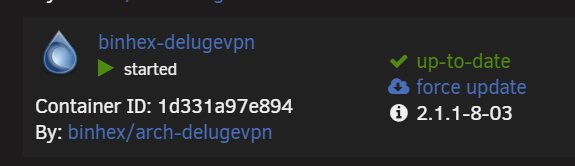
It's creating the backup and storing it in RAM I believe.It's a very odd problem. Are you guys with issues using wireguard or openvpn? I just switched to wireguard last night and am thinking of trying the update again... this time without screwing up my docker container.I am still having the issue and have had to fall back to continue running version 2.1.1-8-03. I hope binhex figures this out because at some point trackers will no longer allow an older version of deluge. Thanks for any help binhex!
 Updated from 7.0.1 to 7.1.2 without incident. So far so good. All VM's and Dockers started and are running.This machine does everything. All things considered, the power usage is ok for me. I use less electric other places in the home. I was saying NUT works great. I've never had any issues with it. I think the OP should switch to NUT.I think I saw that in the release notes. Was I mistaken?binhex (or anybody with knowledge), any ideas on why I am getting this error when the container starts once I can access the web GUI? 2025-05-07 11:37:09,823 DEBG 'watchdog-script' stderr output: /usr/lib/python3.13/site-packages/pkg_resources/__init__.py:1490: UserWarning: Extraction path is writable by group/others and vulnerable to attack when used with get_resource_filename (/config/python-eggs). Consider a more secure location (set with .set_extraction_path or the PYTHON_EGG_CACHE environment variable). warnings.warn(msg, UserWarning) What is the "Extraction path" and should I manually change the permissions on it? Thank you!I switched to NUT years ago because the native always had issues for me with multiple different APC UPS's. Last UPS upgrade I was having the UPS "disconnect" and "reconnect" many times each day. You get more information that is more reliable with NUT and it always works for me without issue.Thanks. I should have done that. I was tired and my head is in the clouds. I actually didn't think that would work after I had already reinstalled the container several times.Should I just turn off STRICT_PORT_FORWARD? I recall you had me turn it on in the distant pass or maybe it's in your Q&A? I get a page that looks like this. PIA was running and the deluge was up before I upgraded the container. So I was connected to PIA before the upgrade. I tried to get a connection for about an hour and a half. Any ideas? Thank you binhex.
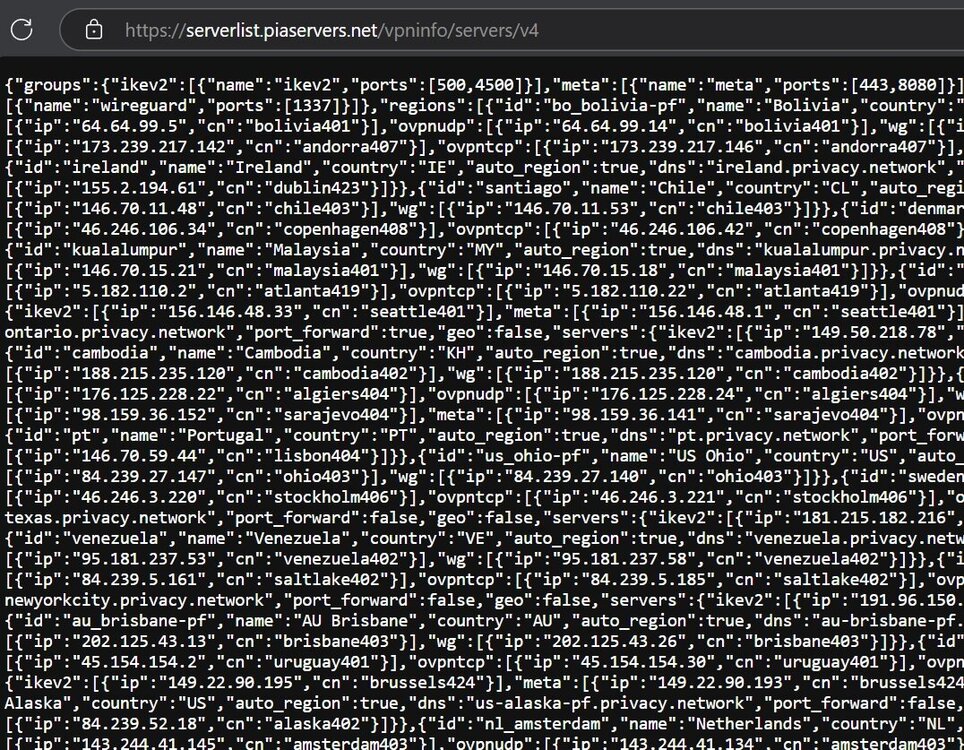 I found a log for my issue. Key time is 2025-05-02 23:59:11, that's where it stops. The lines below are me stopping the container. supervisord.logbinhex, I'll try and get you a complete log after upgrading. As I posted above, this is where it would freeze on your current version after I updated last night. Version 2.1.1-8-03 is working fine here again now. I did so much backing up and restoring that I may have overwritten or deleted the complete log in my tired attempt to get things fixed last night.Well that was fun. It looks like I have everything back up mostly. I am getting this security error once deluge starts up that I don't recall seeing before. How may I fix it? 2025-05-03 11:37:09,420 DEBG 'watchdog-script' stderr output: /usr/lib/python3.13/site-packages/pkg_resources/__init__.py:1490: UserWarning: Extraction path is writable by group/others and vulnerable to attack when used with get_resource_filename (/config/python-eggs). Consider a more secure location (set with .set_extraction_path or the PYTHON_EGG_CACHE environment variable). warnings.warn(msg, UserWarning) Thanks TobiasGM!I should have stopped at 11:30 when things weren't working and walked away. I was so tired and felt like such garbage. It's not my style to quit, but all I did was make a mess.



