






craigr
Members
-
Joined
-
Last visited
Everything posted by craigr
-
Binhex. Thank you for making the log so outstanding. I got this fixed quickly because of it and it's helped me more times than I can remember over the many many years I have used your Docker. Much respect man!
-
I am having this issue suddenly now as well. I am not sure when it started as I have been away for over a week. deluge will not start with strict port forwarding enabled with PIA. I cannot seem to get it to work. Binhex, do you have any update that can correct this please? Never mind. PIA changed the server addresses. I was using Toronto and it wasca-torontoca.privacy.network but NOW it's ca-toronto.pvt.site Thanks again PIA for changing long running parameters willienilly without notifying your users. My server has been down for who knows how long. Effing wonderful. At least it's fixed now.
-
-
Excellent thank you. I did not have "file:" at all before, let alone three forward slashes. Works now. Used to work fine without "file:///" for me.
-
I did also try to "Force Update" the Dockers to see if the icons would populate, but they did not. The path leads to a folder in my appdata location. I tried uploading them to my web host and using a URL pointing to them. Nothing seems to work.
-
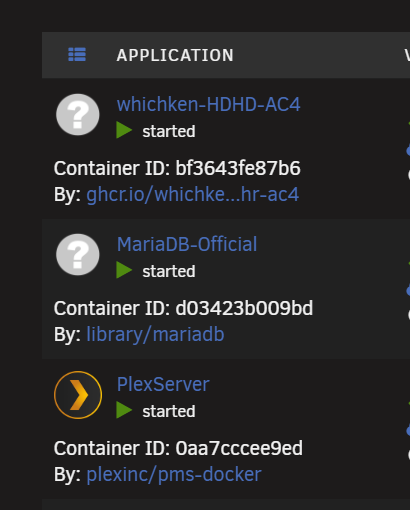
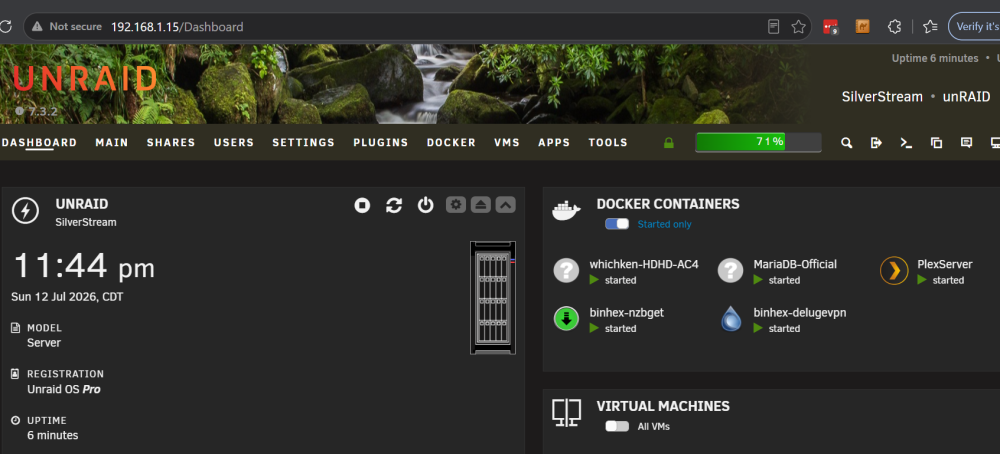
All is well with the update and I am running 7.3.2 now, with seemingly no issues other than my custom Docker icons not displaying either. I'm a little sad 😥 I drew them up myself.
-
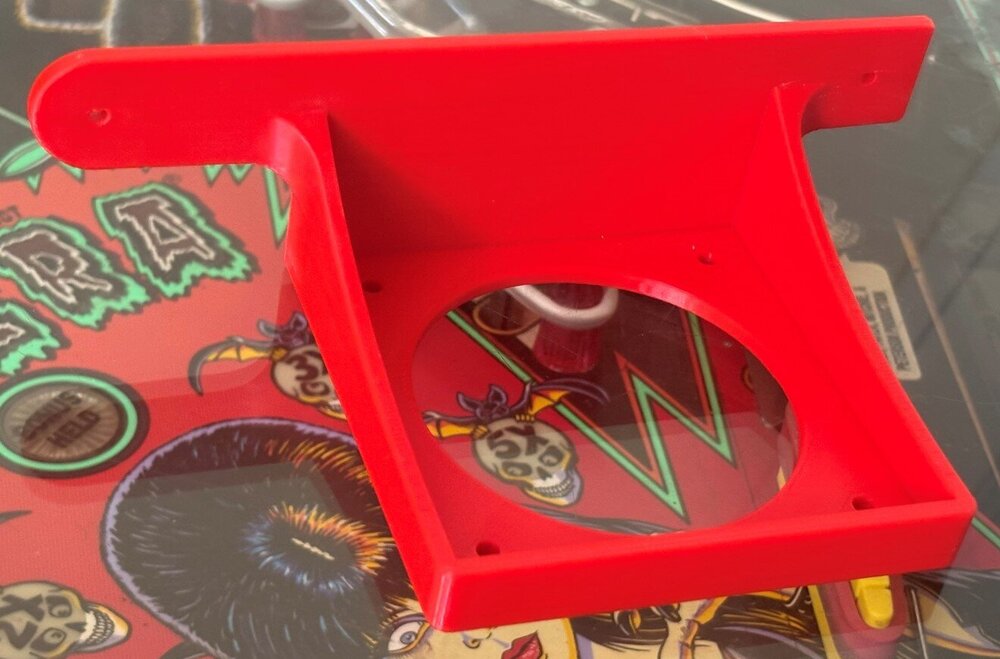
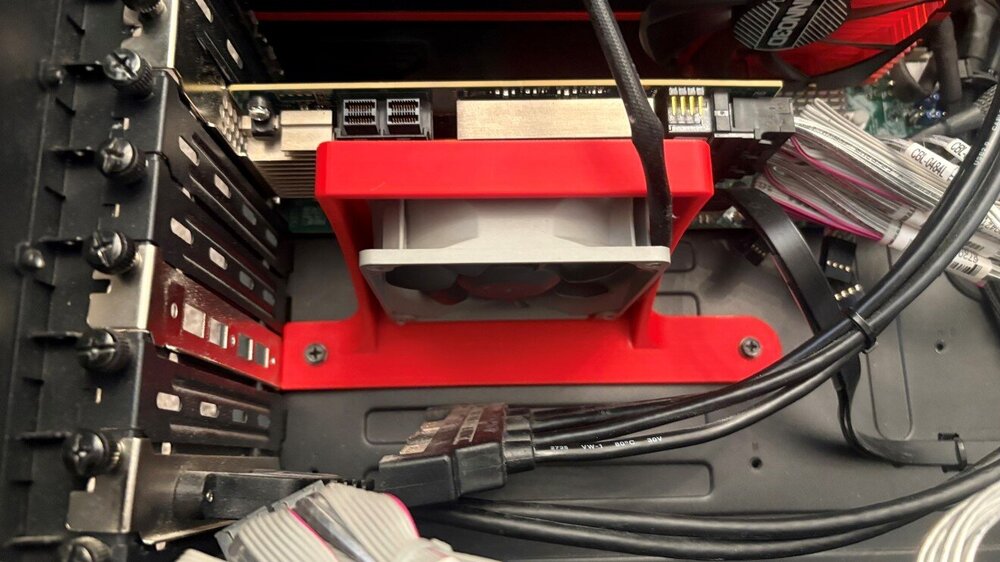
I just drew and 3D printed a bracket to hold an 80mm fan under my HBA card. I didn't like how hot it was to the touch, so now it's cool. I first thought I'd just drill a few holes in the case to mount the bracket. But I did some discovery and realized I could make the bracket to screw into existing holes in the chassis for a size "H" mother board.
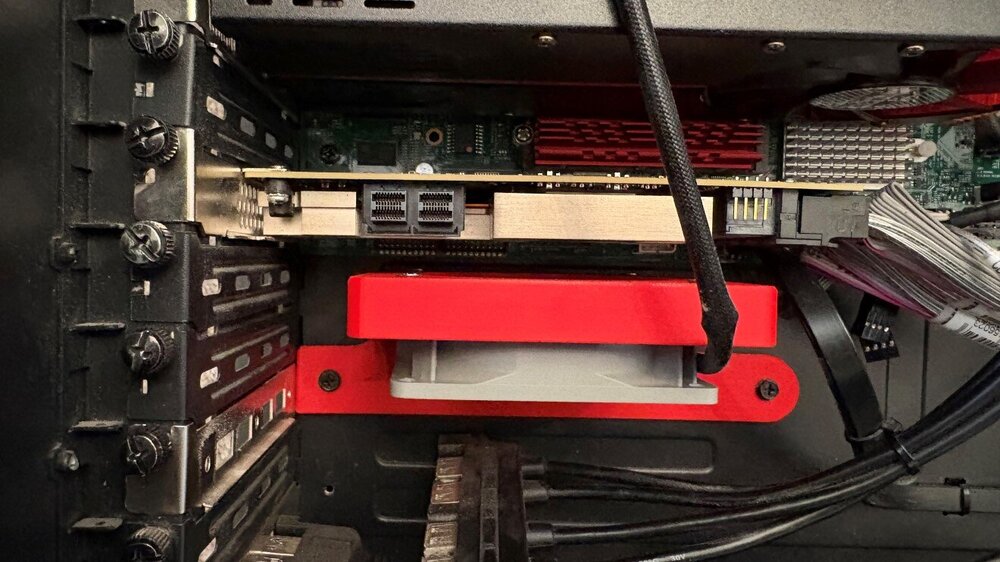
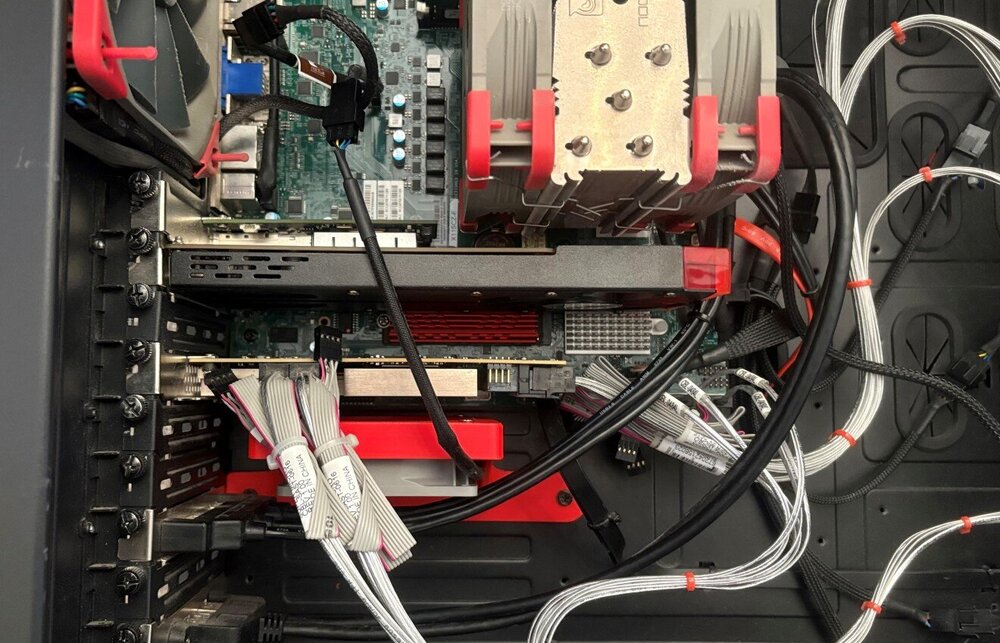
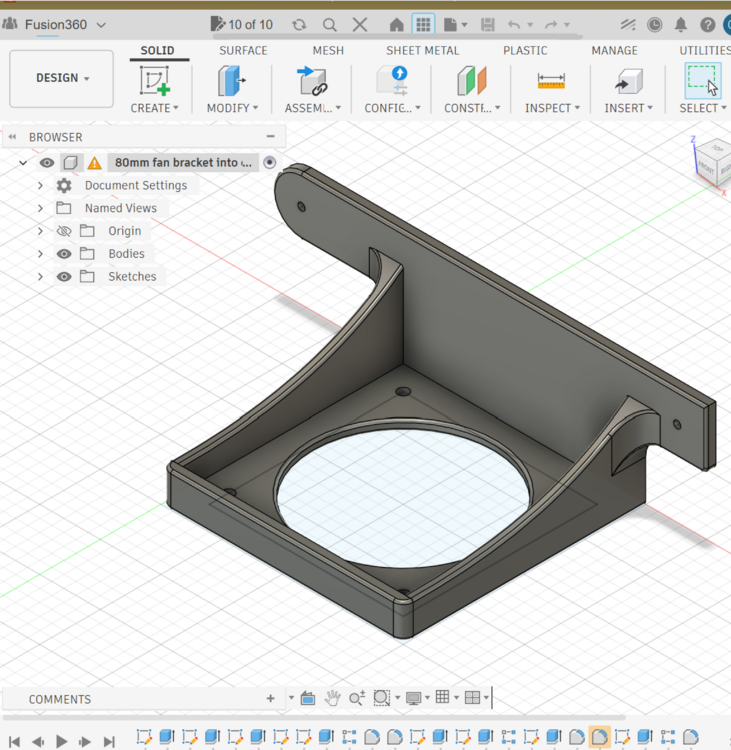
-
But also look back as this has happened to quite a few people and it's been solved... Here you are: and before that if you need more info:
-
What HBA card are you using? I have not had this issue at all. Also just double check you settings are correct:
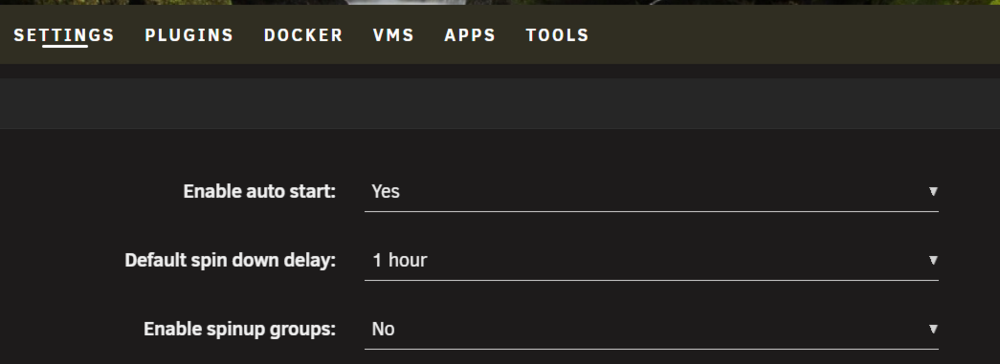
-
Use one of your existing SSD drives. That's what I did. I don't have a spare SATA or NVME port just for the unRAID OS regardless of cost. Move all data off a pool. Stop array. Remove the drives from the pool and delete the pool. Follow the prompts to migrate the OS and choose to use the drives in the pool you just deleted. The OS migrates from the USB to the pool. Assign the same drives to a new data pool with the exact same name you had before. Move data back onto the pool.
-
Looks like you need this guy: https://www.supermicro.com/en/products/accessories/addon/AOM-TPM-9665V.php https://www.aliexpress.us/item/3256807866404942.html
-
I still don't understand what happened, but I have it in a decent place as of now. I tried ew-flashing the Supermicro firmware including the manufacturer section (have to move a jumper to allow access to that section of the ROM and enable it in the BIOS) and there was no change. However, I moved a physical jumper that is supposed to allow IPMI to show up on the VGA port, but that isn't what happened. I also disabled legacy on everything in my BIOS. As of now, I get nothing on my monitors from the MB or unRAID at all. But I do get everything through the IPMI remote control including BIOS and full unRAID boot and login. Sometimes with computers you just have to throw your hands up. It all works now and reliably, it's just different.
-
I have a nice flash drive but figured why not migrate to boot from a hard drive? I like it. If you have unRAID already installed you need to free up an internal hard drive or pool, but then you create a boot section that is only 16GB, and can recreate your old pool again as a second data partition. I have two Samsung SATA 850 PRO drives in a ZFS mirror that I used. They only things on them are my boot partition, and my VM and Docker files. Before they were just VM and Docker drives. I really like it! No more flash drive! Which for my MB is quite nice because only two USB ports are available to unRAID (rest are passed through to VM's); one of the two are used by my UPS so before 7.3 I had BINGO unRAID USB drives available. Now I actually have an open USB port again without using a USB hub. So, for example I can plug a USB hard drive into unRAID and see it in unassigned devices. Couldn't do that since I started using this MB.

-
Same. I just closed it. They I manually migrated to boot from SATA and TPM.
-
7.3 to 7.3.1 no problems. I do have an issue that I've been chasing ever since updating to 7.3, and I cannot say unraid caused this. However, when I updated and migrated to SATA for the boot device, I DECLINED to let unraid attempt set the boot order automatically. I wanted to manage BIOS settings myself. Unfortunately, since then, I have been unable (most times) to enter the BIOS on my Supermicro X11SCZ-F. The first thing I see on screen during boot is unraid loading AFTER the unraid boot screen where you can select how unraid boots. I do not even see the Supermicro splash screen or the option to enter the BIOS (this seems to happen on SM boards sometimes for various reasons based on Google). I have tried everything including removing my Nvidia card and trying on board DP, DVI, and VGA. I also do not even get a screen on IPMI (I can't understand how this is possible, just blank)! If I press DEL during power up, I get a blank screen (monitor will shut off no signal), but I do enter the BIOS because I can press the correct keys to reset to default and save. I also get "ab" if I snoop which means that the computer is sitting there in the BIOS. But there is absolutely no display coming out of my MB on any of its ports or IPMI. I've messed with it for hours last week and accidentally got into the BIOS after resetting the BIOS (shorted the jumpers), and reinstalled my Nvidia card, and was accidentally on that input on my monitor during boot. I set everything as I need it because I knew it may be my only shot (and it was). I have not been able to get back into my BIOS again, and I certainly don't want to reset it again in case I can't get back in ever. I'm planning to start a ticket with Supermicro. I'm surprised unraid is capable of setting the boot order on most motherboards. Is it possible unraid boinked something even though I did not allow unraid to try to automatically do it? Is there any way to unboink it? Thanks all, I really love 7.3.x!
-
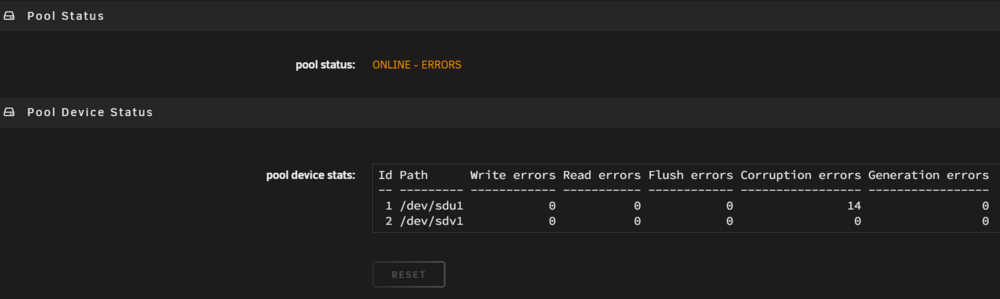
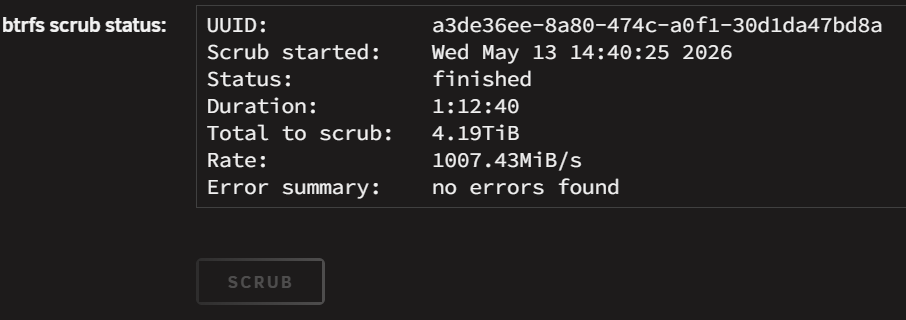
If I click the disc and not "ONLINE" than nothing is greyed out including reset. But what are corruption errors? And were the errors there before the upgrade, or were they caused by the upgrade? The SCRUB returned no errors.
-
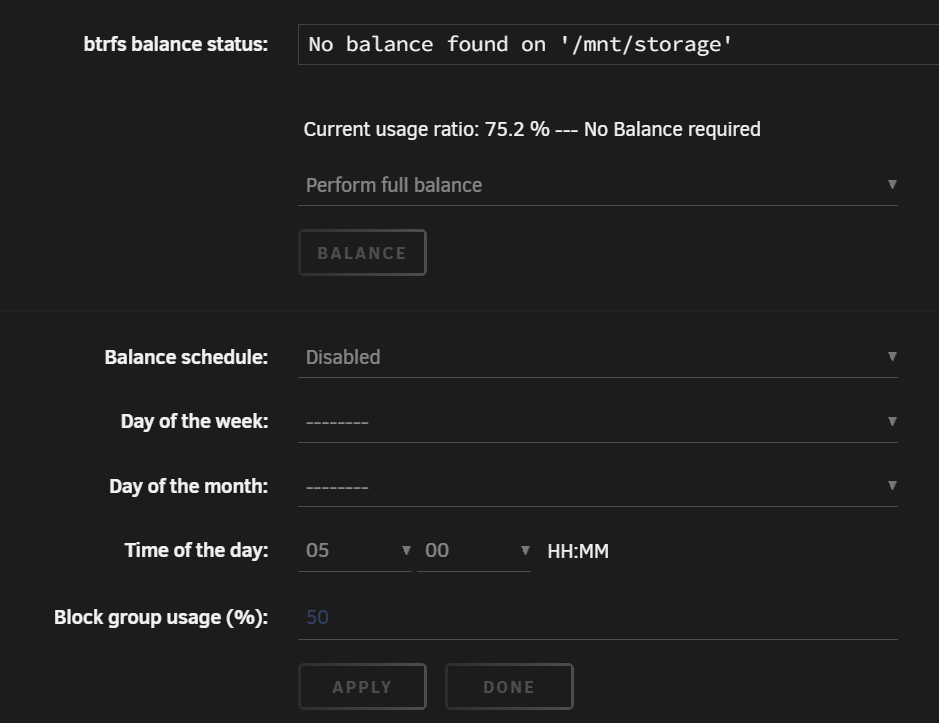
Not very informative. What are corruption errors? As you can see, "RESET" is greyed out. Balance is now not available in the pulldown and also greyed out. And finally SCRUB is greyed out. unraid-diagnostics-20260513-1837.zip
-
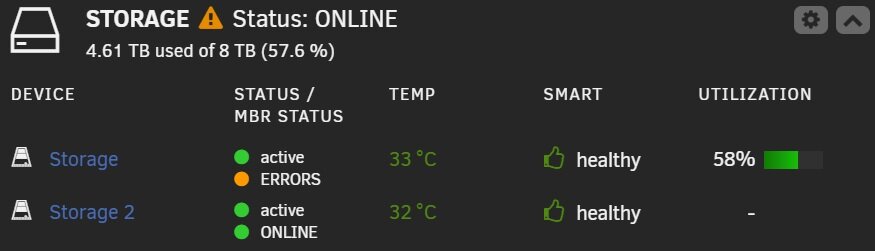
Went from 7.2.6 to 7.3.0. Everything is working as expected except this. I see no errors when I click on the pool and it is operating fine. What does this mean? I'm running a scrub to see if that shows any errors. It is a RAID0 pool BTRFS

-
Updated without issue. Thanks guys!
-
What version did you update from?
-
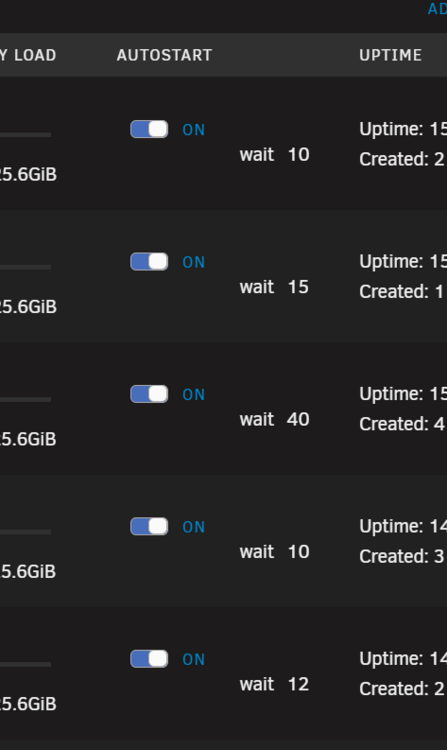
Updated from RC2 to 7.2.0. No issues. However, docker start times have been adjusted this release but are truncated still: The bottom two Dockers are 100 seconds and 120 seconds respectively. If I highlight them as if to change their value, I can scroll and see the who number. But even highlighted, it only shows two digits at a time.
-
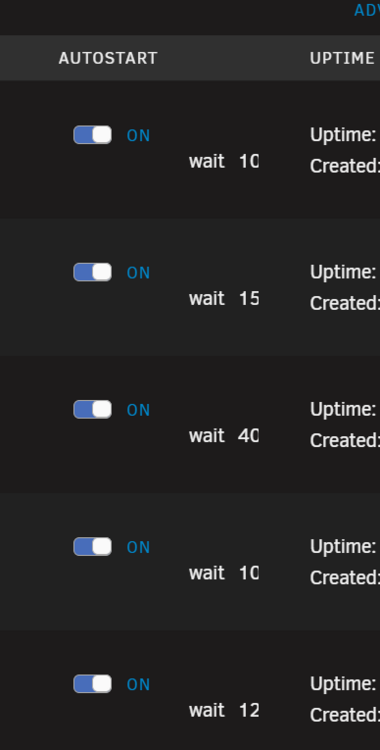
Oh, you guys still have this going on though:
-
Upgraded from rc-1 to rc-2 without any known issues thus far. Dockers and VM's running fine as well.
-
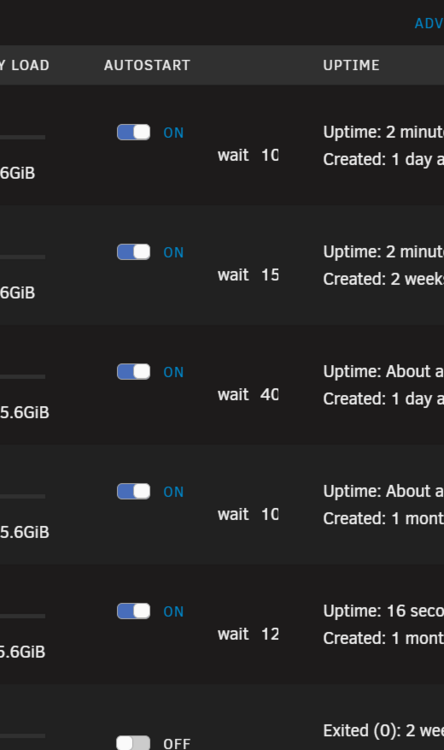
Upgraded from 7.1.4 and everything went mostly fine. Only two small issues noticed so far. 1) The Docker wait time values are truncated: 2) When the system first booted up I got several IPMI event alerts that fans had gone critical. This may be due to the IPMI plugin though? Thanks guys, this looks good!
-
Trippy. I’d use one of yours if I weren’t already do gappy with my own







