





Everything posted by ashman70
-
For some reason Radarr has reset itself and so I've lost all my settings and everything. I have an appdata backed up from August 28th that I am trying to use but having no luck I upgraded my server to 6.12.4 after this appdata backup was done so it was likely done with the deprecated appdata plugin, can I still use the backup to restore Radarr? The issue I am having is with the new appdata plugin is when it asks for backup source I am not sure where to point it? When I click on the question mark for this it says 'The folder which contains ab_xxx folders' I don't know where this is?
-
Finally upgraded form 6.11.5 after having to rollback from upgrading to 6.12.3 and having issues with my 11th gen Intel system, this time everything went well, no issues, all good.
-
So we would need some more details. When I do this, I remove the disk I want to replace from the pool in unRAID by stopping the array, removing the disk then restarting the array. ZFS reports the pool is degraded and a disk is missing. I then stop the array and physically replace the drive ( I don't have to power the server off as I have hot swap drive bays) once the new drive has been added to the pool to replace the old one, I start the array. At this point ZFS should detect a new drive to replace the missing one and automatically start the resilvering process. What do you mean when you say it shows disk 2,3 and 4 as wrong? Wrong how? Are you sure the resilvering process was completed before you replaced the last drive? Did you check the logs in unRAID for any info. Do you have a backup of your data?
-
I have an Nvidia P2000 video card that has been used for Plex transcoding for the past 6 years or so. It was purchased used from eBay and never used for anything other than Plex transcoding where it performed without issue. Looking to sell locally for $200.00 CAN, willing to ship at buyers expense. Located in Milton, Ontario.
-
How could I send a ZFS snapshot to another unRAID server? Assuming they are on the same LAN?
-
Thanks I got it sorted out, but now I have one drive in pre fail state and one drive showing unallocated sectors. I'm crossing my fingers the parity check completes without errors as I only have one parity drive.
-
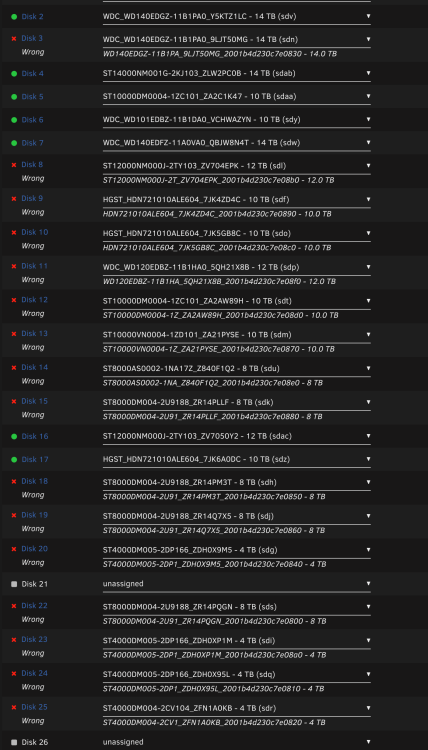
I just had my 16 port HBA die, fortunately I have two HBA's on hand that can handle 8 drives each, however to use them I have to pull my P2000 which I have been using for Plex transcoding. How do I change the parameters of the Plex docker to utilize the iGPU in my 11th gen Intel CPU, if the Plex docker won't even start after I pull the P2000 and start the server? My bigger problem is that unRAID now things many of the disks are in the wrong slots. I think if I do a new config and reassign them as they are now and were prior to this issue, the array should start and I should be ok? Thoughts?
-
When you ran the upgrade assistant what did it tell you? From your logs it appears you have nerd tools and several dynamix plugins installed, or did you remove these prior to upgrading?
-
Yes you would have to move everything from the cache back to the array, reformat the cache and move it back, Was everything stable under 6.11.5? What are you doing on the server, dockers, vm's?
-
Did you run the upgrade assistant before upgrading? What version did you upgrade from? Are you able to roll back to the version you upgraded from? I have not looked at your logs yet.
-
-
Ok so if I make all the vdevs the same width how do I accomplish what I want to do? I want to have one share that utilizes the disk space on all three vdevs.
-
Is it possible under the current implementation of unRAID to create one pool with two VDEV's? I have 22x8TB drives and 13x5TB drives, I want to create a vdev of each in RAIDZ2, then I want to add them to one pool. The goal is to have a shared that utilizes the space on the singe pool made up of both vdevs. Right not, at least through the gui, it appears I can only create two pools. one utilizing the 8TB drives and one utilizing the 5TB drives and this limits me to to a share using either the 8TB drives or 5TB drives, when I want a share to utilize both.
-
So I have two other servers on 6.12.2 and while this is my main server and I'd like to upgrade I also want to use the iGPU for QS with Plex and retire my P2000. If I have to wait, I can wait. How would I disable the iGPU anyway if I did upgrade? Would I do it before I upgrade?
-
Thanks, I rolled back, guess I'll just wait until that bug is fixed.
-
Hello, JorgeB thanks for that, I am not using the iGPU for Plex transcoding though, could I still be affected by this bug? I may just roll back to 6.11.5 for now, but thanks
-
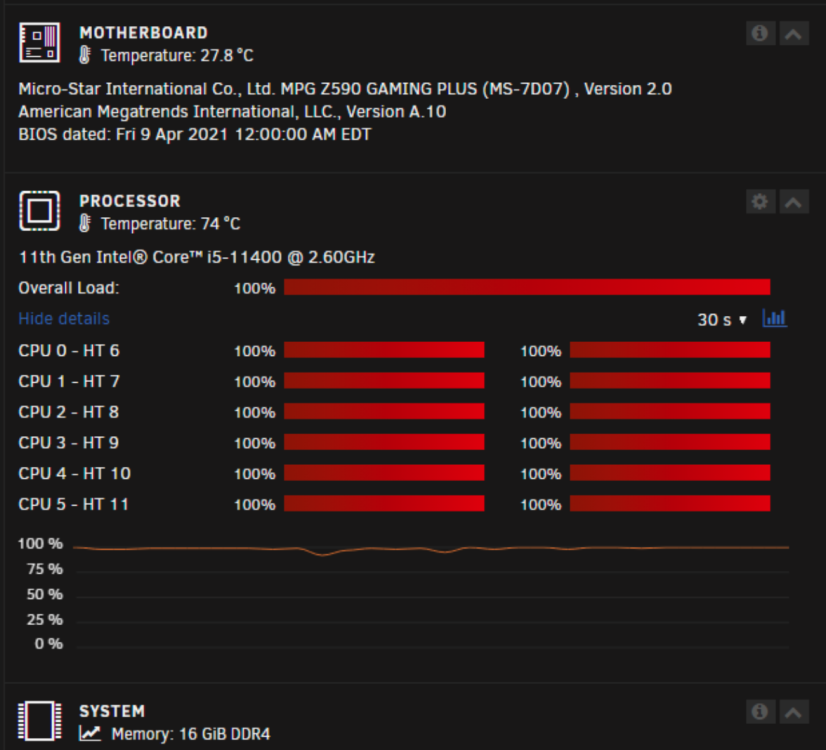
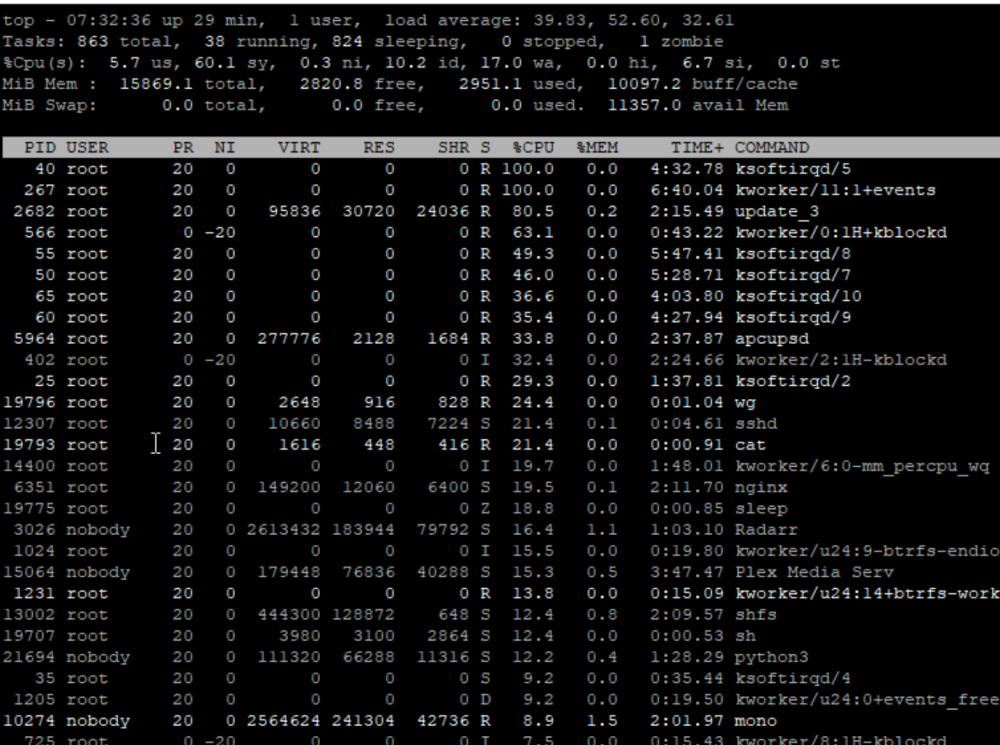
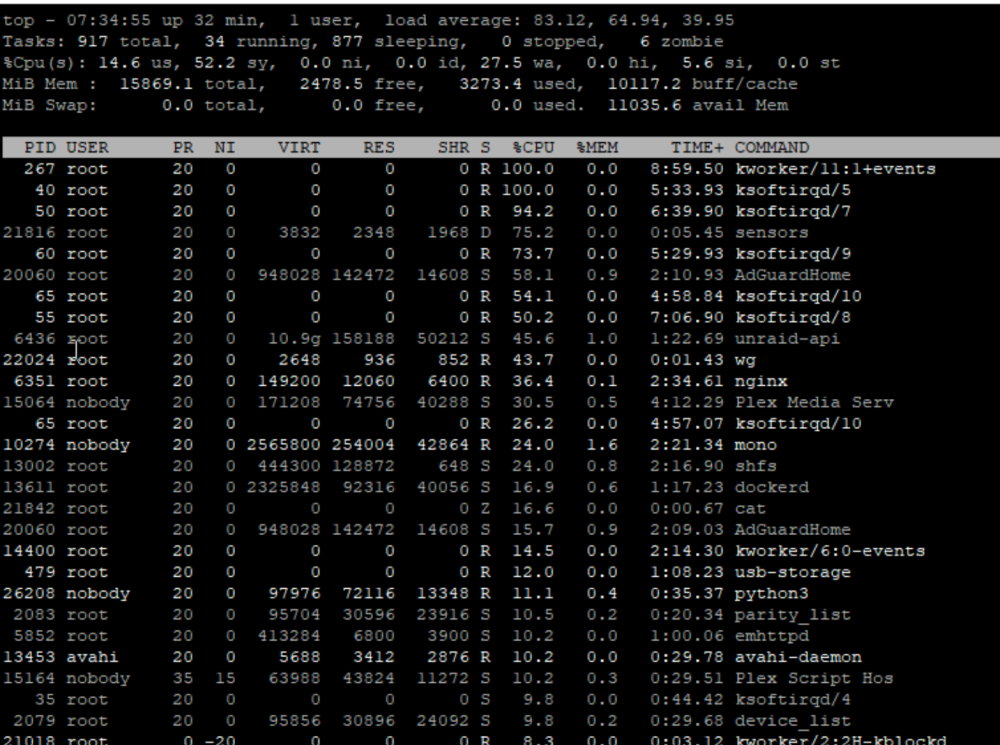
I just upgraded from 6.11.5 about a half an hour or so ago and the CPU on my server is being continually hammered. Attaching diagnostics and TOP screenshots. backuptower-diagnostics-20230704-0739.zip
-
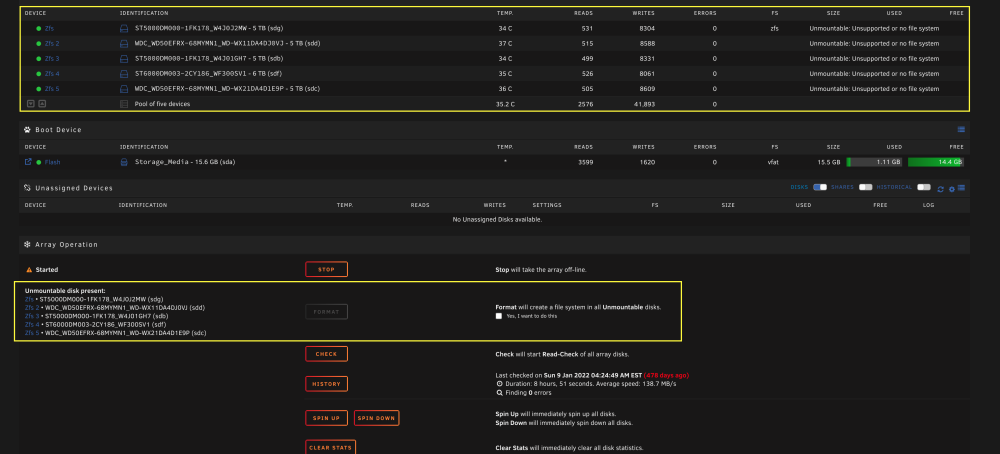
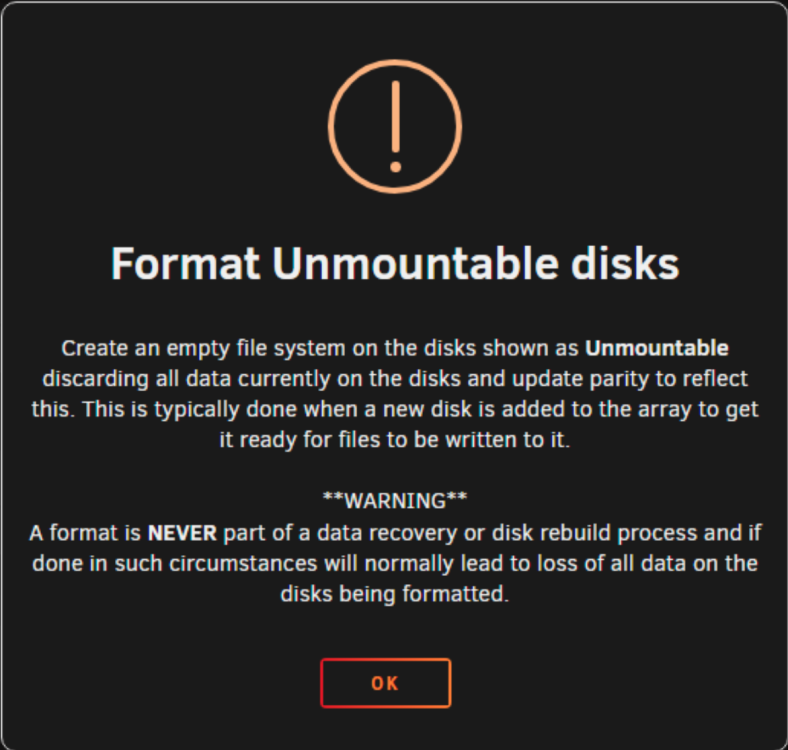
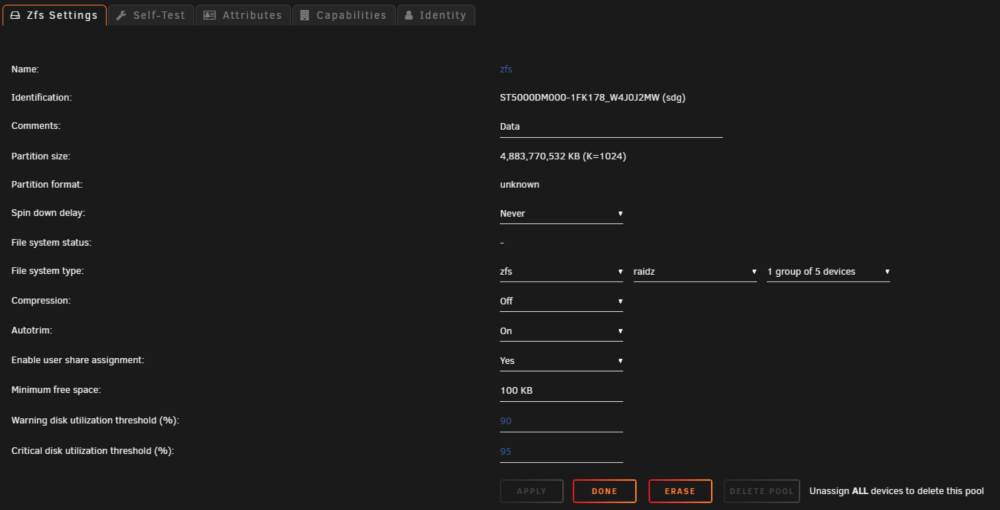
Here is what happens if I try to setup a zfs pool in 6.12.RC5 this is without the ZFS Master plugin. I setup the pool, change the ZFS settings on the first disk, then it asks me if I want to format the drives, if I tick the fox and click format a warning box pops up, I click ok, it tries to format something, then the first zfs disk has a red x next to it and we are back at the beginning, with it asking me if I want to format the disk with the box I can tick off and the button to format. So, do we need the ZFS master plugin and if so, how do we create a share to a ZFS data set? If we don't need the ZFS master plugin, how do we create a pool. so we can create a share in a ZFS data set, and can it be done through the GUI all or partially, and if not, what commands do we need to run to get it to work?
-
So do I not use the ZFS master plugin then and just create a ZFS pool? Or do I use the plugin and create a pool?
-
I already have a pool setup using the zfs master plugin, and I have two data sets in my ZFS pool, I am simply trying to setup a share to one of my data sets.
-
So I have upgraded to RC5, I still don't see where I can add a ZFS share in the gui, when I go to shares I still only get 'array' as an option for adding a share.
-
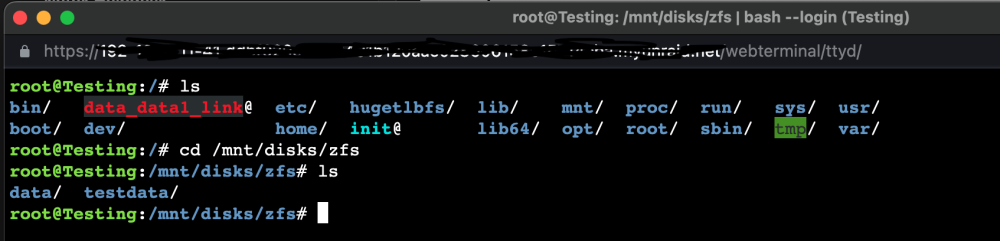
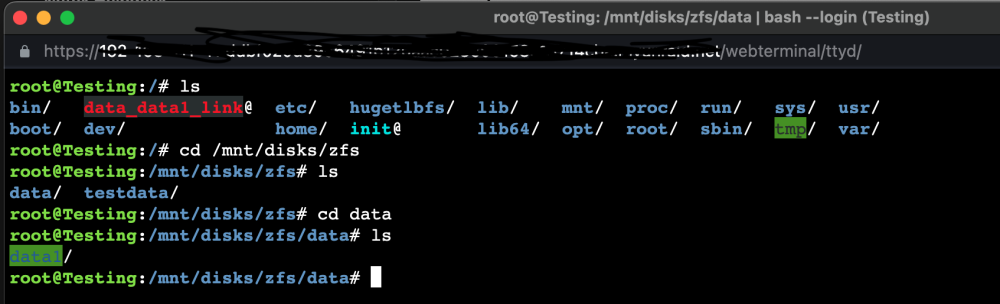
I can't seem to figure it out. I managed to create a symlink, data_data1_link, I think but the share doesn't show up: You can see my data sets And the folder for the share data1 inside the data set data.

-
Those only seem to be share on the array, not the zfs pool
-
I can't to figure out how to create a share that is not part of the array. Where is the setting to set the pool as primary or secondary? Or is is command line command?
-
Not sure if this is the correct place to ask this question, if not please direct me to the appropriate place. I have created a zpool and two data sets. How can I share the data sets out so they are available like shares would be? Some research leads me to believe I need to edit a .conf file to instruct unraid to mount the data sets on boot, is this correct?


