





jacan
Members
-
Joined
-
Last visited
-
Thanks, sorry my late reply, after banging my head against the wall and taking a break, i found the solution so i hope it helps others. First i went onto the venture of figuring out if my bios was properly configured so i went and modified to boot from EFI instead of legacy and disabled all legacy in the bios so i could enable "above 4g". no luck for me for Rebar as its not included in my X99F8 bios and i need to upload a modified bios, wich as part as this troubleshoting i didnt wanted to do as i could potentially introduce a much bigger problem (bricking my motherboard) After that i wend into try a bund of settings into /etc/modprobe.d/i915/conf and finally the one that worked was : options i915 forbe_probe=56a5 enable_guc=1 this helpmed me finally being able to load intel_gpu_top and finally have /dev/dri present I still dont know why it needs to be forced but anyways, its working now What i hope now is more apps to support also Intel Arc like deepstack
-
following topic, i have been getting this since i upgraded to 7.0, havent tried safe mode but at least i now know im not alone. Have the gpu and disk locations pluggin also
-
I bought a A380 and installed with the hopes with official support i can upgrade my decoding power. I installed the board , installed gpu top and gpu statistics, however i receive the error" Vendor command returned no data" in gpu statistics When i go to GPU statistics settings i see: 05:00.0 DG2[Arc A380] selected but a ls /dev/dri shows no shuch file also intel_gpu_top reports no device i searched the forums and found diferent options like modprobe and options i915 but no luck im attaching the diagnostics to see if anyone can help me tower-diagnostics-20250118-1755.zip
-
I bought a A380 and installed with the hopes with official support i can upgrade my decoding power. I installed the board , installed gpu top and gpu statistics, however i receive the error" Vendor command returned no data" in gpu statistics When i go to GPU statistics settings i see: 05:00.0 DG2[Arc A380] selected but a ls /dev/dri shows no shuch file i searched the forums and found diferent options like modprobe and options i915 but no luck im attaching the diagnostics to see if anyone can help me tower-diagnostics-20250118-1755.zip
-
Thanks for grandfathering current users
-
Thanks that worked!!!
-
folders.json
-
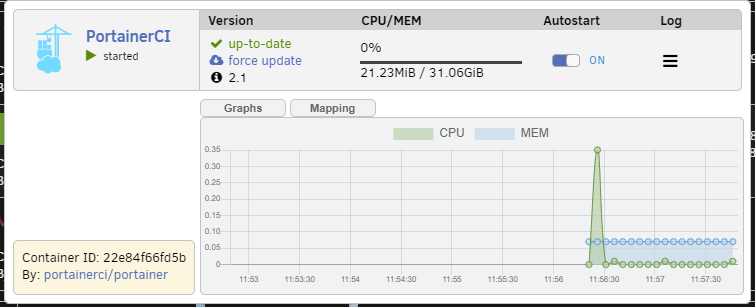
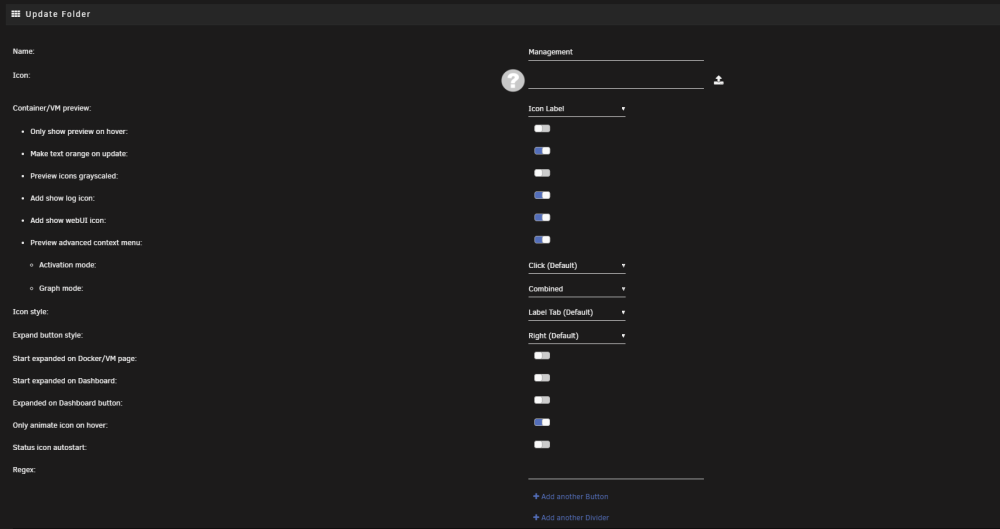
I just started using this and im on 6.11. Log and actions doesnt work, any help?
-
looks like the firewall rules for my lan are not working, anyone knows how to fix this? 2020-04-24 11:41:33.466593 [info] WebUI port defined as 2020-04-24 11:41:33.492464 [info] Adding 192.168.2.0/24 as route via docker eth0 Error: Nexthop has invalid gateway. 2020-04-24 11:41:33.516191 [info] ip route defined as follows... -------------------- default via 10.10.6.21 dev tun0 10.10.6.1 via 10.10.6.21 dev tun0 10.10.6.21 dev tun0 proto kernel scope link src 10.10.6.22 172.17.0.0/16 dev eth0 proto kernel scope link src 172.17.0.11 199.127.62.98 via 172.17.0.1 dev eth0 -------------------- iptable_mangle 16384 3 ip_tables 24576 7 iptable_filter,iptable_nat,iptable_mangle 2020-04-24 11:41:33.541462 [info] iptable_mangle support detected, adding fwmark for tables 2020-04-24 11:41:33.576618 [info] Docker network defined as 172.17.0.0/16 2020-04-24 11:41:33.622342 [info] iptables defined as follows... -------------------- -P INPUT DROP -P FORWARD ACCEPT -P OUTPUT DROP -A INPUT -i tun0 -j ACCEPT -A INPUT -s 172.17.0.0/16 -d 172.17.0.0/16 -j ACCEPT -A INPUT -i eth0 -p udp -m udp --sport 8888 -j ACCEPT -A INPUT -i eth0 -p tcp -m tcp --dport 9117 -j ACCEPT -A INPUT -i eth0 -p tcp -m tcp --sport 9117 -j ACCEPT -A INPUT -p icmp -m icmp --icmp-type 0 -j ACCEPT -A INPUT -i lo -j ACCEPT -A OUTPUT -o tun0 -j ACCEPT -A OUTPUT -s 172.17.0.0/16 -d 172.17.0.0/16 -j ACCEPT -A OUTPUT -o eth0 -p udp -m udp --dport 8888 -j ACCEPT -A OUTPUT -o eth0 -p tcp -m tcp --dport 9117 -j ACCEPT -A OUTPUT -o eth0 -p tcp -m tcp --sport 9117 -j ACCEPT -A OUTPUT -p icmp -m icmp --icmp-type 8 -j ACCEPT -A OUTPUT -o lo -j ACCEPT
-
Hi, thanks for creating this container for unraid. I just installed this and configured the VPN and when i try to load the web interface it will not show up and eventually it will error out. i checked the logs and the vpn is connected just fine, jacket is also working fine as per the log, its just the web interface that doesnt work. i then disabled the vpn in the container and the web load works just fine. is there anything that you can do to help me?
-
Any idea if this will be updated to 2.09?
-
I just wanted to start using the vpn client, but when i try to install from the plugin screen i get error, wondering if its updated
-
after updating to the new version i receive a lot of errors, i have deleted the config file but no luck. anything that i can fix? Brought to you by linuxserver.io We gratefully accept donations at: https://www.linuxserver.io/index.php/donations/ ------------------------------------- GID/UID ------------------------------------- User uid: 99 User gid: 100 ------------------------------------- [cont-init.d] 10-adduser: exited 0. [cont-init.d] 30-dbus: executing... [cont-init.d] 30-dbus: exited 0. [cont-init.d] 40-config: executing... [cont-init.d] 40-config: exited 0. [cont-init.d] done. [services.d] starting services dbus[240]: [system] org.freedesktop.DBus.Error.AccessDenied: Failed to set fd limit to 65536: Operation not permitted [services.d] done. Found user 'avahi' (UID 86) and group 'avahi' (GID 86). Successfully dropped root privileges. avahi-daemon 0.6.32 starting up. WARNING: No NSS support for mDNS detected, consider installing nss-mdns! Loading service file /etc/avahi/services/sftp-ssh.service. Loading service file /etc/avahi/services/ssh.service. *** WARNING: Detected another IPv4 mDNS stack running on this host. This makes mDNS unreliable and is thus not recommended. *** socket() failed: Address family not supported by protocol Failed to create IPv6 socket, proceeding in IPv4 only mode socket() failed: Address family not supported by protocol Joining mDNS multicast group on interface docker0.IPv4 with address 172.17.0.1. New relevant interface docker0.IPv4 for mDNS. Joining mDNS multicast group on interface br0.IPv4 with address 192.168.2.96. New relevant interface br0.IPv4 for mDNS. Network interface enumeration completed. Registering new address record for 172.17.0.1 on docker0.IPv4. Registering new address record for 192.168.2.96 on br0.IPv4. [ LOG] main: Forked Media Server Version 24.1 taking off [ LOG] main: mDNS init [ LOG] mdns: Avahi state change: Client registering [ LOG] db: Now vacuuming database, this may take some time... Server startup complete. Host name is Tower.local. Local service cookie is 445148972. Service "Tower" (/etc/avahi/services/ssh.service) successfully established. Service "Tower" (/etc/avahi/services/sftp-ssh.service) successfully established. [ LOG] db: Database OK with 16120 active files and 96 active playlists [ LOG] mdns: Avahi state change: Client running [ LOG] scan: Scanned 200 files...


