





jeremytodd1
Members
-
Joined
-
Last visited
-
No duplicate ports here. I wish it was that easy of a solution lol.
-
No worries. I appreciate you looking into it for me, thanks again! I ended up just hosting the server on an extra Windows PC instead. I still have no idea what is preventing the container from working for me but oh well.
-
Definitely no CG-NAT involved. I did previously have a friend try to connect just to see and they never saw the server as responding either. I'm out of ideas to try at this point.
-
I appreciate it, thank you! I have no idea what else it can be on my side.
-
I just tried removing the container, deleting the projectzomboid appdata folder, and then reinstalling the container. All default settings still (though I did add "true" so it would verify the installation) I'm still having the same issue.
-
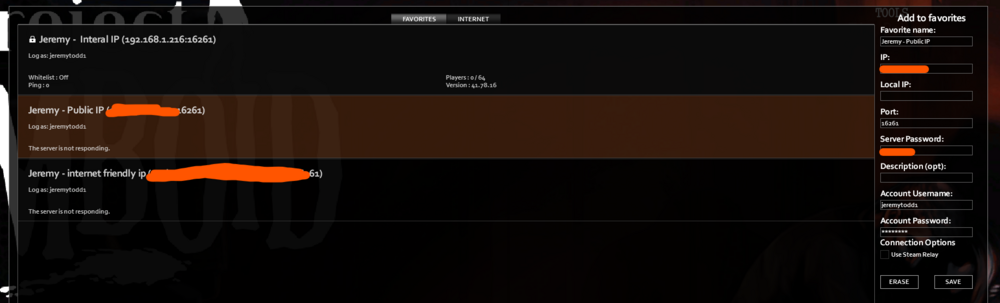
Even with a bridged network, only the local ip address can connect to the PZ server. In game, the external ip server shows as "The server is not responding" still. This screenshot is with the container in bridged mode. You can see the local IP sees it with no issue but the external IP cannot.
-
@ich777 (sorry if this sends you a ping or something, I'm not used to how these forums work) Out of curiosity, I tried hosting a Valheim server using your container. I'm able to access my Valheim server with both my internal IP and external IP with no issues. It just worked first try with no problems. I don't believe my process of opening ports or anything is the issue for Project Zomboid.
-
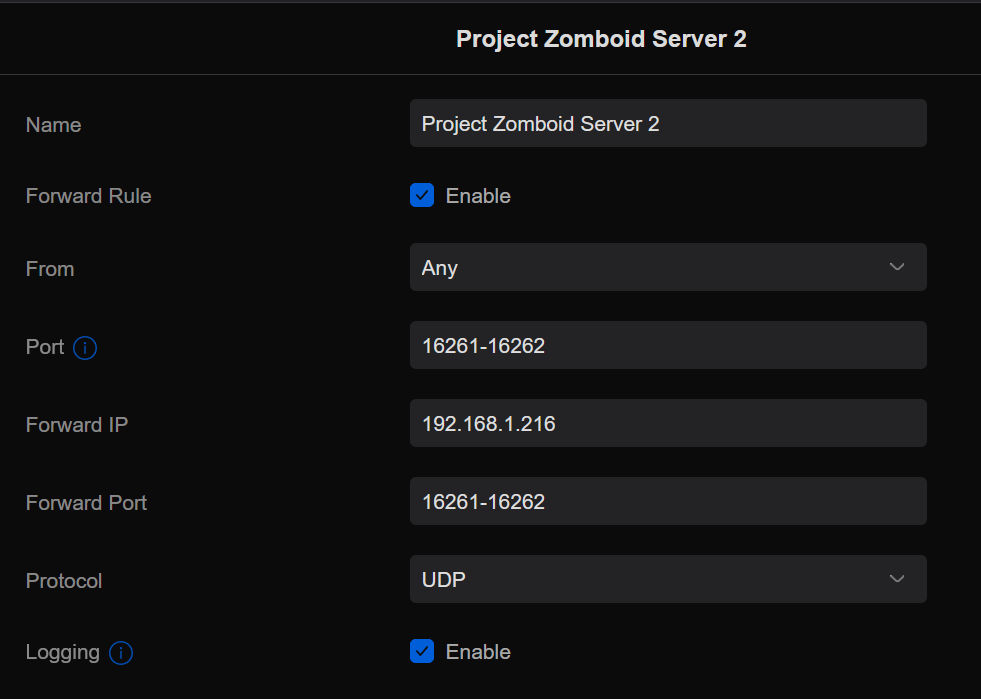
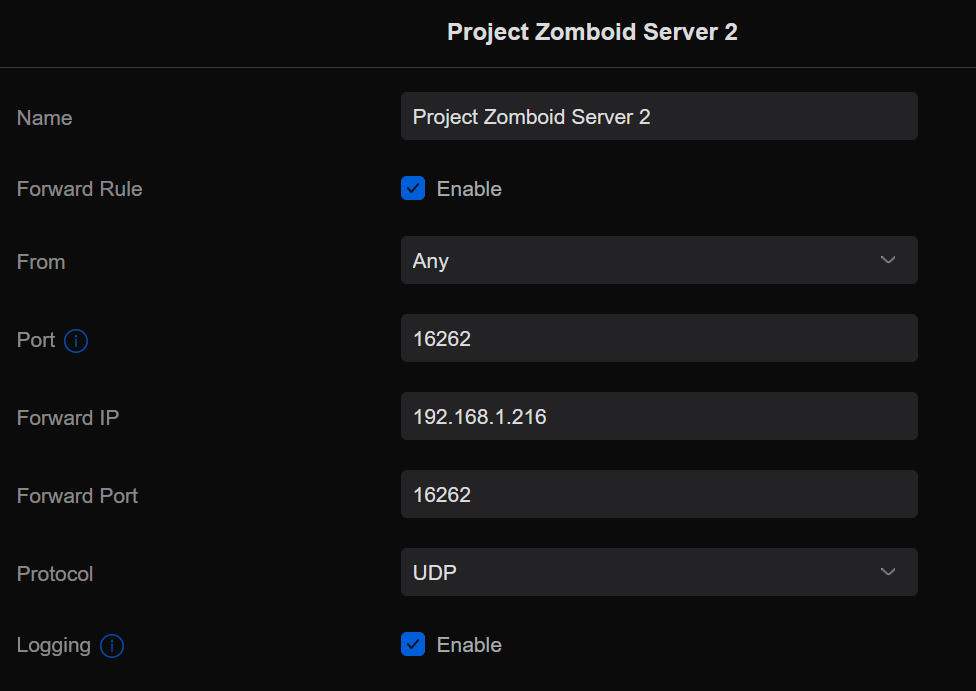
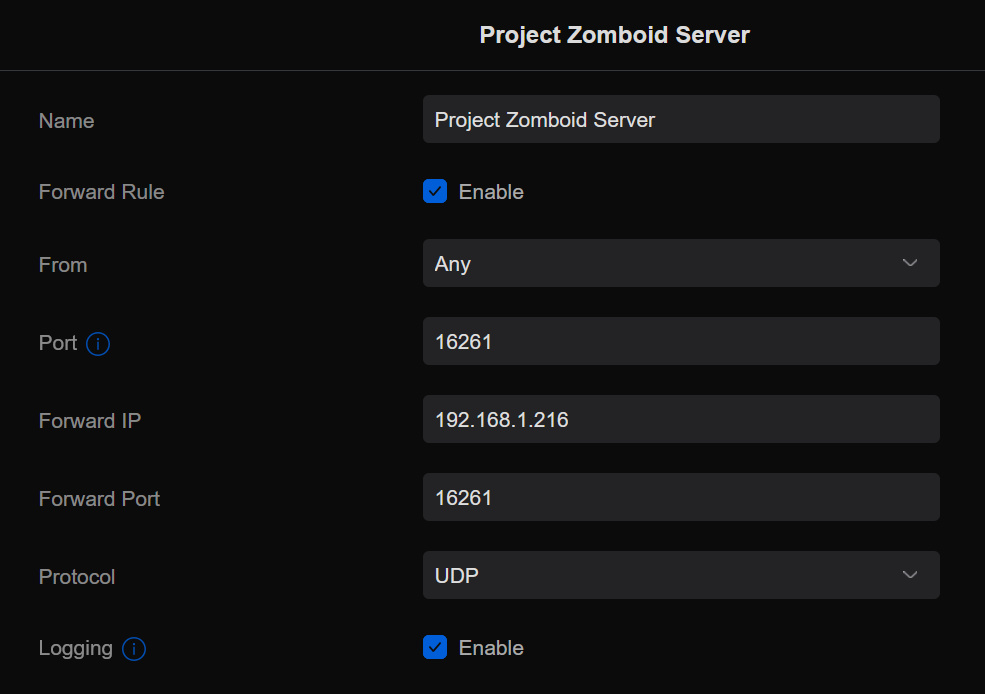
I've opened a range of ports because a few guides say I need to open a port per extra player. I figured if we end up getting more friends to join that I'll open up a few more ports. Last night I did revert it though to only be those two specific ports and had the same issue still. When I initially tried the server I was using a bridge network interface. Same issue. I'll revert back to that though for further testing. Here is where I am currently: I also did try combining both ports into one forwarding rule. Same issue with this as well. My ISP is Google Fiber who doesn't use CG-NAT. I did run the tracert -4 hop test and confirmed there doesn't look to be CG-NAT in use. The only Antivirus on my PC is Windows Defender, and even with that fully disabled I'm still unable to connect. I also opened the ports in the Windows Firewall as well to no avail.
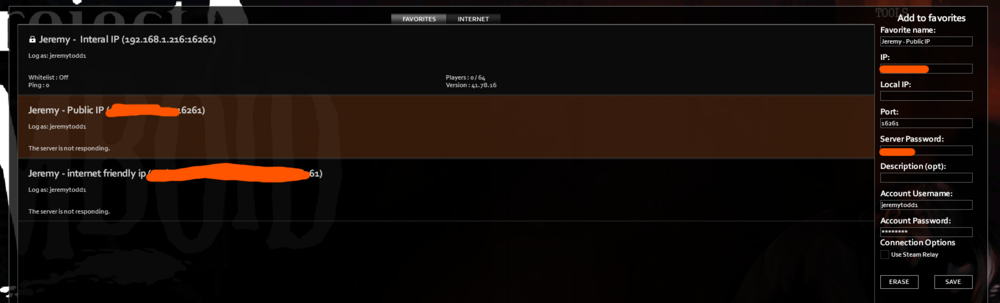

-
I'm trying to host a Project Zomboid server for a friend and I to play on. I've done everything right I believe but neither of us can join when using the external IP address. I can join the server using my local ip address with no issue. Here is what my container settings look like (the ip address shown) On my Unifi network, I have port forwarded the required settings, shown in these two screenshots: And I do have "open=true" in my servertest.ini file. No matter what I do, I just can't get in using my external ip address. Any idea? EDIT: I've also just tried this for the second part of the port forwarding and I'm still having the same issue:


-
Do you mind explaining how to do this a bit more, please? I'm not very familiar with this stuff and not sure what this process actually looks like.
-
One more thing I'll point out. After testing it yesterday (installing from Community Apps and adding the sample camera configuration), I didn't touch it again. 25 hours later I noticed that the memory usage of the Viseron container was using up a bit over 3GB of ram. Screenshot for reference: Is this expected?

-
I just tried out the current listing for Viseron on Unraid's Community Apps and it looks like it successfully installed. I'm able to get to the Viseron's web ui at least. I haven't tried adding any cameras or anything yet. EDIT: I just tried putting in the camera sample configuration as well and it looks like the sample cameras are working correctly as well. Haven't done anything with recording yet though. I did notice that the icon for Viseron in my docker containers page isn't there. It's just using the standard blank icon image. I don't know much about templates though so I can't assist much with helping you there.
-
@roflcoopter Any chance for an updated listing in the Community Apps? The only option currently is missing some fields in the template (like network ports, for example). It also wants the container to be privileged, which is the first time I'm even seeing this after using Unraid for like 7 years
-
Any chance of the "reactive resume" community app to get updated? It looks like the software is officially on Version 3 now, but it looks like this community app is only using Version 1 still. Any chance of this community app getting updated to Version 3? There are a lot of new features in version 3 that would be great to have.
-
I ended up figuring it out last night. NPM for some reason did not like ports 180 or 1443. After I switched those ports to 1880 and 18443 (and corrected the forwarded ports in my router) it started working correctly again.


