dibux
Members
-
Joined
-
Last visited
-
Bei mir trat das nach ca einer Laufzeit von 2 Wochen auf. In dieser Zeit erhöhte sich der Speicherverbrauch von borg-ui minimal und bei borg-backup-ui erheblich. Die minimale Erhöhung ist durch das dazukommen von Dokumenten und Dateien in den Shares erklärbar, da der Rest recht stabil als Archiv vorliegt. Leider komme ich aktuell nicht dazu das auf meinem Testsystem durchzuführen. Sobald ich wieder Zeit habe, melde ich mich. Eine MQTT Integration wäre noch cool (kann man dann im Dashboard von Home Assistant anzeigen lassen) ;-) LG Dirk Anmerkung zur borg Versionen in borg-ui: B1 - 1.4.5 B2 - 2.0.0b25
-
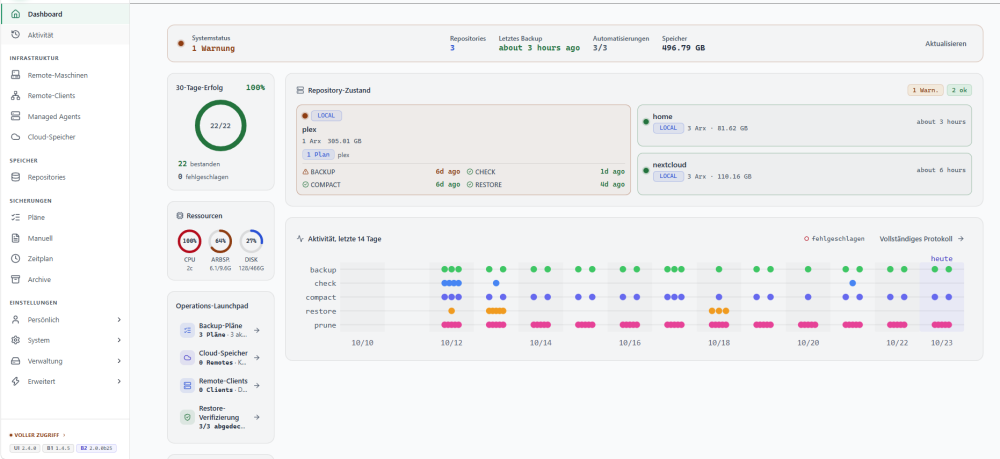
Was mir ausfällt. Identische Backups (ähnliche, vergleichbare Einstellungen und identische Laufzeit (vergleichbar, kaum veränderte Daten im Backup): jedes Programm backupt auf einer eigenen 1TB usb Festplatte Borg Backup UI: 1TB voll nach einer Woche (bis Anschlag) - wurde nie kleiner Borg-UI: 496GB nach einer Woche - bleibt ziemlich stabil Frage mich warum ;-) BG Dirk
-
Ich finde als Anhaltspunkt das von BorgUI schon sehr gut ;-)
-
Hab dir den Log gesendet. Notification ja (unraid only)
-
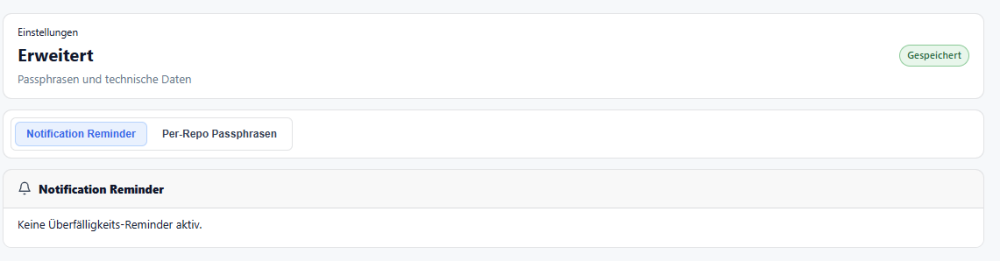
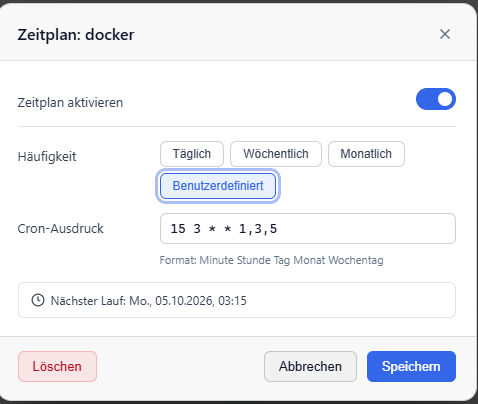
Hallo, mir ist noch etwas aufgefallen (ich kann es erst mal nicht nachvollziehen, warum diese Warnung da ist) ;-) Der Job ist ja nach meinem Verstehen nicht überfällig Danke und beste Grüße Dirk

-
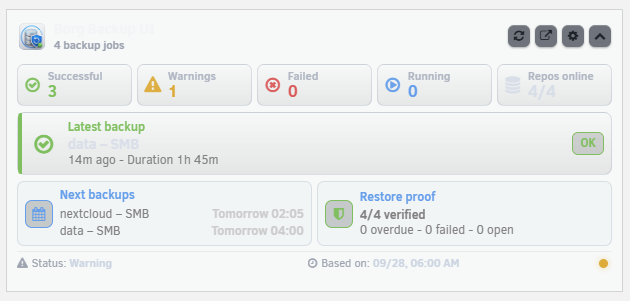
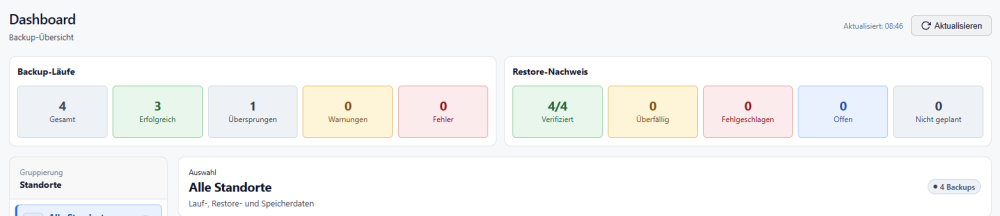
Hallo, bei mir zeigt das Dashboard-Widget einen statischen Stand an (siehe Bilder) Die Icons oben rechts sind auch schwer zu erkennen durch die Farbgebung Beste Grüße Dirk
-
Gelöst: Es war nicht der DNS ich habe die Community App deinstalliert und neu installiert, jetzt geht es :-) Danke für die Hilfe
-
ls -lah /boot/config/plugins/ mein plugin folder auf dem stick ls -lah /boot/config/plugins-error/ leer ls -lah /var/log/plugins/ lrwxrwxrwx 1 root root 34 Sep 25 14:35 aegis.mfa.plg -> /boot/config/plugins/aegis.mfa.plg lrwxrwxrwx 1 root root 39 Sep 25 14:37 borg-backup-ui.plg -> /boot/config/plugins/borg-backup-ui.plg lrwxrwxrwx 1 root root 29 Sep 25 14:37 btop.plg -> /boot/config/plugins/btop.plg lrwxrwxrwx 1 root root 47 Sep 25 14:37 community.applications.plg -> /boot/config/plugins/community.applications.plg lrwxrwxrwx 1 root root 41 Sep 25 14:38 disable.security.plg -> /boot/config/plugins/disable.security.plg lrwxrwxrwx 1 root root 33 Sep 25 14:38 dwpython.plg -> /boot/config/plugins/dwpython.plg lrwxrwxrwx 1 root root 47 Sep 25 14:38 dynamix.system.autofan.plg -> /boot/config/plugins/dynamix.system.autofan.plg lrwxrwxrwx 1 root root 44 Sep 25 14:38 dynamix.system.temp.plg -> /boot/config/plugins/dynamix.system.temp.plg lrwxrwxrwx 1 root root 43 Sep 25 14:35 dynamix.unraid.net.plg -> /boot/config/plugins/dynamix.unraid.net.plg lrwxrwxrwx 1 root root 32 Sep 25 14:38 gpustat.plg -> /boot/config/plugins/gpustat.plg lrwxrwxrwx 1 root root 38 Sep 25 14:38 intel-gpu-top.plg -> /boot/config/plugins/intel-gpu-top.plg lrwxrwxrwx 1 root root 36 Sep 25 14:38 it87-driver.plg -> /boot/config/plugins/it87-driver.plg lrwxrwxrwx 1 root root 35 Sep 25 14:38 lang-de_DE.xml -> /boot/config/plugins/lang-de_DE.xml lrwxrwxrwx 1 root root 36 Sep 25 14:38 recycle.bin.plg -> /boot/config/plugins/recycle.bin.plg lrwxrwxrwx 1 root root 33 Sep 25 14:38 scrubber.plg -> /boot/config/plugins/scrubber.plg lrwxrwxrwx 1 root root 33 Sep 25 14:38 swapfile.plg -> /boot/config/plugins/swapfile.plg lrwxrwxrwx 1 root root 34 Sep 25 14:38 tailscale.plg -> /boot/config/plugins/tailscale.plg lrwxrwxrwx 1 root root 45 Sep 25 14:38 tips.and.tweaks-next.plg -> /boot/config/plugins/tips.and.tweaks-next.plg lrwxrwxrwx 1 root root 55 Sep 3 23:24 unRAIDServer.plg -> /usr/local/emhttp/plugins/unRAIDServer/unRAIDServer.plg lrwxrwxrwx 1 root root 48 Sep 25 14:38 unassigned.devices-plus.plg -> /boot/config/plugins/unassigned.devices-plus.plg lrwxrwxrwx 1 root root 43 Sep 25 14:38 unassigned.devices.plg -> /boot/config/plugins/unassigned.devices.plg lrwxrwxrwx 1 root root 48 Sep 25 14:38 unraid-management-agent.plg -> /boot/config/plugins/unraid-management-agent.plg lrwxrwxrwx 1 root root 37 Sep 25 14:38 unraid-r8125.plg -> /boot/config/plugins/unraid-r8125.plg lrwxrwxrwx 1 root root 46 Sep 25 14:38 user.scripts.enhanced.plg -> /boot/config/plugins/user.scripts.enhanced.plg lrwxrwxrwx 1 root root 37 Sep 25 14:38 user.scripts.plg -> /boot/config/plugins/user.scripts.plg tail -n 100 /var/log/syslog Nichts was mit plugins zu tun (nach erfolgloser Installation) unraid hat eigene DNS Server euroDNS (86.54.11.1) Stelle das mal um wie geschrieben, manuelle plugin installation geht problemlos
-
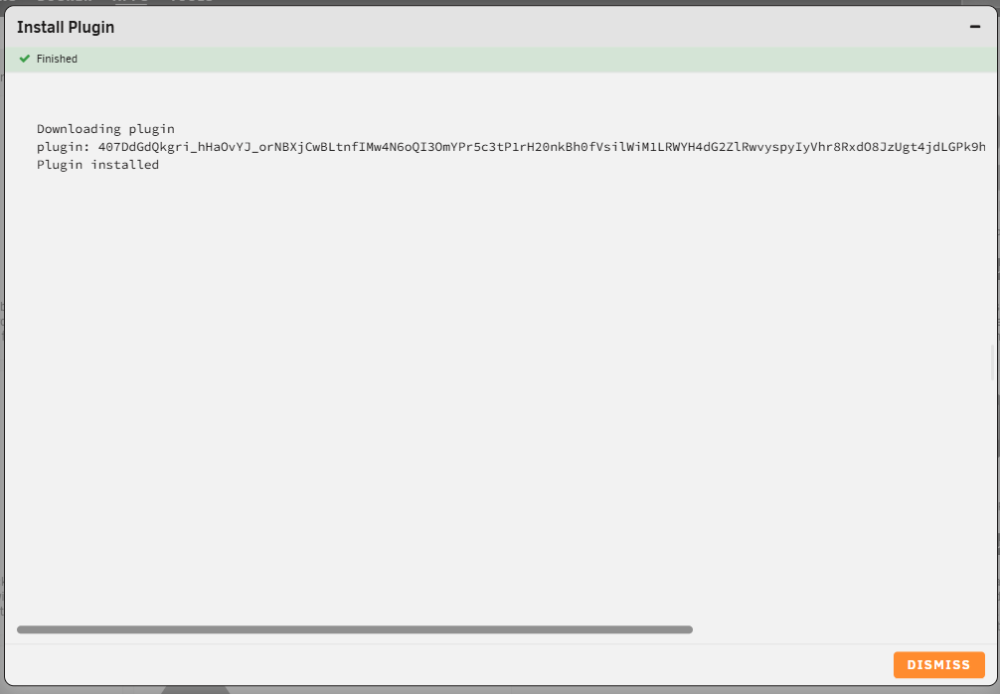
Hallo, nachdem mein Dockerstart sich dank eurer Hilfe wohl erledigt hat, kommt ein neues Problem ;-) wenn ich ein plugin installieren will kommt folgende Meldung: (mit einem grünen Haken (finished) Downloading plugin plugin: WRcYEXqhIpdHeZiSN4reLQXFt0V2PDzHP80ZGZNydBKM_et9eRpVE7zDpqkDFs82AGOs4STueh3nX-cn7KPwaVOH_lkBb2dpPO4YLBqGGOT-2sXK4szchQtwWUHpyzHs-4vY2RyeIhGCHr4dVRpYf-v9i0wl is not a plg file Plugin installed (Das plugin ist aber nicht installiert und es werden auch die installierten (laufen einwandfrei) nicht in der Communitie App als installiert gezeigt (banner rechts oben in der Ecke). Ich kann plugins manuell installieren. 7.4.0-beta 2 / Community ApplicationsThe One Stop Shop for all applications for Unraid Support Thread Lime Technology 2026.07.21
-
Ich konnte das plugin manuell über den plg link installieren. Scheinbar liegt es an meinem setting, denn pyhton ging auch nur über den plg link, ansonsten ähnliche Fehlermeldung Danke für deine Rückmeldung und Arbeit. Werde jetzt nach der Installation auf dem neuen System ausgiebig testen. (PS: borgui (docker was ich sonst nutze, bietet ein cooles restore test feature, leider keine Ahnung wie es funktioniert, aber es geht sehr schnell und nicht wird irgendwohin restored ;-))
-
Fehler bei der Installation Downloading plugin plugin: 407DdGdQkgri_hHaOvYJ_orNBXjCwBLtnfIMw4N6oQI3OmYPr5c3tP1rH20nkBh0fVsilWiM1LRWYH4dG2ZlRwvyspyIyVhr8RxdO8JzUgt4jdLGPk9hK6ool-NcV-SypwMFkenBAeeuoOc9BkQ6KQ is not a plg file
-
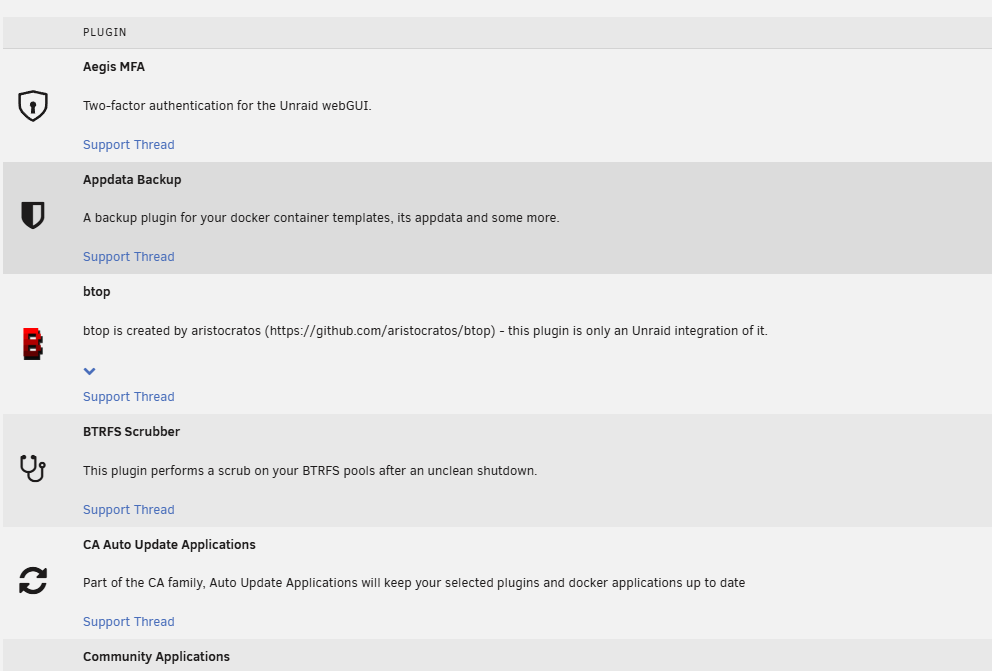
Unter der neuen Beta 7.4.0-1 kann ich zwar das Plugin installieren aber es ist nicht bei den Plugins auf dem Server
-
Kann ich nicht bestätigen mit btrfs (läuft bei mir auf 2 systemen seit langer zeit ohne probleme (ja auch mit datenbanken). man liest ja nichts von den systemen bei denen es ohne probleme läuft, nur von denen mit problemen. daraus würde ich den einsatz von btrfs im cache nicht überdenken (der faktor liegt wahrscheinlich bei 1000 zu 1), da das sogar die vorgabe von unraid ist. ;-)
-
BTRFS macht "gerne" immer wieder Probleme. war vielleicht mal so ;-) mein Cachepool läuft schon seit V7.x unter btrts ohne irgendwelche Probleme (btrfs wird für SSD (besonders im cachepool) nicht nur von unraid empfohlen)
-
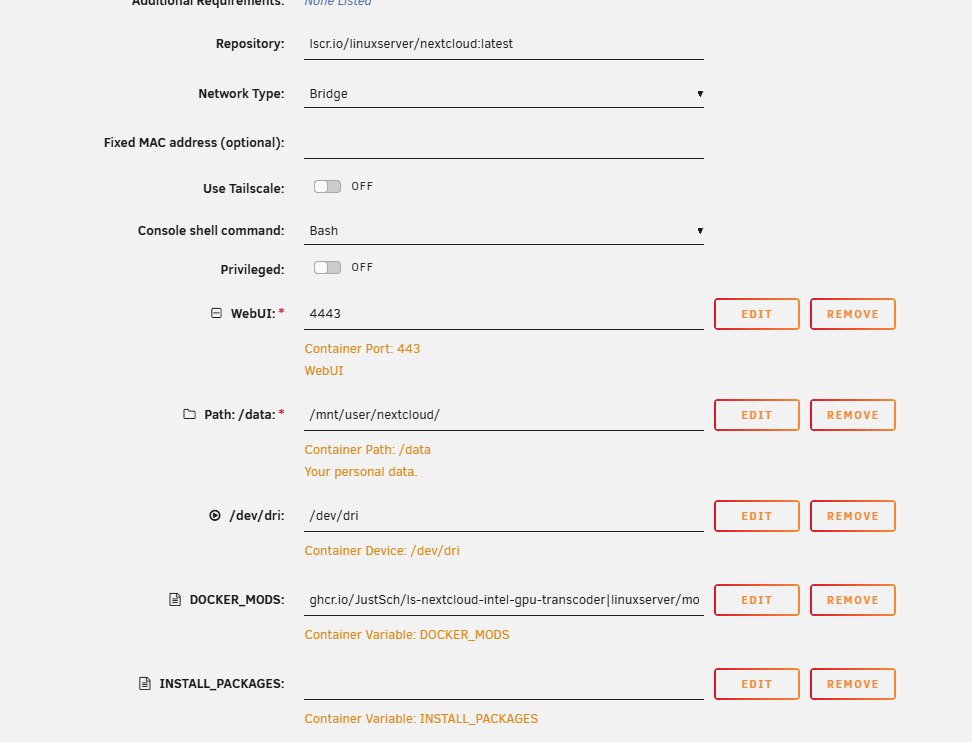
stelle wie bei mir als bridge ;-) config php sieht bei mir so aus 'trusted_domains' => array ( 0 => 'localhost', 1 => 'duckdns', 2 => '192.168.0.5:4443', ), 'trusted_proxies' => array ( 0 => '192.168.0.0/24', 1 => '127.0.0.1', 2 => '::1', ), Ich nutze aber auch nicht nginx sondern zoraxy